2023 Release Recap: What's New for Distro in 2023
Throughout 2023, Chili Piper released numerous updates to its Distro product, a CRM routing solution that automatically distributes leads from events, pings SDRs when accounts reach lead score thresholds, and routes leads to Customer Success Managers once opportunities close.
Notable Highlights
Before diving into the monthly updates, here are the major 2023 accomplishments worth calling out:
A UI on Fire
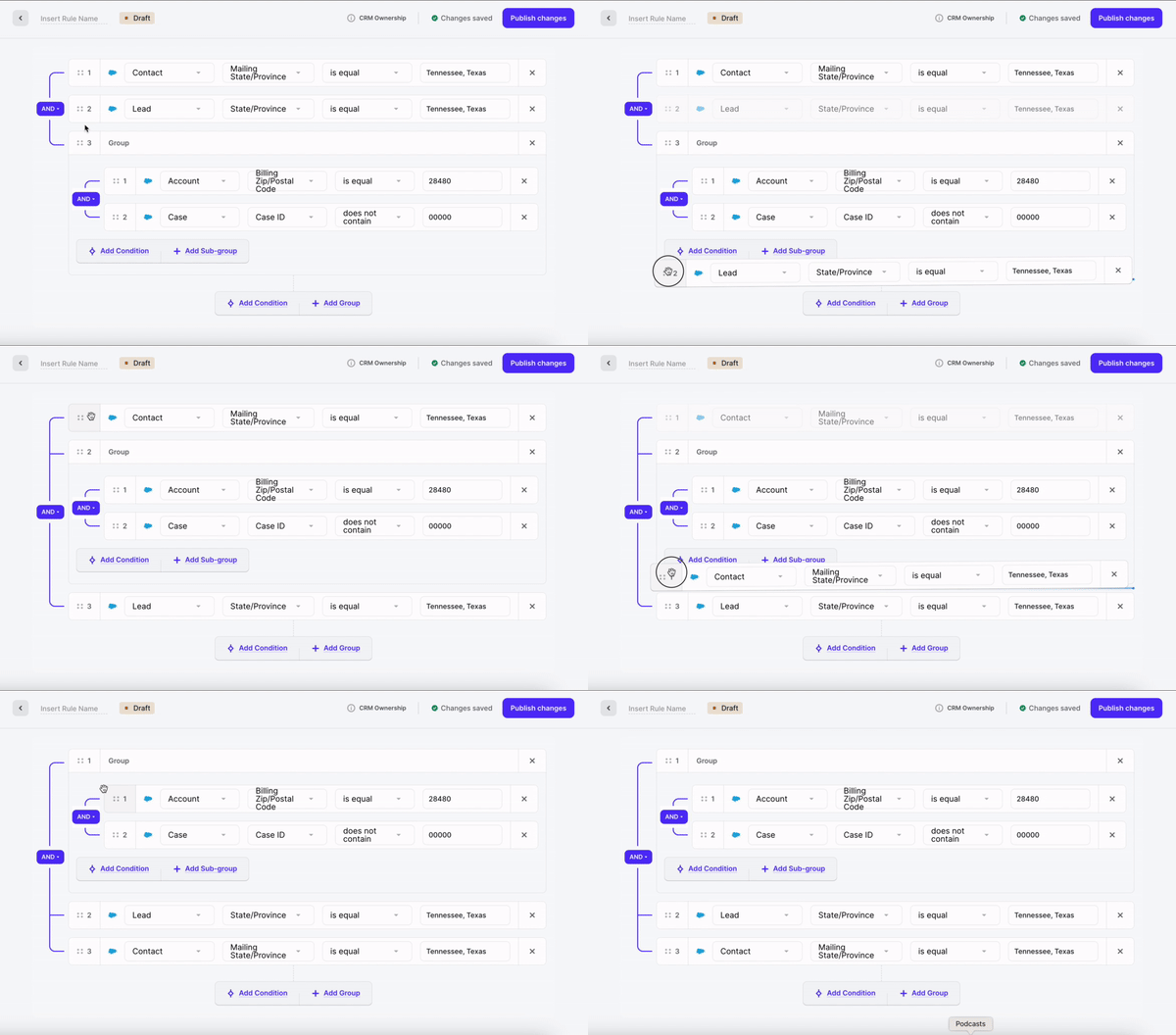
The new Fire UI enables more intuitive router building with:
- Drag and drop routes
- Reuse of teams, assignment rulesets, triggers, and other assets across routers — updates made in one place apply everywhere
Calibration
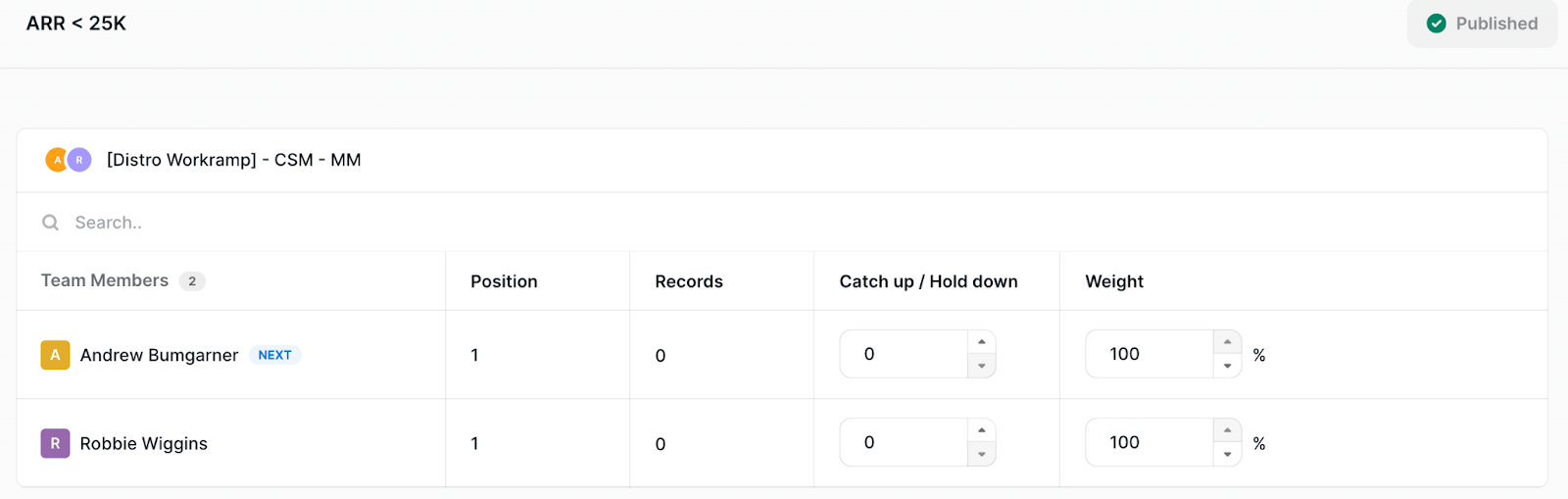
Quick recalibration when spam leads are assigned. Find it under Distribution > Fairness.
Test Your Flows Before Pushing Live
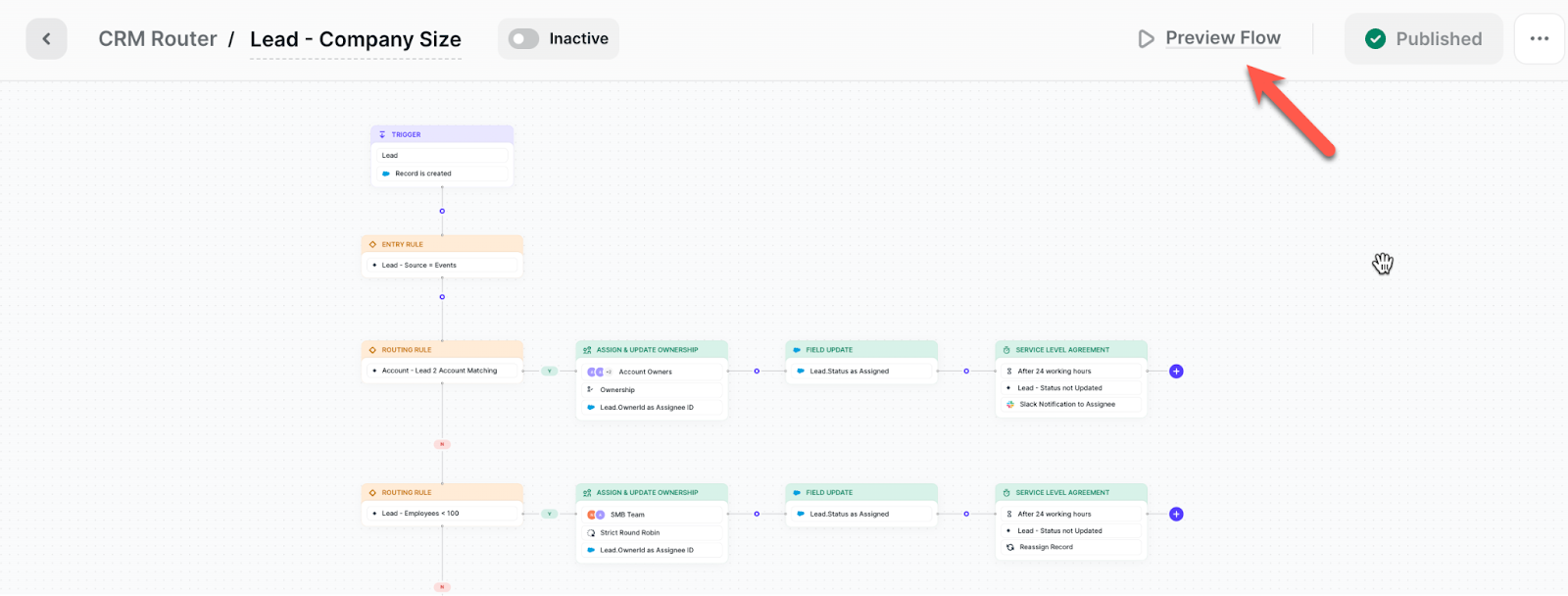
"Preview Mode" enables testing routing logic using real Salesforce data without updating records.
SLAs that sync with your reps' calendars
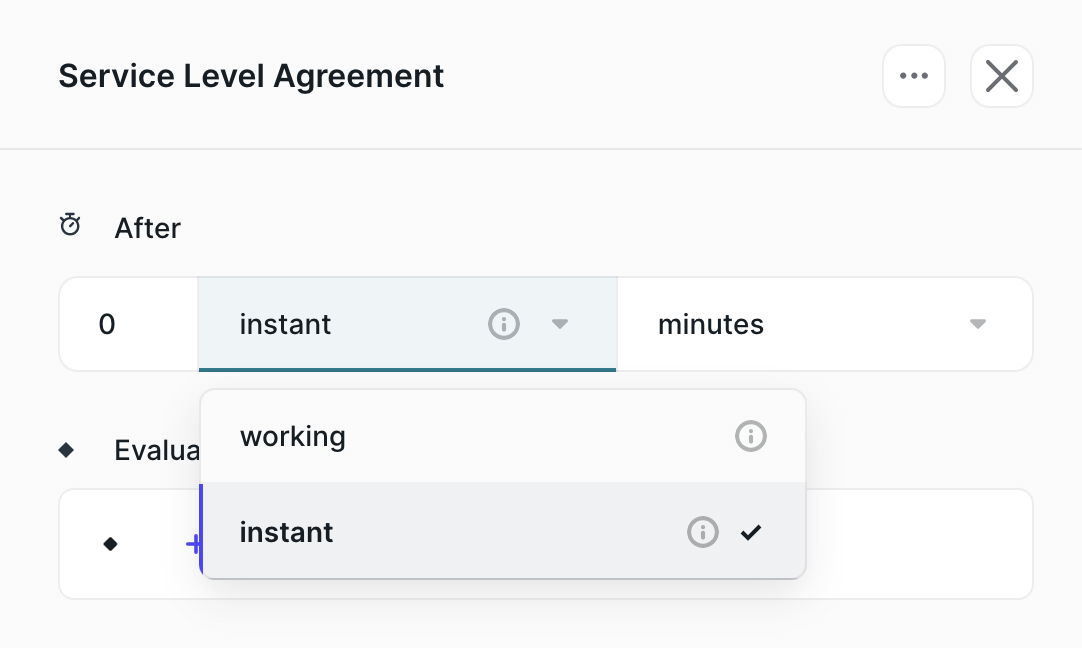
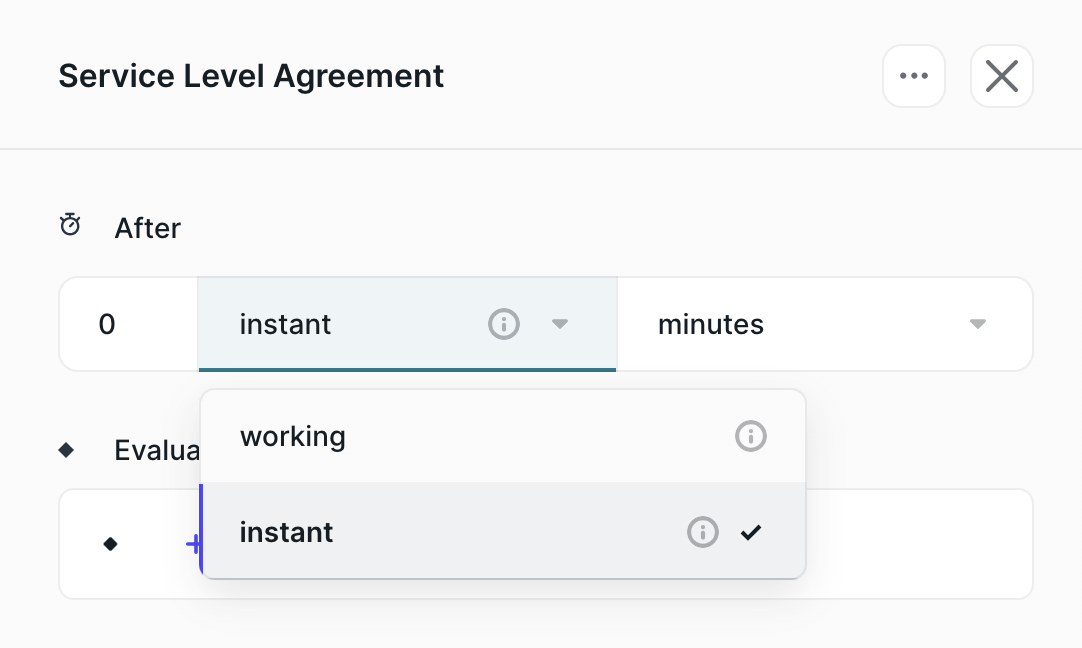
Distro is the only CRM routing solution that syncs with your reps' calendars. Last year added functionality to choose "working hours" as part of SLAs, routing leads only during reps' working hours pulled from their calendars.
January
- SLA Algorithms
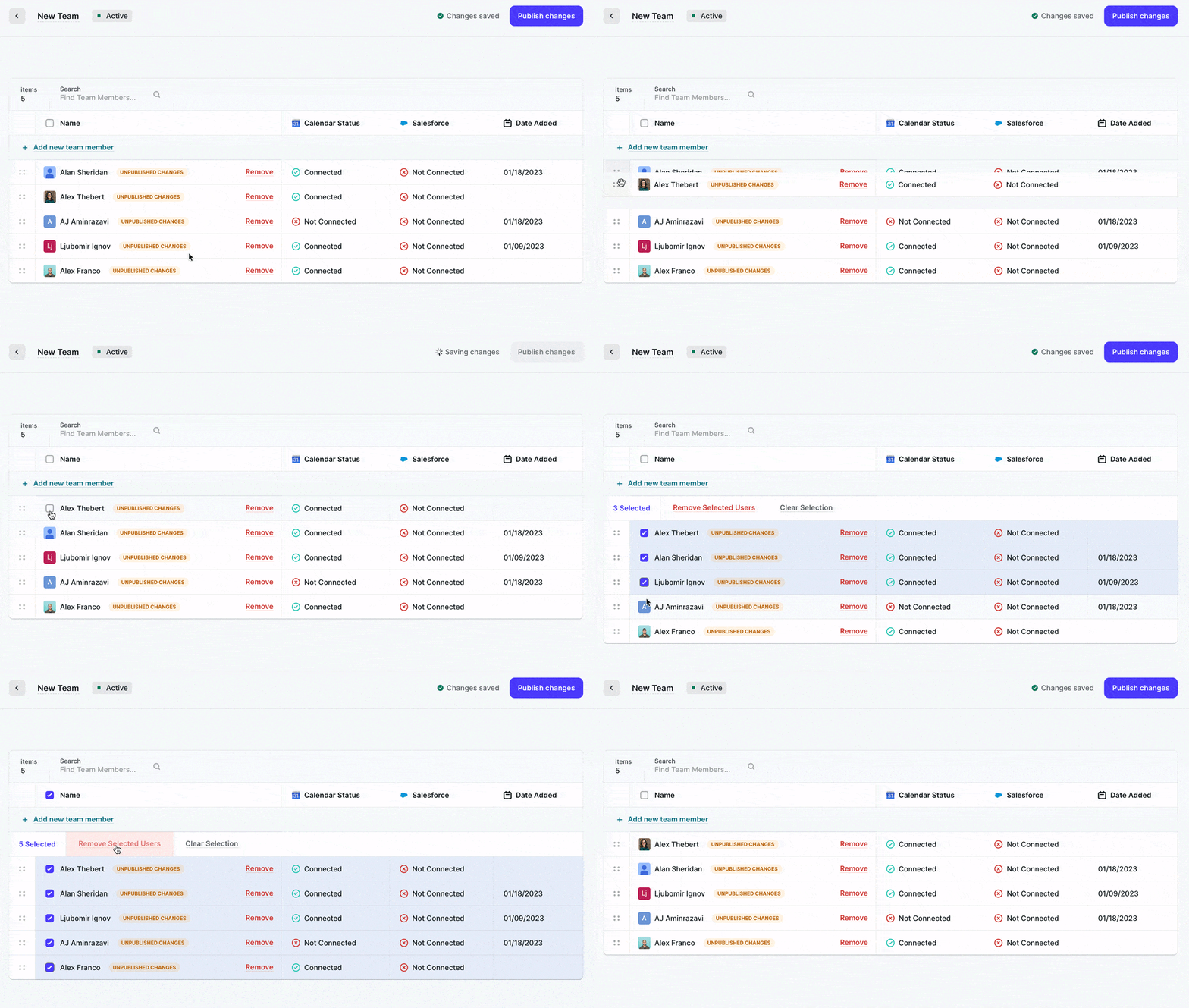
- Reordering Users in Teams or remove in bulk
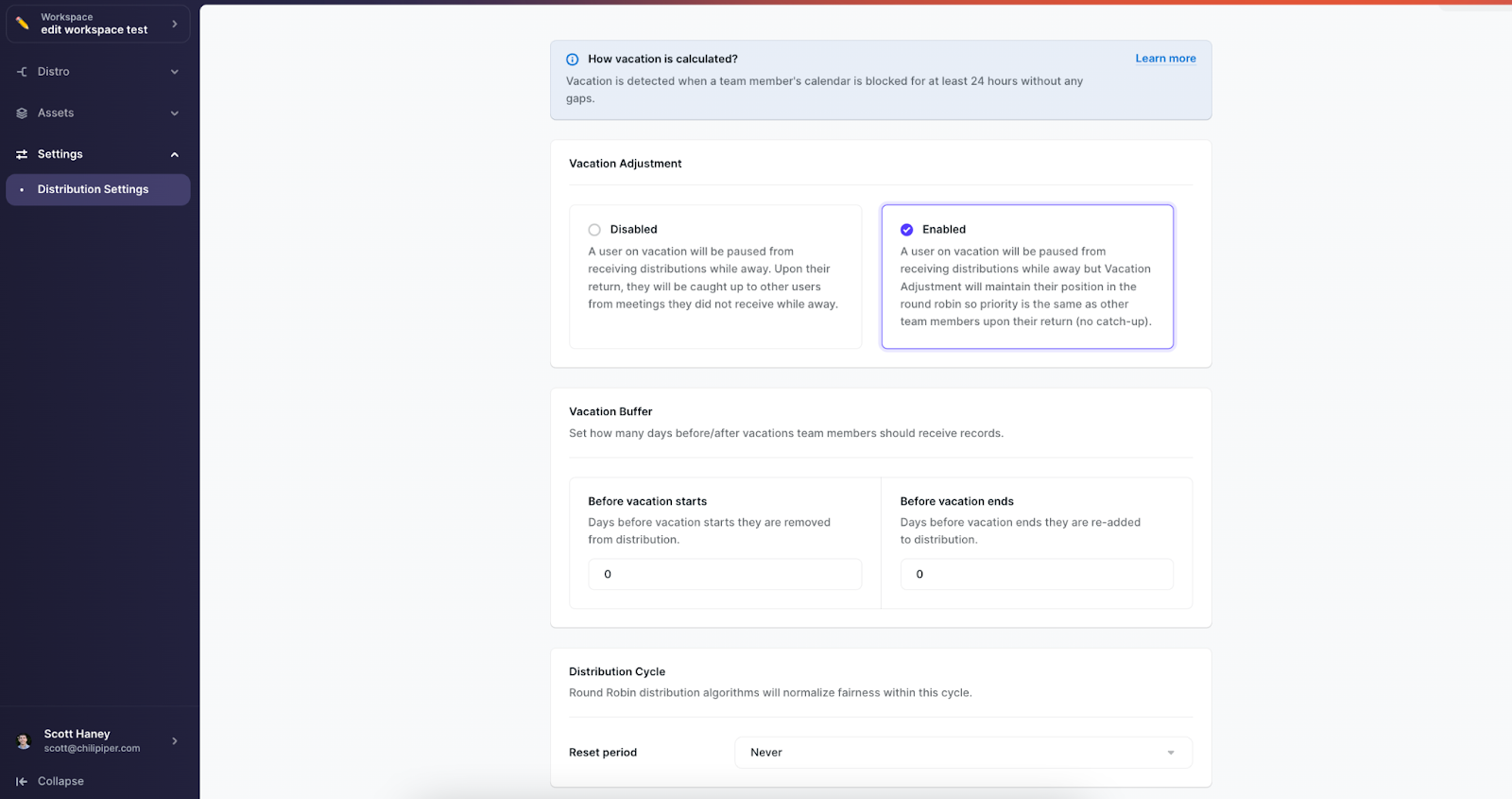
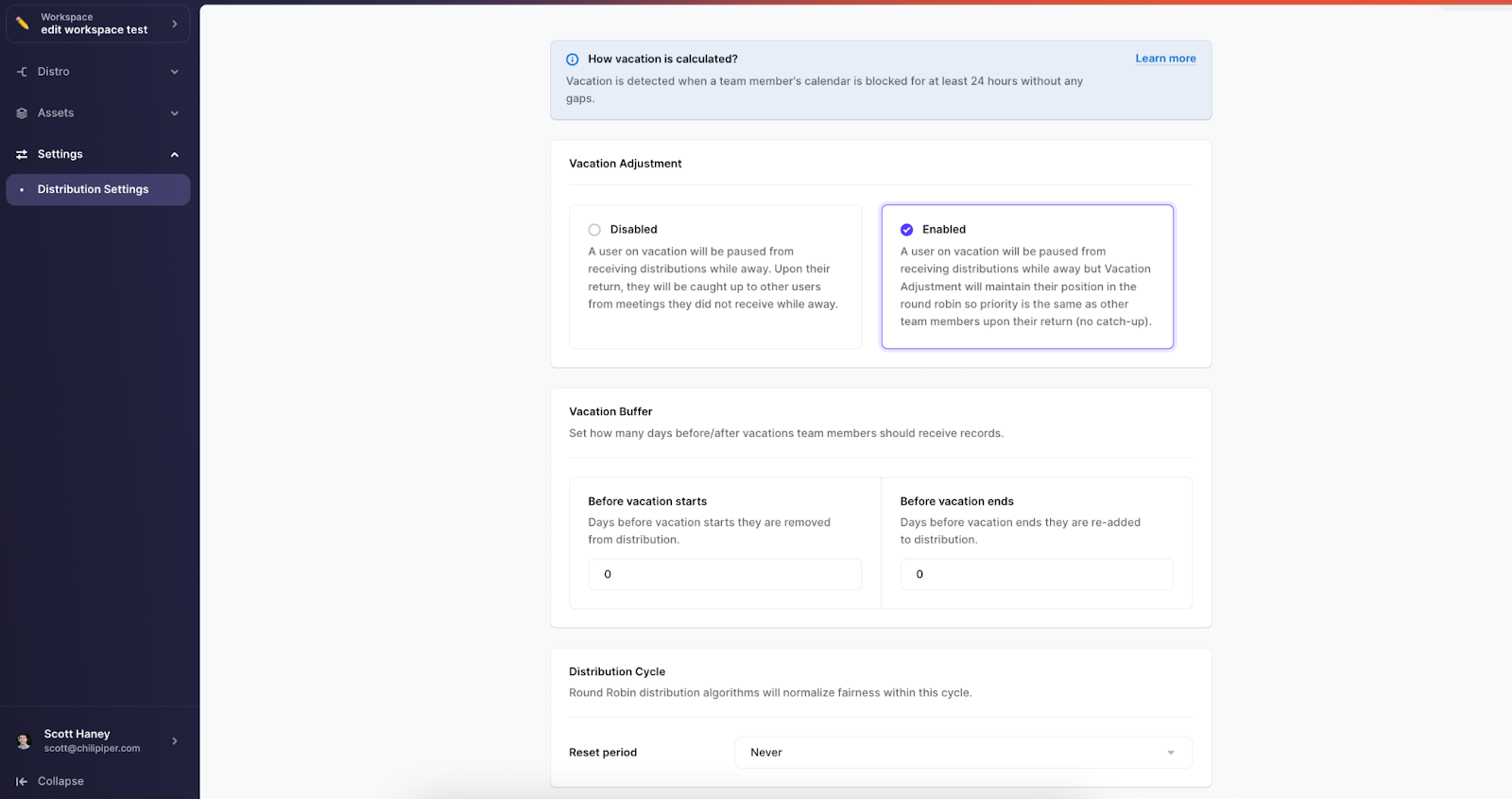
- Distribution settings: Vacation adjustment, Vacation Buffer, Distribution Cycle
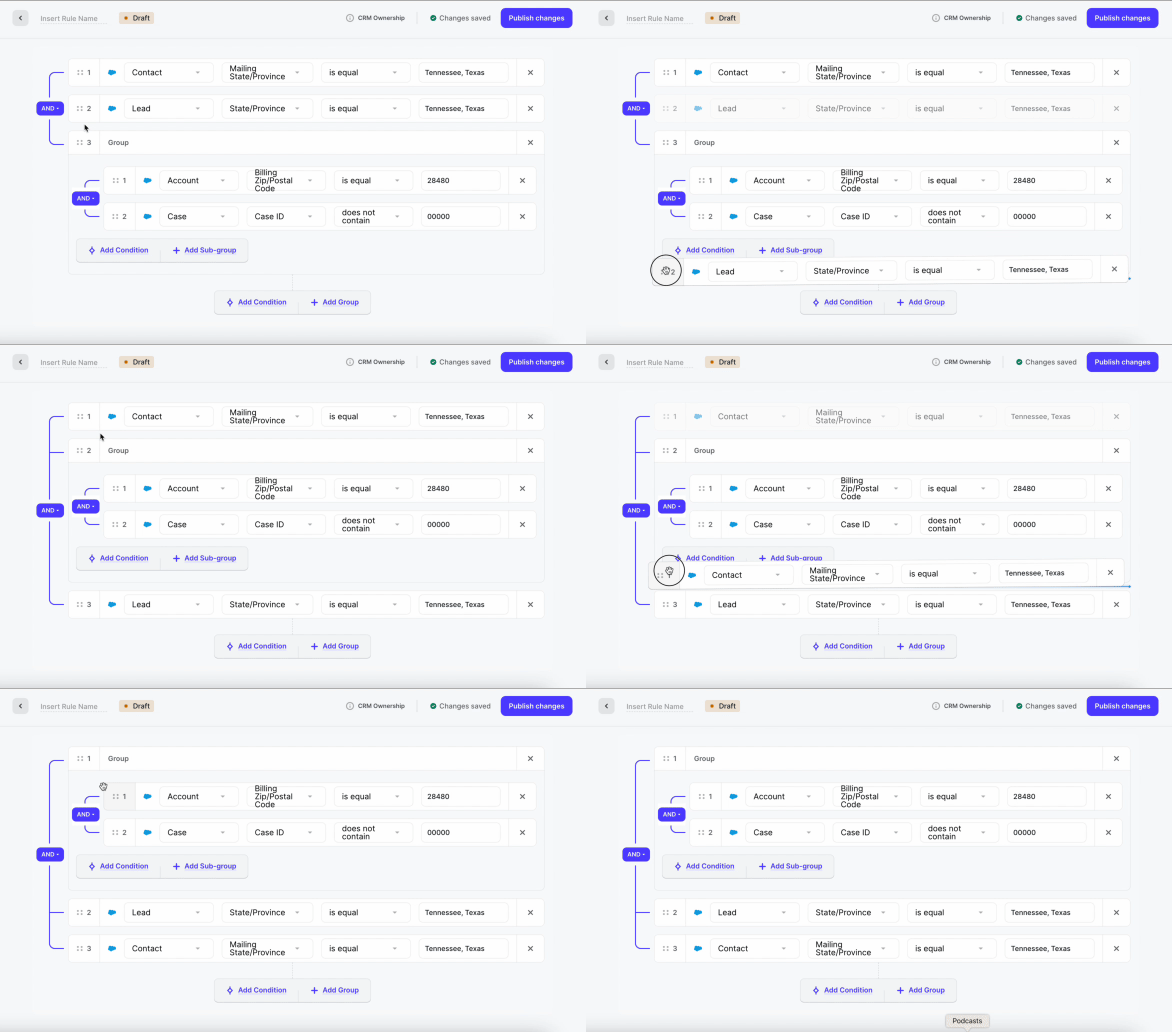
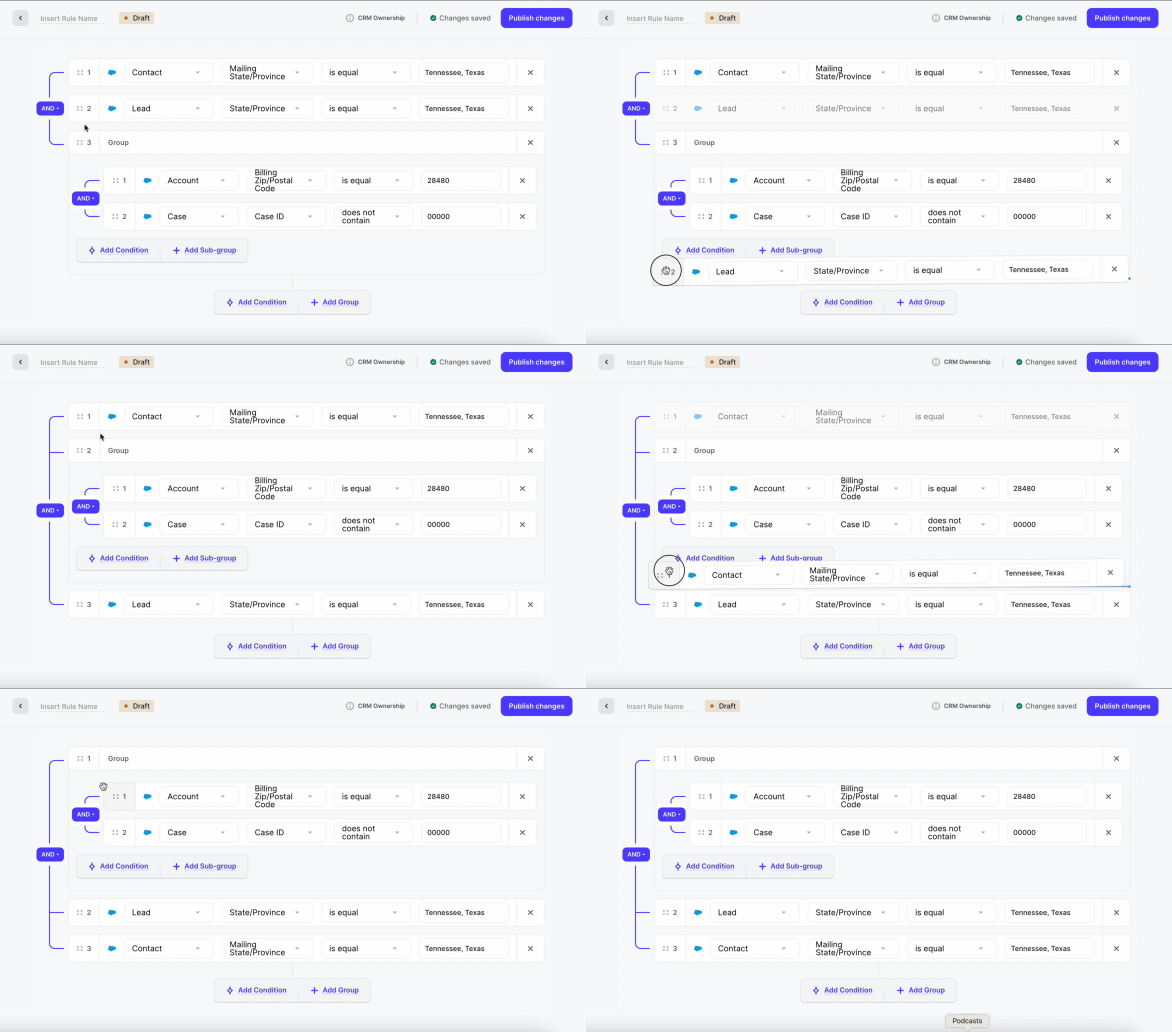
- Drag and drop conditions in rules
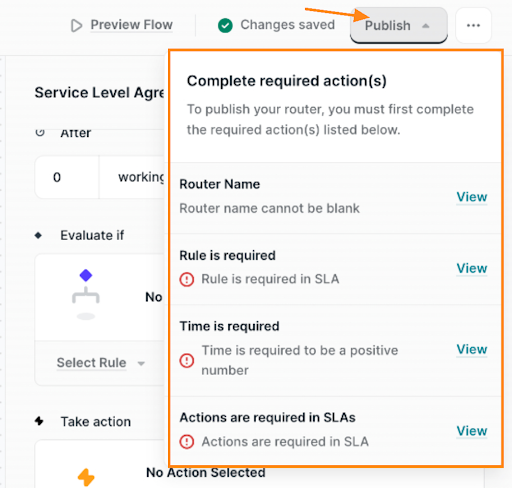
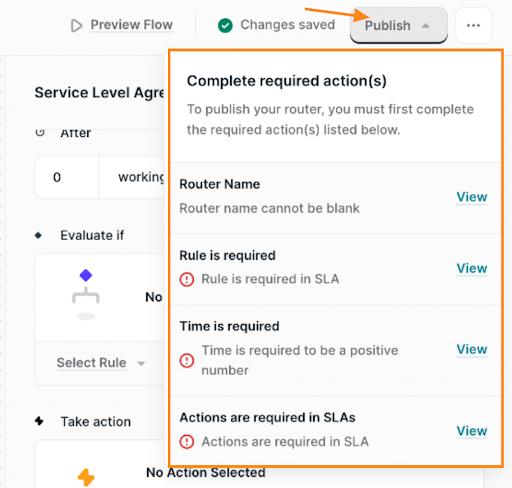
- Show Router errors before publishing
-
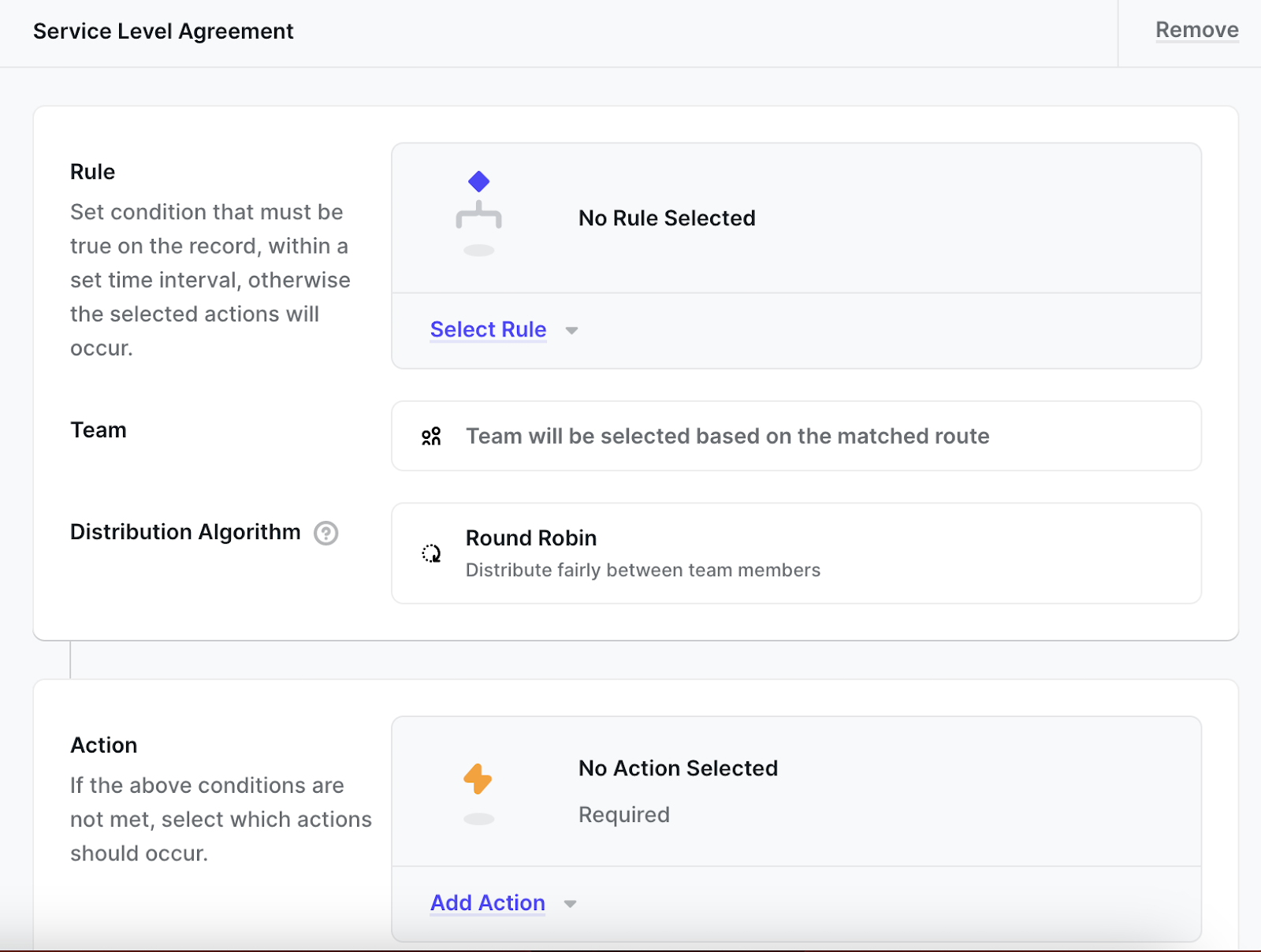
SLA UI and logic to CRM Router
-
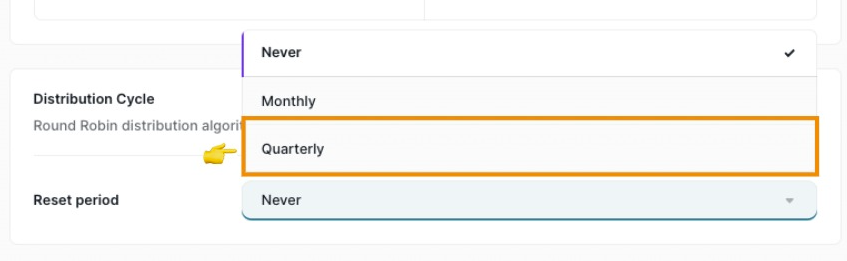
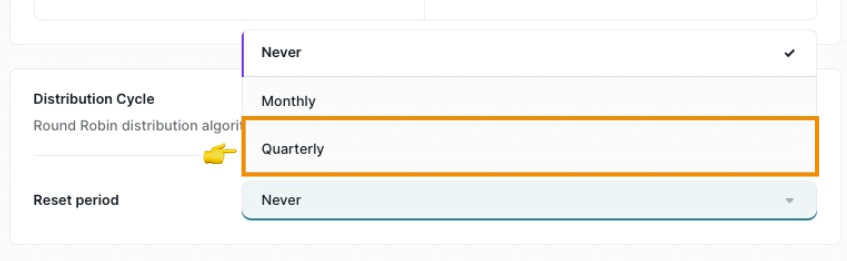
Distribution settings: new time period Quarterly added
- Prevent deletion of assets in use: Rules/Teams/Assignment Rulesets actively in use cannot be deleted; CRM Router cannot be deleted until deactivated
February
-
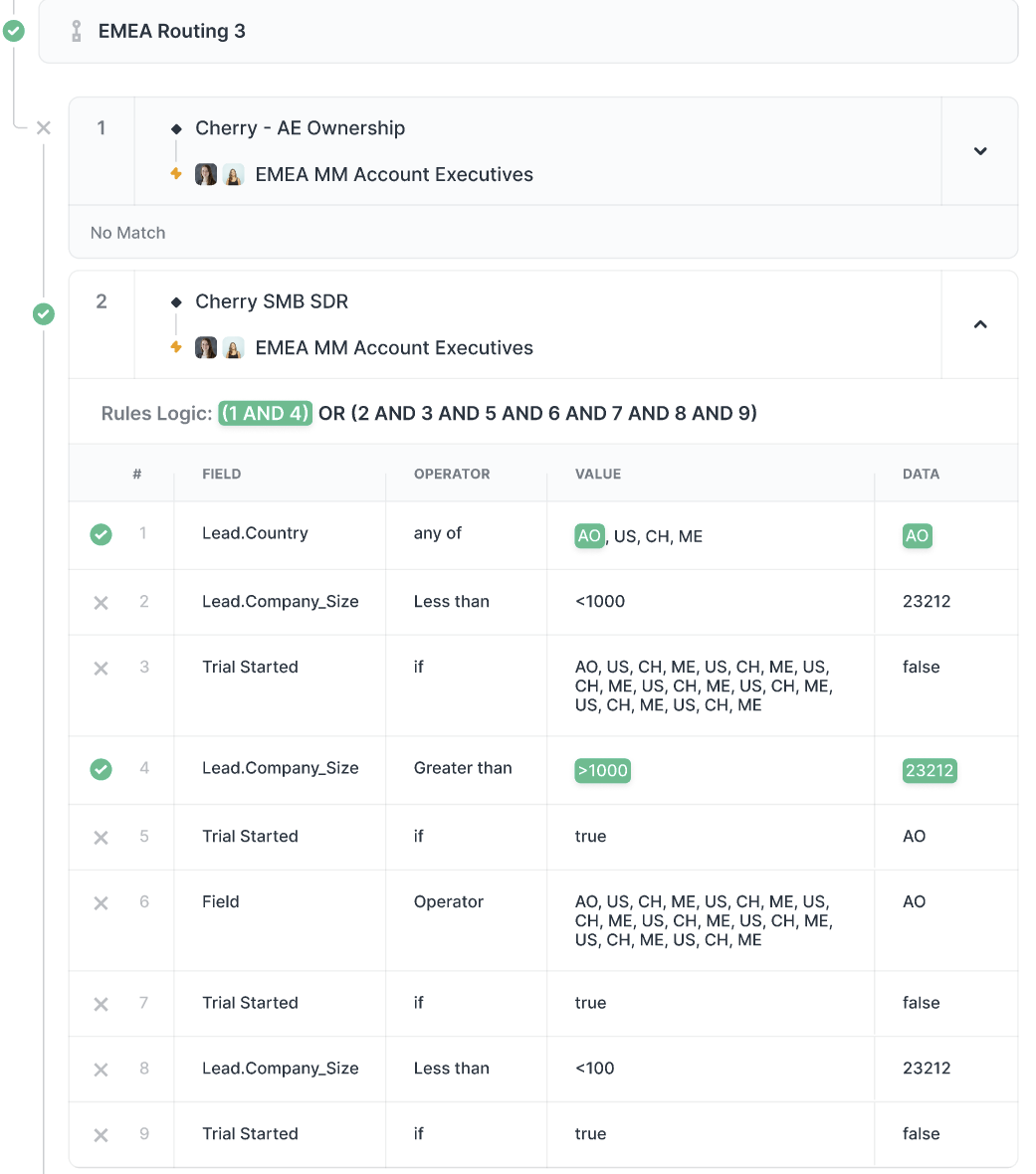
Logs details page: Return what part of the condition matched in log details and mark what part of the condition and formula matched for matched rules in record details
-
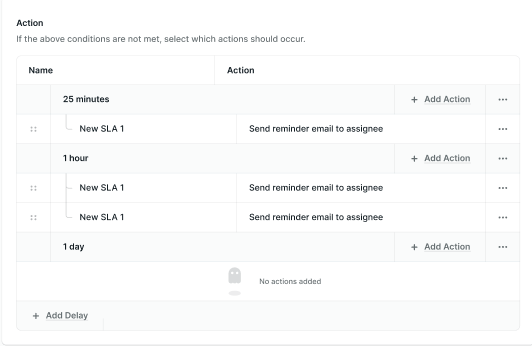
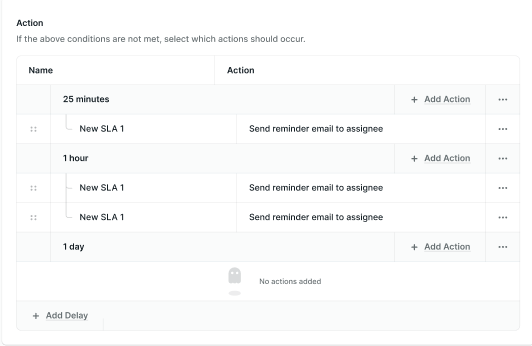
Implementation of a new SLA design
-
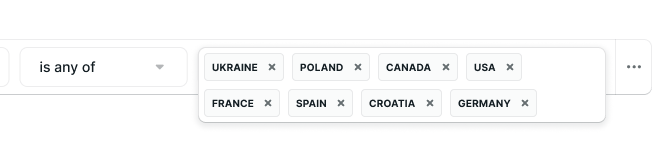
Display more values in Rules
-
Catch all state in Assignment Rulesets cannot be dragged and dropped like other routes; a catch all should only be last
March
-
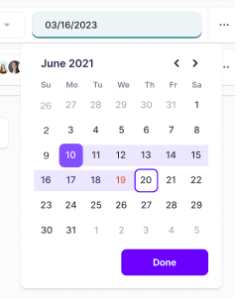
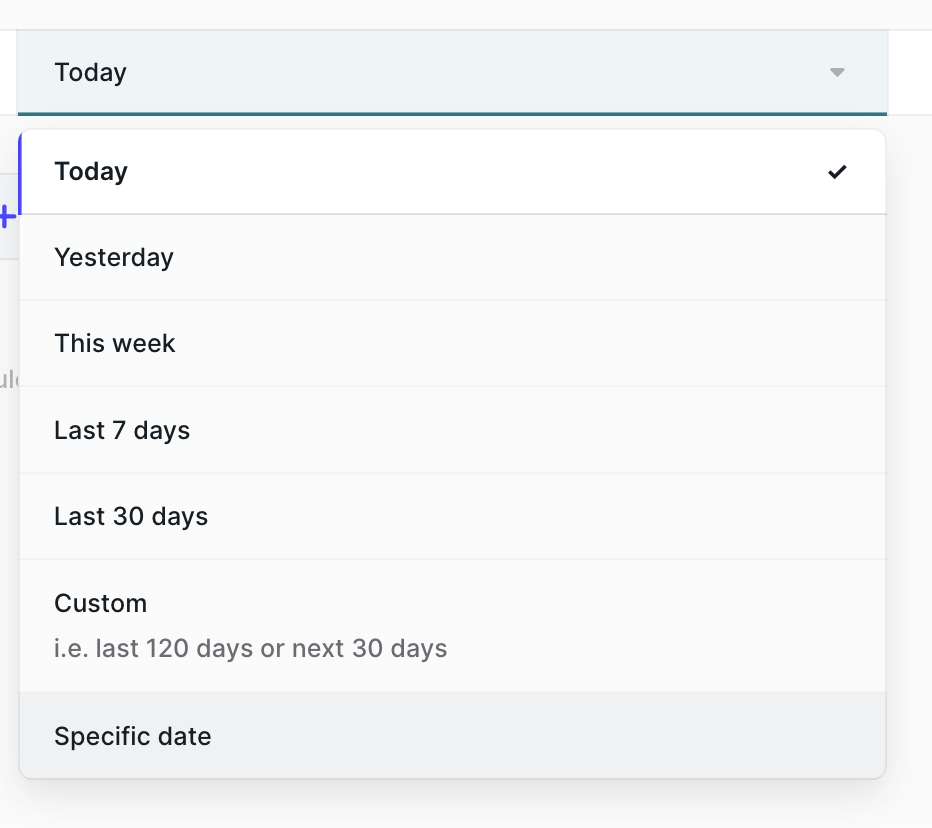
Date picker in Rules
-
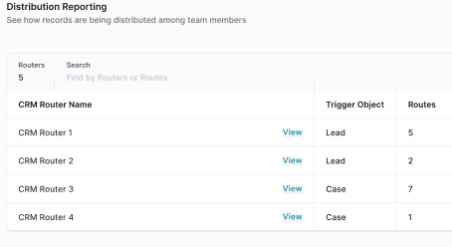
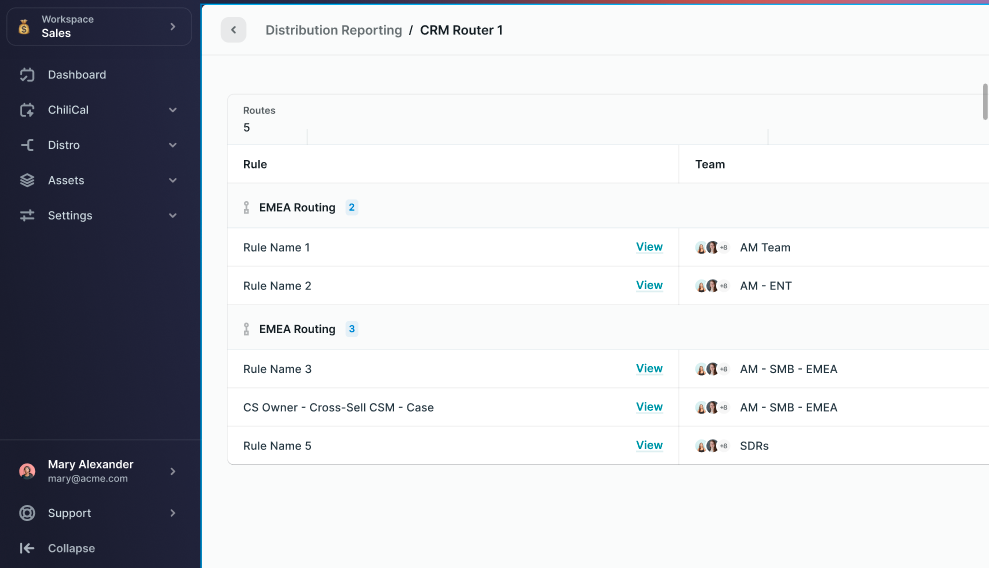
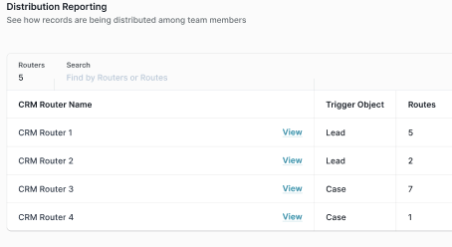
The Distribution Reporting list page
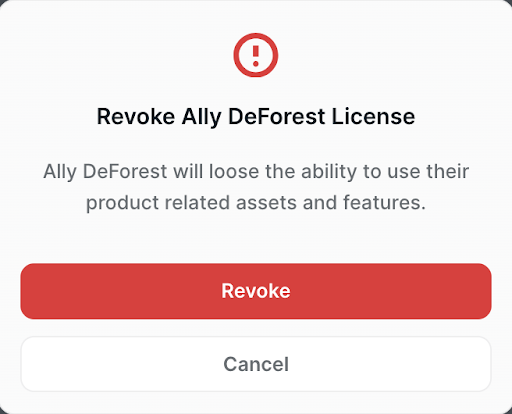
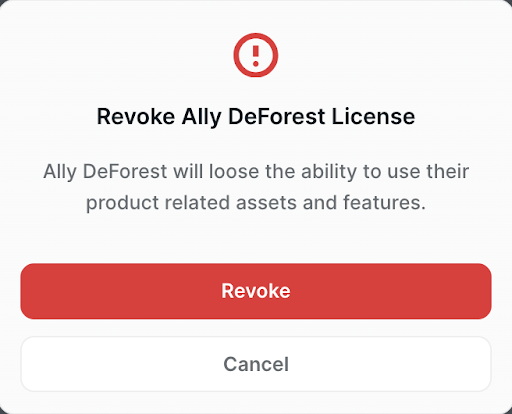
- Notification for removing licenses: Ensuring licenses are not removed by accident
- Logs Updates: timeframe shown in chronological order
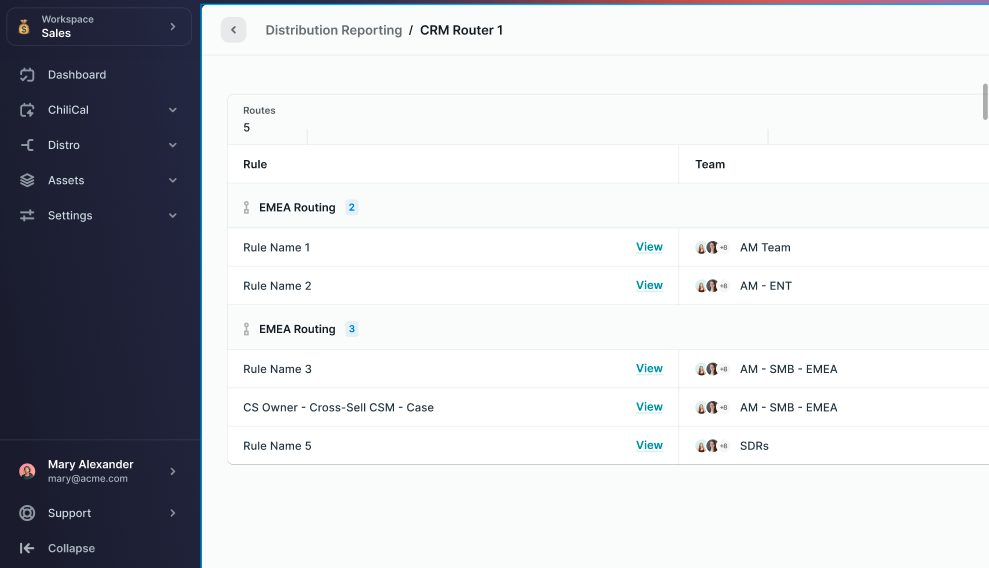
- New Distribution Reporting page
April
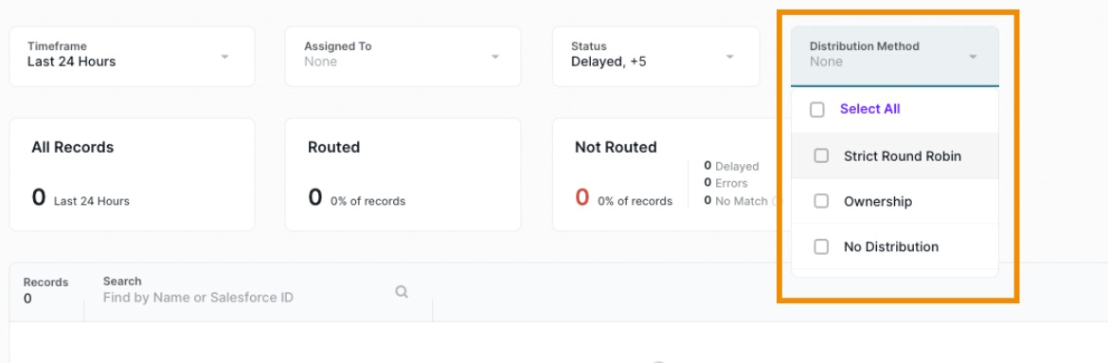
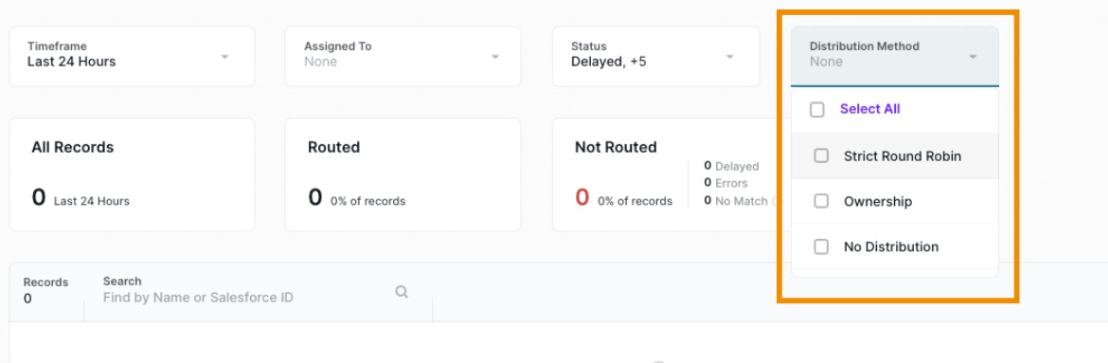
- Logs filter for Distribution Method
-
If the distribution type is Ownership based - disable reassign SLA action
-
Updated Slack messages: "[RecordName] - [Distribution Method: Ownership/Round Robin] - has just been assigned to you: [Salesforce URL]"
-
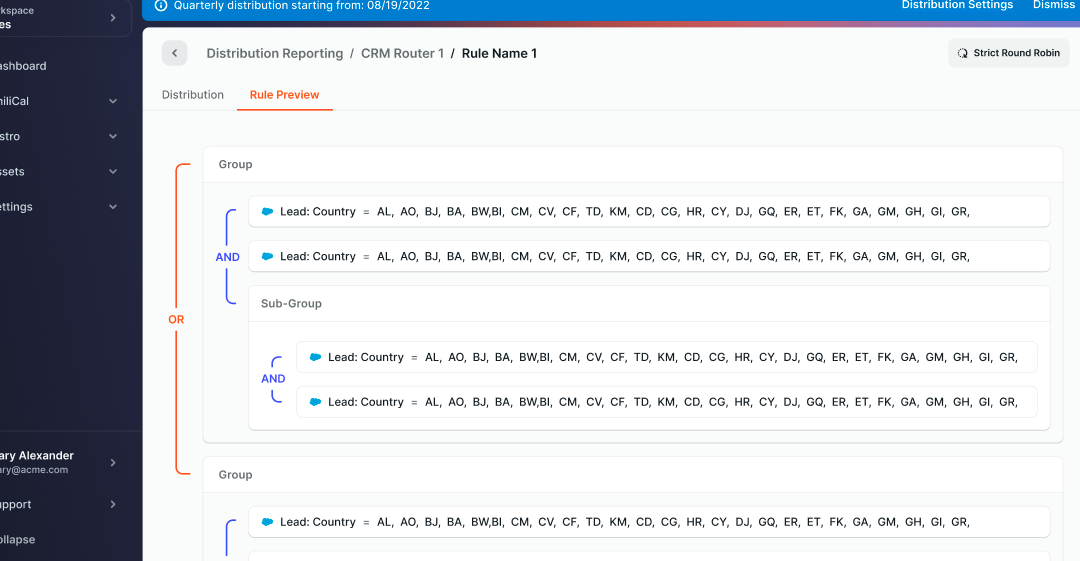
Add Rule Preview tab on the distribution details page
-
Display 'is in team' operator when selecting text fields: The 'is in team' operator is visible when a text field is selected, allowing you to search for team members with custom text fields containing team member information
May
-
Migration to Distro Fire begins
-
Support for relative date conditions in rules
-
Support of 'is in team' operator with text fields of ownership rules: Text fields may reference an email or Id calculated by a formula; these field types are now compatible with the 'is in team' operator with automatic checking of email/Id/name
-
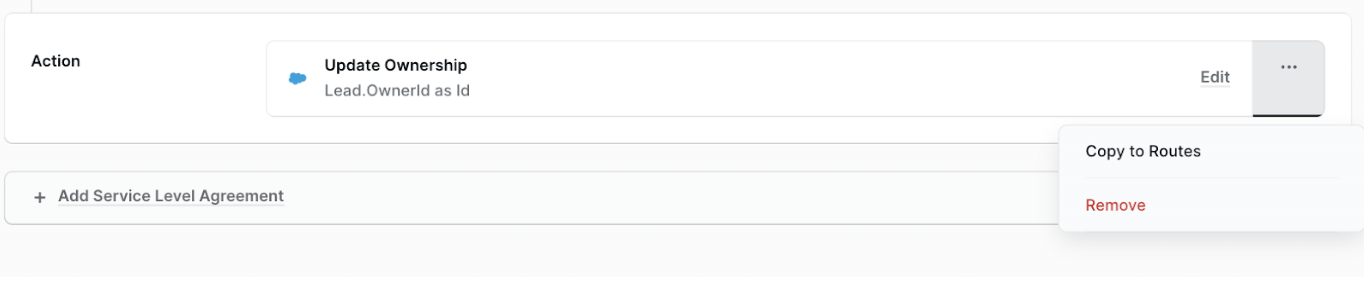
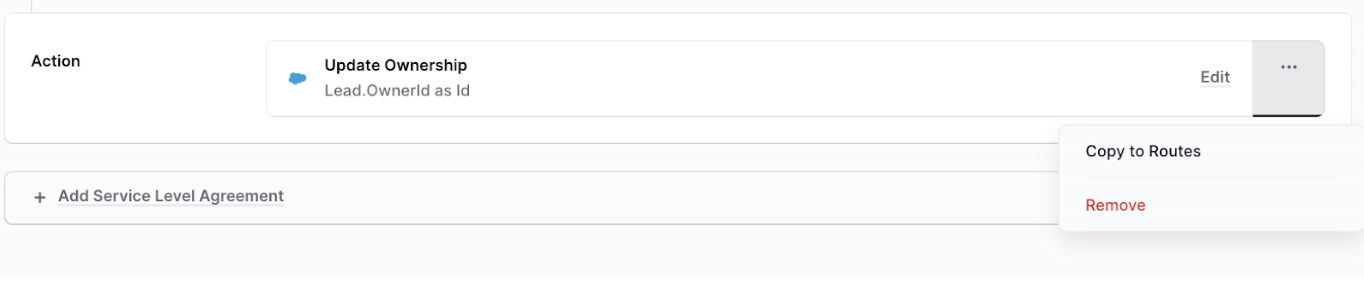
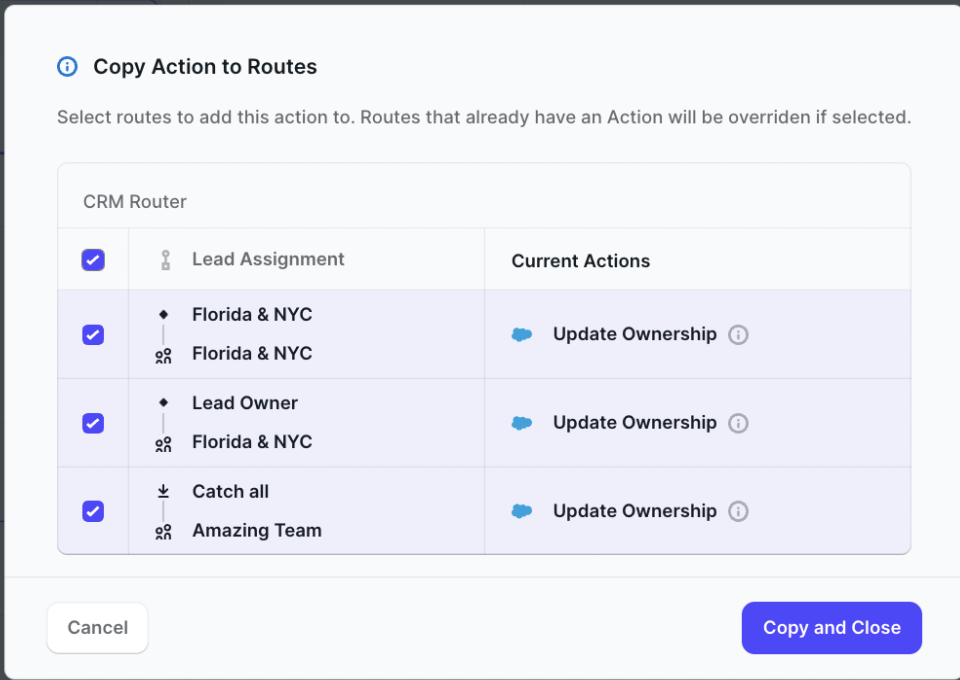
Copy to Routes & SLA
-
Create Assignment Rulesets with catch-all rule only
-
Usage tab for Assignment Rulesets shows all routers (published and draft) currently using this Assignment Ruleset
-
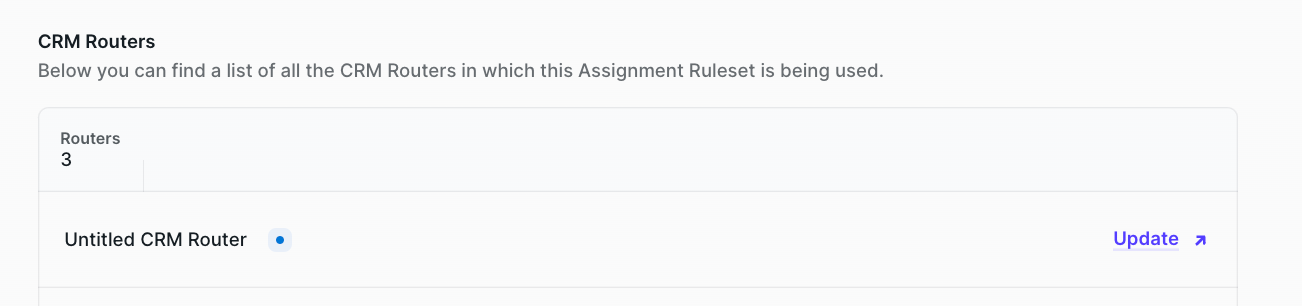
Usage Tab Additional Features: When a breaking change is made to an Assignment Ruleset used in a router (such as adding a new route), the Usage tab includes a link to 'Update' the router
-
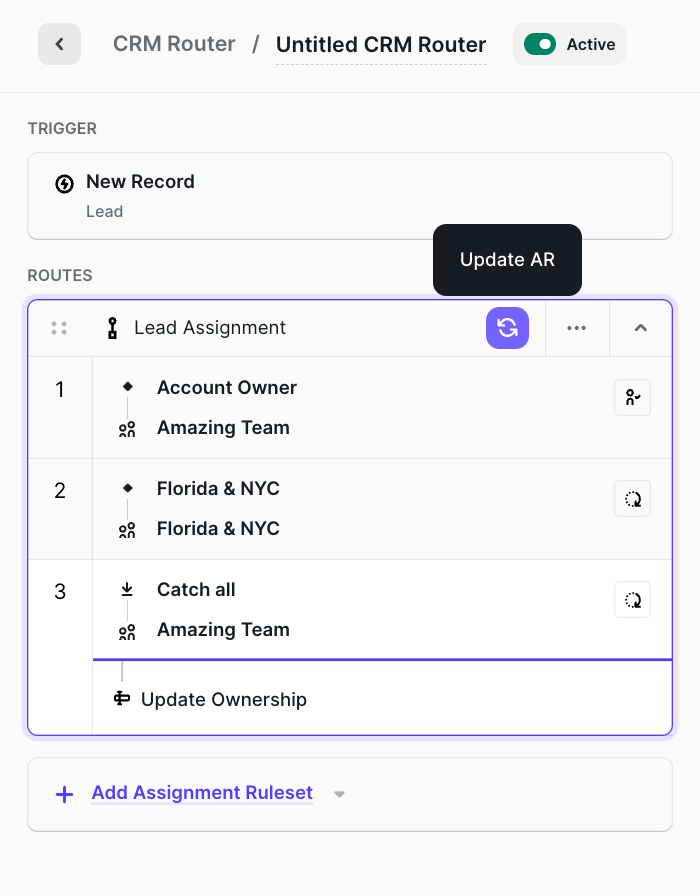
The router will open in a new tab with a button to 'Update AR'
-
Upon refreshing the Assignment Ruleset, explanation of changes made to the new version
-
Once changes have been made (adding route actions), the router shown in the usage tab shows 'View' instead of 'Update'
-
Working hours and SLA functionality: When a router uses SLA, check assignee's working hours to determine when to perform reassign record
June
- Fire Logs Page: Logs rebuilt with additional improvements and data shared for SLA events, error messages, and mismatched cases
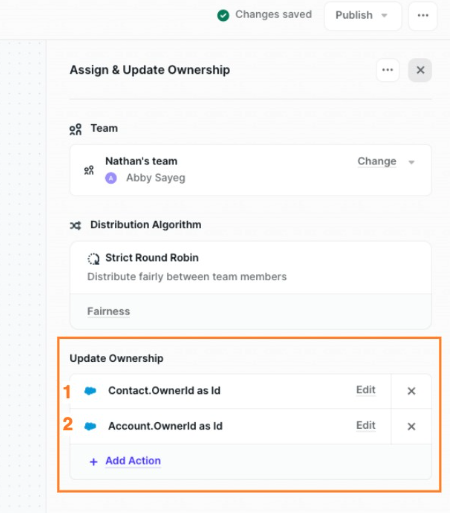
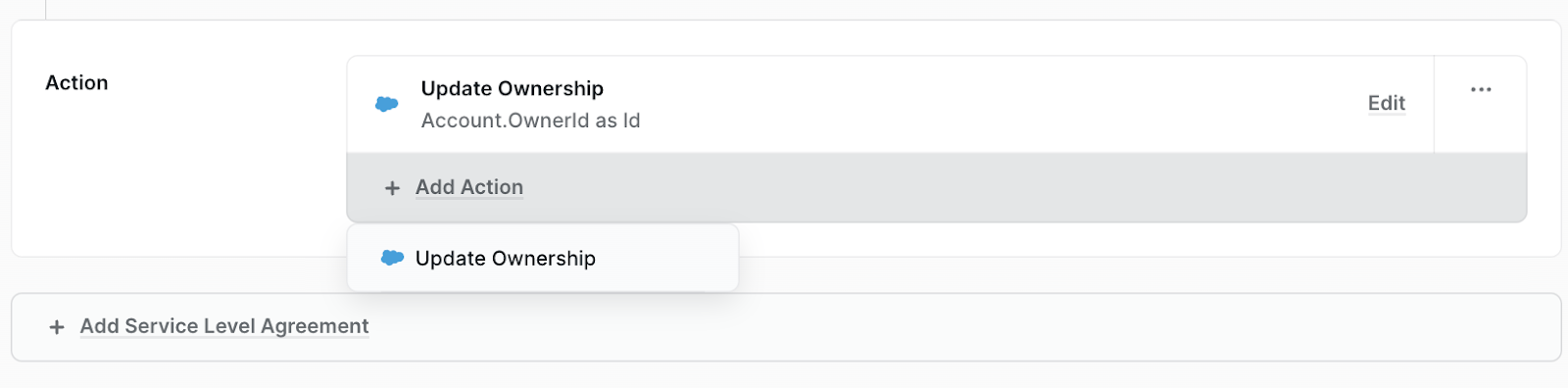
- Update multiple fields with the same Assignee within a Route: Previously a route supported only a single ownership field update; multiple updates are now supported. If more than one Update Ownership action exists in a Route, "Copy to Routes" is disabled
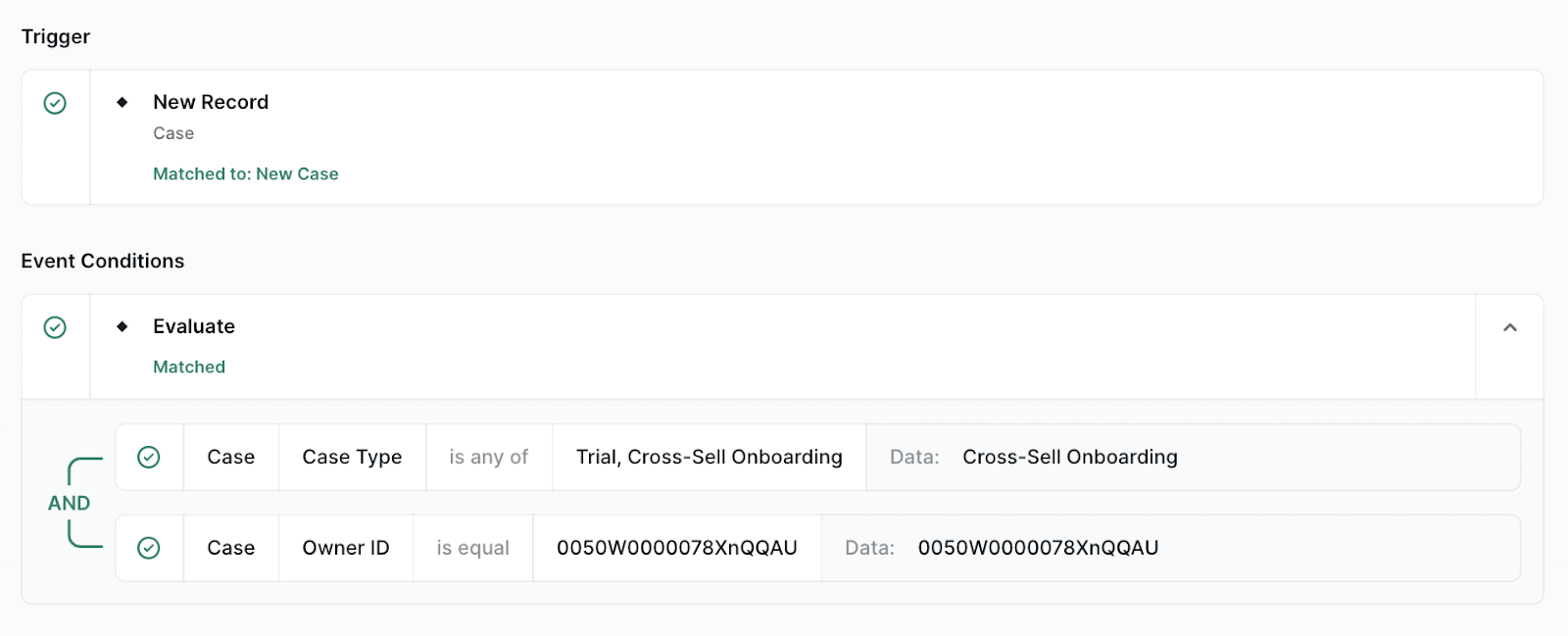
- Distro Fire Logs - debug view: Improved debug view aligning with the visual rule builder and clearer indication of which Route matched; unmatched routes collapse by default
-
Log work to implement empty state on the log record page: When Logs page is opened in a new workspace with no routed records yet, the table header displays without data; informs admin to activate a router to see data
-
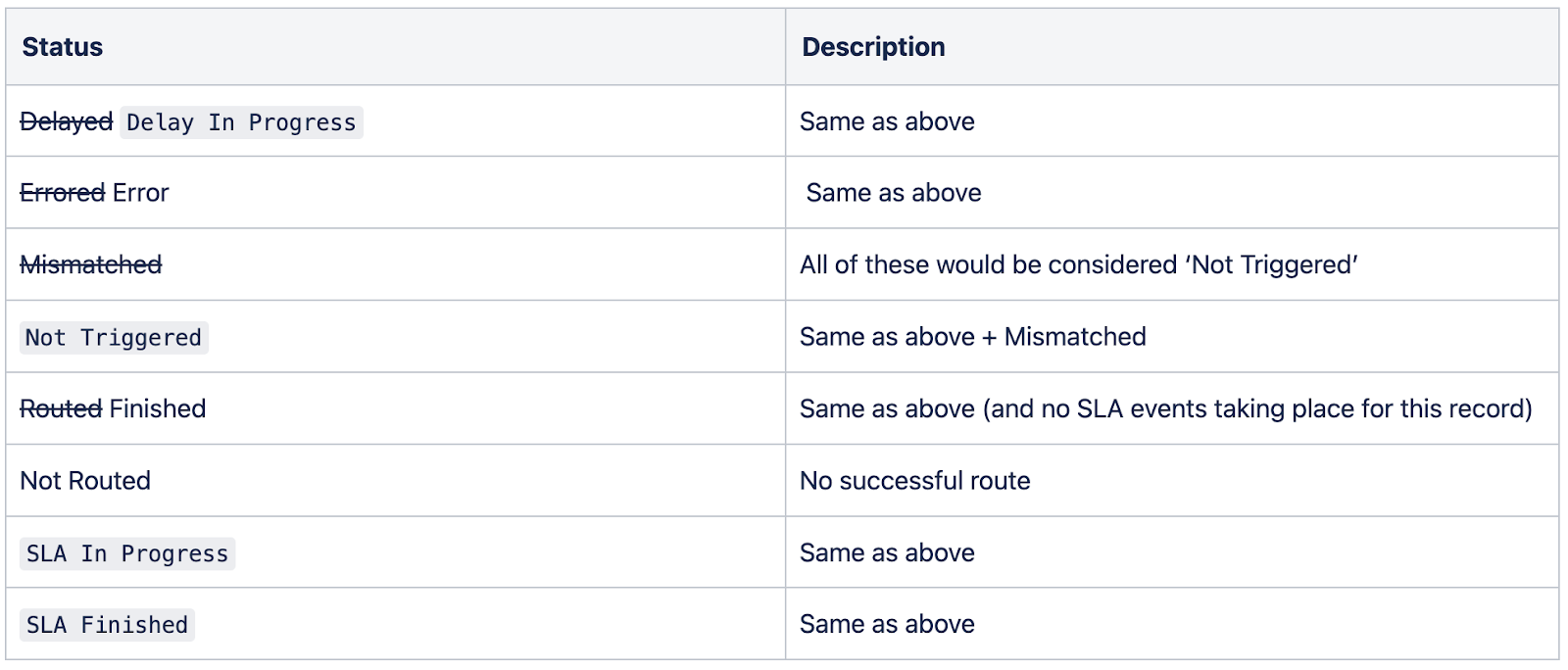
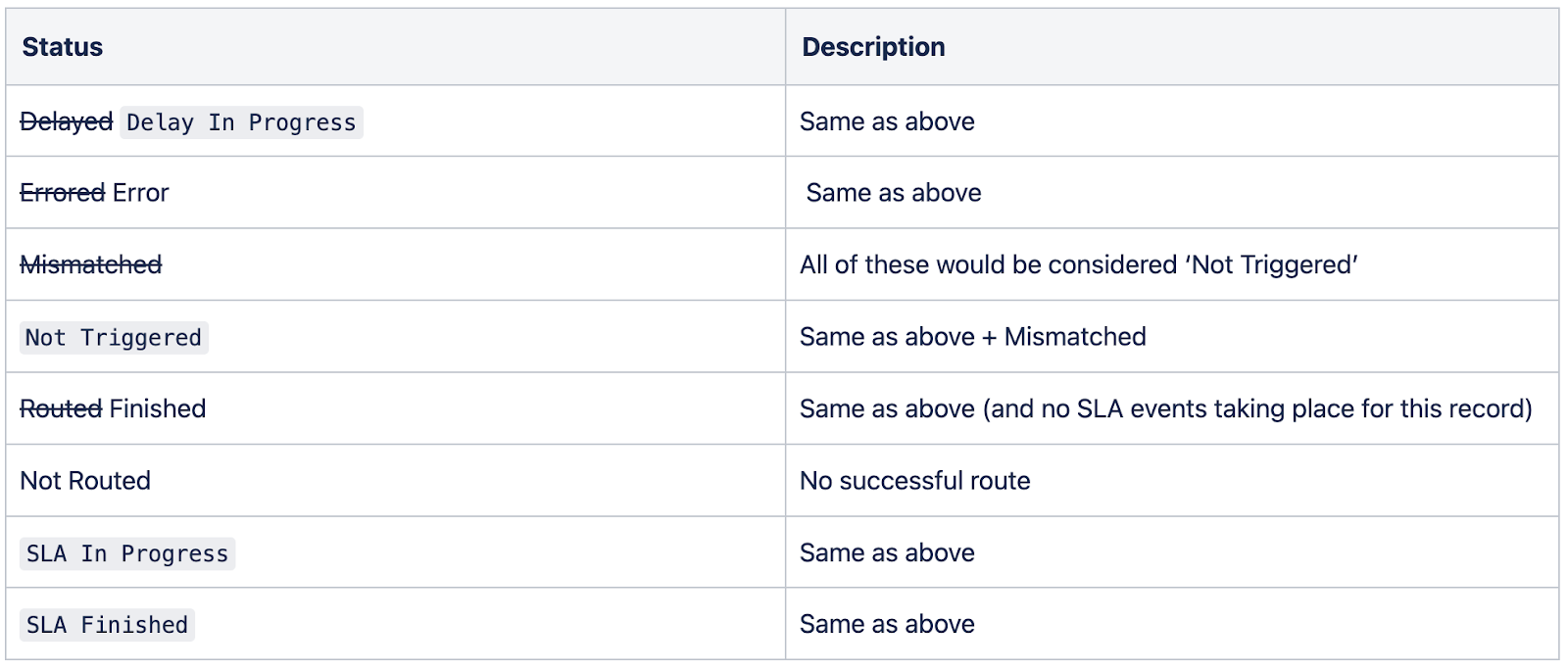
More descriptive log statuses
July
- UI updates to make Distro language consistent in Fire
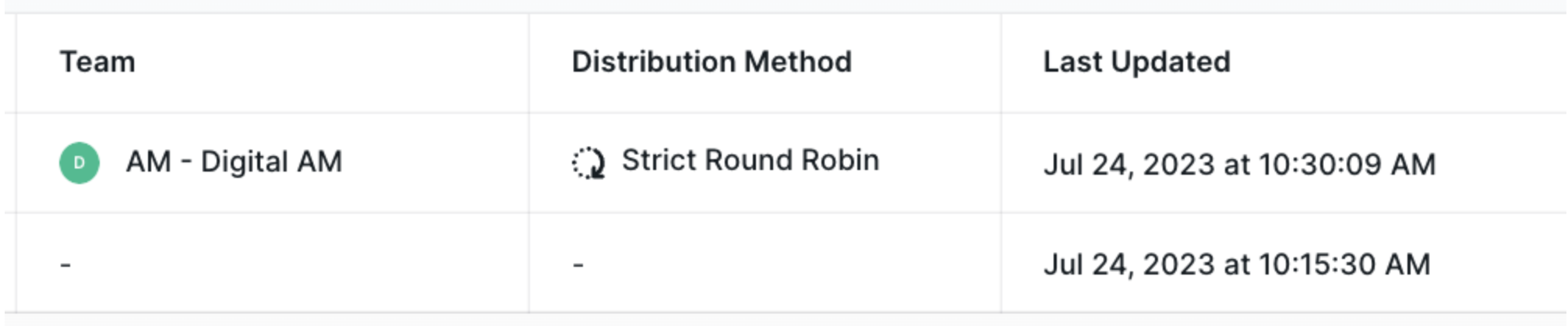
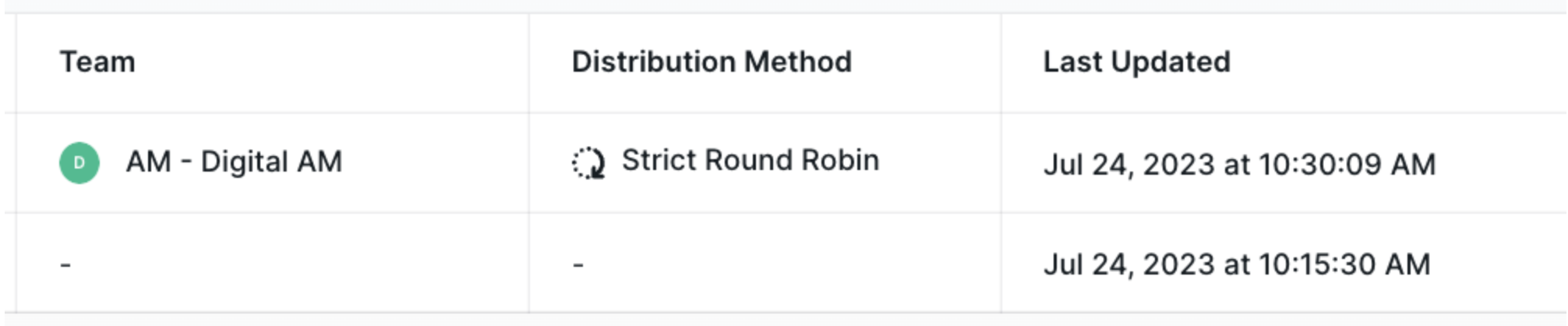
- Logs > Distribution method and team: New data column for distribution method type (Round Robin, Ownership) with filter
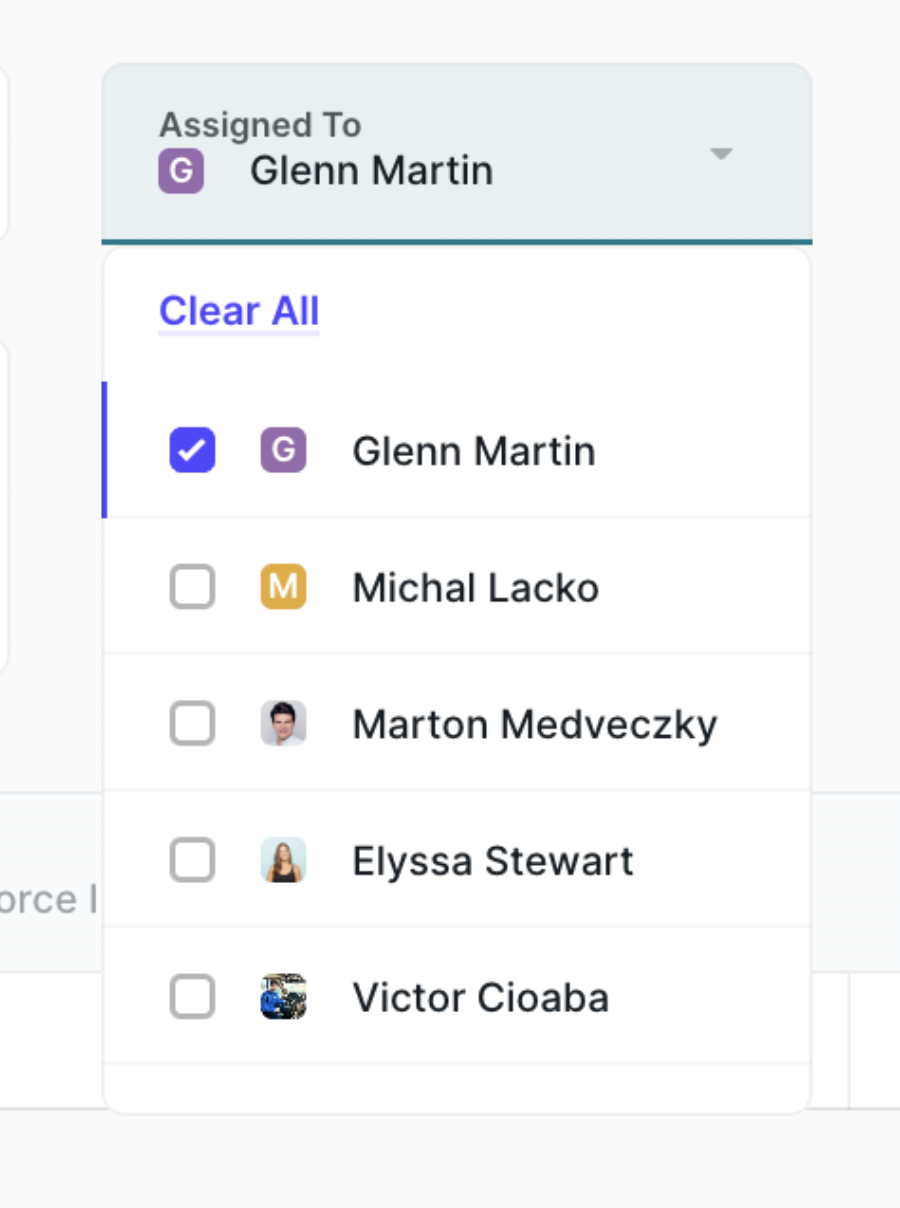
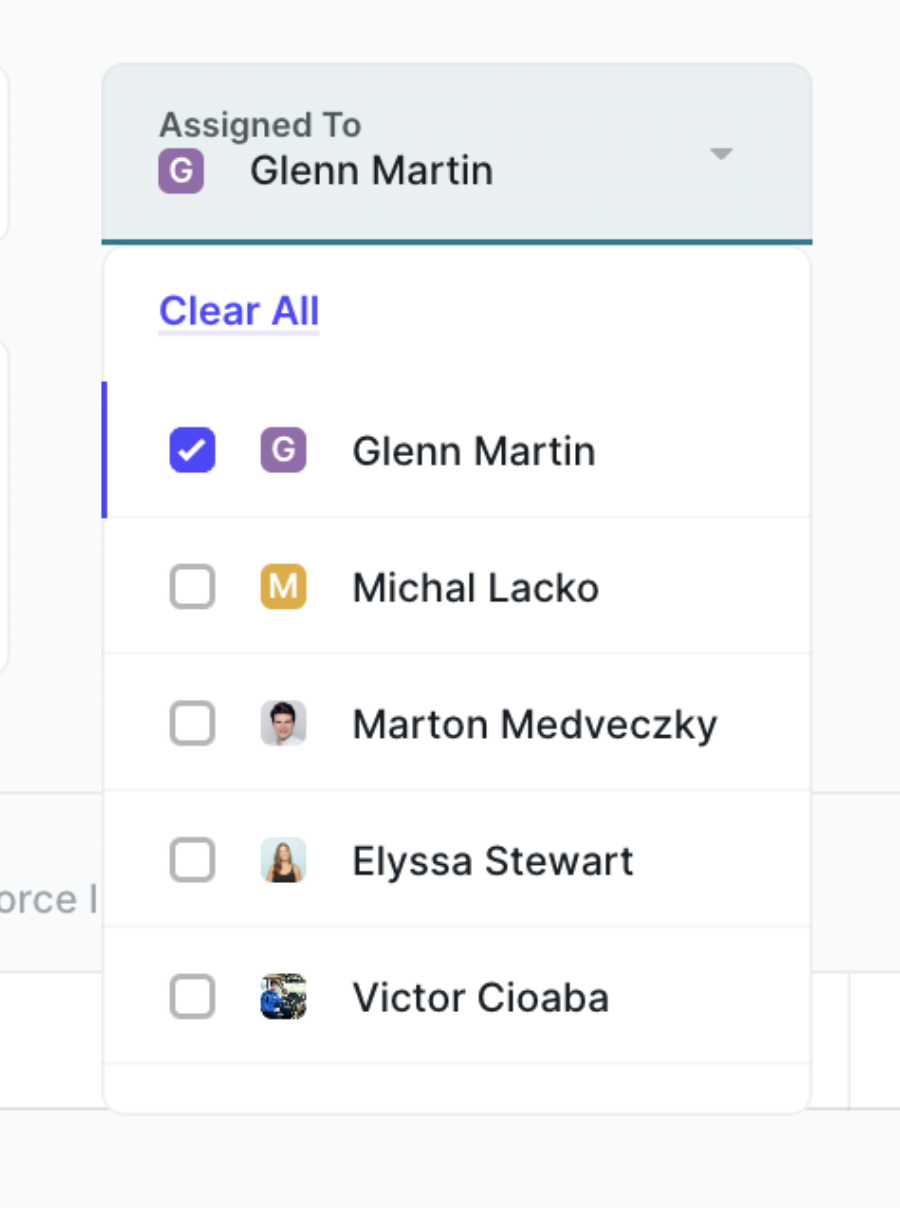
- Added filter "assigned to" on the Logs records page: Search logs by how records were assigned; helpful for viewing records assigned to a specific rep
-
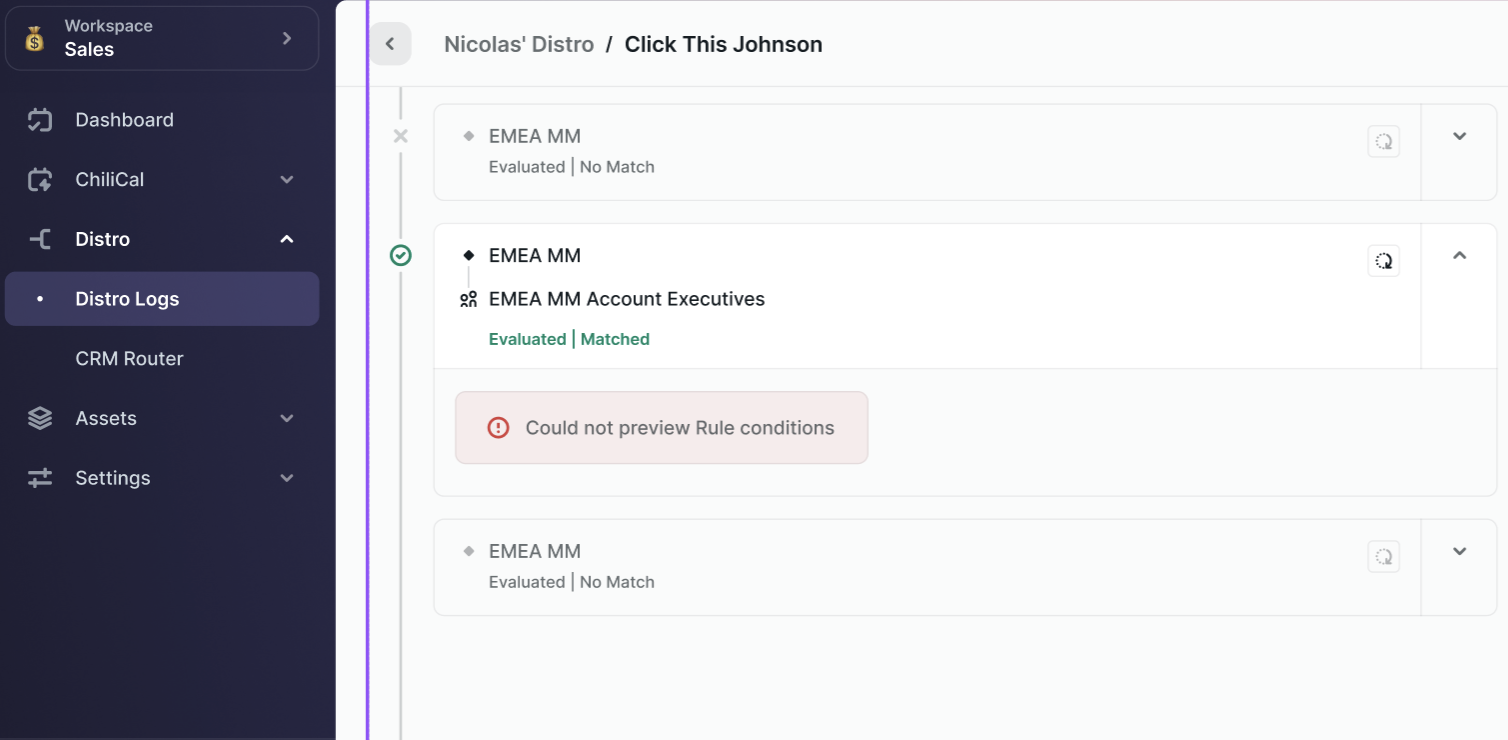
Logs Page feedback when unable to load log/rule data
-
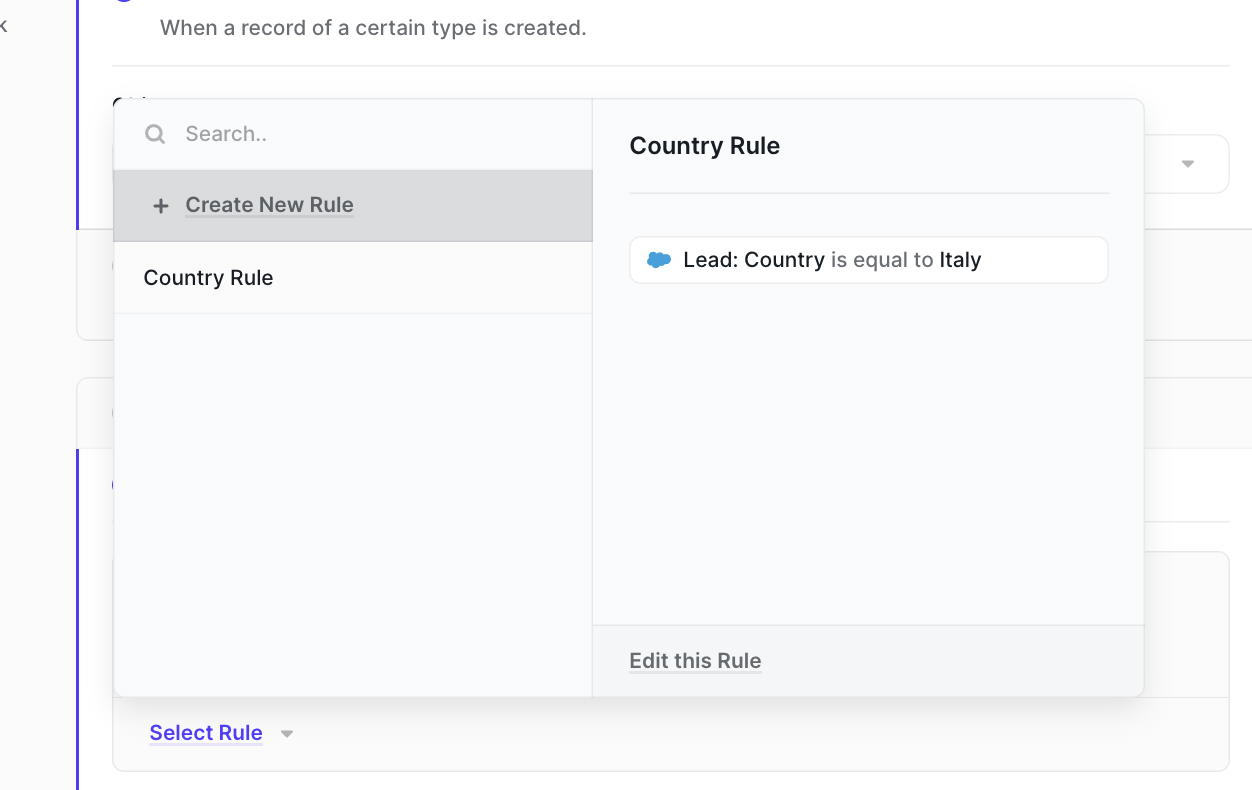
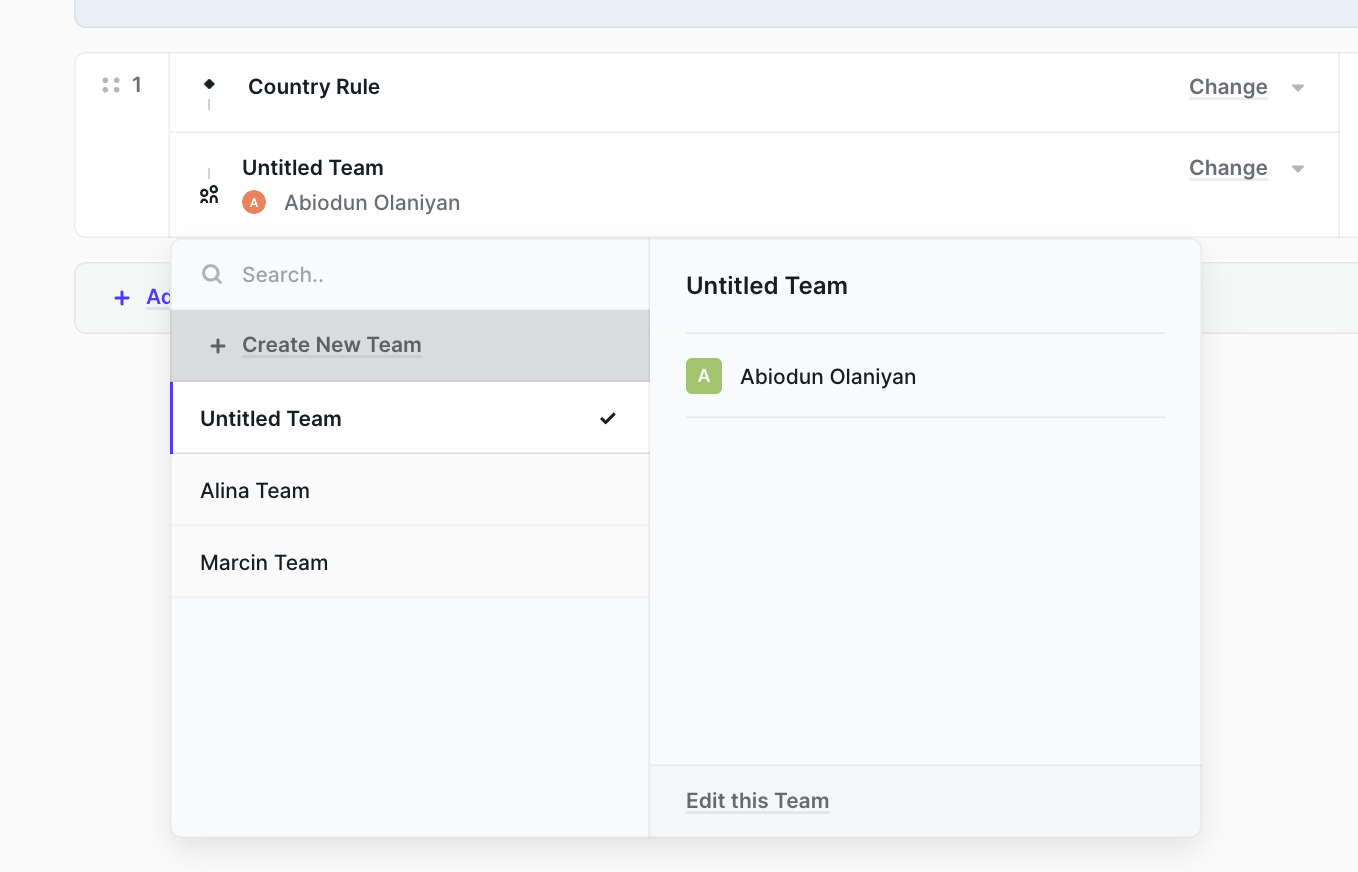
In-context Rule and Team editing with ability to edit/create/remove teams from team picker in Assignment Rulesets
August
- Lead to Account Matching Page with Tiebreakers!
September
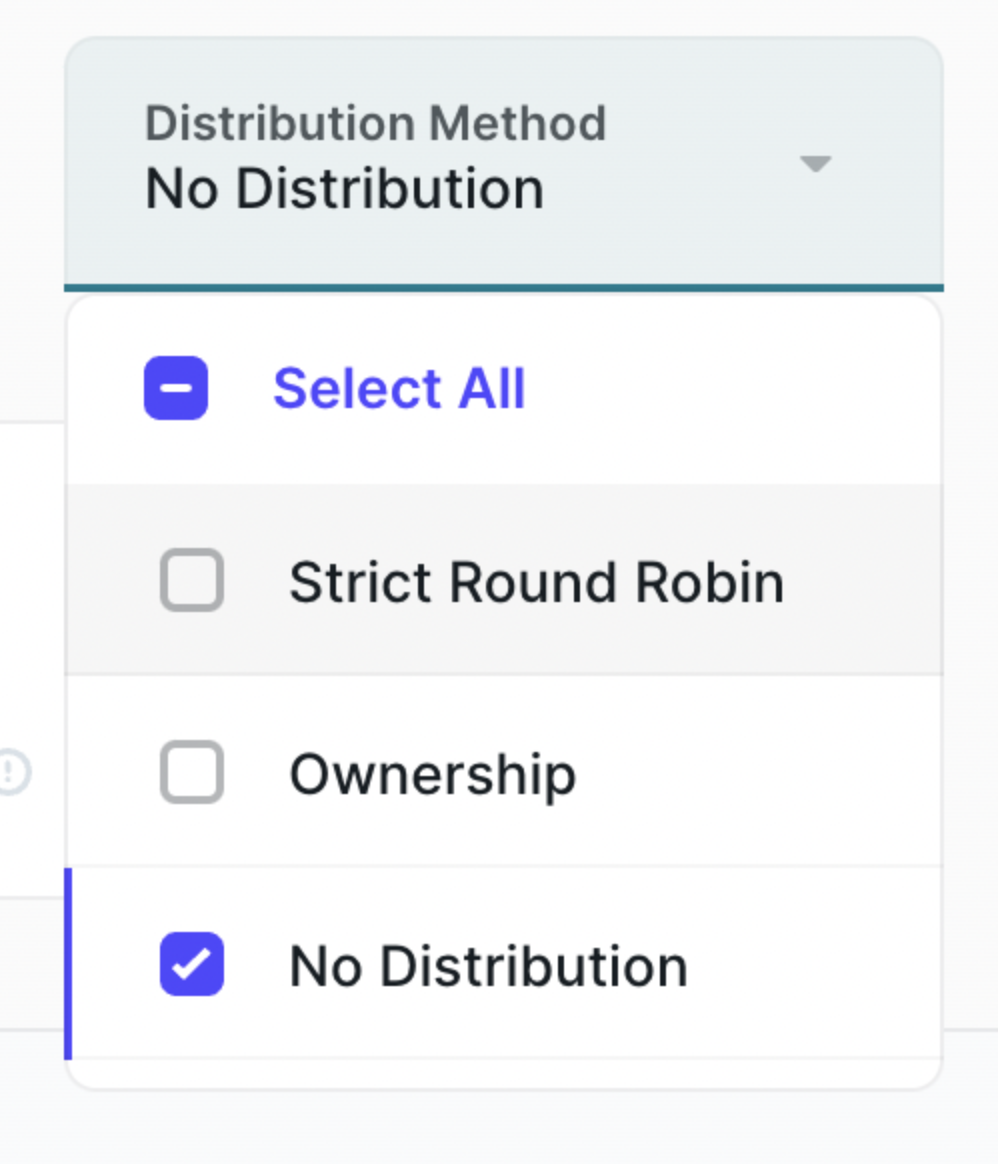
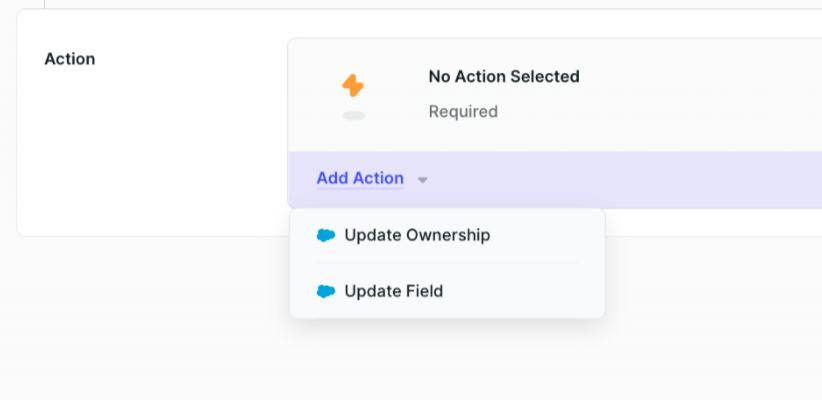
- Distro now supports a second use case independent of ownership updates: Updating custom fields! Admins set this action directly in the route for updates such as lead status or router name; useful additional reporting tool
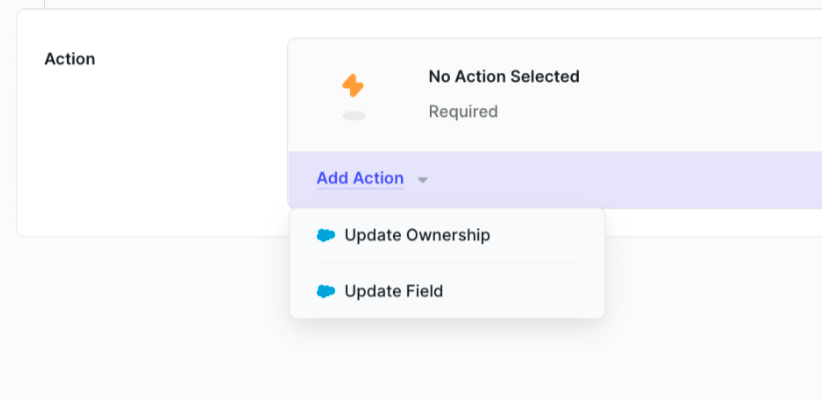
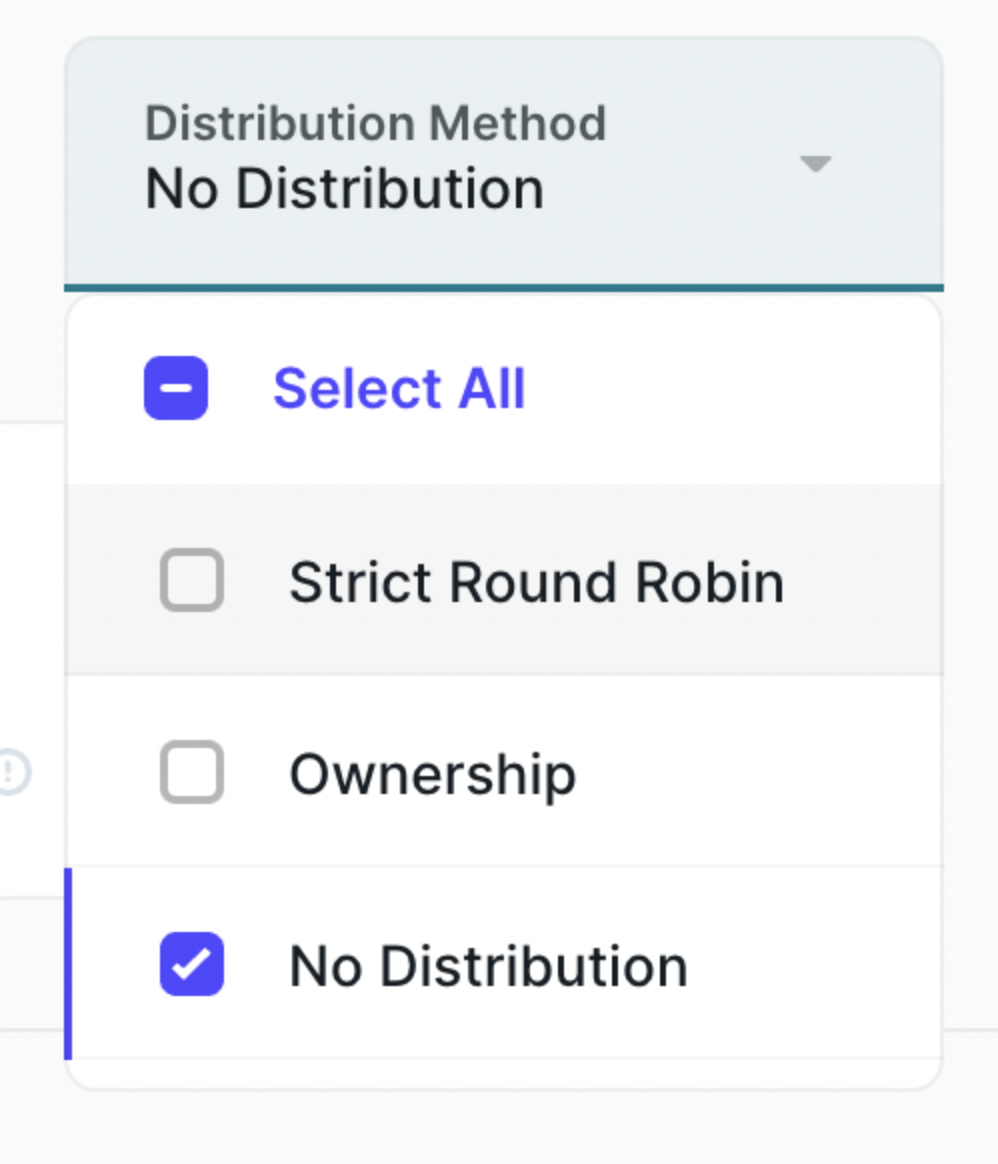
- Logs default option on Distribution Method filter: A third 'No distribution' option shows only records not distributed; no selection shows no data
- Rule, Team, Assignment Ruleset, Router — the name is required: Replace "Untitled" with insert; error shows if name is missing upon publishing
- Rule Builder: Field sort order: Fields now sorted in alphabetical order
- Improve search and selecting fields in rules: Automatically start in search bar; if one result shown allow Enter to select; if multiple results shown allow Tab to navigate list; selection closes menu
- Full migration to Distro Fire complete: All Chili Piper Distro customers officially routing on Fire
October
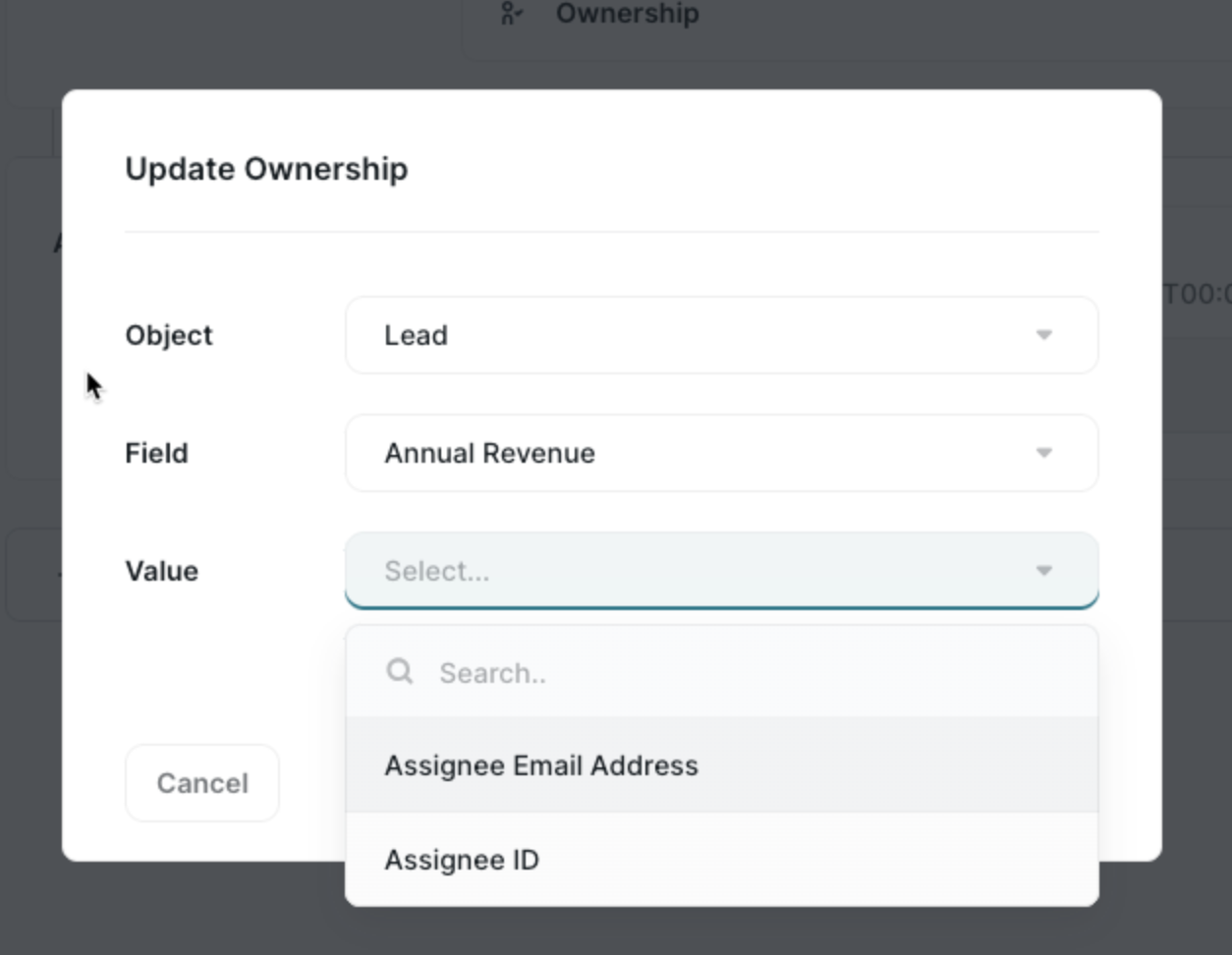
- CRM Actions: Update Ownership Restricted Fields: Important update reducing admin errors; previously all object fields were accessible for "Update Ownership," now invalid operations are removed
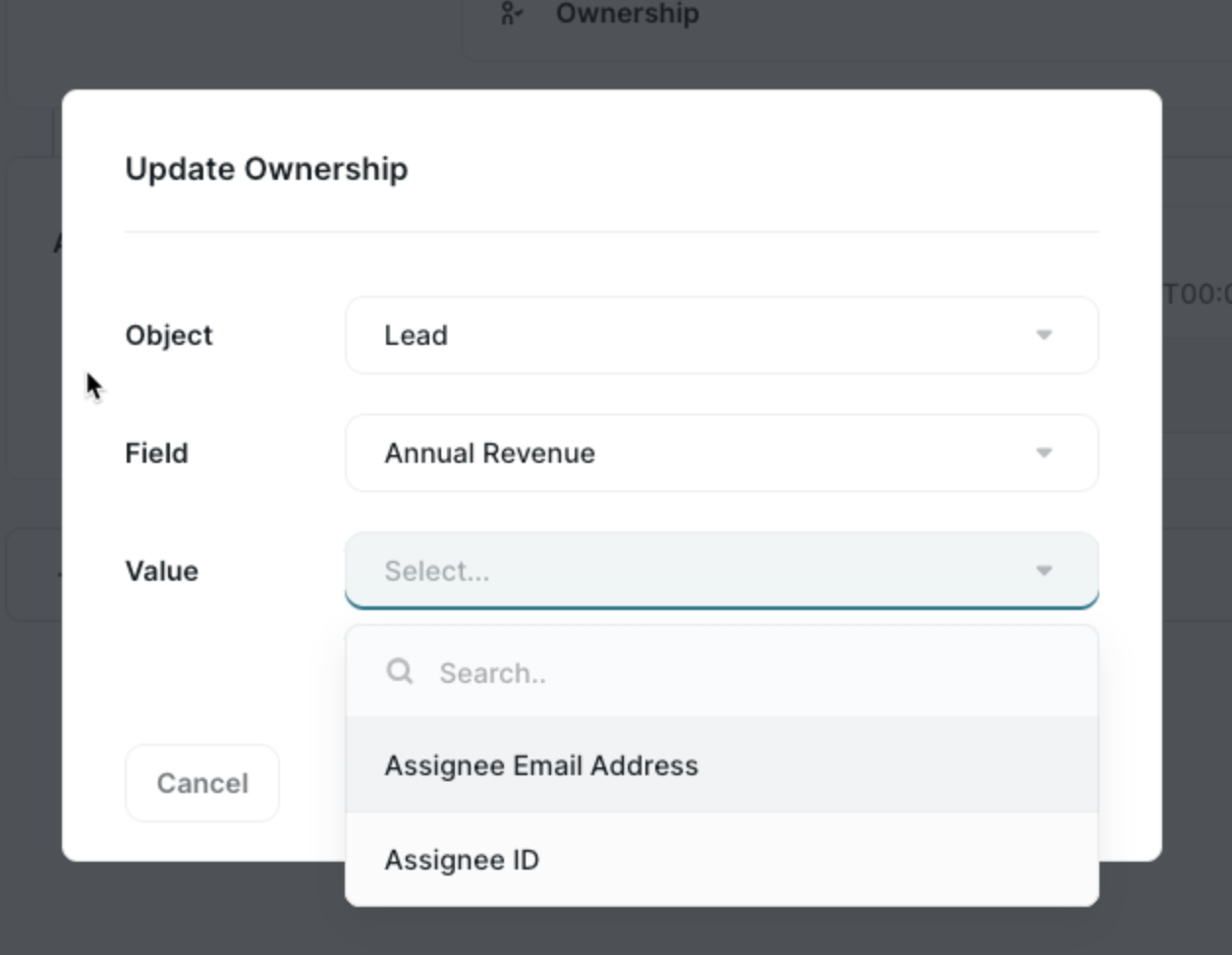
- CRM Actions: Update multiple fields on the same object: In the router, multiple updates on the same object type are now possible
- Notification of field removal: If a field has been deleted in Salesforce and used in routers, Distro detects this and sends email notification to admin about the Rules and Router affected
November
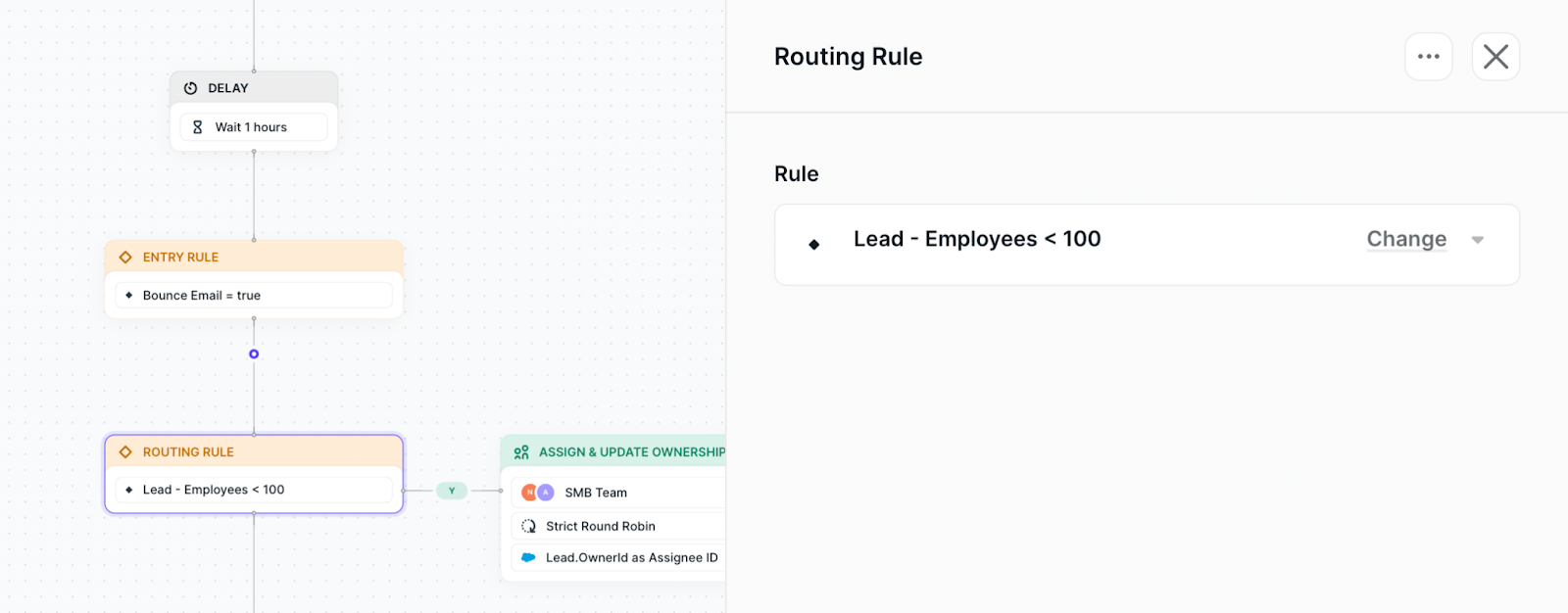
- New Flow Builder View: The Distro router now visually represented in a brand new way with a top-down approach
- Focus Mode: When clicking on a node, it moves along with your clicks
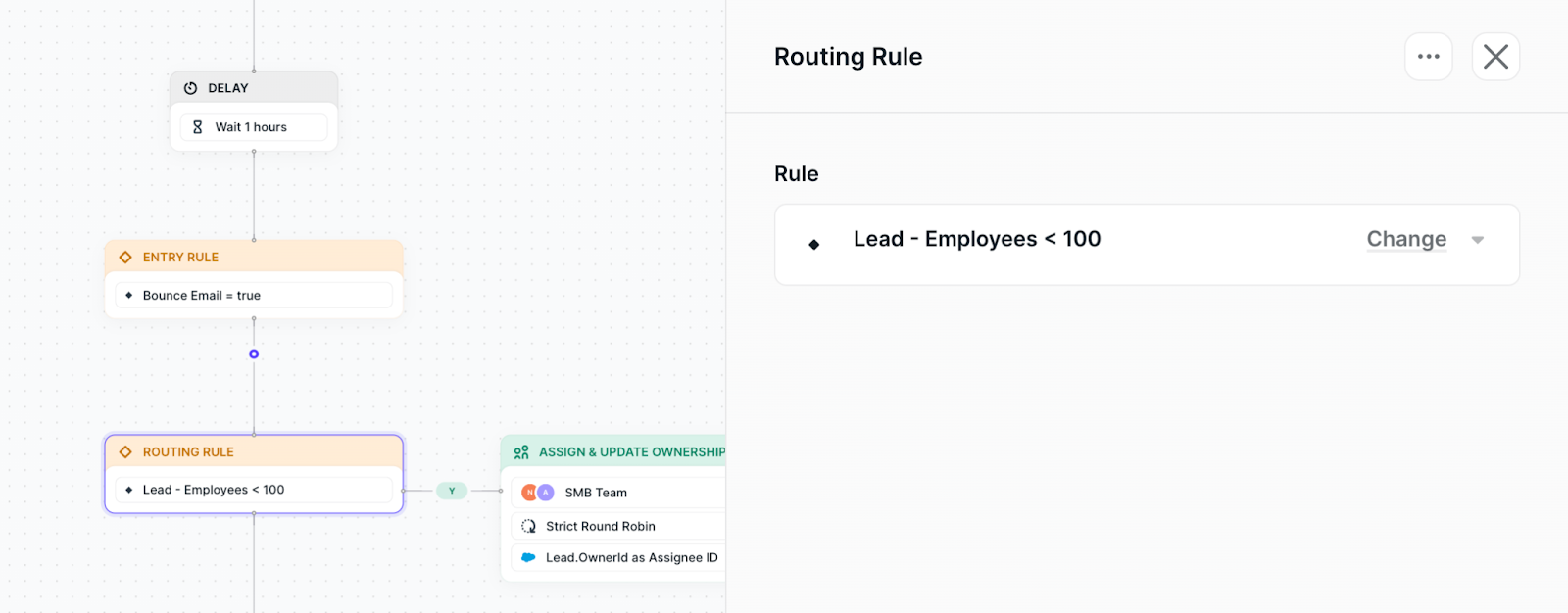
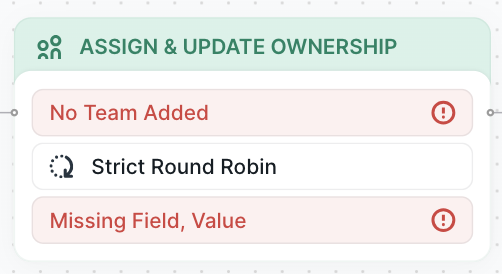
- Validation: If adding a new node without required items, errors display
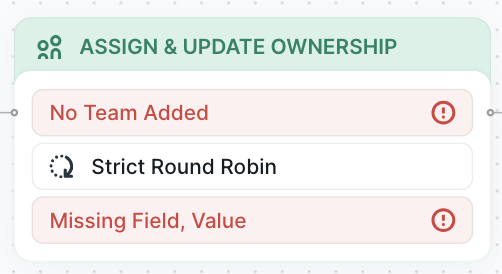
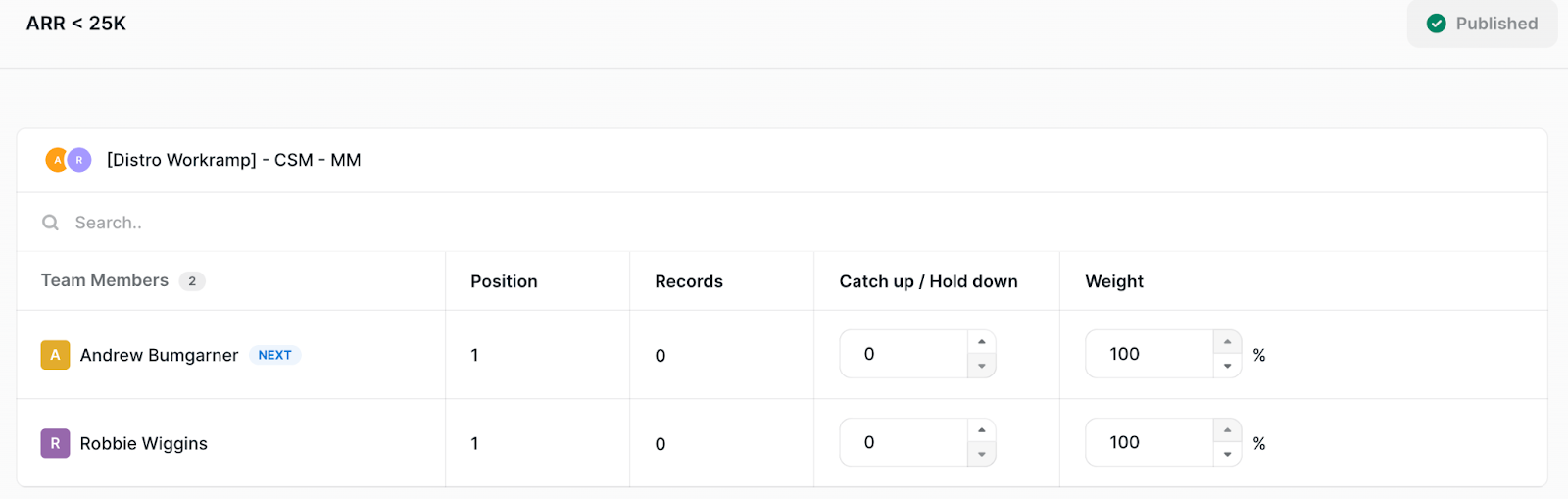
- Calibration: Adjust users with calibration; see position, records routed, and adjust weight; won't allow leaving until publishing. Find under Distribution algorithm > fairness
- Working/Instant Clock in SLA: Select from working hours or instant hours; working hours routes only during assignee's working hours; instant routes instantly
December
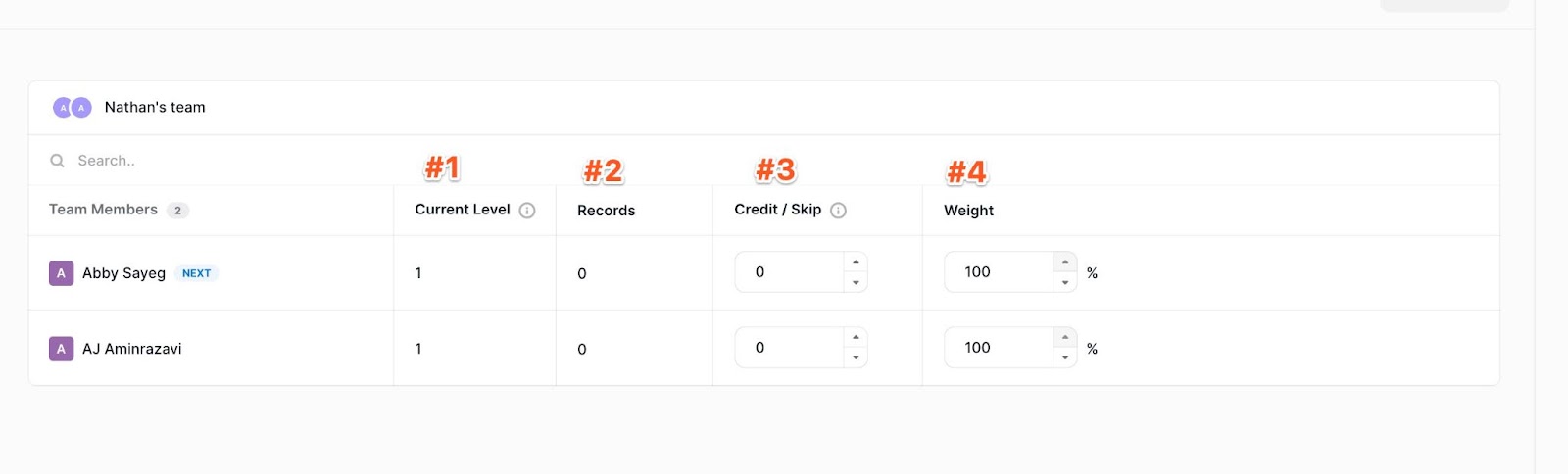
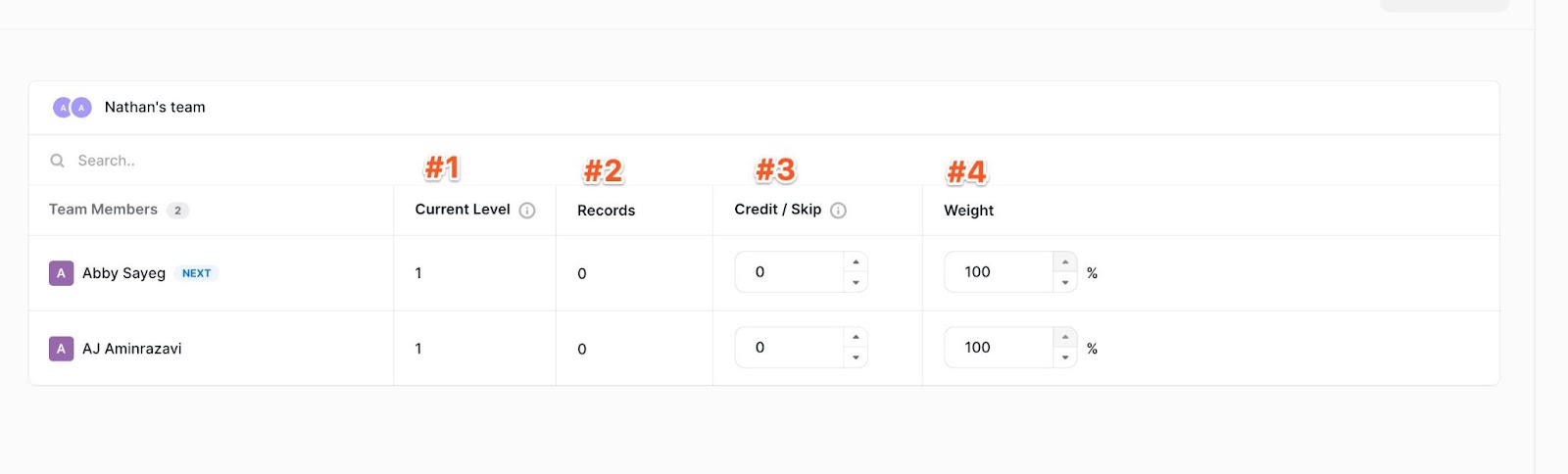
- Distro Calibration: When assigning to a team in Distro from Distribution > Fairness you reach calibration
- Current level: Who is next for a route — a lower number is a higher priority
- Records: The number of records the user has been routed
- Credit / Skip: Calibration feature used to make manual adjustments to the current level and who will receive a meeting
- Weight: Assignment of what % of meetings the user should get within the team
- Notifications to admins on Errors: When a field is removed in Salesforce, admins are notified; important alert especially if the field is used in your router, preventing unknown errors
- Updated error messaging to Salesforce admin when unable to find the User in Salesforce to make the update
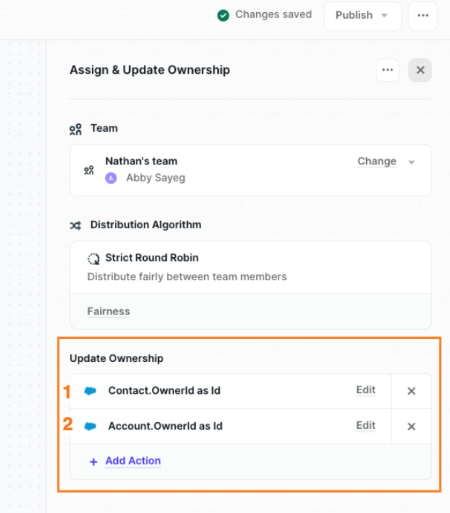
- Multiple Ownerships Updates on the same node: Any path with assignment allows multiple updates; for example update contact owner with assigned team member and update account owner
See the power of Chili Piper in action today!
About the author
Ally DeForest
Ally serves as the Product Operations Manager at Chili Piper, where she leads technological and procedural optimization of the product team. She is responsible for streamlining processes, facilitating product updates and launches, and ensuring seamless communication and training for both internal and external stakeholders.
We have customers using Distro to distribute leads from events, ping SDRs as soon as an account reaches a lead score threshold — and even route and assign leads to CSMs once an opportunity is Closed Won
It's pretty rad.
And it's getting more and more rad ever day.
Throughout 2023, we've been putting out new updates to makeDistro better and better — and 2024 is going to be more of the same.
Let's dive in.
Notable Highlights
Before I get into the nitty gritties, I want to call out some of the heavy hitting updates we made last year. We made a lot of updates, but here are the main ones to call home about:
A UI on Fire 🔥
Not on fire, like everything burning. On Fire like our new Fire UI!
Now, you can…
- Build your routers even more intuitively. We’re talking triggers, assignment rulesets, SLAs, and more, all in the same screen:
- Drag and drop routes
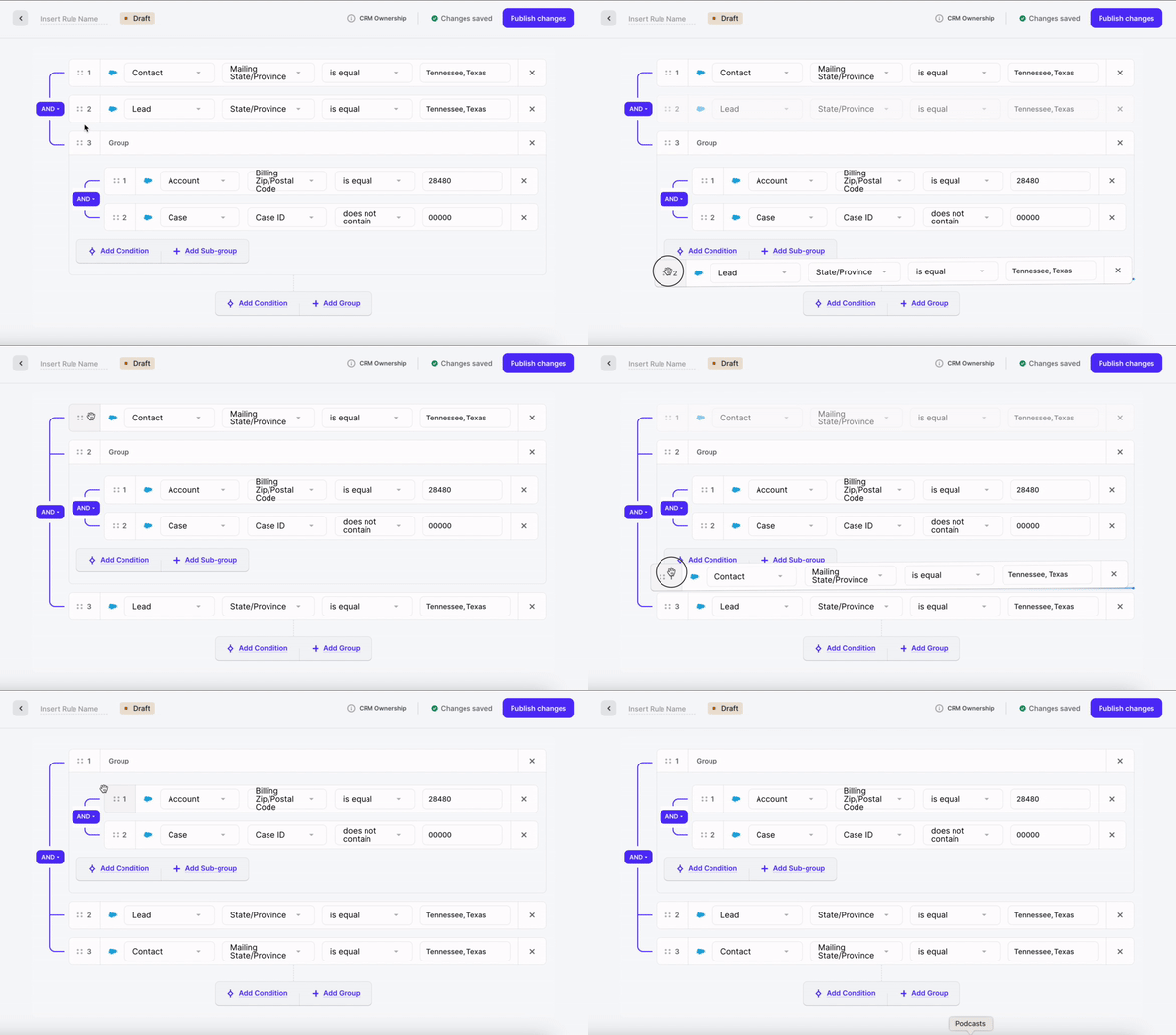
- Reuse teams, assignment rulesets, triggers, and other assets across your various routers — which means when you make updates, you only have to do it in one place
Calibration
Someone get assigned a spam lead? No biggie. Recalibrating their lead count is quick and easy! Find it under Distribution > Fairness.
Test Your Flows Before Pushing Live
OK this one technically went live early 2024, but we’re still counting it here. Because it’s so legit.
With “Preview Mode” you can make sure the routing logic you set up will actually work — using real Salesforce data, without updating any of your records.
SLAs that sync with your reps’ calendars
Distro is the only CRM routing solution that syncs with your reps’ calendars — which is especially awesome when it comes to SLAs.
Last year, we added functionality to let you choose “working hours” as part of SLAs, so you only route leads to your reps during their working hours (which Distro pulls from their calendars).
January
-
SLA Algorithms
-
Reordering Users in Teams or remove in bulk
- Distribution settings
Vacation adjustment, Vacation Buffer, Distribution Cycle
- Drag and drop conditions in rules
- Show Router errors before publishing
- SLA UI and logic to CRM Router
- Distribution settings : new time period Quarterly added
- Prevent deletion of assets in use
If Rules/Teams/Assignment Rulesets are actively in use they cannot be deleted or If CRM Router is marked as active it cannot be deleted until deactivated
February
- Logs details page
Return what part of the condition matched in log details AND mark what part of the condition and formula matched for the matched rules in the record details
- Implementation of a new SLA design
- Display more values in Rules
- Catch all state in Assignment Rulesets is not able to be dragged and dropped like other routes
A catch all should only be last, and this prevents it being moved into an incorrect place causing an error
March
- Date picker in Rules
- The Distribution Reporting list page
- Notification for removing licenses
Ensuring licenses are not removed by accident
-
Logs Updates: timeframe shown in chronological order
-
New Distribution Reporting page
April
- Logs filter for Distribution Method
-
If the distribution type is Ownership based - disable reassign SLA action
-
Updated Slack messages
[RecordName] - [Distribution Method: Ownership/Round Robin] - has just been assigned to you: [Salesforce URL]
- Add Rule Preview tab on the distribution details page
- Display 'is in team' operator when selecting text fields
When creating a condition, the 'is in team operator' should also be visible when a text field is selected. This means you can use text fields to search for team members, so if you have a custom text field that has a team member in it that can be used
May
-
Migration to Distro Fire begins 🔥
-
Support for relative date conditions in rules
- Support of ‘is in team’ operator with text fields of ownership rules
In some cases, text fields may reference an email or Id calculated by a formula so we have added these into the possible field types that are compatible with the ‘is in team’ operator of ownership rules. There is no required selection of whether the condition should evaluate email/Id/name specifically, as we will check all of these automatically
- Copy to Routes & SLA
-
Create Assignment Rulesets w/ catch-all rule only
-
Usage tab for Assignment Rulesets shows all the routers (published and draft) that this Assignment Ruleset is currently used in
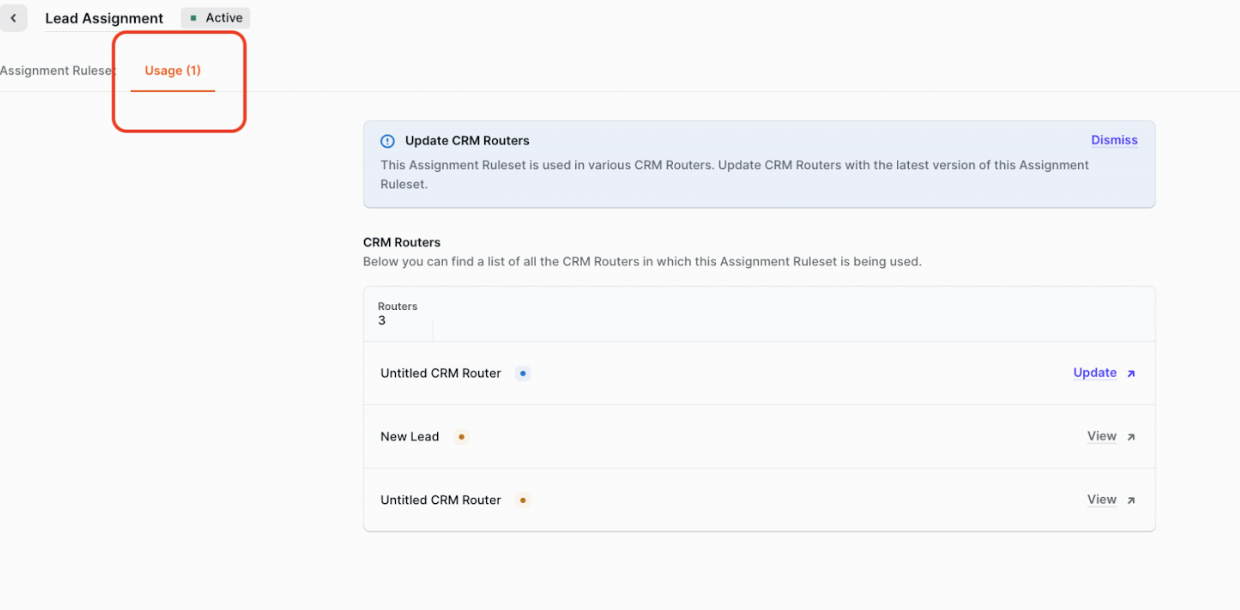
- Usage Tab Additional Features
When a ‘breaking’ change has been made to an Assignment Ruleset used in a router (such as adding a new route), the Usage tab will have a link to ‘Update’ the router:
- The router will open in a new tab and there will be a button to ‘Update AR’ as shown below
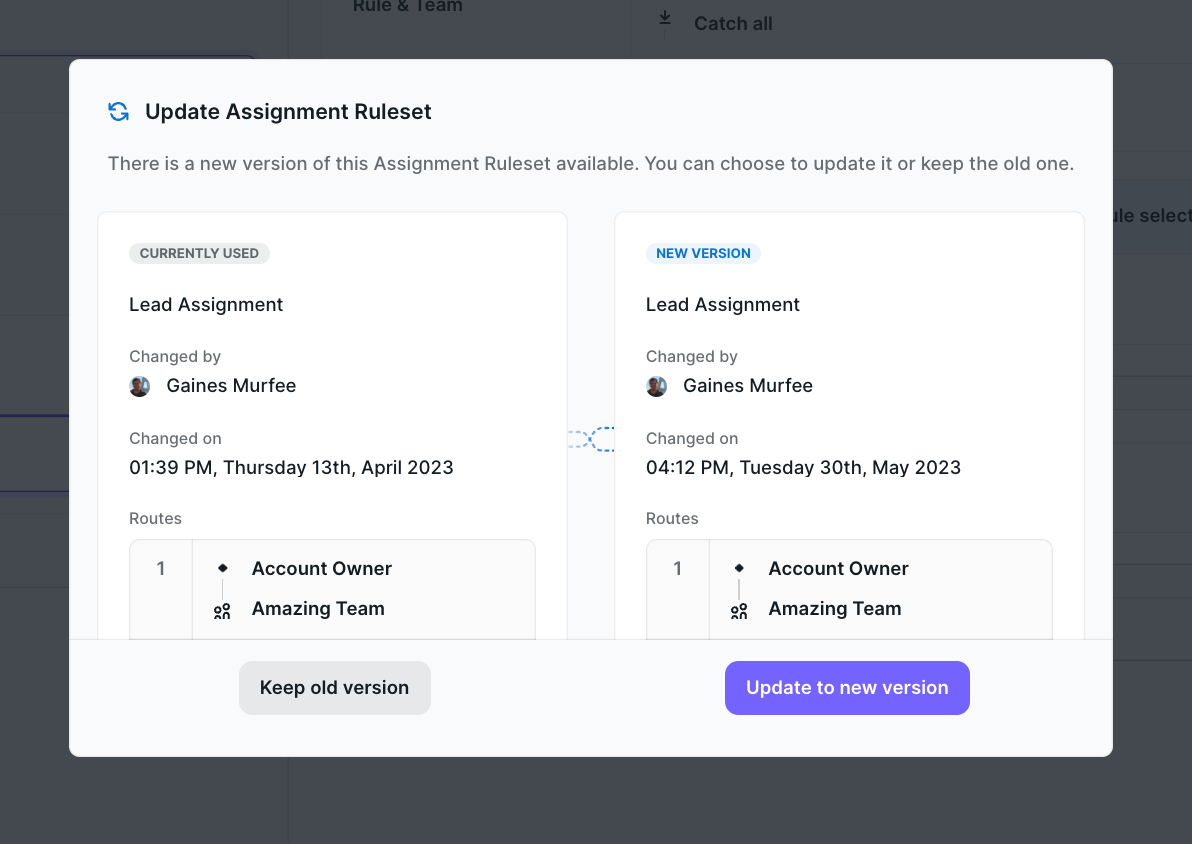
- Upon refreshing the Assignment Ruleset, we will explain the changes made to the new version
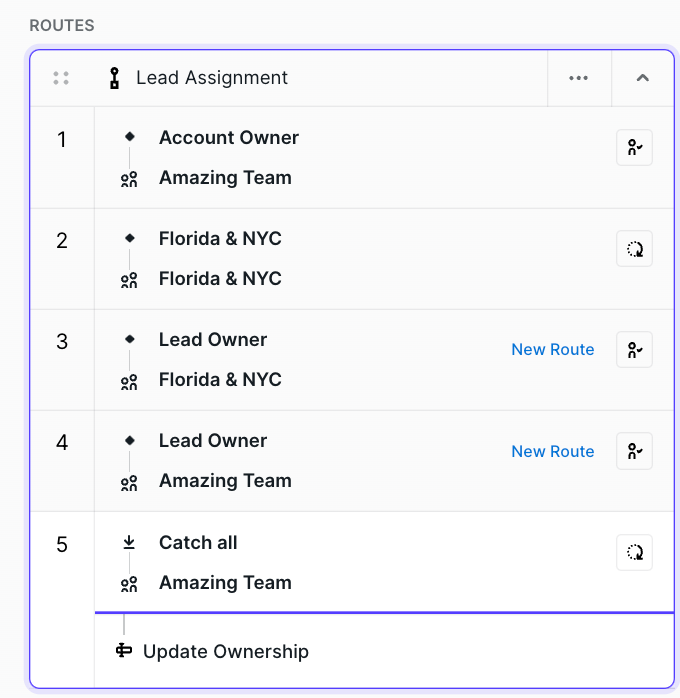
- Once the changes have been made (adding the route actions), the router shown in the usage tab will no longer say ‘Update’ and instead have a link to just ‘View’

- Working hours and SLA functionality
When a router is using SLA, check the assignee’s working hours to know when to perform reassign record
June
- Fire Logs Page
Fire Logs have been rebuilt with additional improvements and data shared for SLA events, error messages, and data for mismatched cases
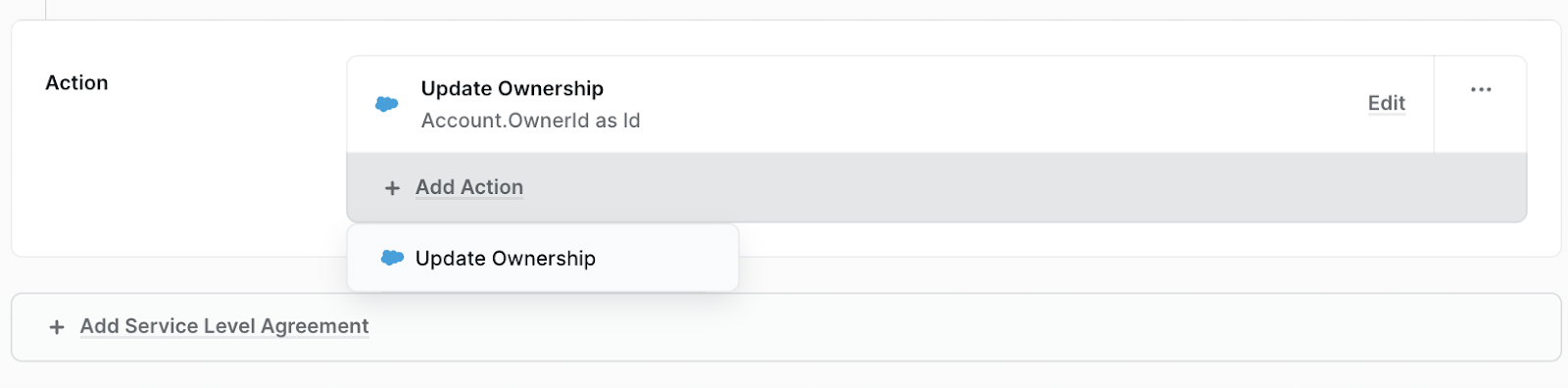
- Update multiple fields with the same Assignee within a Route
Previously a route would only support a single ownership field update. You can now add multiple! Note that as of right now, if >1 of these Update Ownership actions exist in a Route that "Copy to Routes" is disabled
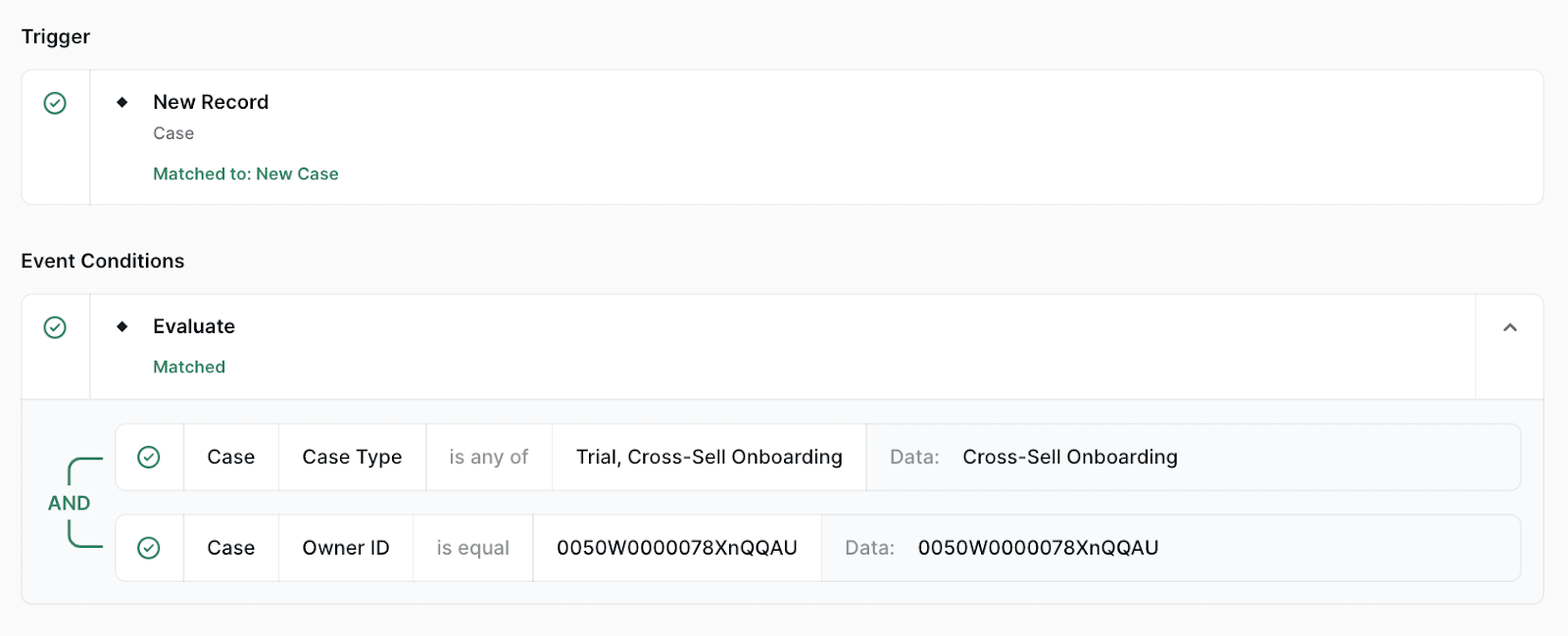
- Distro Fire Logs - debug view
Improved debug view that aligns with the visual rule builder and a clearer indication of which Route matched (unmatched routes will be collapsed by default)
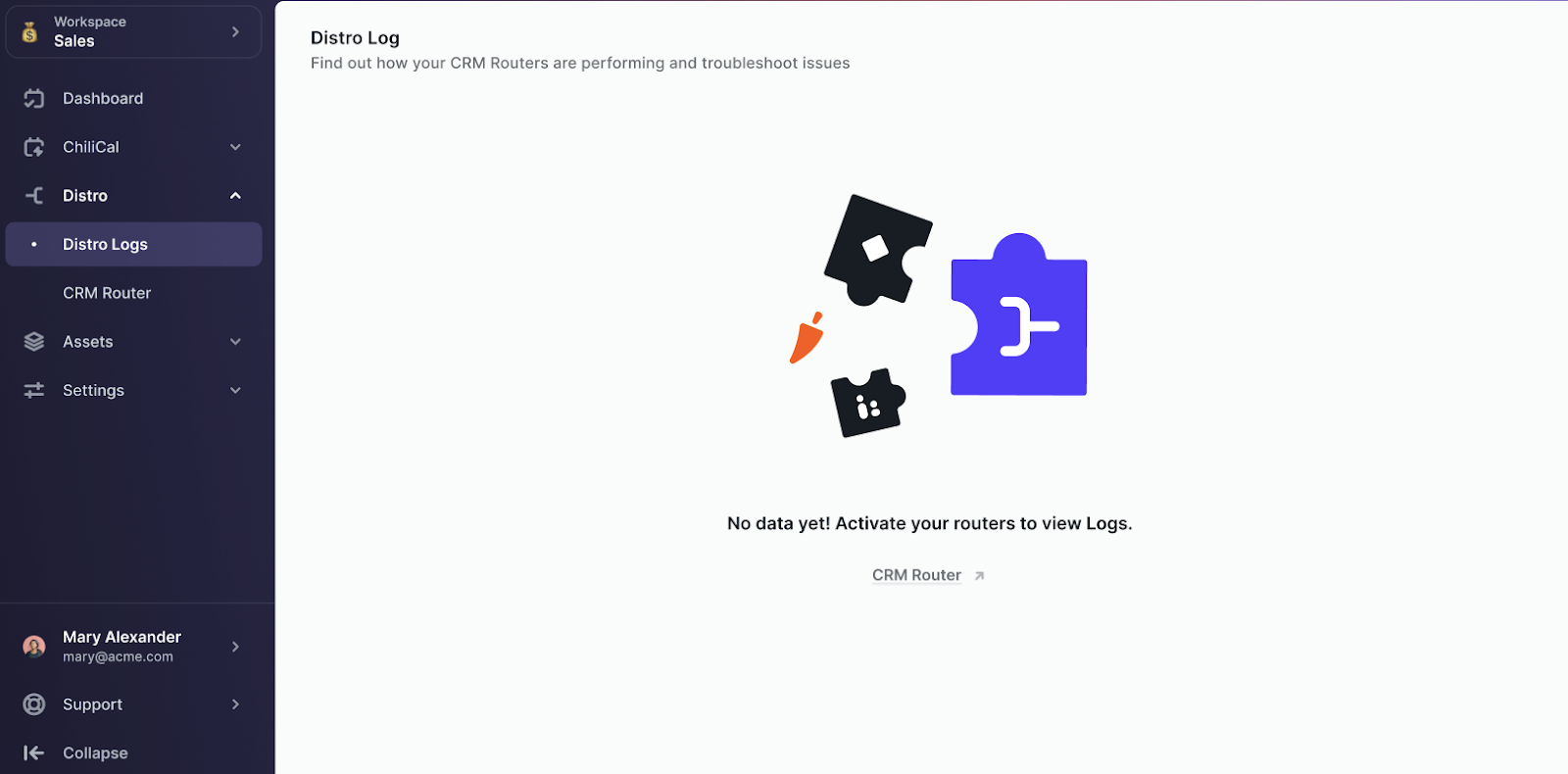
- Log work to Implement "empty" state on the log record page
When the Logs page is opened in a new workspace that has no records routed through it yet, we display the table header without any data. Our primary pattern for pages where data or assets that "do not exist" yet is a splash page with some informational context that guides the admin to create something or explains why nothing is there. This update to the Logs page will inform them to activate a router in order to see data.
- More descriptive log statuses
July
-
UI updates to make Distro language consist in Fire
-
Logs > Distribution method and team
In Logs, there is a new data column for the distribution method type: Round Robin, Ownership and a filter for this column:
- Added filter "assigned to" on the Logs records page
Search through logs by how the record was assigned. If an admin wants to know how many records a certain rep got or a view based on rep this filter is super helpful.
- Logs Page gives feedback to the admin when is not possible to load the log/rule data
- In-context Rule and Team editing with the ability to edit/create/remove teams from team picker in Assignment Rulesets
August
- Lead to Account Matching Page with Tiebreakers!
September
- Distro can now support a SECOND use case independent of ownership updates: Updating custom fields!
Admins can set this action directly in the route. This could be used to update an additional custom field such as lead status or router name. It is a very useful additional reporting tool!
- Logs default option on Distribution Method filter
Have a 3rd option that says ‘No distribution' which only shows those that have not been distributed. If NO option is selected in the filter (clear all selections), then no data will show.
- Rule, Team, Assignment Ruleset, Router - the name is required
Replace "Untitled" with insert, an error will show the name is missing if published
- Rule Builder: Field sort order
Now sorting fields now in Alphabetical Order
- Improve search and selecting fields in rules
Automatically start in the search bar, If only one result is shown allow user to use ‘Enter’ button to select the value, If more than one result is shown - allow tab to go down the list to select a value, if something is selected menu should close
- Full migration to Distro Fire complete. All Chili Piper Distro Customers are officially routing on Fire 🔥
October
- CRM Actions: Update Ownership Restricted Fields
Important update to reduce admin errors. Previously when you wanted to use the feature: “Update Ownership”, you got access to all fields on the object. Meaning you can make some invalid operations or choices. These invalid operations are now removed!
- CRM Actions: Update multiple fields on the same object
In the router, you can have multiple updates on the same object type
- Notification of field removal
If a field has been deleted in Salesforce, and that field has been used in 1 or multiple routers Distro detects that a field has been deleted in Salesforce and that field is used in Rules X and Router Y and then sends an email notification to the admin
November
-
New Flow Builder View - The distro router is now being visually represented in a brand new way! Includes all you know and love with Distro and more with a new top-down approach to building a router
-
Focus Mode - when you click on a node and moves along with your clicks
- Validation - if you add a new node and don't add required items you will see errors
- Calibration - You can catch up or hold down users with calibration, see the position, record routed, and adjust the weight. It will also not let you leave unless you publish! You can find this Distribution algorithm > fairness
- Working/Instant Clock in SLA - In the SLA you can select from working hours or instant hours. Working hours will only route during working hours of the assignee and instant will route instantly
December
- Distro Calibration - When assigning to a team in distro from distribution > fairness you reach calibration
#1: Current level: Who is next for a route - A lower number is a higher priority
#2: Records: The number of records the user has been routed
#3: Credit / Skip: Calibration feature used to make manual adjustments to the current level and who will receive a meeting
#4: Weight: Assignment of what % of meetings the user should get within the team
- Notifications to admins on Errors
When a field is removed in Salesforce admins will be notified. This is important information to be alerted on especially if that field is being used in your router, preventing unknown errors.
-
Updated error messaging to SalesForce admin when we are not able to find the User in Salesforce to make the update
-
Multiple Ownerships Updates on the same node
Anytime you have a path with the assignment you can allow for multiple updates. For example, you can update the contact owner with the team member assigned and update the account owner.