Chili Piper Has Fuzzy Matching? Yup.
If we could magically remove one Ops headache from your life, which would you choose?
We asked this question in our live webinar and the answer was overwhelmingly "get rid of duplicates", followed closely by "Leads from the same Account are NEVER routed to the incorrect owner".
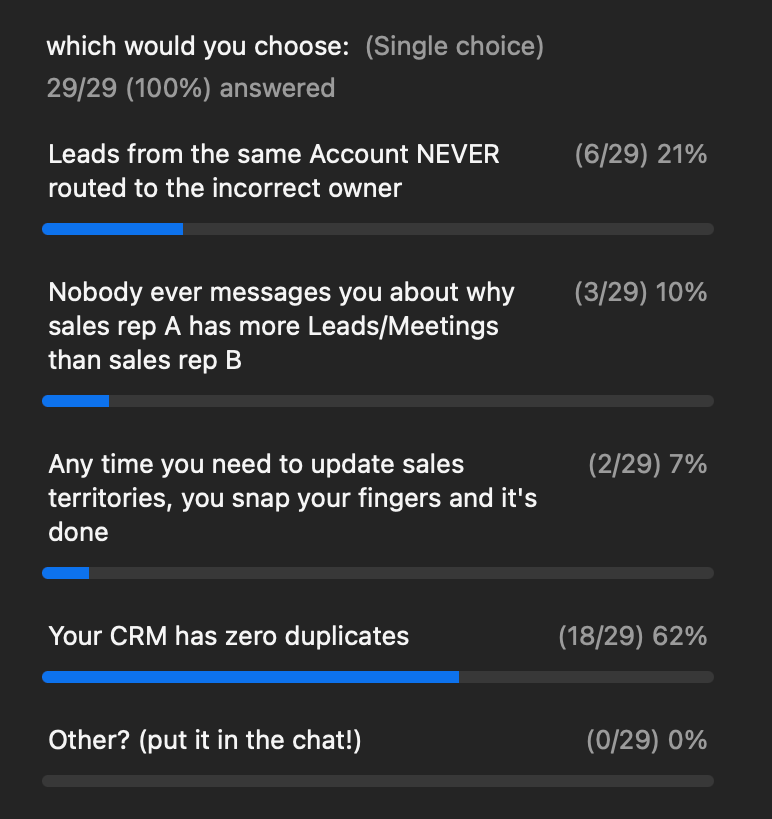
Luckily, we can get you pretty close to both of these with our new fuzzy matching and de-duping functionality.
And we held an entire live webinar on the topic (recording below):
Consolidated Matching Hub? Ohhh yeah
Back when we were thinking about the idea for our Demand Conversion Platform, we noticed a big problem in the space.
People would be setting up the exact same routing, matching, and scheduling logic across multiple systems.
So instead of spreading things across multiple systems, we thought, "Why not consolidate matching, routing, and scheduling — all in one place?"
So that's what we did:
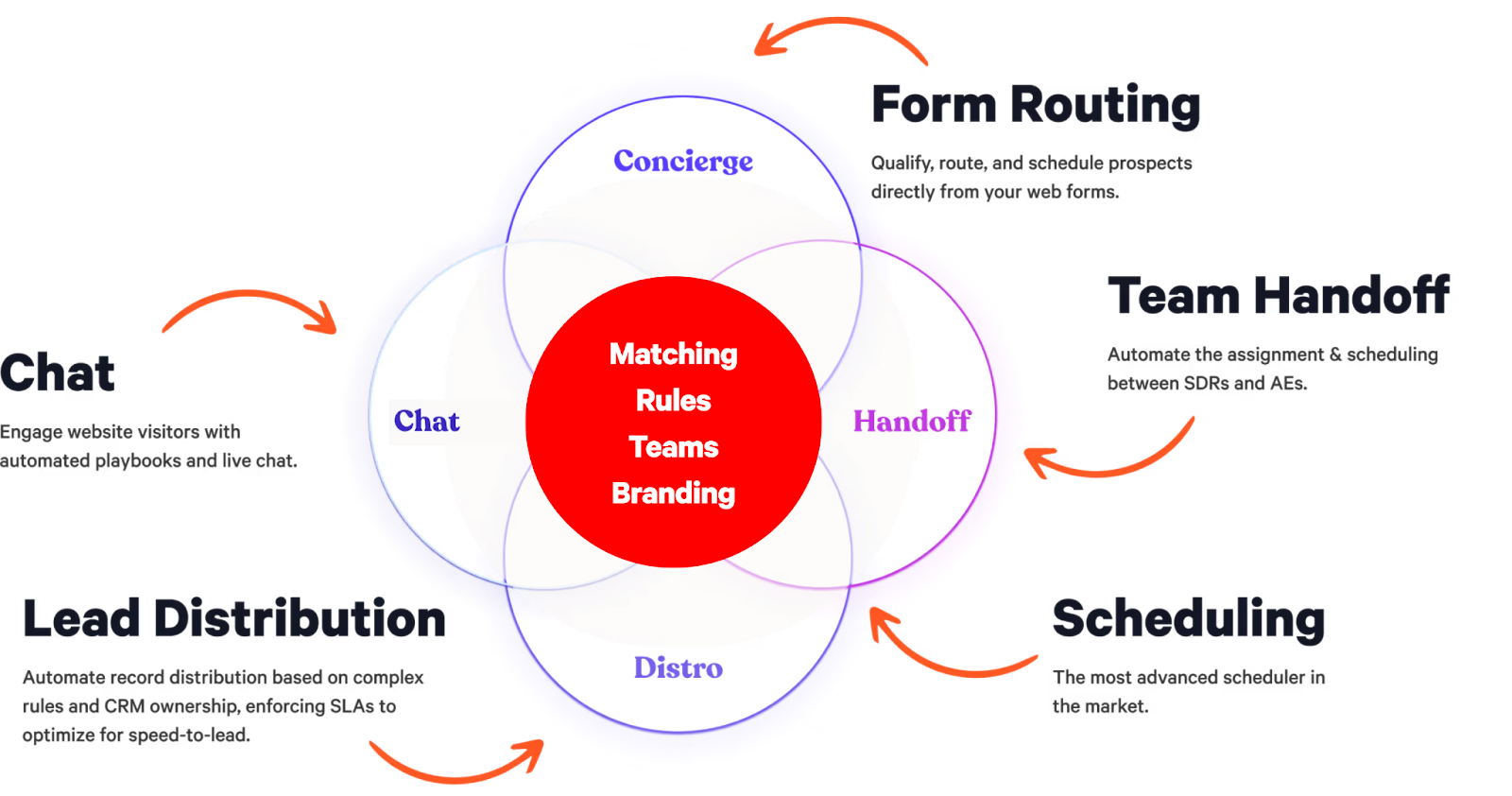
So we created a single, consolidated Matching Hub that combines:
- Lead to Account Matching
- Duplicate Matching
- Related Lead Matching
- Match to Opportunity
- Match to Case
- Custom Matching
All in one place.
Here's a snapshot of what that looks like:
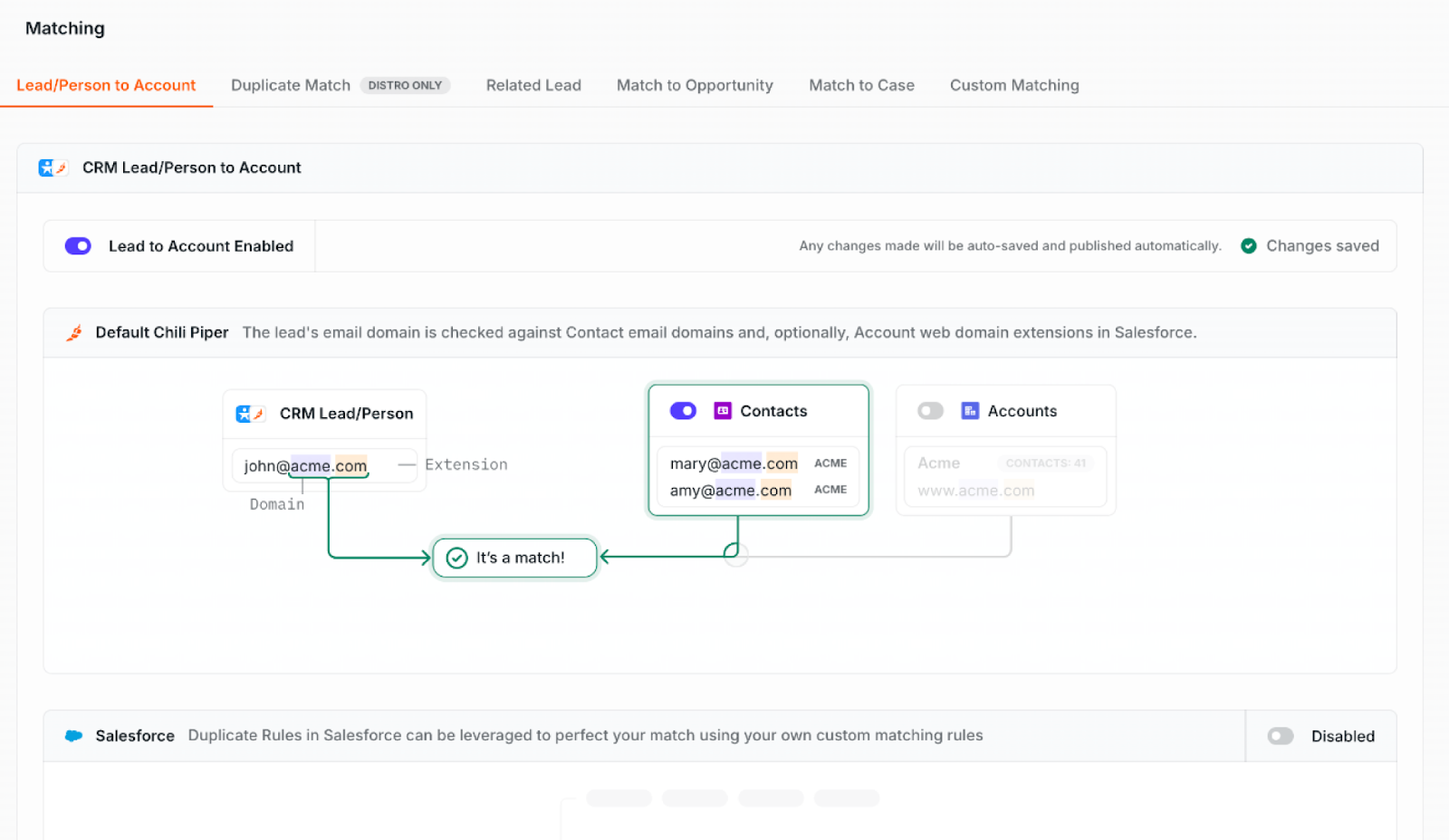
And for a deep-dive, Nathan discusses starting at time stamp 4:05.
Setting up Lead to Account Matching
Here's the scenario:
We work at a company that works with a few different types of Accounts — both private and public sector.
When the leads come in they're marked as either business or government agency in the record type field.
In order for me to route this lead to the right person, I need to check whether there's an existing account that's already assigned to a sales rep.
I can definitely match by email domains — but that's not always accurate.
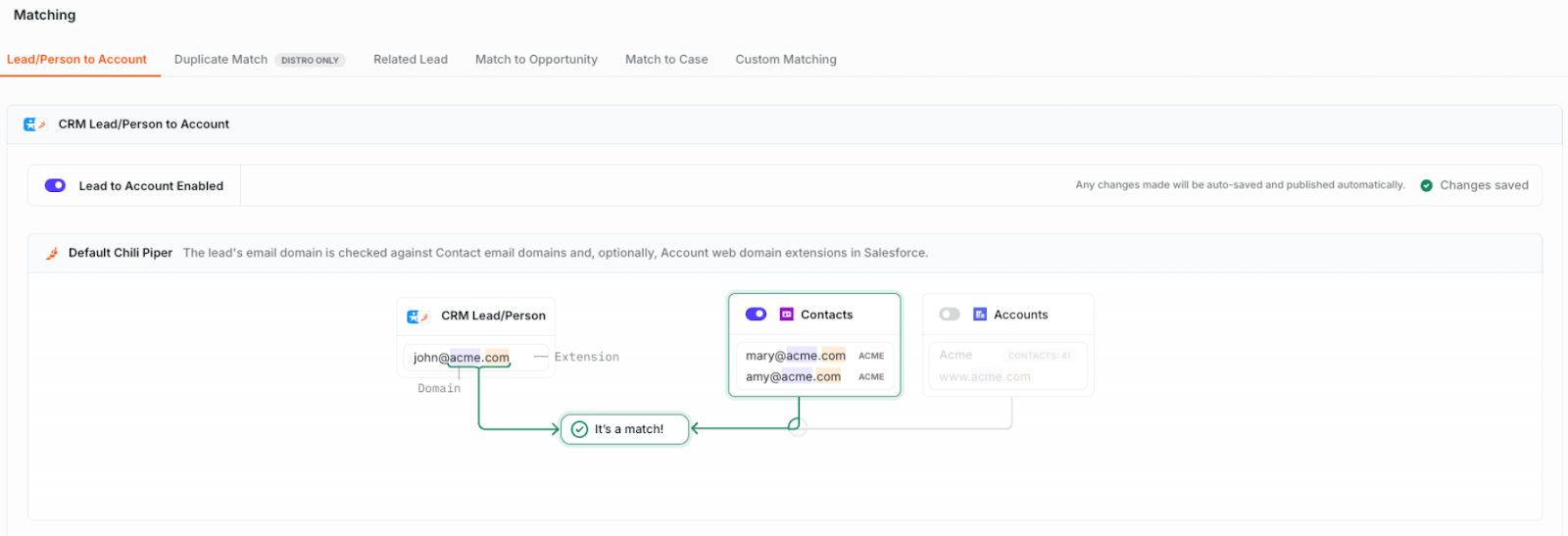
People may use their personal email addresses, they may re-use an email address from a previous job, etc. So that's not going to be enough for this use case.
So what I'm going to do is match the Lead to an Account based on both the company name and the record type — whether it's a business or a government body.
Instead of matching by domain, I'm going to create a Salesforce Duplicate Rule that's customized to my specific need.
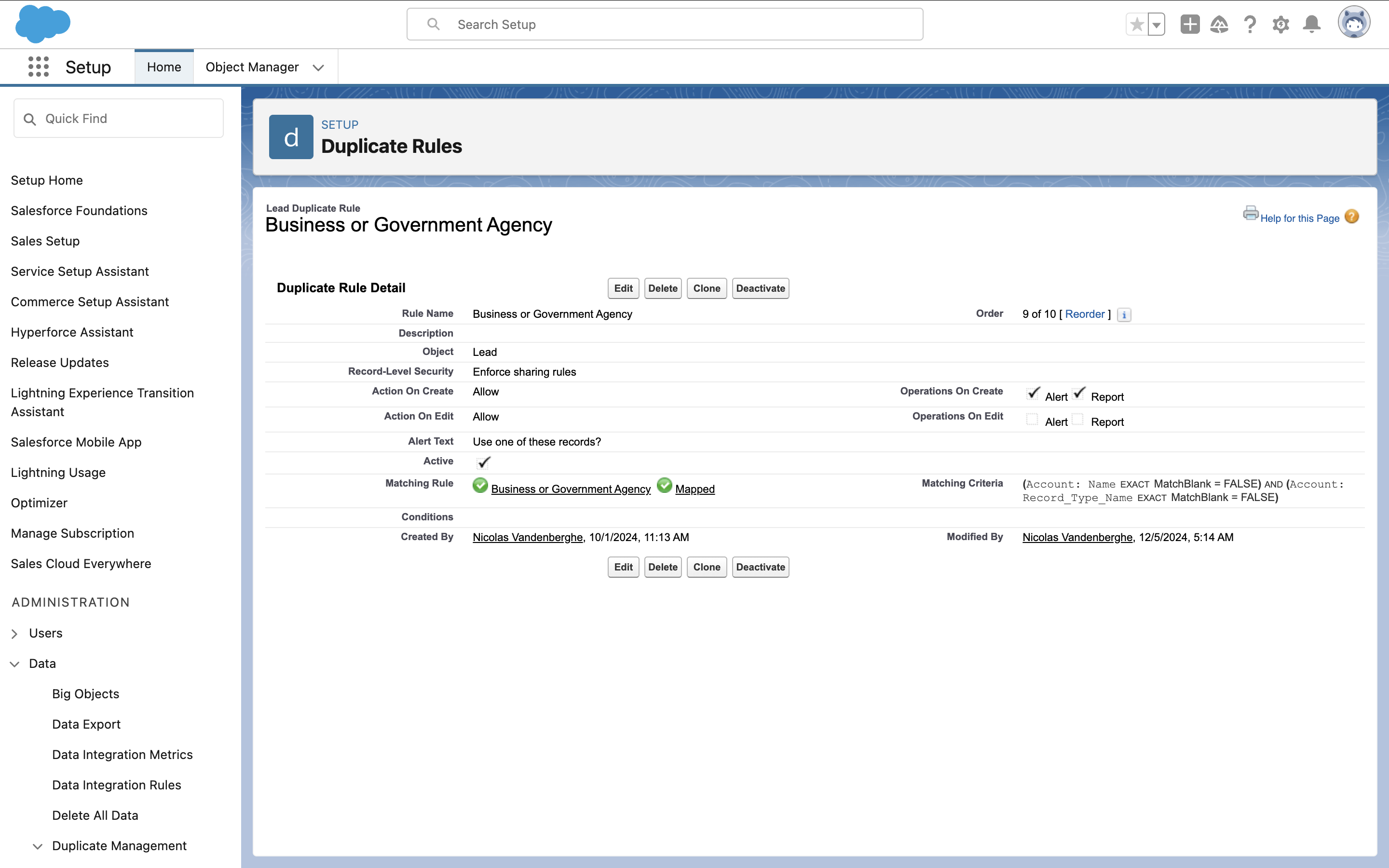
Then, you add your Salesforce duplicate rule to Chili Piper, and you're good to go:
Now, we're ready to build our inbound scheduling flow, in Concierge!
Let's build out an inbound scheduling flow (AKA Concierge Router)
Now that we've finished building out our lead to account matching rules, it's time to build our inbound scheduling flow!
First we need to decide on our trigger. You can either fire Concierge off a webform submission, an in-app button click, or if a router link is clicked (e.g. a CTA button in a marketing email).
In this case, we're going to create a Router for an email marketing campaign we're running:
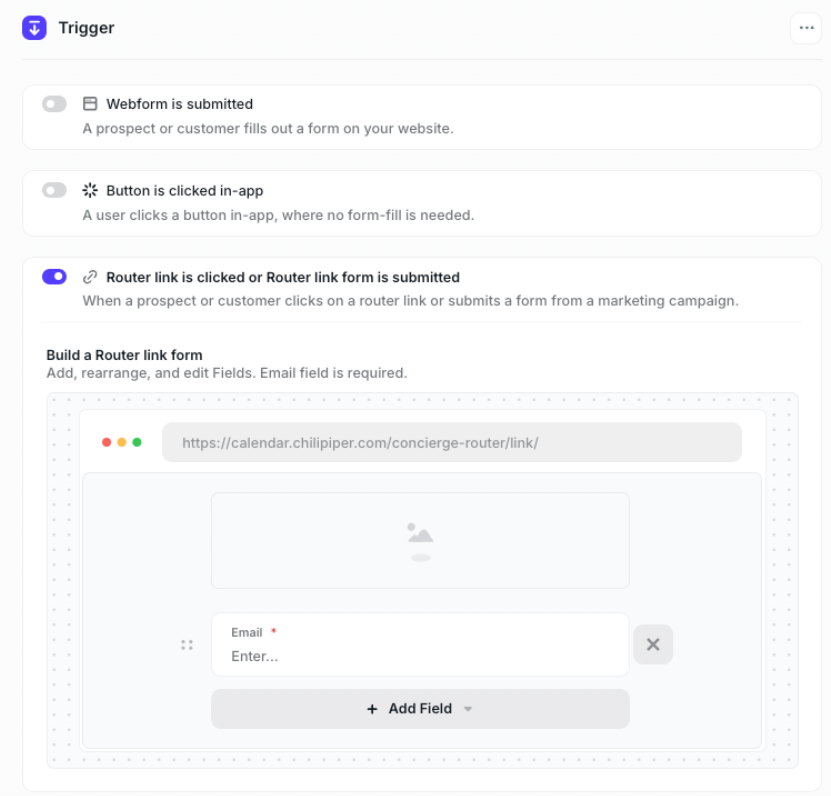
Then, we'll start to build our routing rules. Let's make our first Routing Rule Path: Lead to Account Ownership.
Routing to Owner (Lead to Account Matching style)
Then we're going to make a Lead to Account ownership rule.
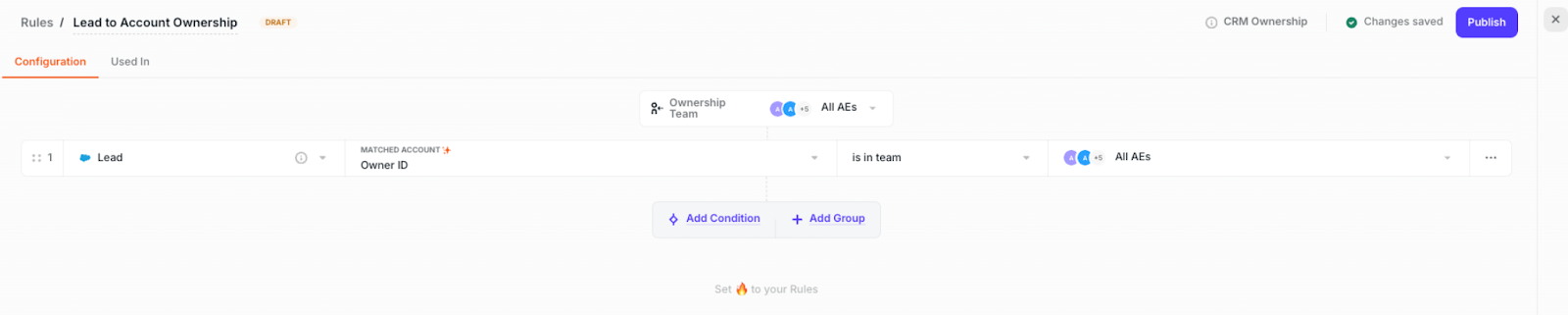
And then we'll finish building out the rest of our Concierge Routing Path, adding in:
Display Calendar Node, where you can:
- Set your Meeting Type
- Determine which team's calendars you show
- Add additional invites
- Set your Meeting Type
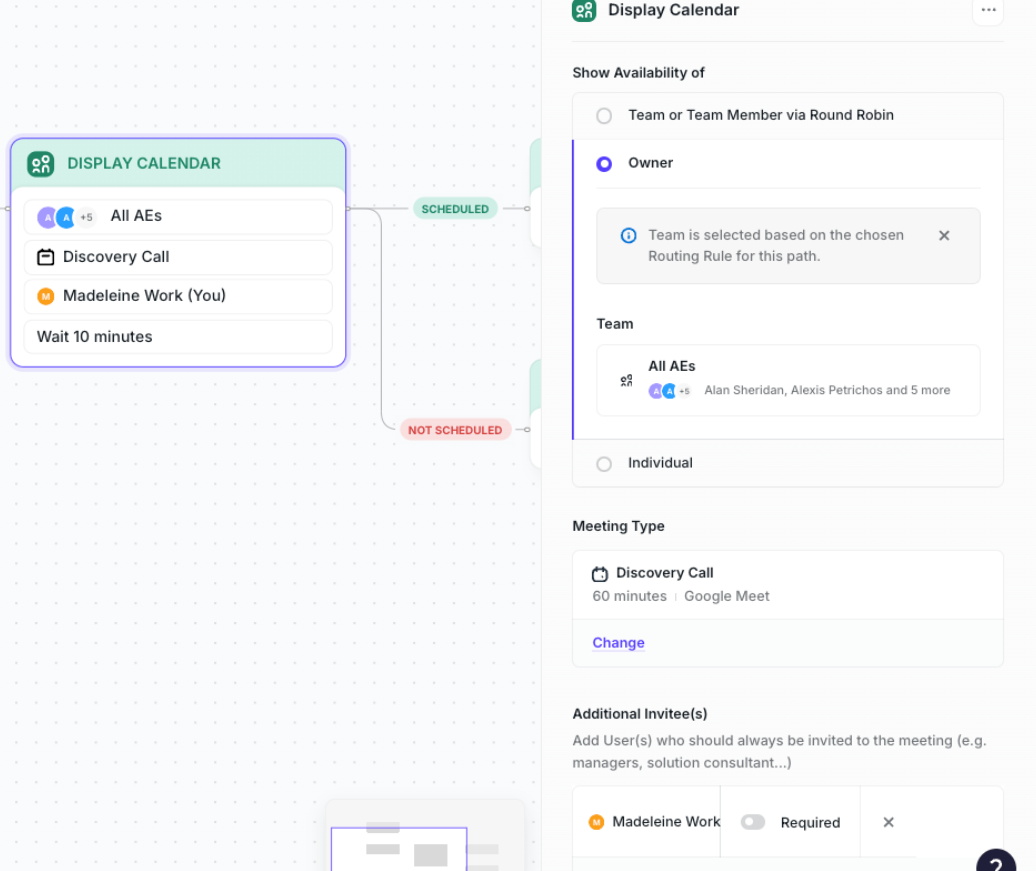
Then, set up where you want to direct prospects after they've scheduled or have not scheduled a meeting:
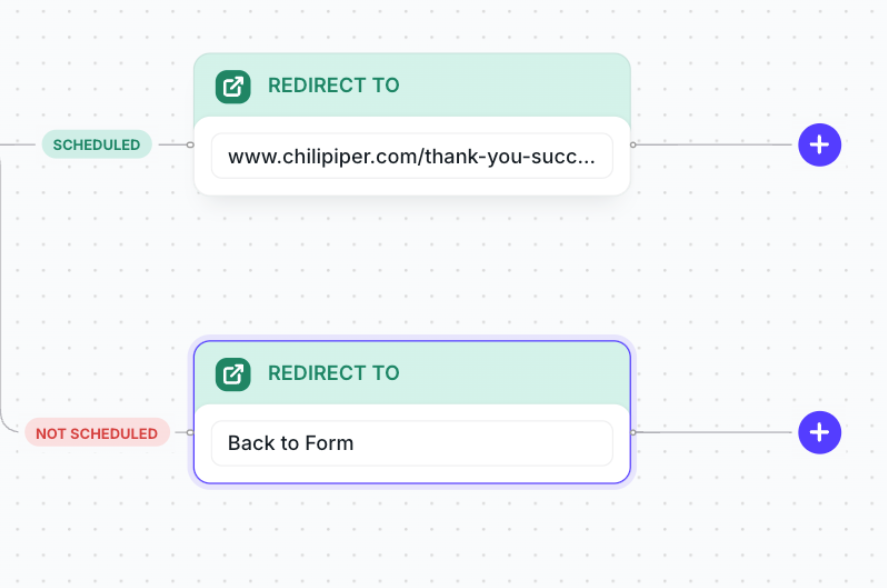
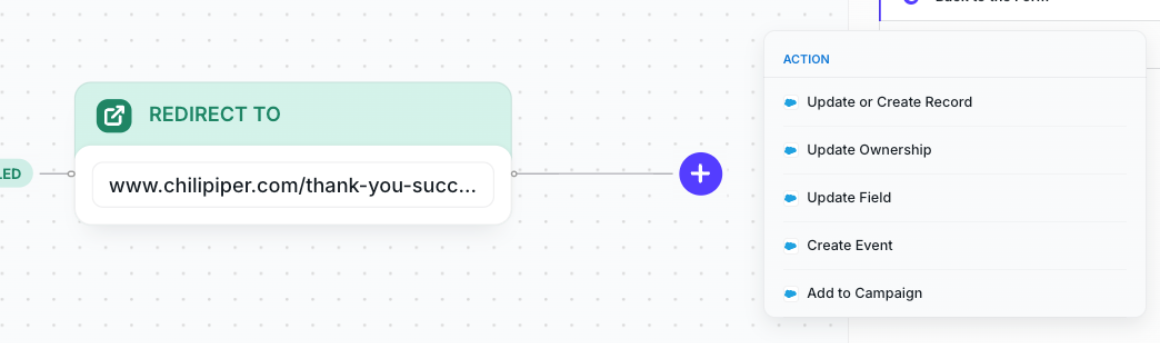
Then, you can add in CRM actions, such as: Update or Create Record, Update Ownership, Update Field, Creative Event, or Add to Campaign.
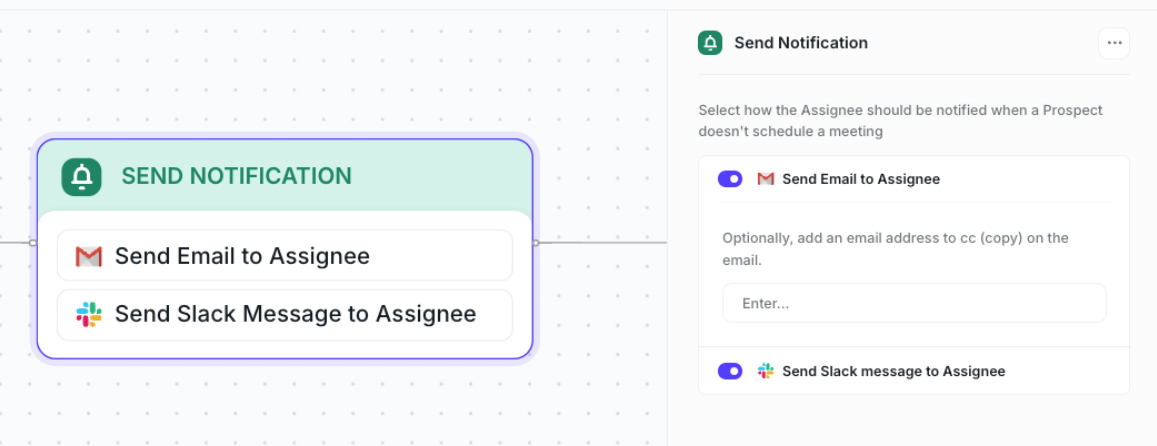
If they don't book a meeting, I'm going to send a notification to the Owner to make sure they follow-up to book a meeting:
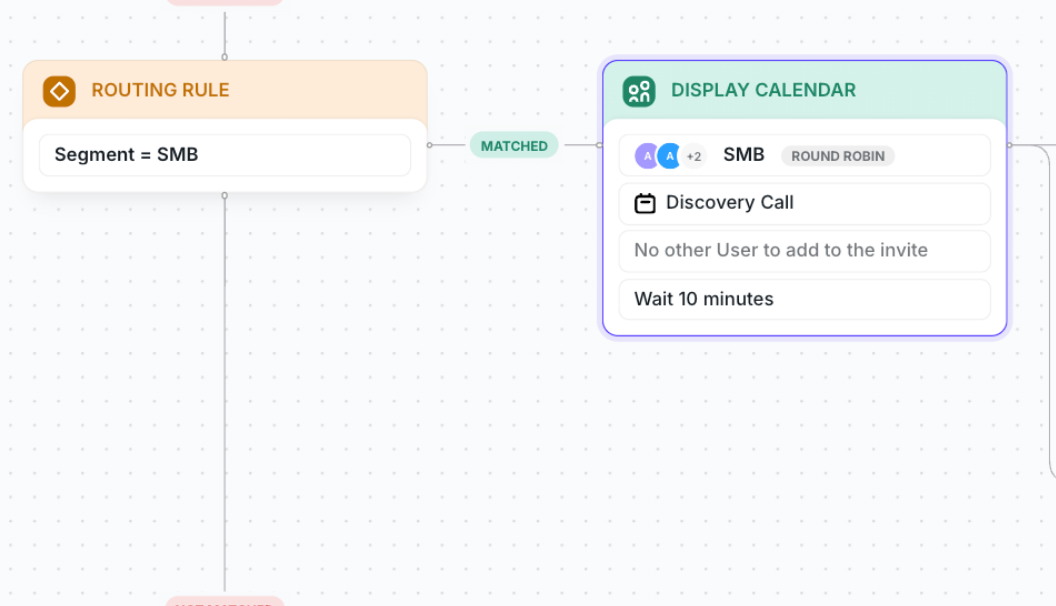
Route by Company Size
Next, let's set up our Routing Paths by company size.
It's really easy to do — just "duplicate" our first path to build out your next path with all the same rules.
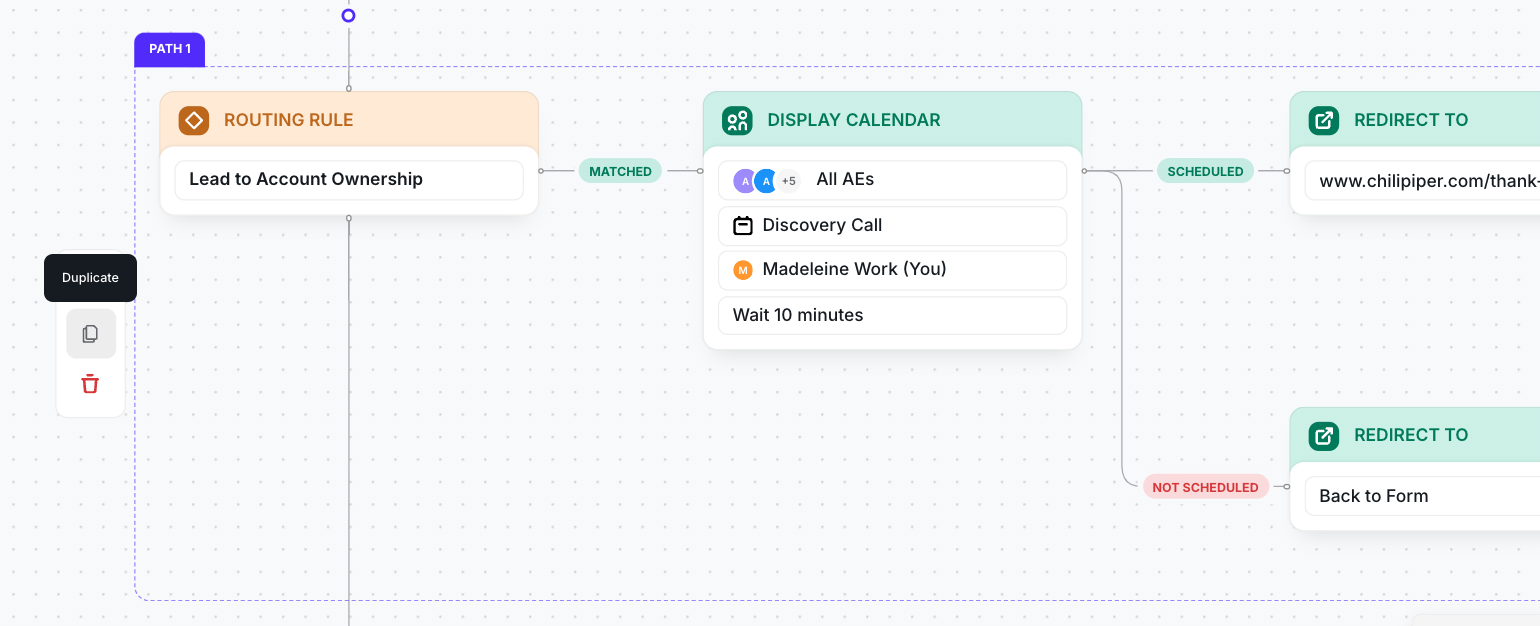
Then all we need to do is update our routing rule and which team we want the meeting to be distributed to.
A few clicks, and we're done!
Catch All
After we finished building out the routing rules for all our segments, we always add a catch all — to make sure that anyone who doesn't match any of your rules is still routed to sales.
Time to test it live!
Eugenia tests it live at the 23-minute mark in the webinar.
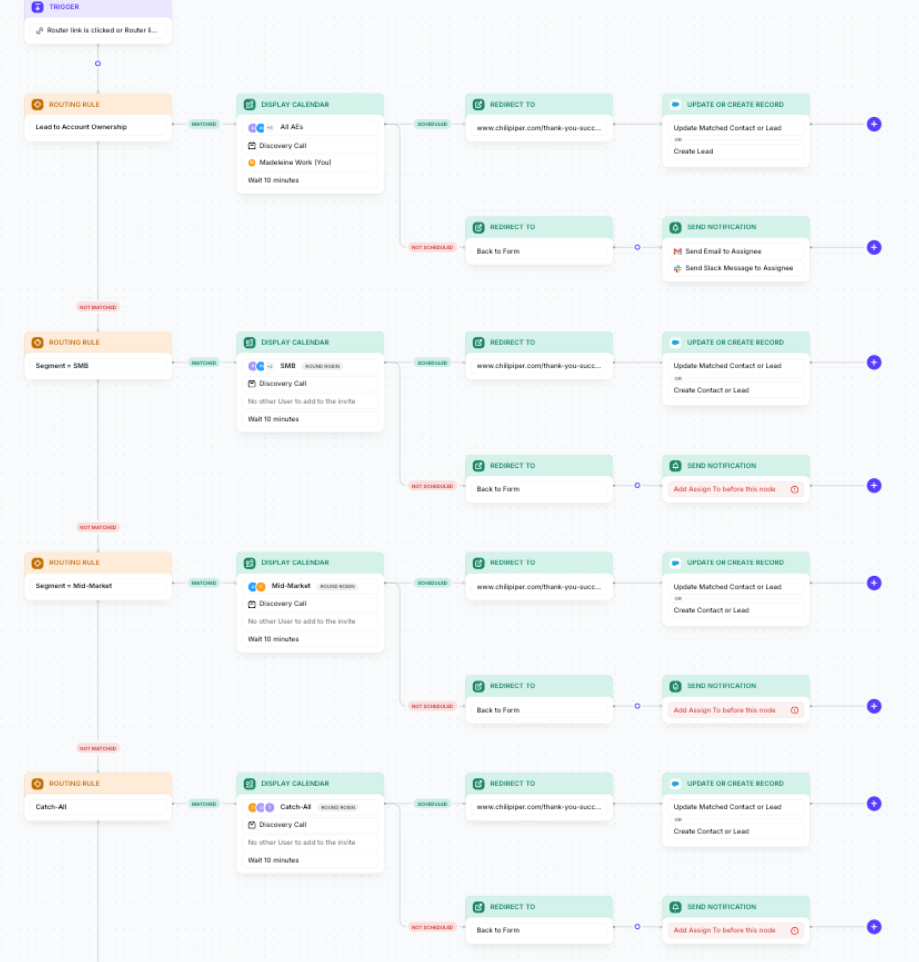
While you're watching that, let's just take a chance to admire our beautiful routing flow in its entirety:
Let's build a router to route Leads from an event
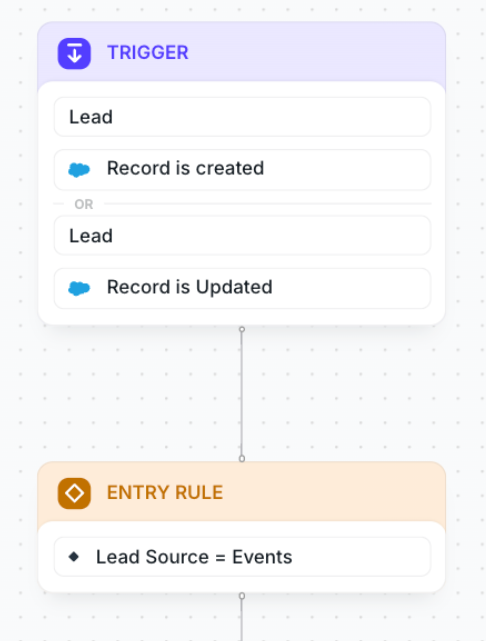
First, let's create our Trigger + our Entry rule. Distro evaluates both of these in tandem; if they are both true, then it will fire our Router.
Then, we're going to check for any duplicates. You can set up duplicates using duplicate rules in Salesforce, using both exact and fuzzy matching.
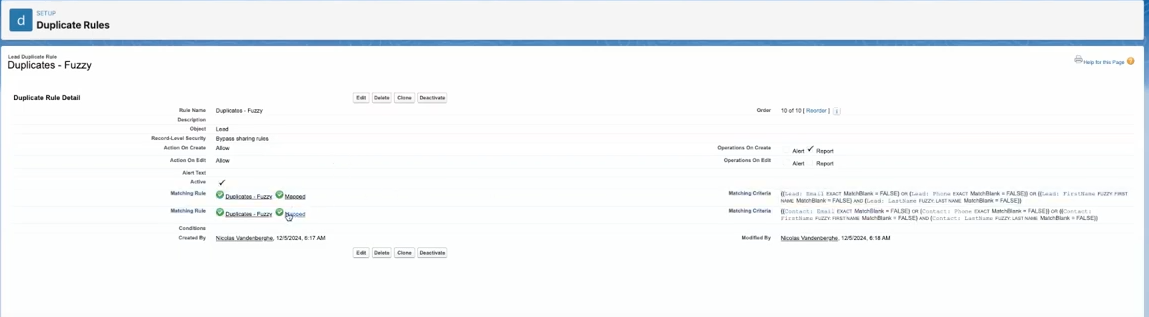
When you're building out your router, you'll have the option to merge the Lead records together, since they're the same object type.
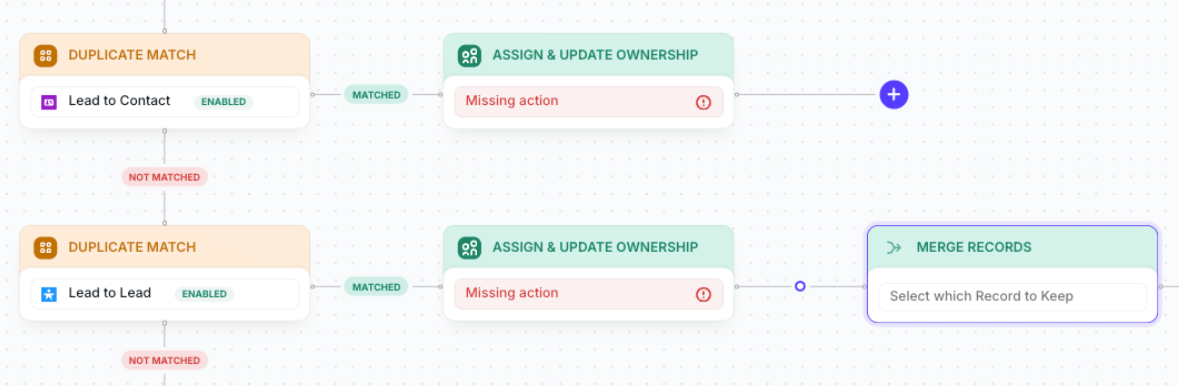
Then, we're going to add in our Lead to Account matching rules.
Since we already set up our Lead to Account matching for Concierge — we'll be able to re-use the exact same rule on Distro! (The reusable rules across products is legit.)
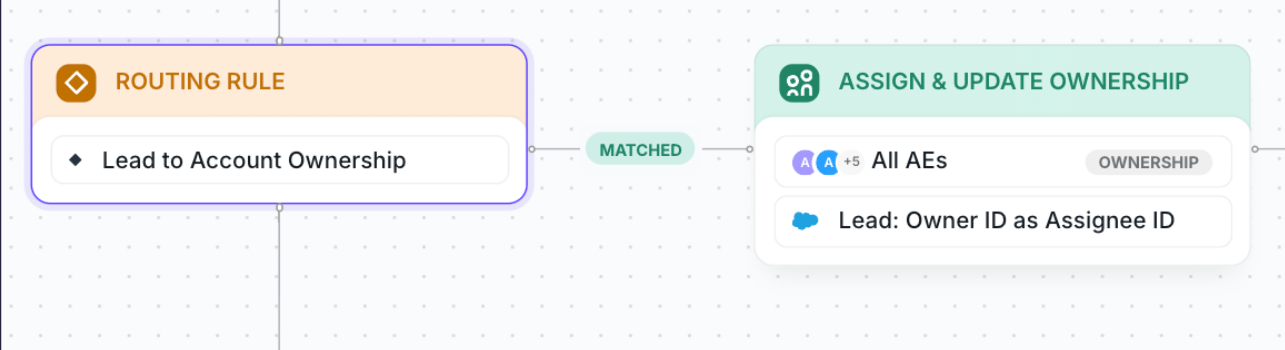
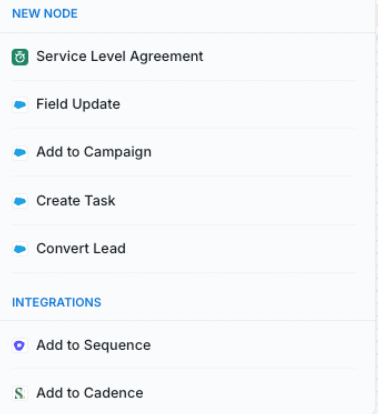
From there, you can add any of the following nodes:
- Service Level Agreements (SLAs)
- Field Updates
- Add to Campaign
- Create Tasks
- Convert Lead
- Add to a Salesloft/Outreach Sequence
From there, you can continue to duplicate routing paths based on the way you set up lead routing — routing by company size, industry, region etc.
Automatic Lead-to-Contact Conversion
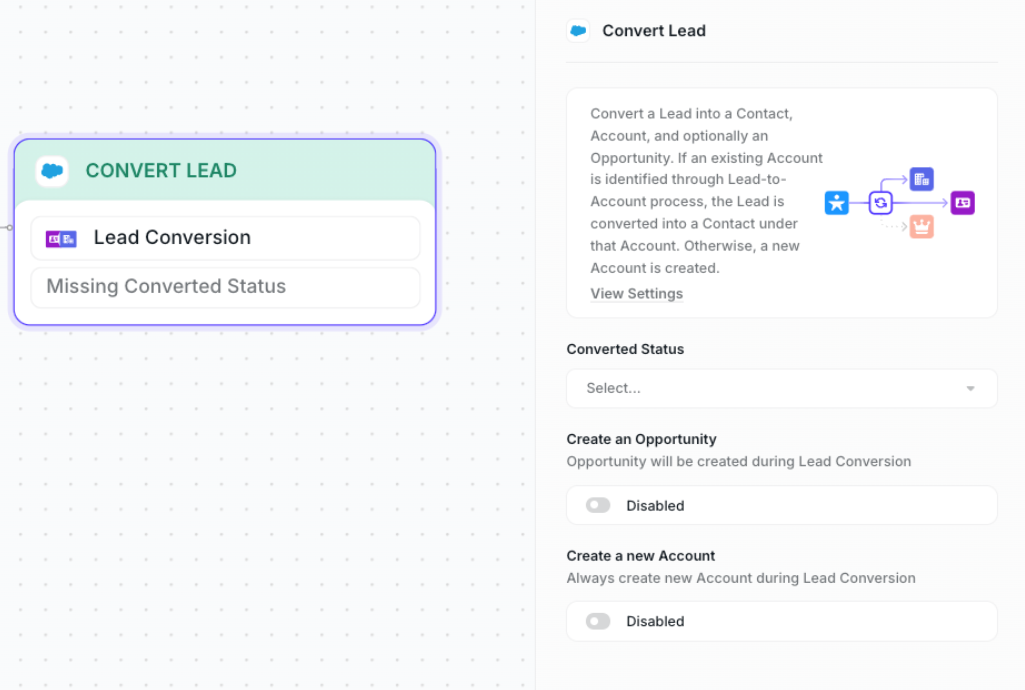
So a cool thing about Distro that I'm personally very, VERY excited about is the automatic Lead-to-Contact conversion.
So you can add "Convert Lead" to any path.
From there, Distro will convert the Lead to a Contact — and then automatically create an Account or automatically create an Opportunity, depending on your set-up.
Pricing
Of course, y'all want to know about pricing.
So Chili Piper's pricing is totally transparent — the price you see on the website is the price you get. We don't do discounts or backdoor deals.
You can check out pricing on our pricing page. And scroll down to the pricing calculator to get a custom quote for your business.
The cool thing about our pricing is that the more products you add, the lower the cost per-user, per-product.
Play around with it! It's ungated, so we won't know who you are.
What's next
Chili Piper is continuously adding new functionalities! Subscribe to our newsletter (The Sauce) or follow us on LinkedIn for the latest updates.
In the meantime, stay spicy.
Oh, and get a demo of Chili Piper.