How to Book More Meetings Through Email Campaigns
The Problem
Organizations invest considerable resources developing email campaigns aimed at converting passive leads into engaged prospects. However, most email calls-to-action require multiple clicks, landing pages, and forms before prospects can schedule meetings. This friction causes significant drop-off rates and lost revenue opportunities.
The Solution: One-Click Email Scheduling With Form Concierge
Chili Piper's Form Concierge enables Smart Router Links to be embedded directly in emails, allowing recipients to book meetings immediately with the appropriate sales representative without additional steps.
How It Works
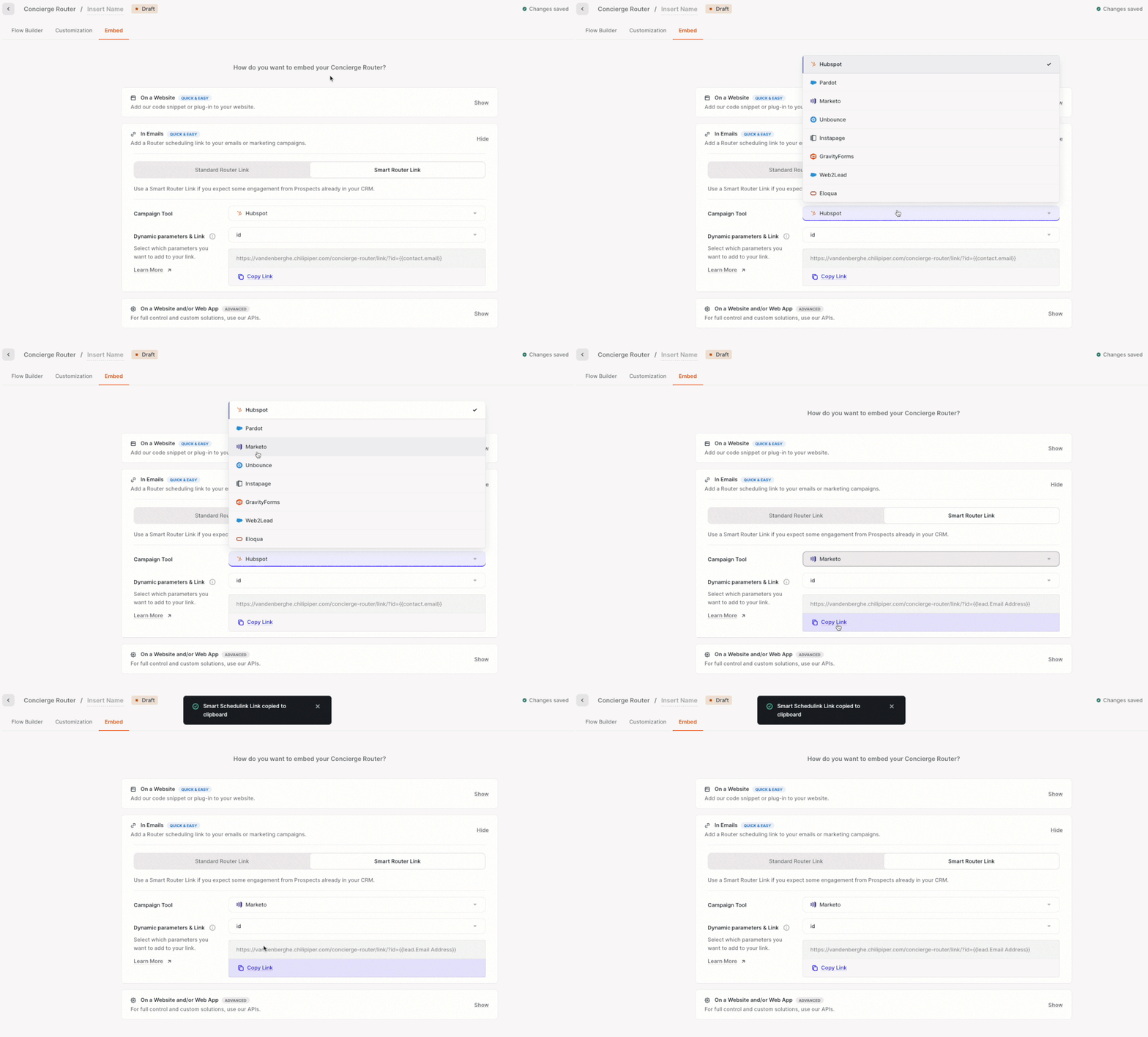
- Create a Concierge Router and select the "In Emails" option to configure and access your Smart Router Link
- Use that URL as your email campaign's call-to-action
- When prospects click the link, Chili Piper qualifies and routes them using CRM or MAP data, applying account ownership or round-robin logic
- Prospects immediately see the correct sales rep's calendar and can schedule with one click
- Calendar invites are automatically sent, events logged in the CRM, and relevant details captured
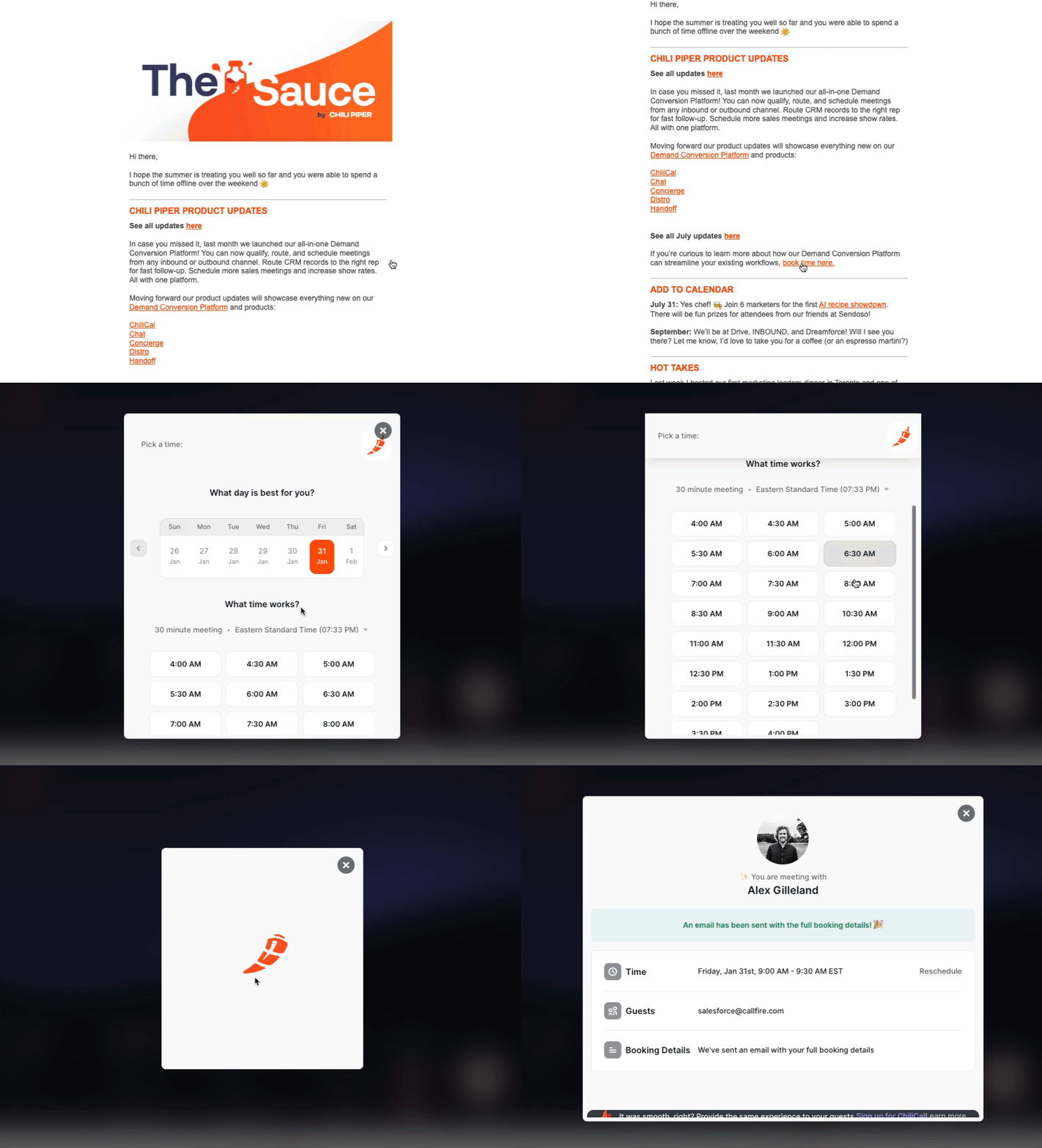
Before vs. After Comparison
Before: Prospects click email links → redirected to landing page → fill forms → wait for rep outreach → delayed meetings
After: Prospects click email links → instantly see available time slots → one-click scheduling → immediate meeting confirmation
Why This Approach Works
Reduced friction: Fewer clicks streamlines the scheduling process by eliminating unnecessary landing pages and forms, enabling prospects to move directly to booking a meeting.
Intelligent routing: The system identifies prospect status and ensures assignment to correct account owners while automating manual tasks.
Improved conversions: This streamlined process significantly increases conversion rates, leading to more meetings, more opportunities, and more revenue.
Use Cases
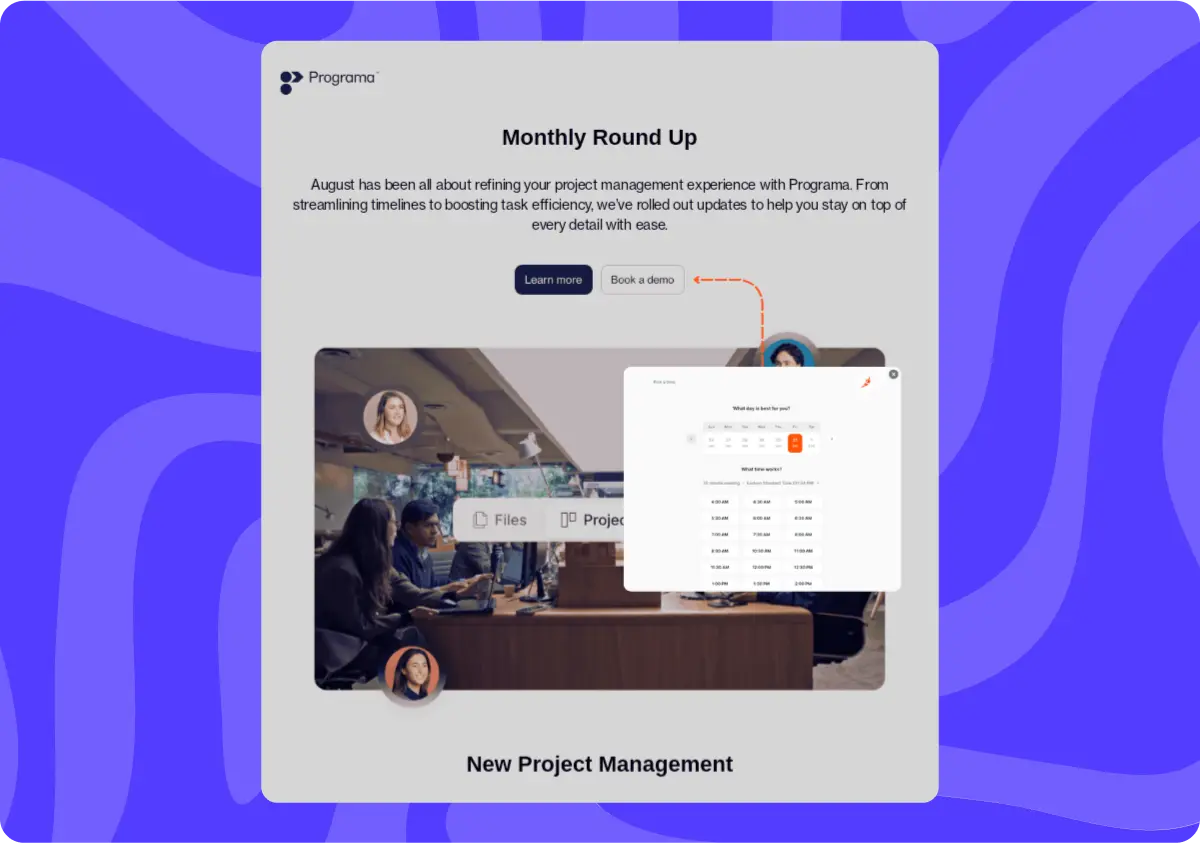
- Add "Book a Demo" CTAs to newsletters and nurture campaigns
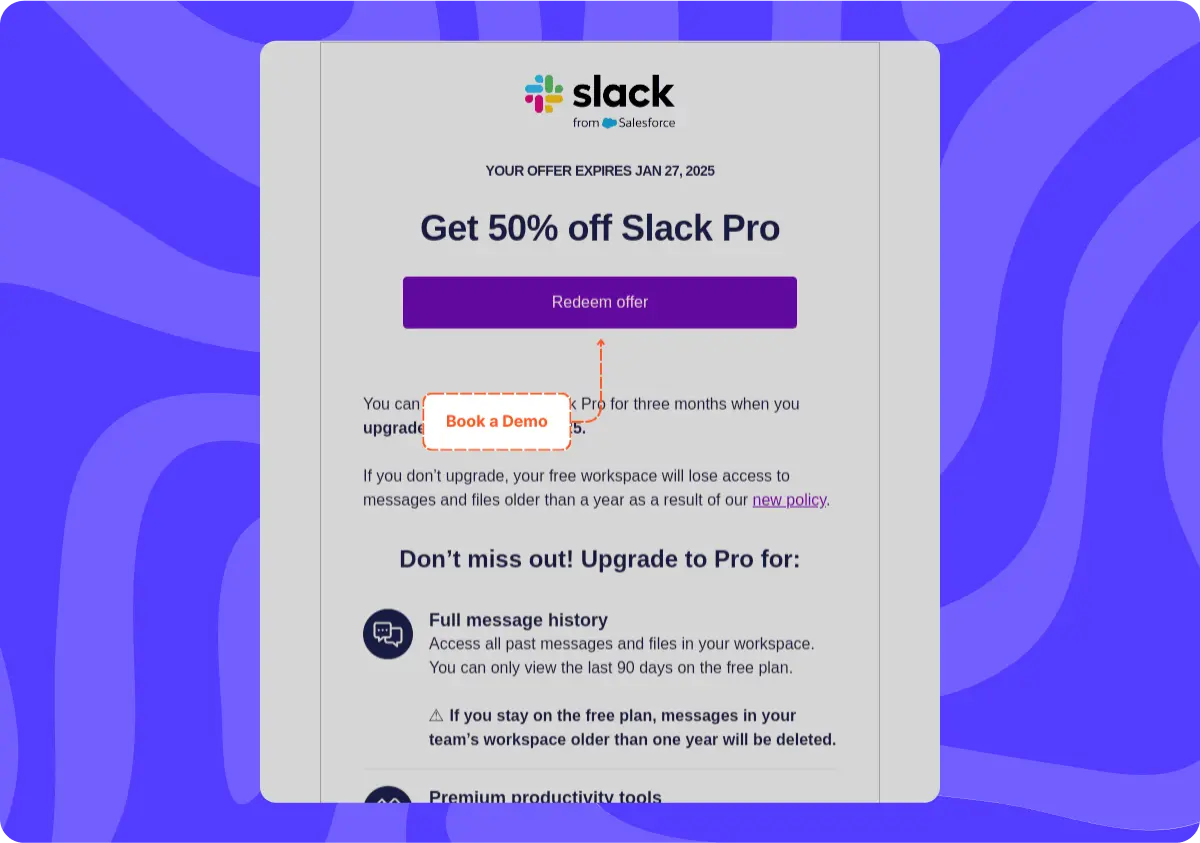
- Offer demo booking options in upsell emails
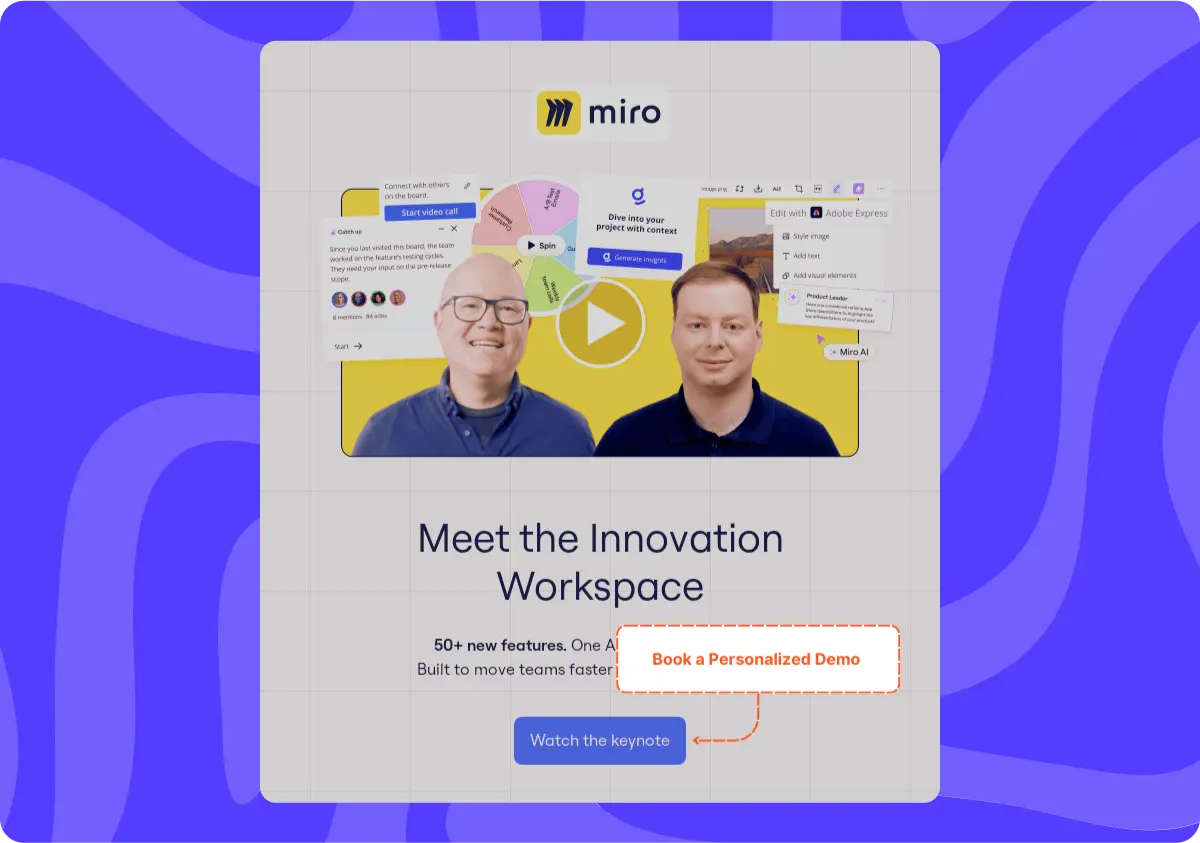
- Include personalized demo options in webinar follow-up emails
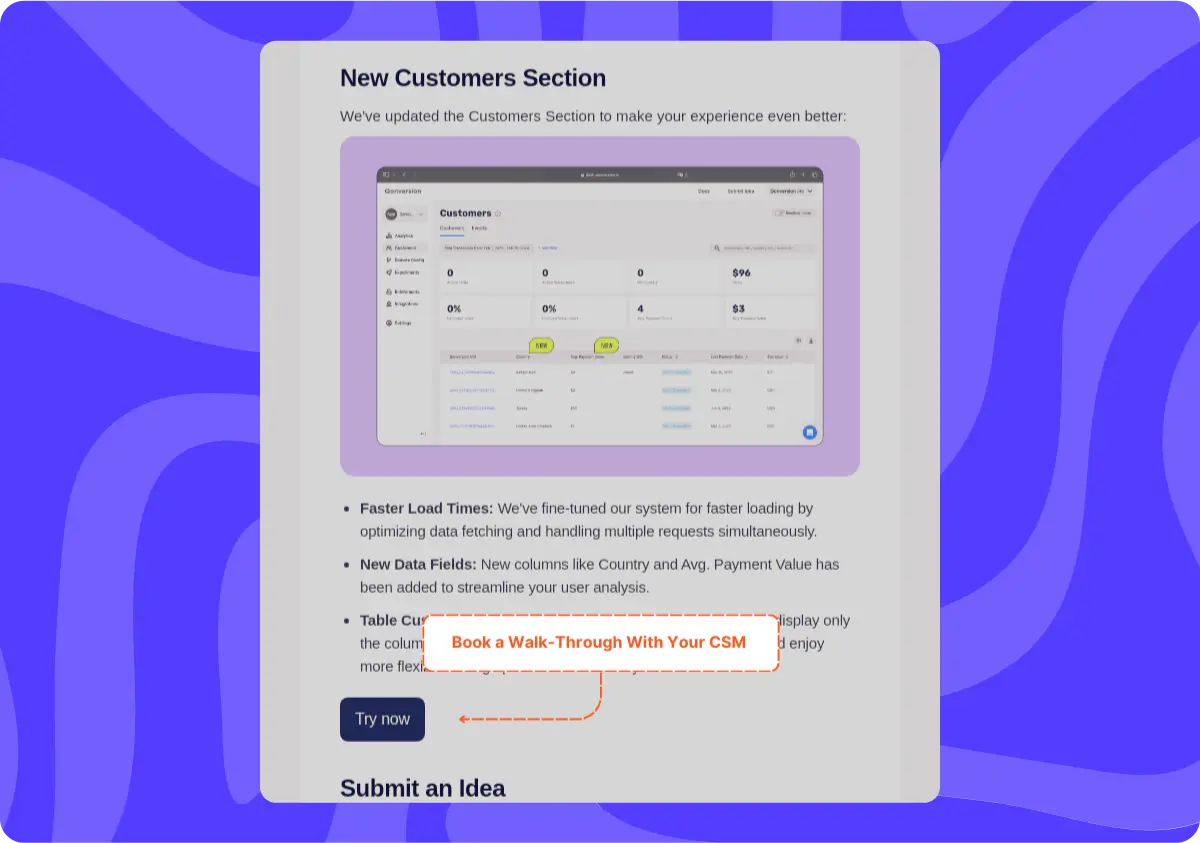
- Allow customers to schedule time with customer success managers from product update emails
You spend a ton of time and effort building email campaigns, all with the goal of converting passive leads into engaged sales prospects.
But most email CTAs lead buyers down a path of multiple clicks, landing pages, and forms before they can book a meeting on your sales reps’ calendar. And most of your prospects are dropping off before that happens.
Your email conversion strategy is costing you revenue 💸
When your clever email copy convinces a buyer to take the next step, you need to make sure it’s effortless.
The Solution: One-Click Email Scheduling With Form Concierge
With Chili Piper’s Form Concierge, you can add Smart Router Links directly to your emails, so recipients can book a meeting immediately with the correct sales rep — without extra steps.
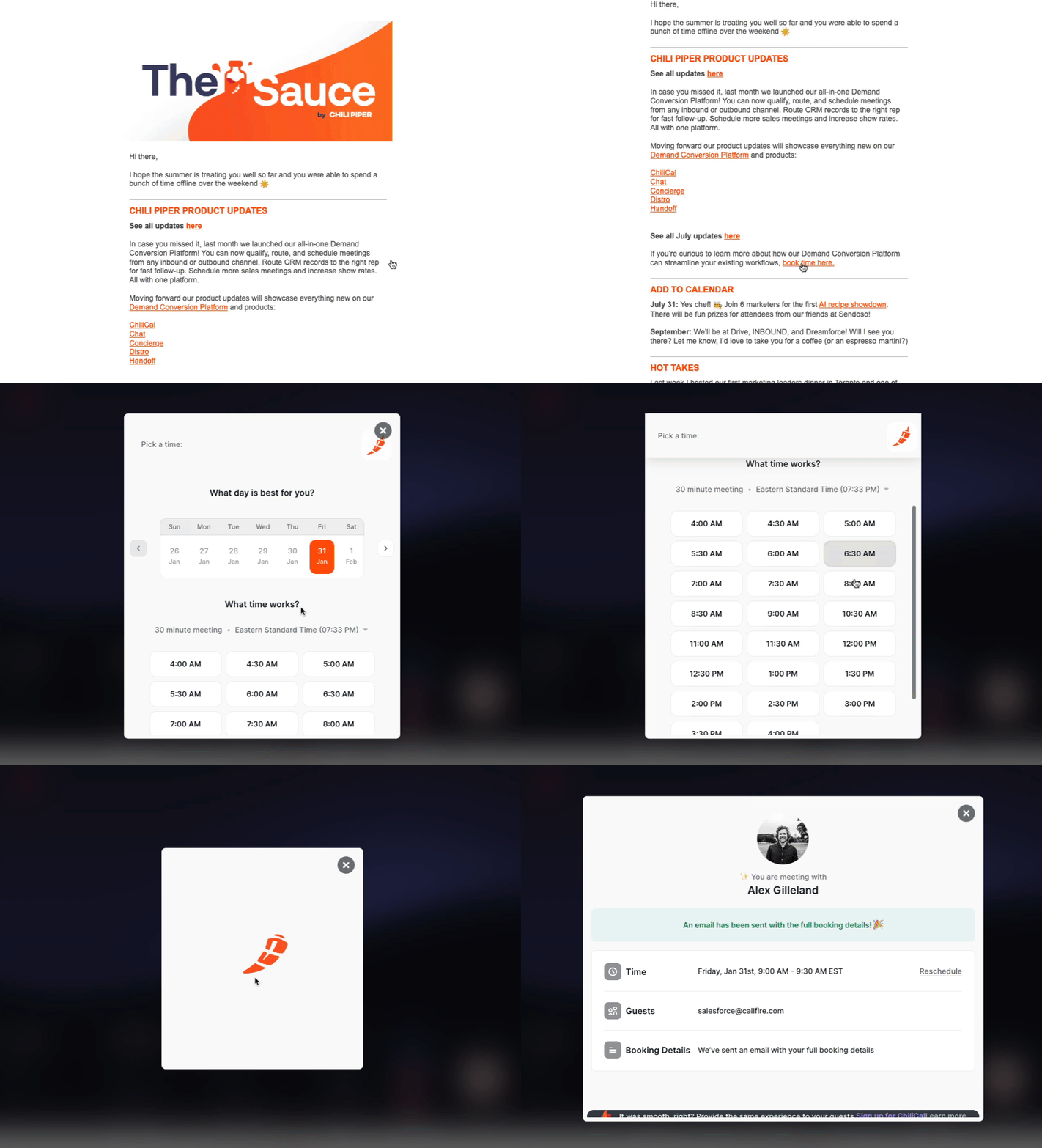
Here’s how it works:
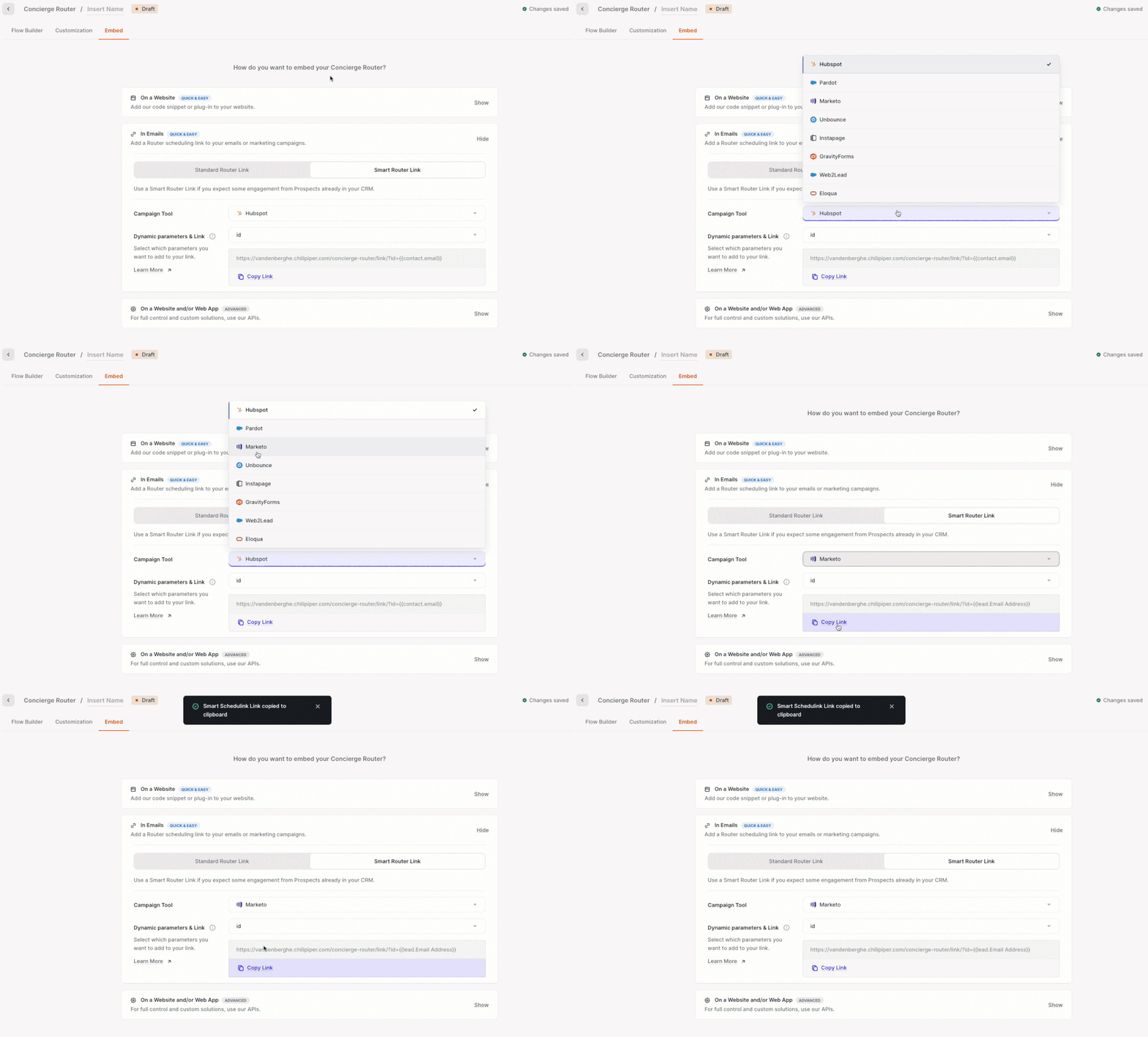
- When creating a Concierge Router, simply click on the Embed tab and use the “In Emails” option to configure and access your Smart Router Link.
-
Use that URL as the CTA in your email campaign.
-
When a prospect receives the email and clicks your CTA, Chili Piper checks your CRM or MAP data to qualify and route them to the correct sales rep, using account ownership or round robin.
-
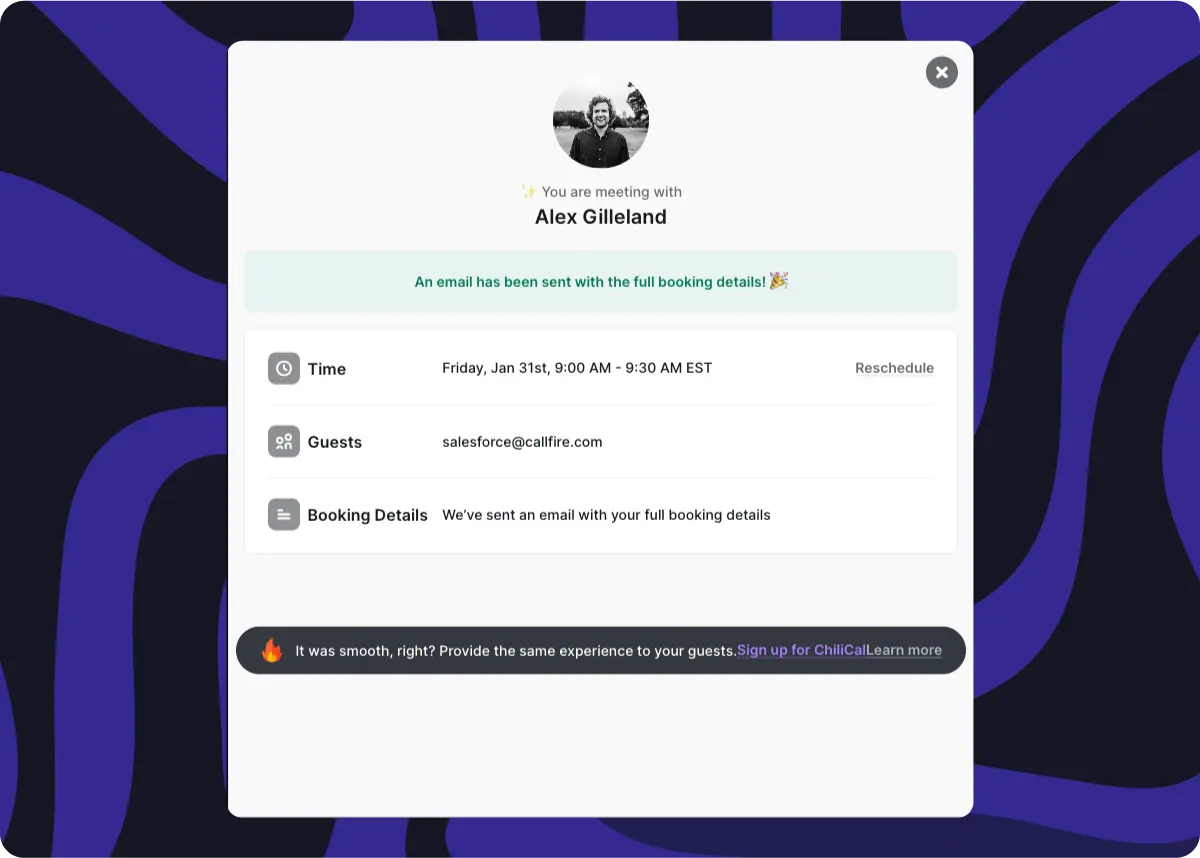
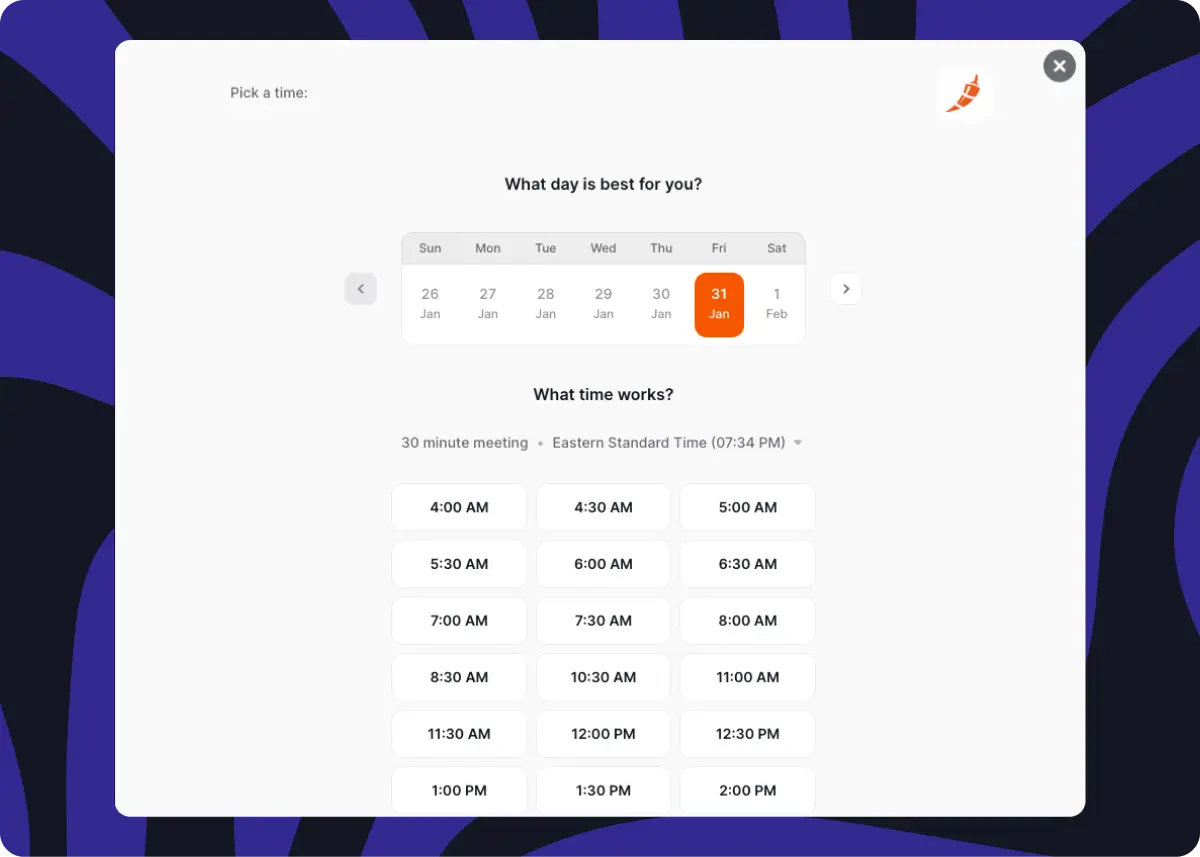
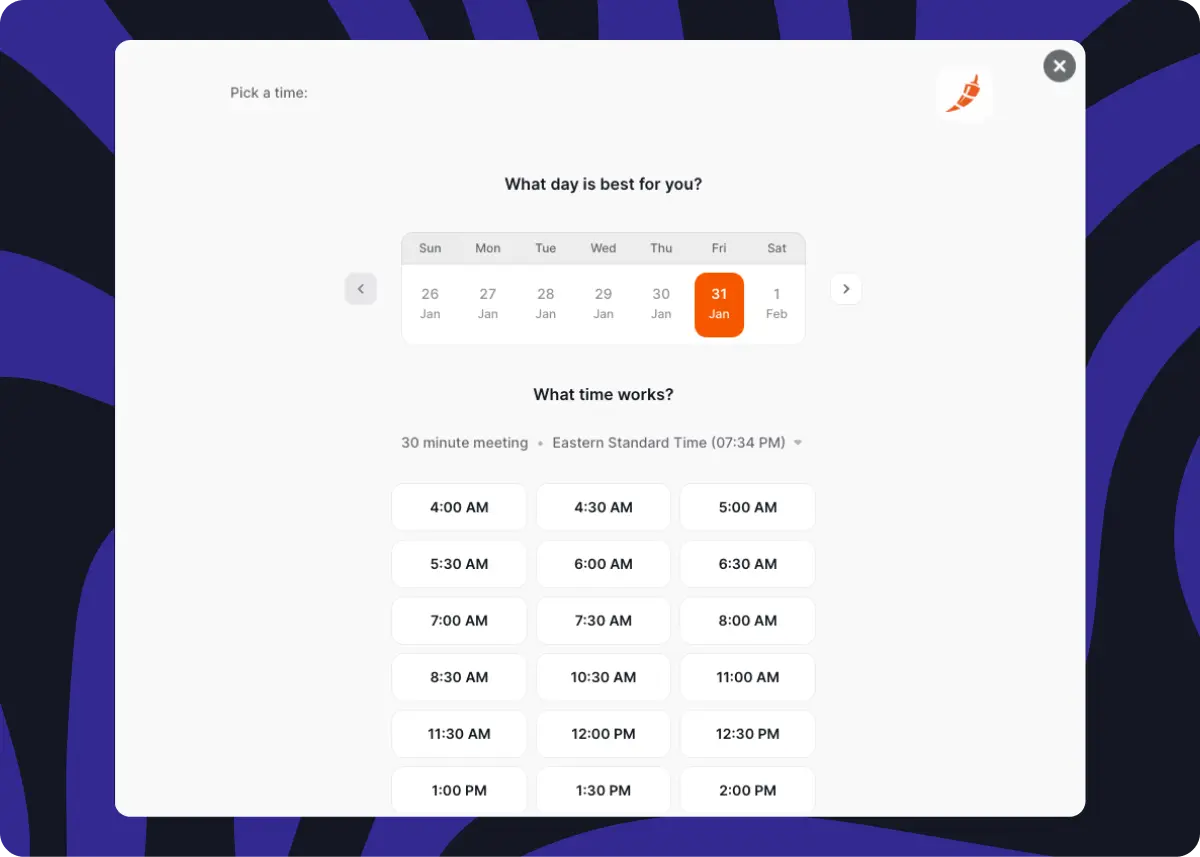
Your prospect is immediately shown the correct sales rep’s calendar and can book a time with one click. No landing pages or forms necessary.
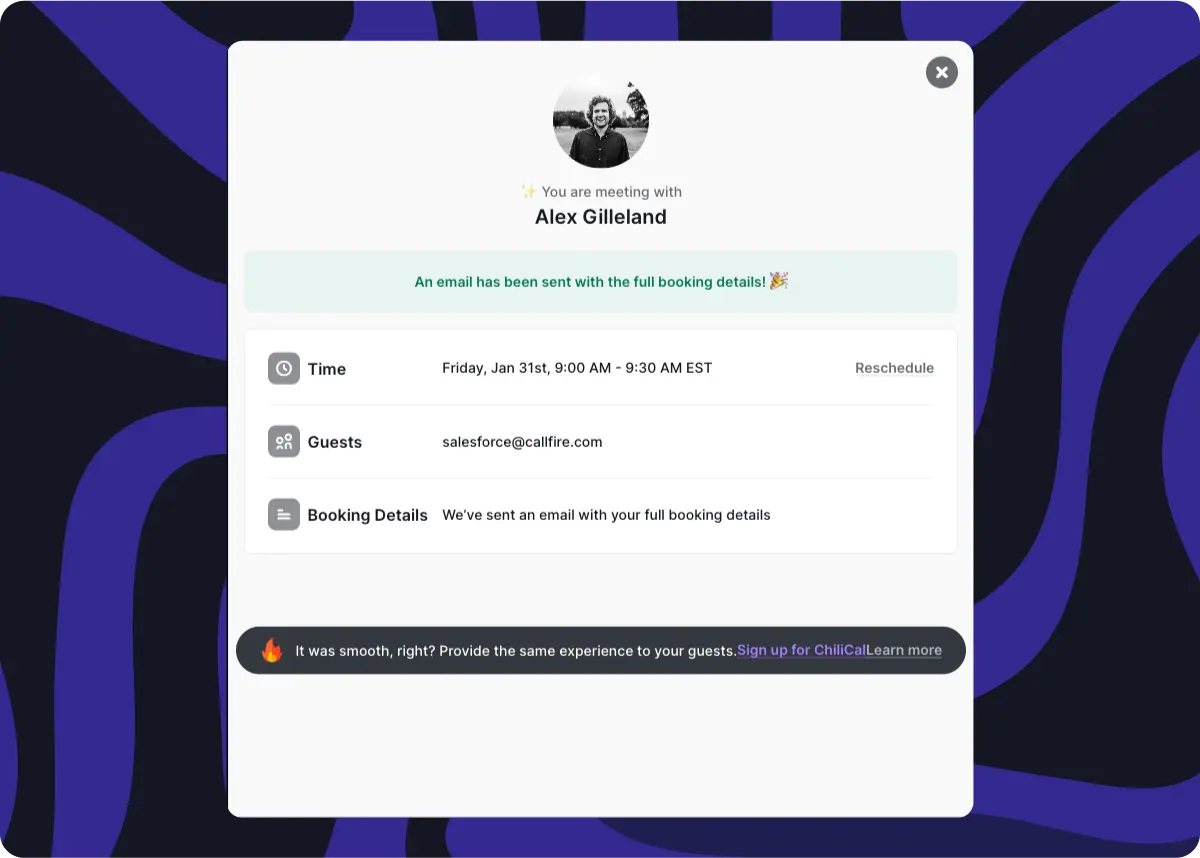
- A calendar invite is sent, the event is logged in your CRM, and all relevant details are captured automatically.
Before vs. After Form Concierge in Email Campaigns
❌ Before:
-
A prospect clicks on a “Request a Demo” link in an email.
-
They are redirected to a landing page with a form.
-
They fill out the form and wait for a rep to reach out.
-
By the time they book a meeting, their interest may have faded.
✅ After:
-
A prospect clicks on a “Book a Meeting” link in an email.
-
They instantly see available time slots from the right sales rep.
-
With one click, they schedule a meeting—no extra steps.
-
Meetings happen sooner, conversion rates improve, and fewer leads are lost.
Why This Works
**Fewer clicks.**Since each link is dynamic based on the recipient's email address, they are instantly shown the scheduling model right after clicking. It then only takes one click to book the meeting.
**Seamless routing.**Meetings are qualified, routed, and scheduled using information from your CRM. This includes identifying whether the recipient is a prospect or an existing customer and ensuring they are assigned to the correct account owner. Additionally, CRM automations handle tasks that would normally require manual input from a rep.
Higher conversions. By eliminating unnecessary steps, prospects can move directly to booking a meeting. This streamlined process significantly increases conversion rates, leading to more meetings, more opportunities, and more revenue.
Try These Use Cases
1. Add “Book a Demo” CTAs to your newsletter or nurture campaigns
2. Offer the option to “Book a Demo” in your upsell emails
3. Add a personalized demo option to your webinar follow-up emails.
Let customers book time on their CSMs calendar from product update emails
Ready to See It in Action?
If you want to increase the number of qualified meetings you book through email campaigns, you need to try using Router Links in your emails.
And if you’re not doing so already, be sure to follow Jonathan on LinkedIn — he shares spicy Chili Piper tips and tricks regularly.
In the meantime, stay spicy 🌶️