Booking Meetings Before, During and After Trade Shows and Events
How we use Concierge to book meetings ahead of events
If we're hosting an event (like a happy hour):
First, Marketing pulls a list of target ICPs based on geo. We prioritize differently, depending whether they are a customer or a prospect.
- If they're a customer, we prioritize based on ARR, the renewal date, and whether there are any open opportunities.
- If they're a prospect, we prioritize based on potential opportunity size and stage of sales cycle.
Then, we send out invites from our exec team. Or, if we want a more personalized approach, from the Account Owner.
- If we're trying to get them to register for an event, we send them a landing page link to RSVP
- If we're booking directly on behalf of the exec, we send a scheduling link.
For both methods, we update the field based on contact field update.
- When the contact field updates, we trigger a Slack notification to the Account Owner via Distro. The rep can then pull together some talking points — so the Pipers who are attending have some context before meeting them.
If we're attending an upcoming event
-
Review the event site and any sponsor lists. Run a report based on the same variables we noted above:
- If they're a customer, we prioritize based on ARR, the renewal date, and whether there are any open opportunities.
- If they're a prospect, we prioritize based on potential opportunity size and stage of sales cycle.
-
Send an email to Chili Piper customers who will be attending and CC the Account Owner.
In this email, we include an event-specific meeting link to connect during the event. This is very important for tracking purposes.
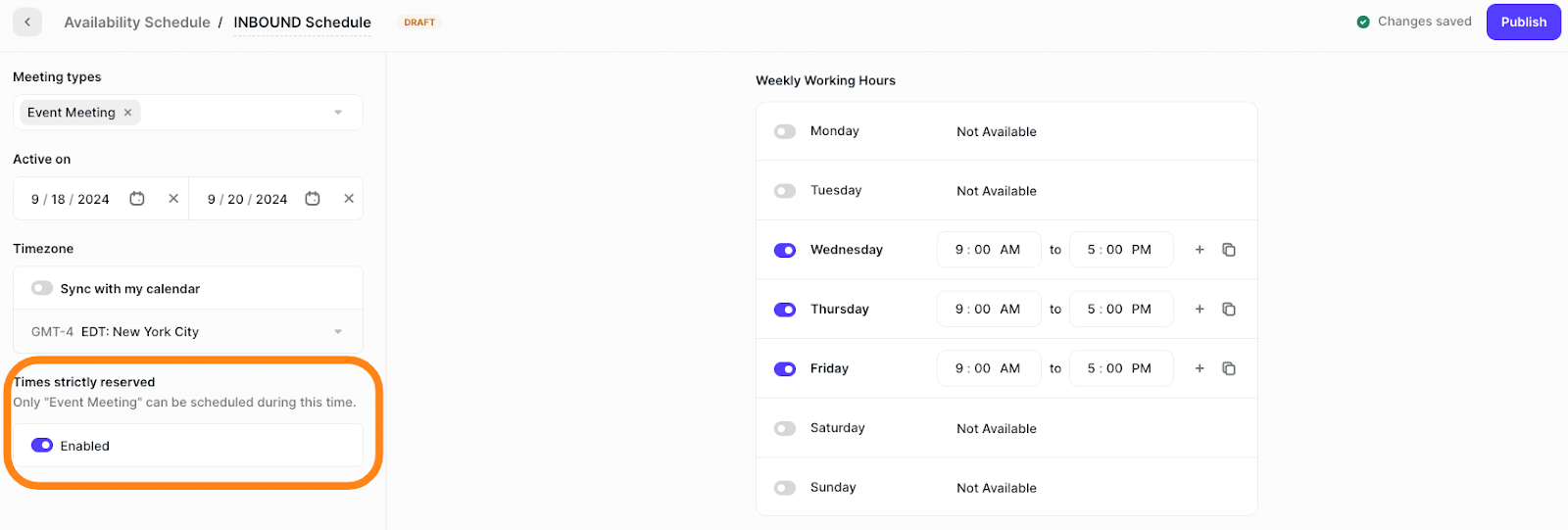
For reps attending, they can set their availability schedule to only receive event-related meeting types.
- Book time to meet prospects at the event
At INBOUND last year, we used Concierge to allow prospects to book self-serve time slots with the photographer at our booth.
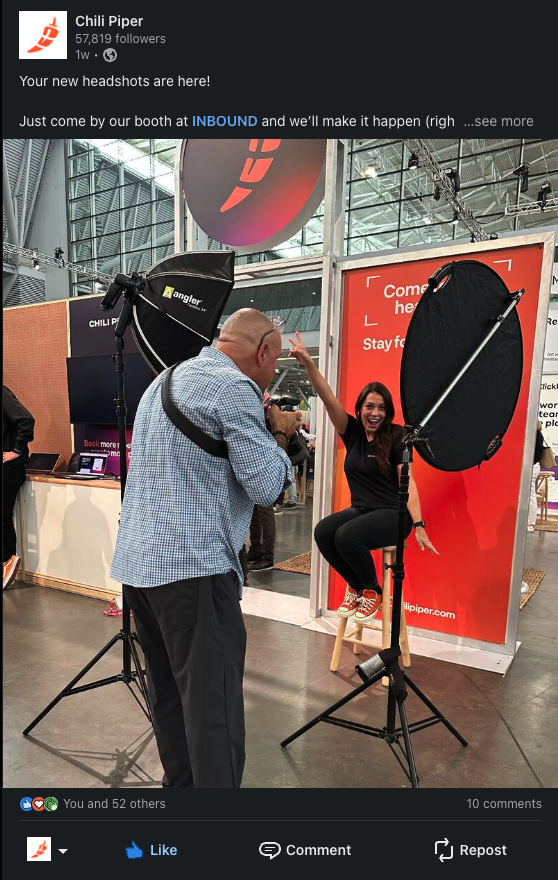
How we book meetings during events (at the booth)
First, we equip our team on the ground with iPads. They can book a meeting on the iPad right then and there. But you could also use laptops, tablets, smart phones or even a QR code on a business card.
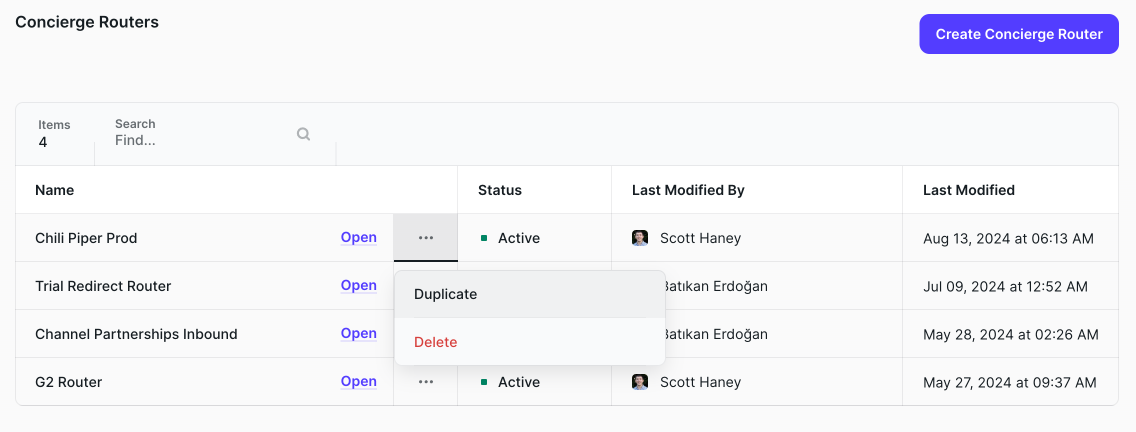
1. Duplicate an existing Concierge router
In our case, we duplicated the Chili Piper router we have on our demo page. No need to set up your routing rules all over again!
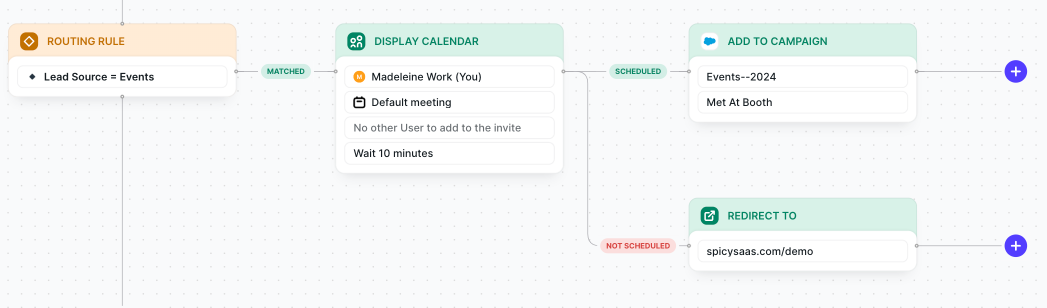
2. Modify as needed
In our case, we changed the lead source to Event and added to a campaign in Salesforce.
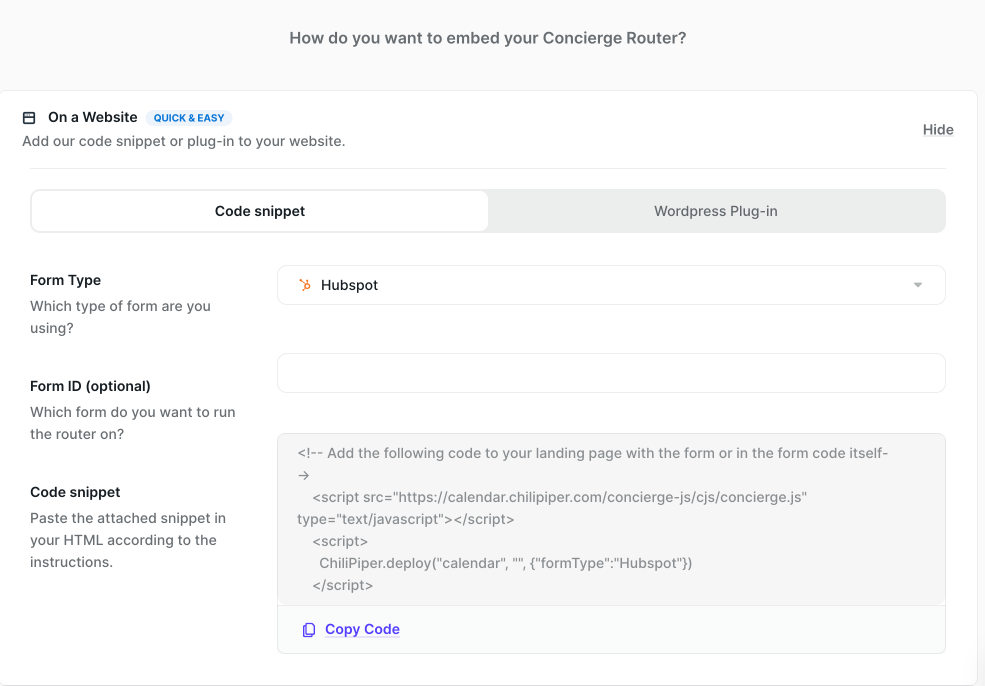
3. Get embed code for use on your new landing page
Grab this code snippet and add it directly into your landing page — or in the form code itself.
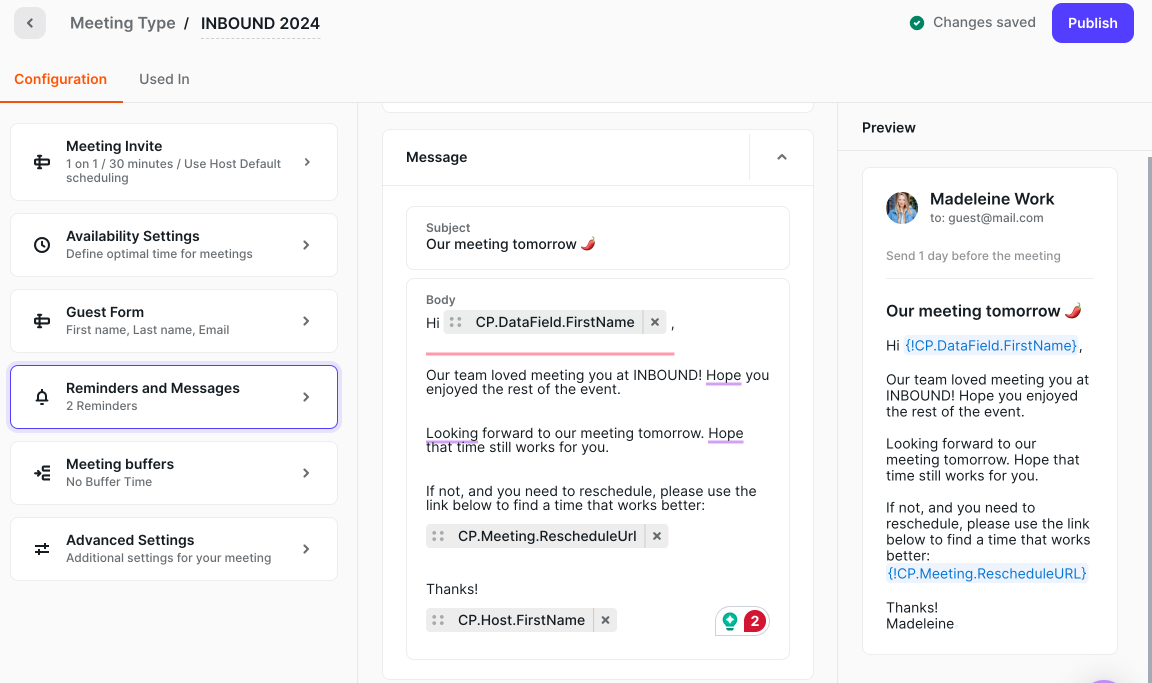
4. Make sure to update Reminders so messaging is relevant for each event
You can change the subject to something like "Great Meeting you at {{event name}}" or add info about the event in the body of the reminder message.
Side note about reminder best practices: We usually set up 3 reminder emails: One day before, one hour before, and one minute before.
5. Publish your new landing page
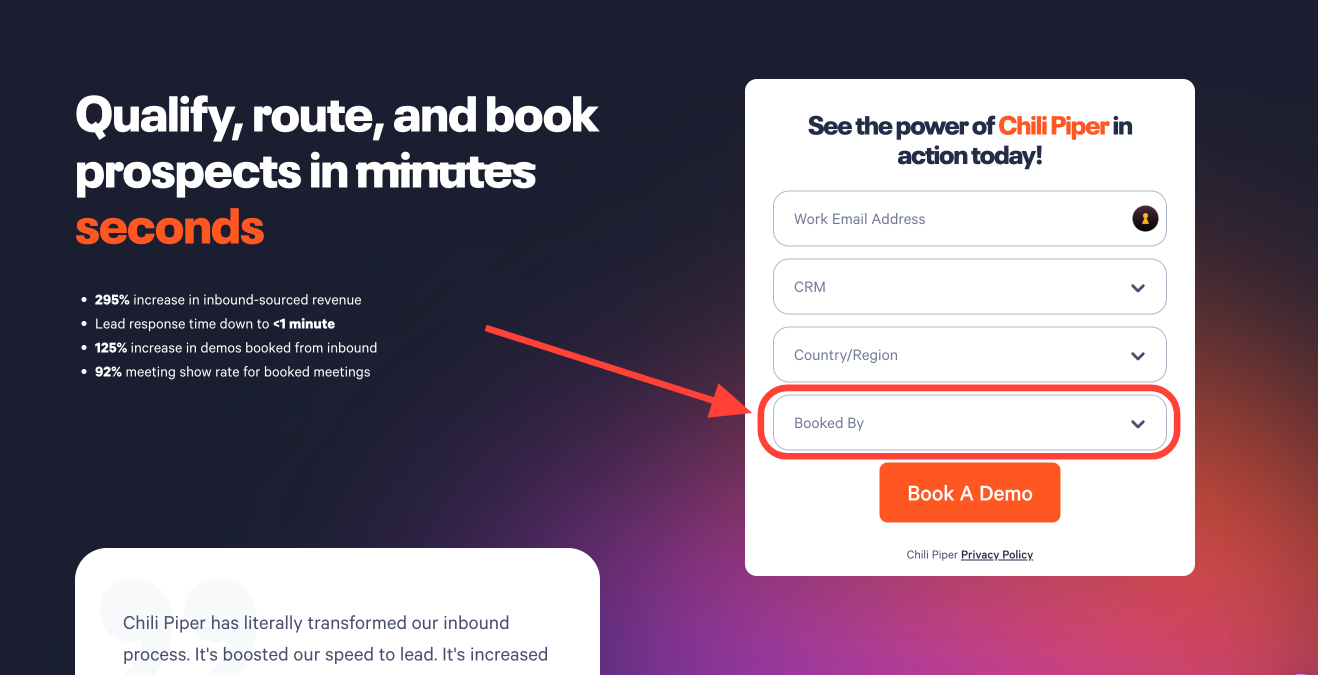
We create a copy of our 'book a demo' landing page in Webflow and make a small tweak to the form. Namely, we add a new form field "Booked By" to track who is booking meetings (for credit/attribution).
If you run SPIFFs for reps who book meetings at events, this makes it very clear who booked which meetings — and we all know how much reps love a good competition.
How we book multi-stakeholder event meetings (rep + room)
Not every event or trade show meeting is a quick 1:1. Some conversations need more people, like a rep and a solution engineers, or even a specific meeting room.
However, booking these multi-stakeholder meetings is just as easy as booking a meeting with a single person. We use Chili Piper's multi-stakeholder scheduling to check availability for everyone involved, including the rooms, so when a time is chosen, everything is confirmed automatically.
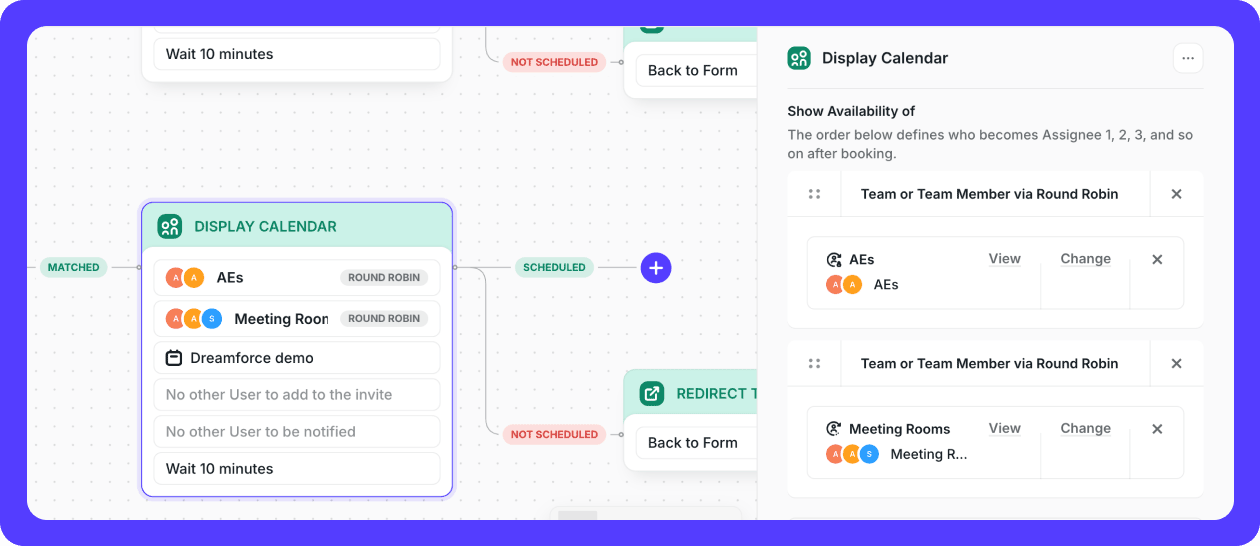
This way, we can book meetings directly at the booth or using the same iPad or event landing page. The right people and the right room are locked in without any manual coordination, no matter how busy the event gets.
How we prepare for every meeting
Getting the right people in the right room is only half the job. When we're at an event or trade show, meetings move fast, and context can get lost just as quickly.
To prepare for each meeting, we use Chili Piper's Meeting Prep Agent (available in ChiliCal, Chat, Concierge, and Handoff) to generate a meeting brief for reps and executives before each meeting.
This helps our reps quickly understand who they're meeting with, what roles they play, their seniority level, and whether there are existing or open opportunities tied to the account.
It also mentions competitive context and prior conversations, so the meetings start with relevance instead of repeating the same questions.
Reps get the meeting context as a separate calendar invite or in Slack, while the original invite for the guest stays unchanged, so meeting owners don't have to manually search through records before walking into the meeting.
That way, follow-up feels connected, even when schedules are packed, and meetings are booked back-to-back at events.
Since different meetings have different goals, we don't prepare for all meetings the same way.
That's why each meeting brief is fully customizable. We tell the Prep Agent what it should include through the prompt so it matches what info matters most and how our team runs meetings.
Other ways we stand out during events
1. Post-event swag
Rather than bringing tons of swag with you to each event, you can send gifts to those who book meetings using gifting tools like Sendoso.
This can help you to stay top-of-mind post-event, when everyone else is sending generic email cadences to attendees.
2. Make it easy to connect with speakers
QR codes are still cool, right?
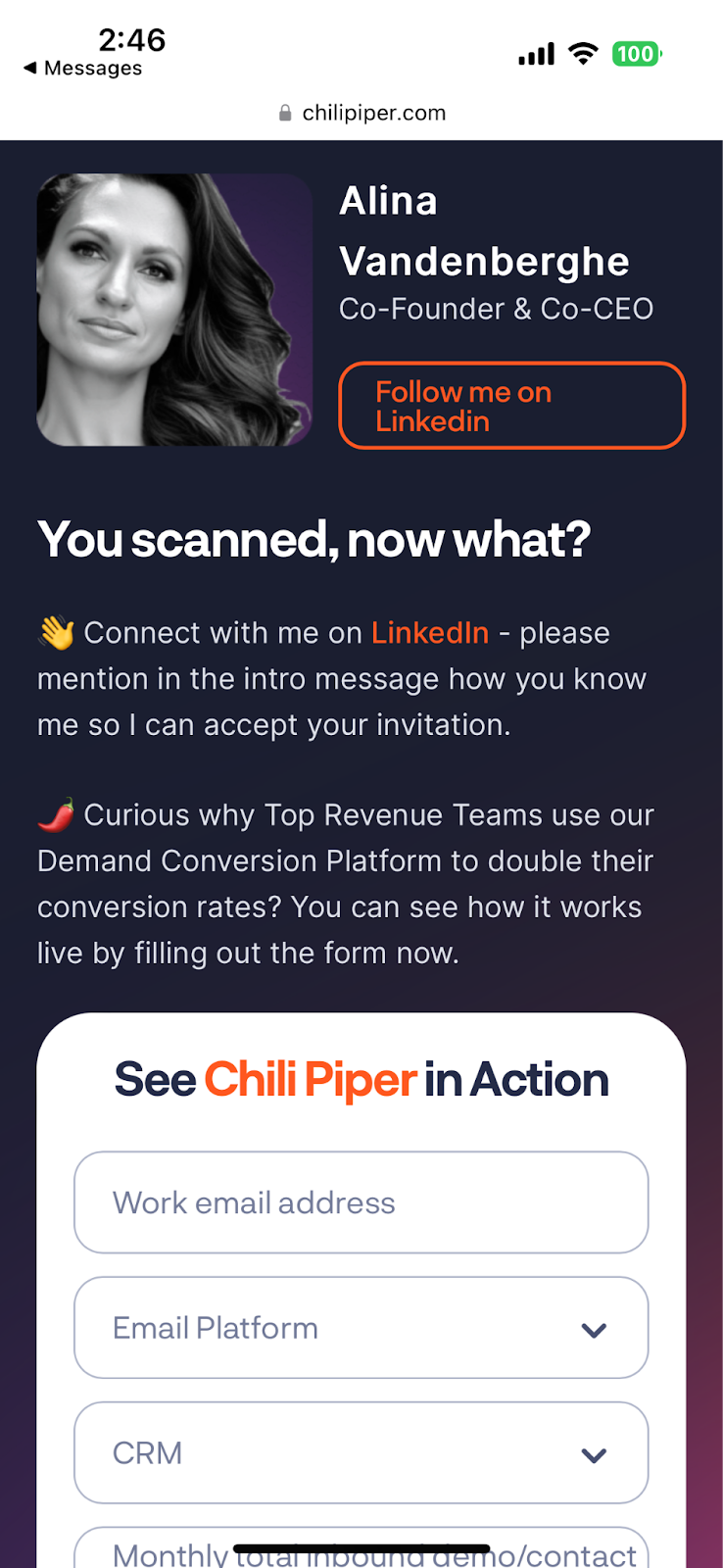
We like to include them in session slides for a quick way for attendees to connect with us/our speakers.
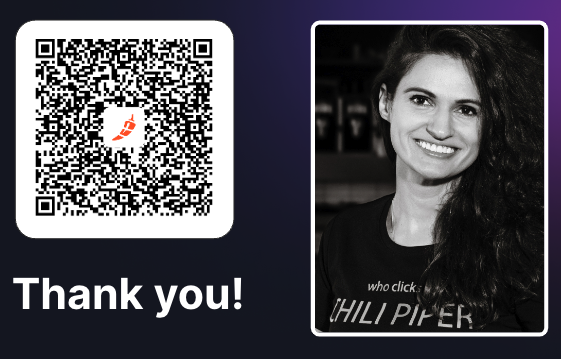
We link them to a custom landing page with information about Chili Piper and the speaker.
3. During happy hours and networking
We use ChiliCal for personal meetings: this is useful for people in all roles, including partner and marketing folks who don't often have Concierge licenses.
You can also:
- Use QR codes on a phone screensaver
- Add a ChiliCal link in LinkedIn connect invites
- Update your "Book an Appointment" LinkedIn bio with a ChiliCal link CTA
The event is over! Here's how to do follow up post-event with Distro
Even if you send your most charming reps to work your booth, they won't necessarily be able to book a meeting with everyone you want to speak with at the event. That's where Distro comes in.
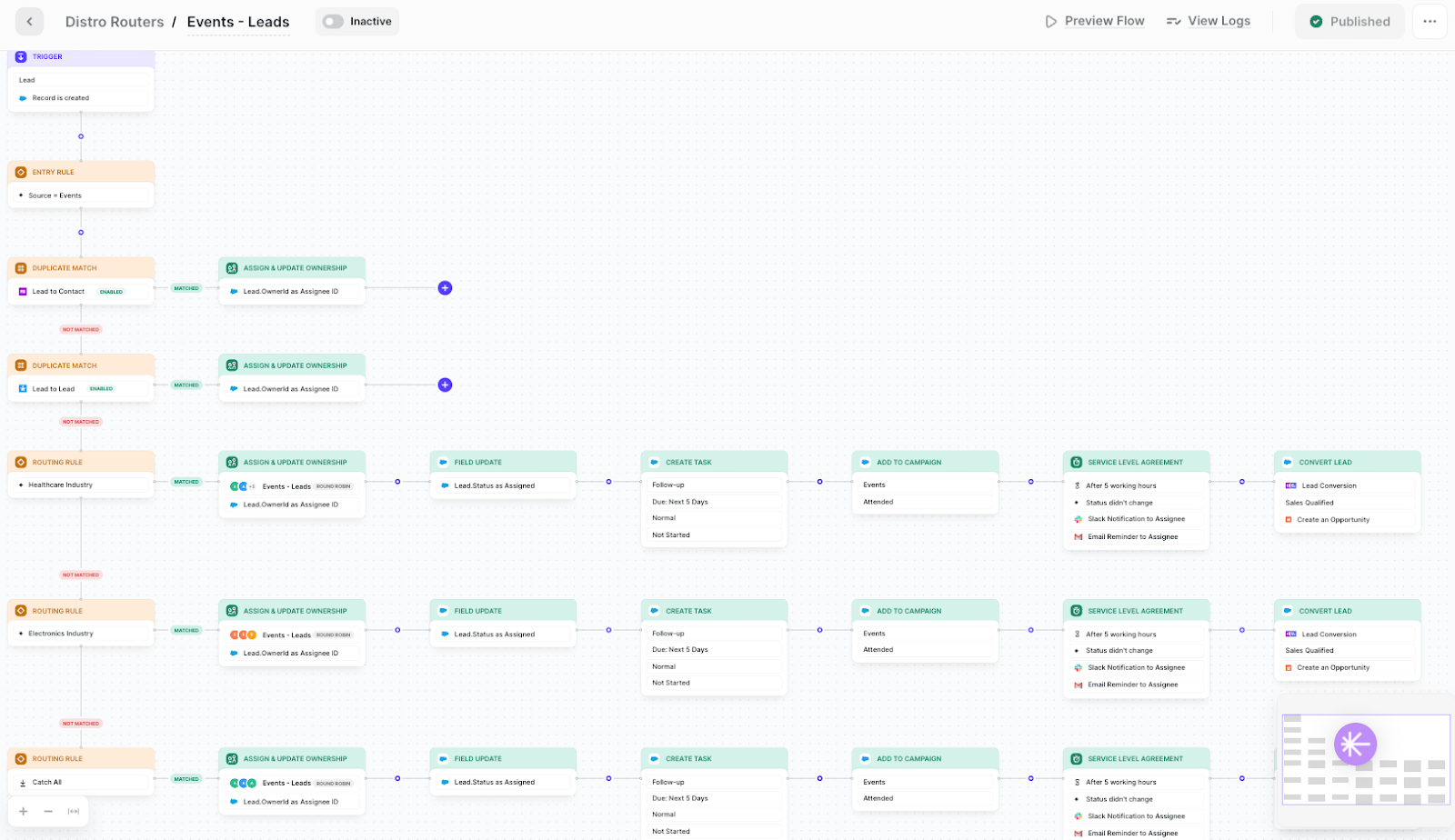
We use Distro to route prospects and customers to the right reps post-event. We upload all types of lists post-event: party attendee lists, VIP event registrations, and even badge scans.
With Distro we're able to route based on lead scores, add to follow up campaigns, and assign and alert each rep of who was at the event so they can follow up.
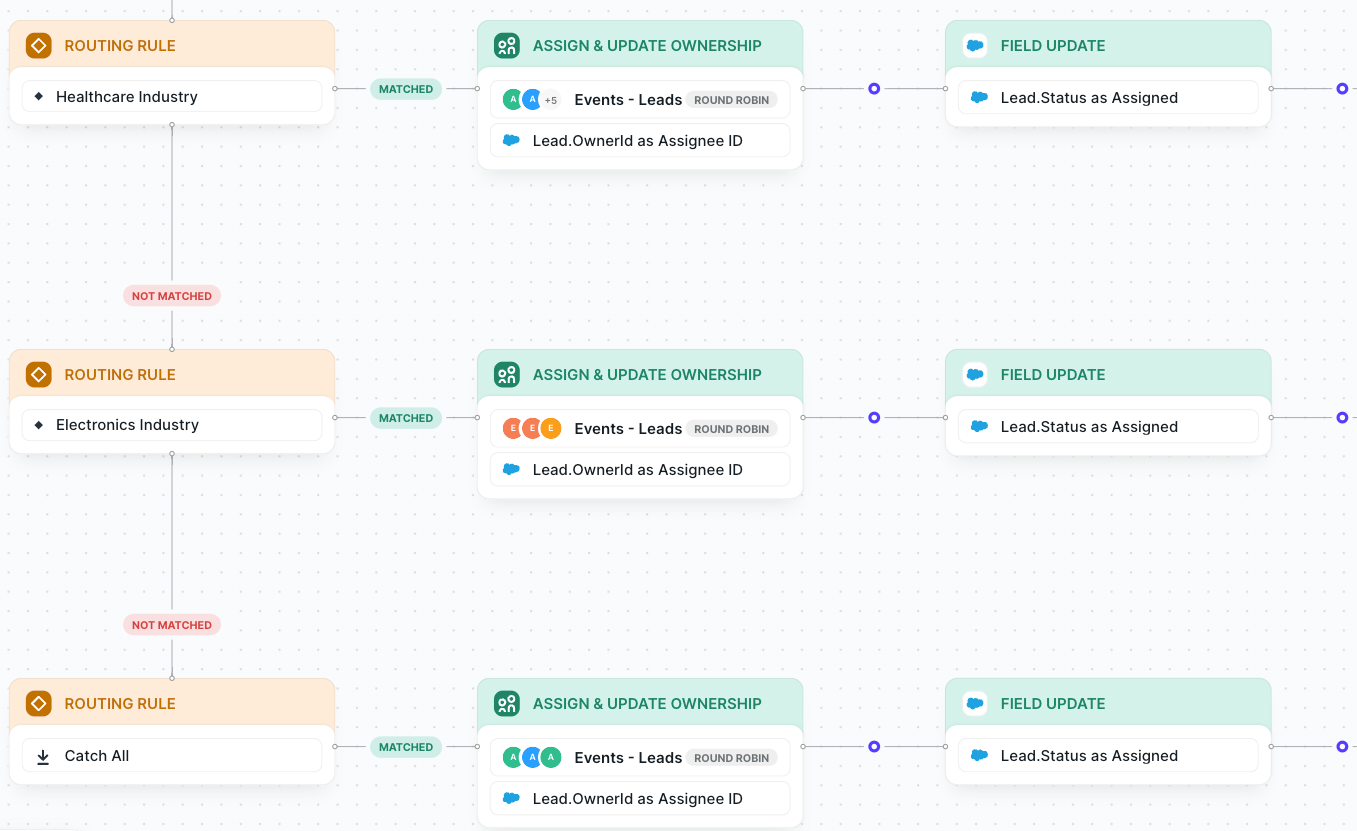
In this example, we've set up separate routing rules based on industry. For each rule, Distro assigns and updates ownership to the proper team and update "Lead Status" field in Salesforce as "Assigned".
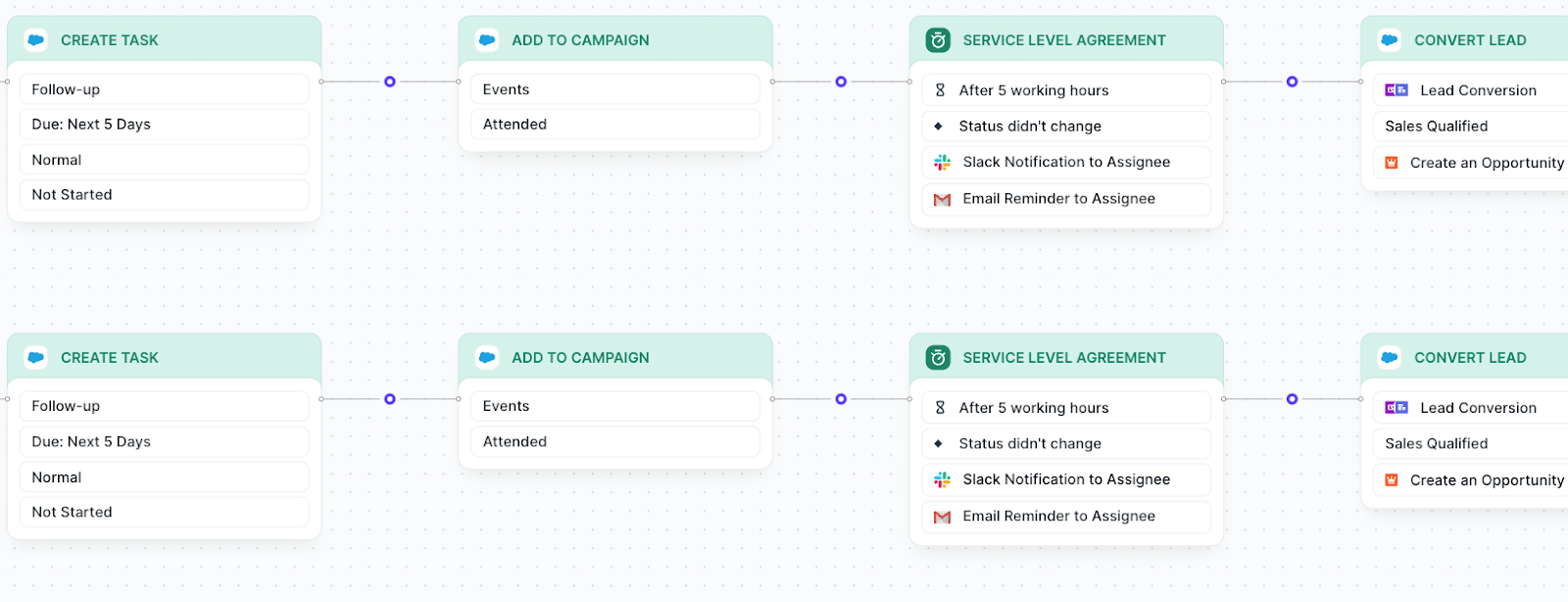
Then, Distro creates a Task in Salesforce for the rep to follow up within the next day. Distro also automatically adds the new lead to the "Events" Campaign, marking them as "Attended".
In this example, we've set up our SLAs so that if after 5 working hours, the Lead status hasn't changed (i.e. is still without ownership), Distro will notify the Assignee via both Slack and Email.
Finally, we've set up a lead conversion flow — so if the lead is marked as Sales Qualified, Distro will automatically create an Opportunity in Salesforce.