How to Auto Convert New Leads if the Opportunity is in Pipeline
The Problem
Sales teams often miss opportunities when new leads from existing accounts engage with the company. When a new lead from an existing opportunity engages (whether at an event, a webinar, or through a referral) most AEs don't follow up because they simply don't know about them. Without proper notification systems, key decision-makers' signals of interest go unnoticed.
The Solution: Distro
1. Set Up Smart Matching Rules with Distro
Use Distro's Matching Hub to automatically match new leads to existing accounts and opportunities:
- Apply account matching for opportunities tracked at the account level
- Use opportunity matching to identify leads connected to pipeline opportunities (e.g., past Stage 0)
2. Trigger an Automated Flow
When new leads meet your criteria, automatically:
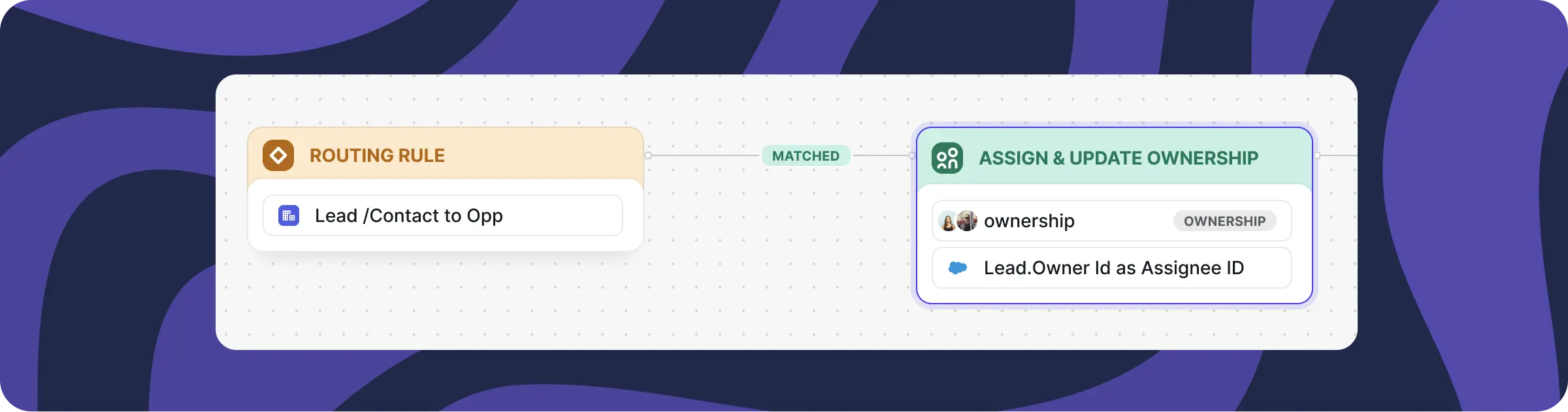
- Assign them to the account/opportunity owner
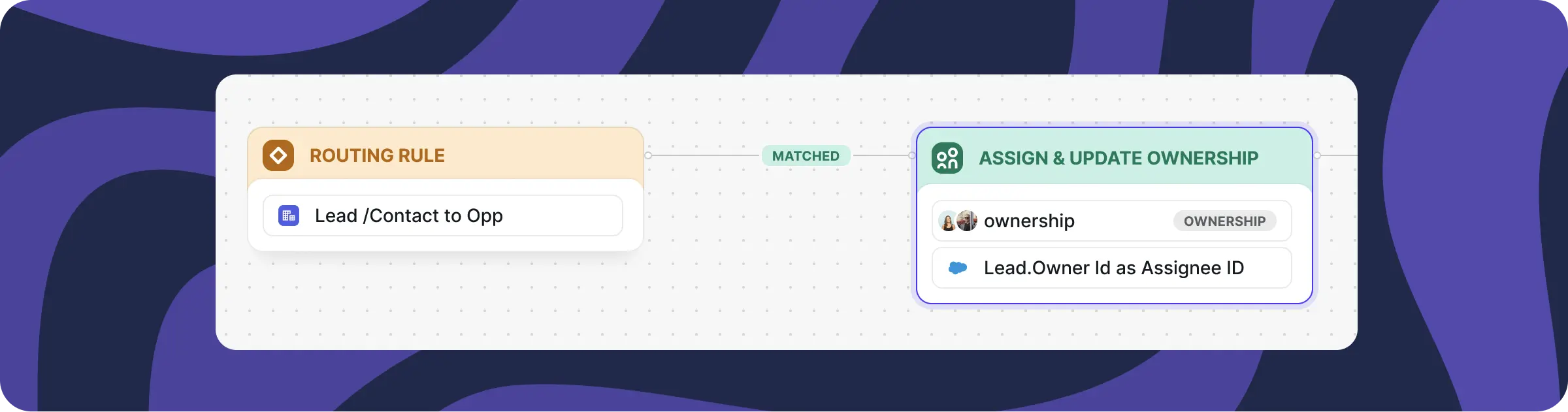
- Alternatively, round-robin assignment to the AE's BDR team
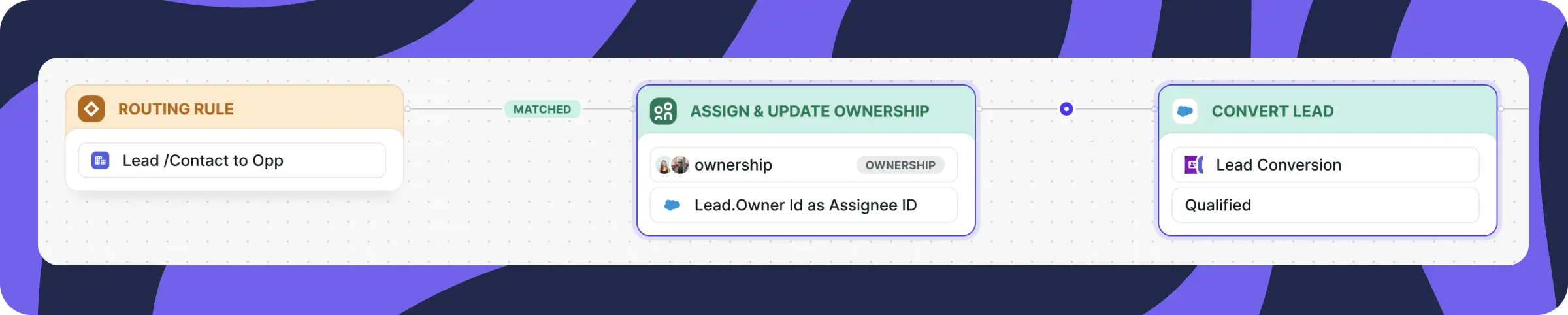
3. Auto-Convert the Lead
Eliminate manual checking—AEs no longer need to review lead lists for companies already in their pipeline.
4. Set an SLA for Follow-Up
Implement timeframes for action; unaddressed leads get reassigned to ensure nothing falls through the cracks.
5. Create Tasks for Instant Action
Generate immediate visibility into new contacts with full deal context.
How It Works
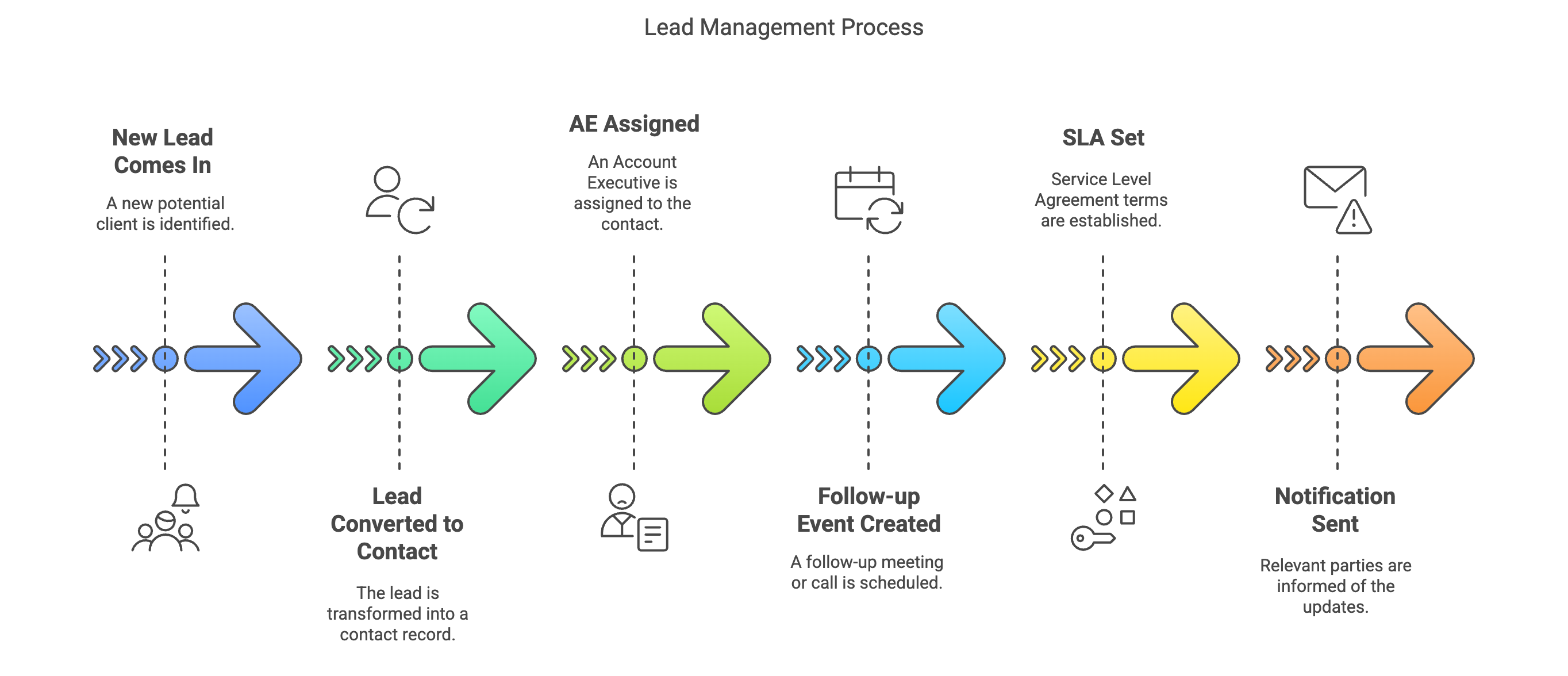
The workflow follows this sequence: New lead arrives → Lead converts to contact → AE assigned → Follow-up event created → SLA established → Notification sent.
You can customize matching rules to trigger based on pipeline stage, deal size, or other specific conditions matching your workflow.
How to automatically convert new leads when they enter the pipeline
Sales teams are often leaving money on the table without even realizing it.
Here’s the problem: When a new lead from an existing opportunity engages (whether at an event, a webinar, or through a referral) most AEs don’t follow up because they simply don’t know about them. These leads aren’t flagged. There’s no system to notify them. So while a key decision-maker just signaled interest, your AE is focused elsewhere.
That’s a massive missed opportunity. Deals aren’t won by a single champion anymore.
More people engaging = bigger influence = higher chances of winning the deal.
But if your team doesn’t see these leads, they can’t act. And if they don’t act, someone else will.
Distro has an easy solution to this problem.
1. Set up smart matching rules with Distro
With Distro, you can automatically match new leads to existing accounts and opportunities using custom rules in our Matching Hub.
-
Use Account matching if you track active opps at the account level.
-
Use Opportunity matching to instantly identify leads tied to an opp in the pipeline. (e.g., moved past Stage 0)
2. Trigger an automated flow
Once your rules are set, any new lead that meets the criteria will automatically trigger a flow allowing you to take action fast.
Assign the new lead to the account/opportunity owner or, if preferred, round-robin it to the AE’s BDR team.
Auto-convert the lead
-
This way, AEs no longer need to manually check lead lists for companies they’re already working.
-
BDRs don’t have to track active opportunities or remember who owns them to convert and notify the AE.
Set an SLA for follow-up
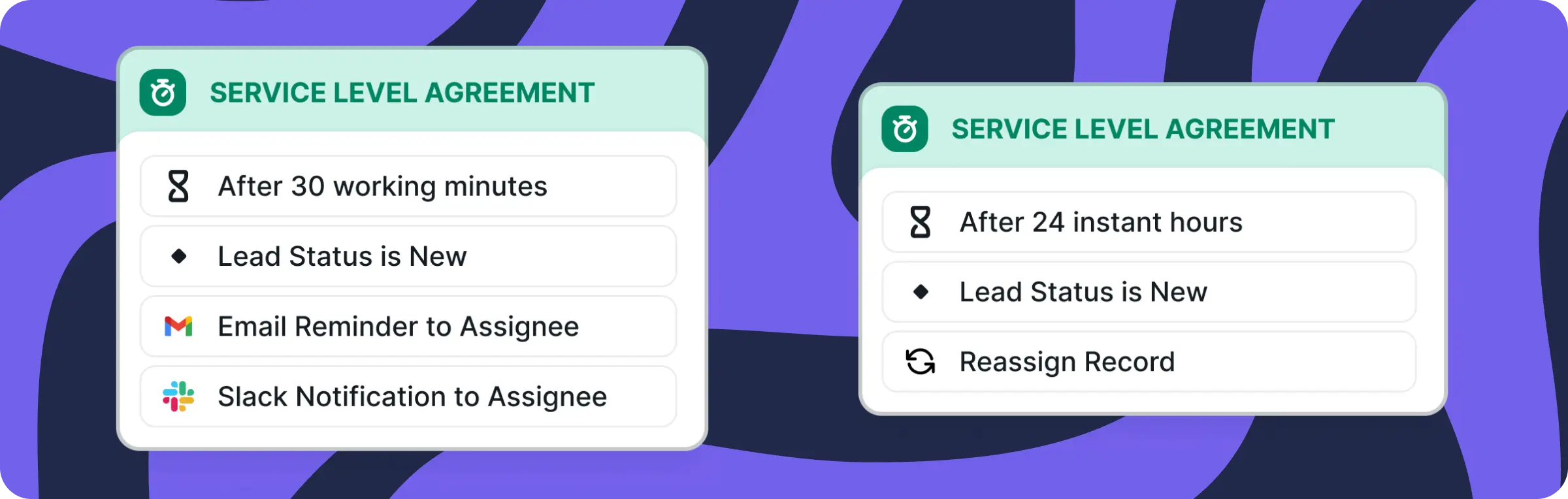
- If no action is taken within a specific time frame, the lead is reassigned so no lead stays untouched and every opportunity gets the attention it deserves.
Create a task for instant action with full visibility
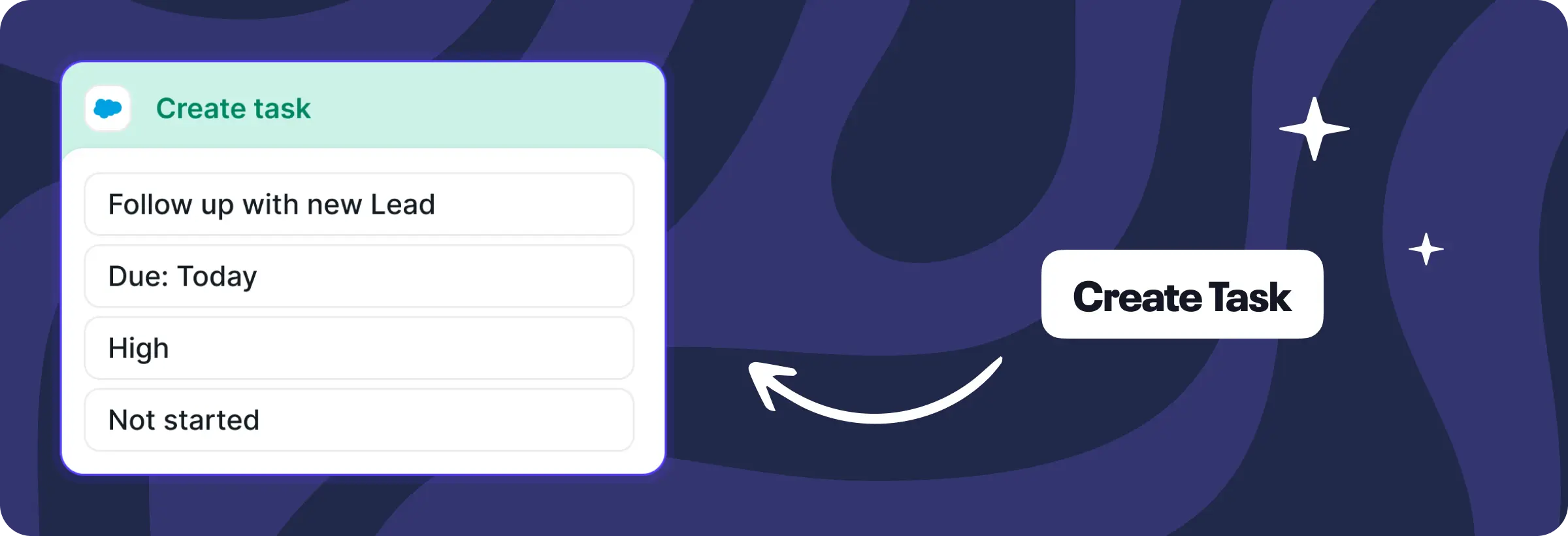
- Instead of waiting days or never realizing the lead exists your team gets instant access to crucial contacts.
This speeds up how quickly your AEs can access new leads and key deal data. What used to take days or even weeks now happens automatically, without any extra effort.
How it works:
A new lead comes in from a company with an active opportunity → Lead is converted to a Contact → AE is immediately assigned → Follow-up event is created → SLA is set → Notification sent. Done.
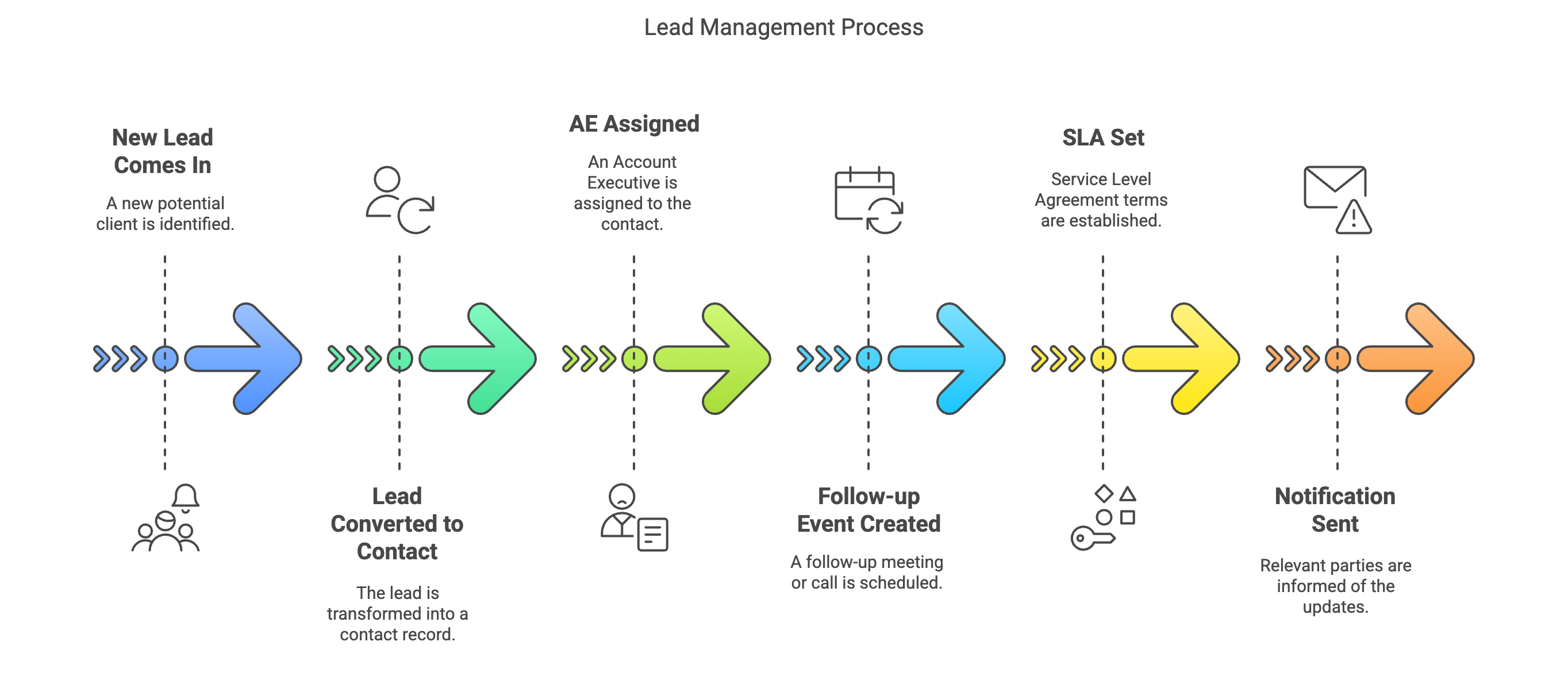
You can customize the matching rules to trigger only when an opportunity meets specific criteria: pipeline stage, deal size, or any other condition that fits your workflow.
The impact? Faster engagement, no missed opportunities, and a system that works exactly the way you need it to.
What’s next?