Chili Piper + Salesforce
Read & write from Salesforce in real time!
Enhance your CRM functionalities with seamless Chili Piper integration for better lead management.
Get custom with your routing
The beauty of the Chili Piper-Salesforce integration is that you have full control over your routing rules — and can get as granular as you’d like, down to Custom Objects and Custom Fields.

Book meetings directly from Salesforce
Schedule meetings with prospects directly from Lead and Contact records in Salesforce using a native button.
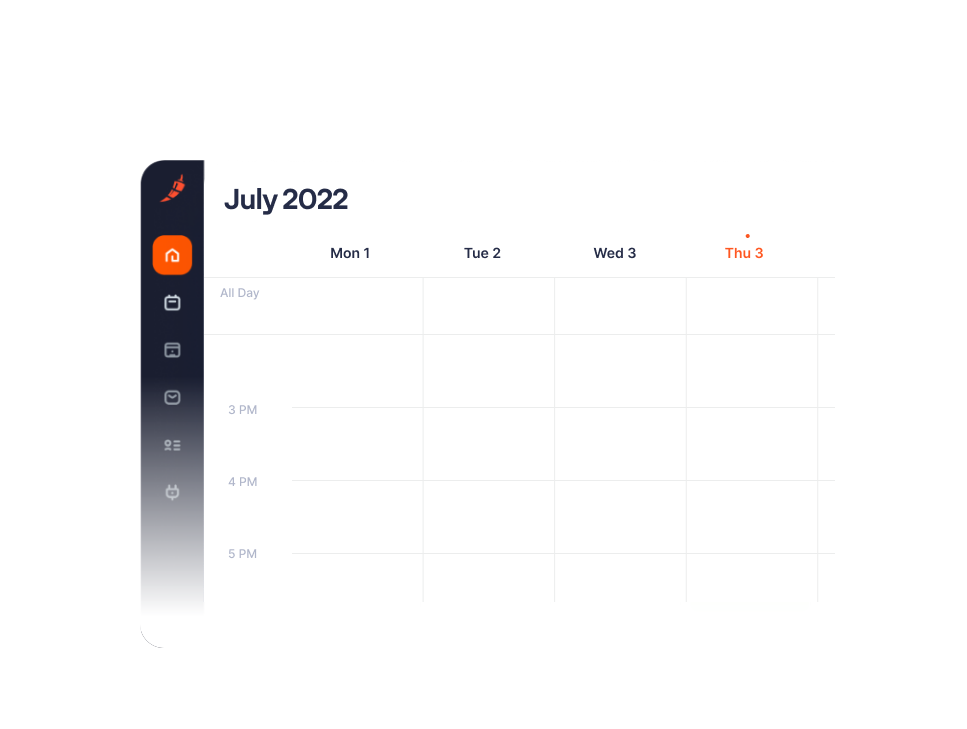
Track all events and interactions. Automatically.
All events, reschedules, no shows and meeting details are time stamped and captured in Salesforce to help you better manage your pipeline.

Consult your Salesforce dashboard.
Our Salesforce package includes a pre-filtered dashboard. It shows you all your meetings booked through Chili Piper. You can start tracking the meetings’ outcome without the hustle of creating reports from scratch. Wow! Consult any filter as per your preferences:
- Meetings attended by date
- Meetings attended by assignee
- Meetings attended by meeting type
- No Show rate by assignee
- No Show rate by booker
- No Show rate by meeting type
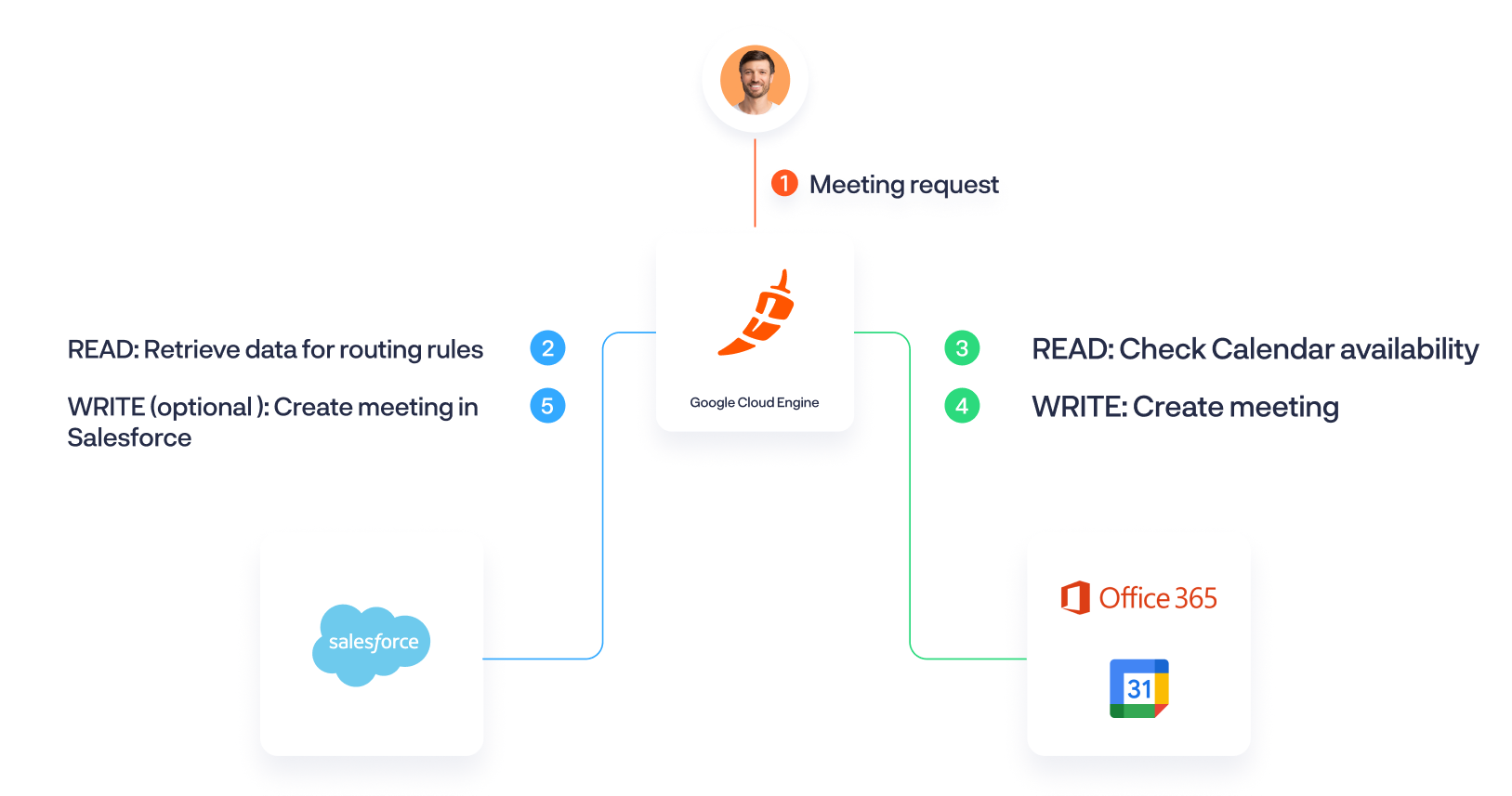
Here is what happens the moment a guest requests a meeting:
Benefits
No more manually updating Salesforce with no-shows
When someone no-shows, that information is automatically added to Salesforce.
Once the rep has toggled in Google Calendar / Outlook that a prospect didn't show up, that information is sent to Chili Piper and Salesforce — which updates the event record.
The rep has also the ability to click on "No Show" in Salesforce which then automatically ticks the "No Show" checkbox.
Then, you’re able to have full visibility into no-shows / cancellations, plus build reports that suit your business goals and KPIs.

Route leads any way you want
Chili Piper can route leads based on any Standard and Custom Fields in Salesforce.
This can mean territory, industry, company size, or any other custom field that’s factored into your routing rules.
Businessesthat use Salesforce as their main CRM.
Sales and Marketing leaders looking to maximize their number of meetings booked and calculate ROI of their Salesforce campaign (how many Opportunities were generated from those meetings, how meetings influenced their Opps to a closed won, etc.).
Operations teams looking to maintain high-quality lead information in their CRM.
Automatically create leads and contacts in Salesforce:
Capture every event detail in Salesforce:
Right after we implemented Chili Piper we saw a 50% lift in inbound meetings booked. We now see 5x as many meetings as we did before starting with Chili Piper and our revenue is around 300% - even with half the size of the sales team.
Krishan Patel
VP of Growth @ Apollo
We were able to increase revenue by 10-15% just by optimizing our inbound process. Our approach really paid off because we optimized what we were already doing rather than going out and spending more money.
Inwoo Song
Director of Growth @ Workato
We've taken that whole 7-8 step demo scheduling process and turned it into a 2-3 step process. 70% of those that come in that are raising their hand are scheduling - that's a huge win for us.
TJ Nokleby
Director of Marketing @ Grow
With Chili Piper, we reduced our SDR meeting no show rate by over 50%, and increased our SQL rate by 33%.
Zvi Storch
Acquisition Marketing Manager @ LawGeex

Frequently Asked Questions
Why install the Salesforce integration package?
By installing the package in your Salesforce instance, we reduce the Onboarding Time for your Salesforce admins by automatically creating custom fields and leveraging your Chili Piper data to show reports and a dashboard in your Salesforce instance.
The custom fields can also allow you to create more robust/custom automation rules in Salesforce.
How does the integration work?
Chili Piper operates as a workflow tool between Google Apps/Microsoft 365 calendars and Salesforce via API access only.
Access to the API is granted via OAuth 2.0, a three-click process that takes a few seconds.
Read more here.
Is a CRM connection required?
If you are using our Form Concierge product, we require the CRM connection to do routing based upon records in Salesforce (Lead, Contact, Account, Opportunity, Case) and can route based upon ownership or any lookup fields in Salesforce.
Can I get access to a Sandbox environment?
Chili Piper offers administrators the ability to create a unique "staging" setup for connecting with a Salesforce Sandbox environment.
This instance can be completely separate from your main Chili Piper instance, which you can use for testing.
More info here.
See Chili Piper + Salesforce in action
Turn inbound interest into booked meetings — instantly. Get a personalized demo of the integration.