Chili Piper + Lusha
Fill demo forms faster & auto-enrich lead data with Lusha
Use Lusha + ChiliPiper to enrich every inbound form and instantly route and schedule leads.
Shorter forms. More qualified leads.
Lusha's integration with Chili Piper makes demo requests easier to fill while giving your reps what they actually need:
- Higher form completion rates
- Auto-enriched prospect data
- Reduced research time
- Prepared for better conversations
Connect Lusha to your forms and watch demo requests roll in faster. As prospects enter their email, Lusha fills the blanks with a simpler experience for them and richer context for you.
One-click setup
Connect your Lusha account directly in your Chili Piper dashboard and map which fields get enriched in one simple interface.
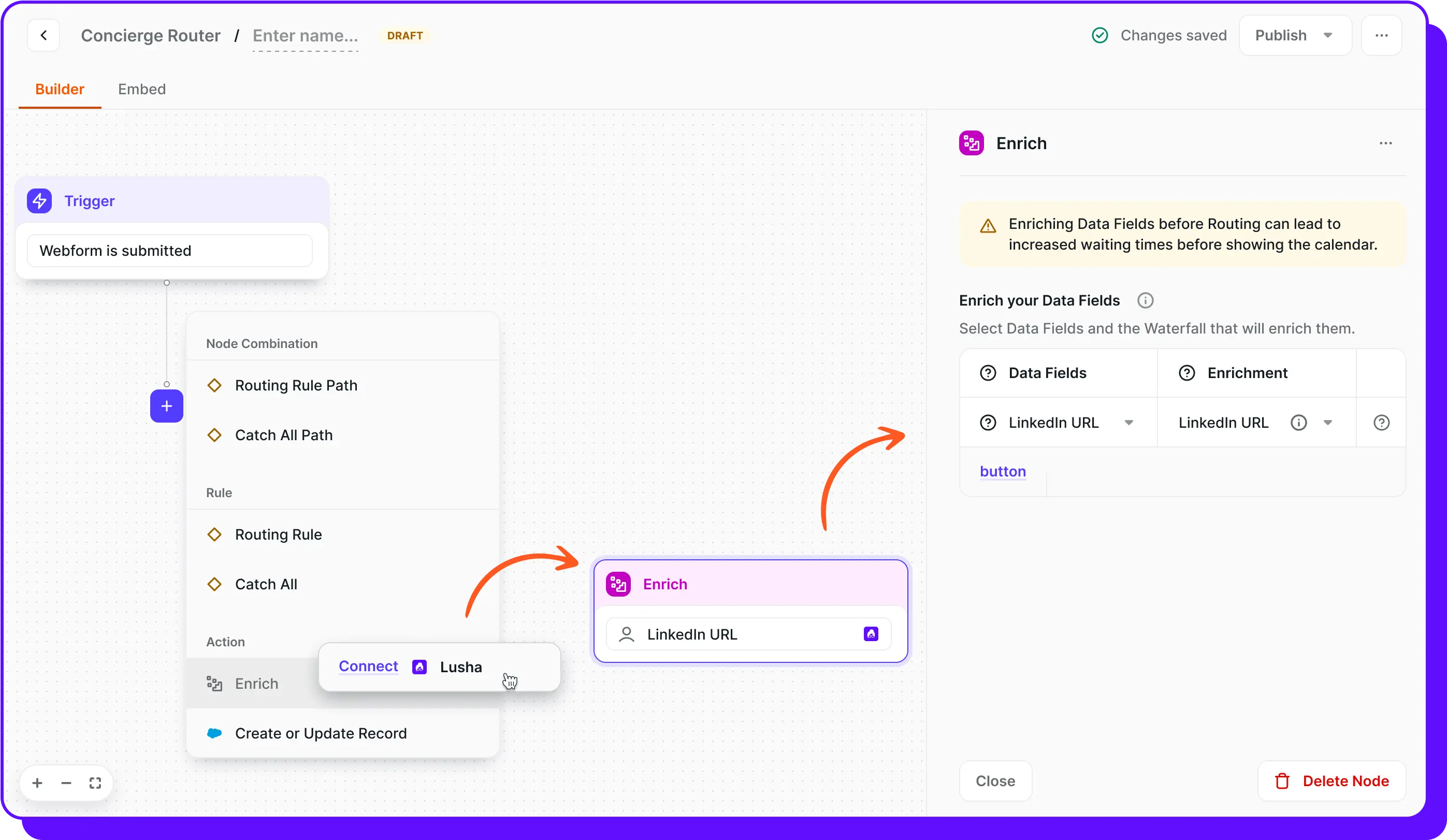
Smart waterfall enrichment
Maximize your data coverage, set up multiple data sources in sequence so when one provider doesn't have the data, backup providers try next.

Works with any form platform
Marketo, HubSpot, HTML, Pardot, and more—no tech stack changes required.

Instant CRM sync
All enriched data streams to Salesforce, HubSpot, or your CRM so you get complete prospect profiles without the manual entry.

Frequently Asked Questions
How do I connect Lusha to Chili Piper?
Click "Connect" in your Chili Piper integrations dashboard, authenticate your Lusha account, and configure field mapping. Takes under 2 minutes.
Can I control which fields get enriched?
Yes, you can map each form field individually. Choose which fields Lusha should enrich, set fallback providers, and decide which ones always stay visible to prospects.
Do I need Lusha credits for this?
Yes, you'll need an active Lusha subscription with API credits. Each enrichment uses Lusha credits as normal with no extra fees from Chili Piper.
What if Lusha can't find data for a field?
Fields that can't be enriched remain visible for manual completion. You can also set up backup providers in the waterfall sequence for better coverage.
How does this compare to other enrichment solutions?
Unlike competitors limited to specific platforms or single providers, this works across all form types with waterfall enrichment. You get form shortening AND enrichment together.
See Chili Piper + Lusha in action
Turn inbound interest into booked meetings — instantly. Get a personalized demo of the integration.