


Shorter forms. More qualified leads.
Lusha's integration with Chili Piper makes demo requests easier to fill while giving your reps what they actually need: Connect Lusha to your forms and watch demo requests roll in faster. As prospects enter their email, Lusha fills the blanks with a simpler experience for them and richer context for you.
One-click setup
Connect your Lusha account directly in your Chili Piper dashboard and map which fields get enriched in one simple interface.
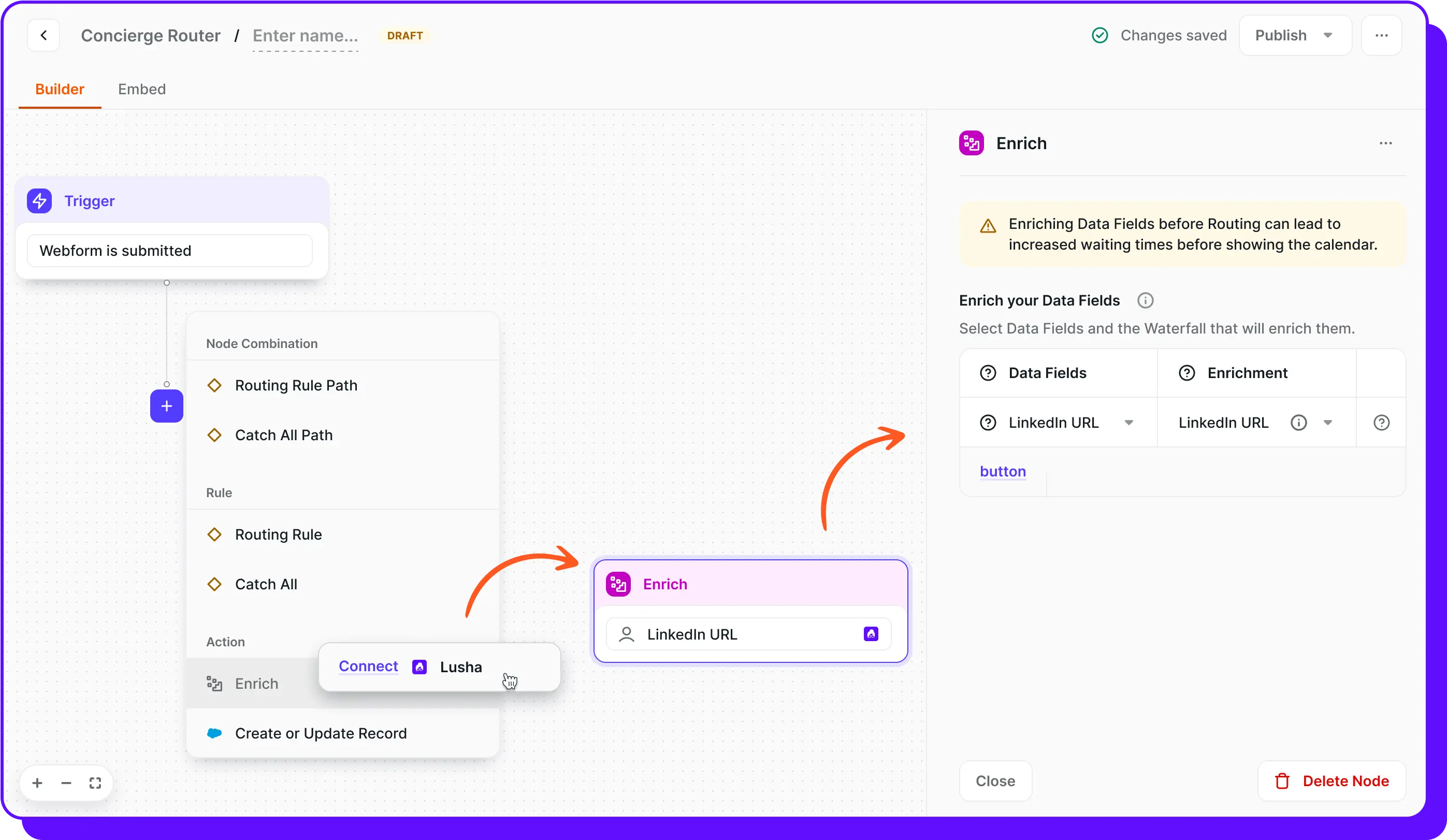
Smart waterfall enrichment
Maximize your data coverage, set up multiple data sources in sequence so when one provider doesn't have the data, backup providers try next.

Works with any form platform
Marketo, HubSpot, HTML, Pardot, and more—no tech stack changes required.

Instant CRM sync
All enriched data streams to Salesforce, HubSpot, or your CRM so you get complete prospect profiles without the manual entry.

Who is this integration for?
Job titles
Demand gen teams booking more demos, marketing ops managing lead flow, website managers optimizing conversions, and customers of Lusha and Chili Piper.
Job functions
Marketing operations, website management, demand generation, marketing leadership
Industry
B2B SaaS, Technology, Professional Services, Financial Services, Healthcare, Manufacturing, any lead-driven B2B sector
Company size
SMBs to global enterprises (50-10,000+ employees)
Tech
Organizations focused on inbound conversion, companies with high form abandonment, and teams wanting to reduce manual research