How to Assign ABM Leads to the Right Target Account Owner
The Problem with Current ABM Funnels
Gartner reports that "83% of software purchases are made by committees, not individuals," with buying committees averaging 7 to 20 members. This creates a common challenge: multiple contacts from the same target account get assigned to different account executives, resulting in duplicated efforts and fragmented buyer experiences.
Making Sure Every Buying Committee Member Routes Correctly
The solution involves creating a Concierge Router triggered when prospects from target accounts submit a demo form. This approach prioritizes speed—getting prospects to schedule immediately rather than waiting for CRM distribution.
Setting Up Your ABX Ownership Team
Create routing rules that handle three scenarios:
Group 1: Existing Contact in Target Account Match the contact to their account owner while verifying it meets criteria like employee count thresholds (useful for segmenting Mid-Market vs. Enterprise teams).
Group 2: Existing Lead in Target Account Use lead-to-account matching to automatically connect existing leads with correct accounts.
Group 3: New Record in Target Account Route unknown prospects based on account ownership to catch buying committee members who haven't yet been added to your CRM.
Rolling Out a Premium Scheduling Experience
Configure scheduler settings to display the appropriate account owner's calendar automatically. This ensures all buying committee members schedule with their dedicated account executive—creating consistency throughout the sales process.
Customize meeting types with specific lengths, dynamic calendar invite personalization, and tailored reminders to enhance the experience.
Automating Everything Else
Post-Booking Personalization Route booked prospects to industry-specific case studies or educational content. For abandons, redirect to secondary offers or use Chat to re-engage.
Event Creation Automatically generate calendar events connected to target accounts for accurate reporting.
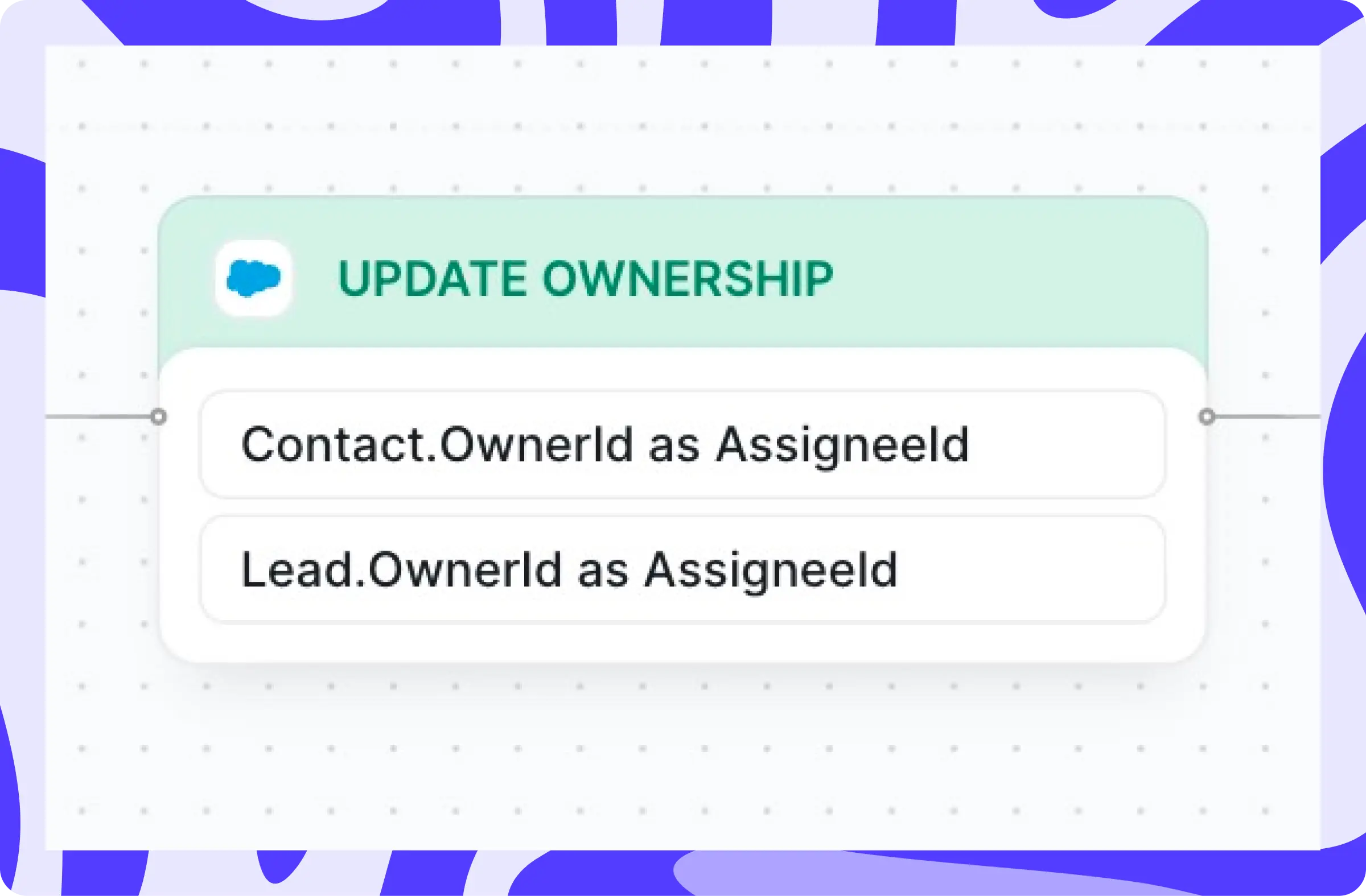
Ownership Updates Automatically assign new leads and contacts to match their account owner.
Lead-to-Account Matching Leverage domain matching and Salesforce Duplicate Rules using custom fields like email, phone, or zip code. Add filtering and tiebreakers to resolve multiple matches.
Gartner says 83% of software purchases are made by committees, not individuals. Colony Spark also reports that the average buying committee is made up of 7 to 20 people.
That’s a lot of stakeholders to manage, and the typical ABM funnel isn’t equipped to handle it gracefully.
Here’s a problem we see happening:
Contact A
-
Contact A converts on your website
-
They are identified as a target account
-
They are assigned to an AE
-
A series of calls are scheduled and held
Contact B
-
Meanwhile, Contact B from the same account converts on your website
-
They are assigned to a different AE
-
A call is scheduled
-
You eventually realize that you have two AEs working the same account
-
The prospect is reassigned
This is a super common scenario we see across B2B revenue teams. Members of the same buying committee are fumbled across multiple reps, resulting in a disjointed buying experience.
Luckily, Chili Piper can solve this exact problem. In this article I’m going to show you how.
Making sure every member of the buying committee is routed to the right rep
In this example, we want prospects from enterprise accounts routed to the correct rep on our Enterprise AE team. We’re going to create a Concierge Router that Triggers when someone from a target account fills out our demo form.
Why trigger off the form vs waiting to distribute this new lead or contact when they hit your CRM? The answer is simple. SPEED. You want your prospect to schedule a meeting right then and there.
We then want to route that prospect to the correct account owner on our Enterprise AE team. Our new Flow Builder makes it easy to repurpose teams in multiple routers and routing rules.
Here’s an example of how one of our customer sets up their ABX Ownership Team for Enterprise:

We’ll then create a Routing Rule that will put our prospect into one of three possible groups:
-
An existing Lead in an existing Target Account
-
An existing Contact in an existing Target Account
-
A new Record in an existing Target Account
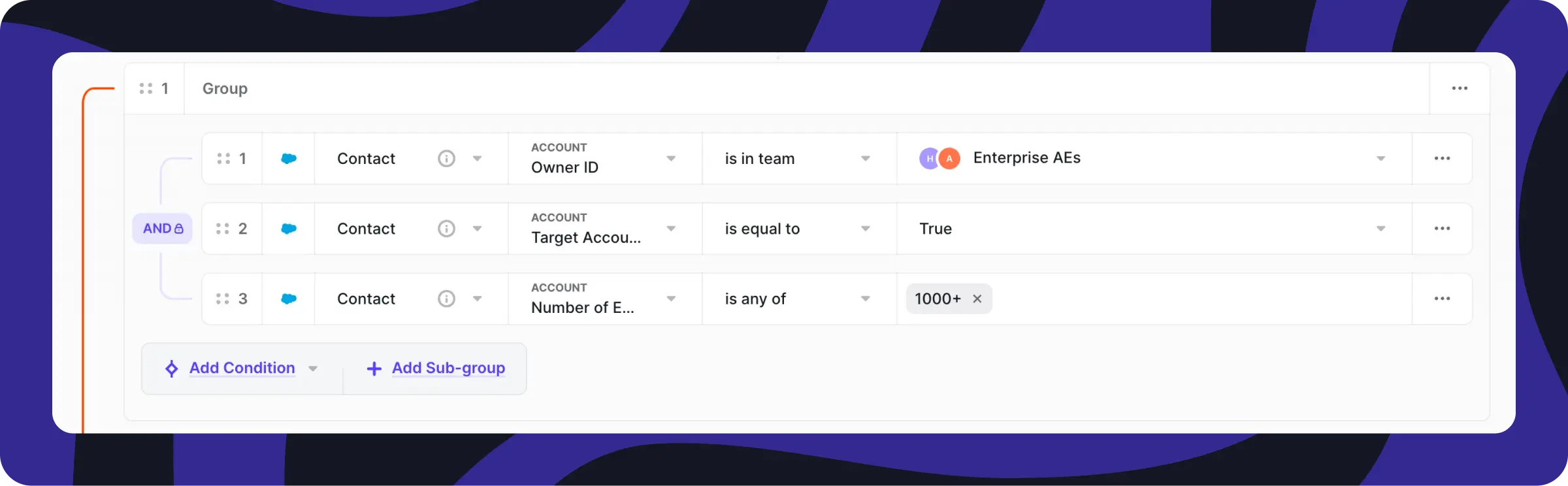
Group 1: An existing Contact in an existing Target Account
We’ll look for the owner of this account and verify that it’s a target account with over 1000 employees.
Adding the third condition of “Number of employees” comes in handy when you have Target Account lists for both your Mid-Market and Enterprise reps.
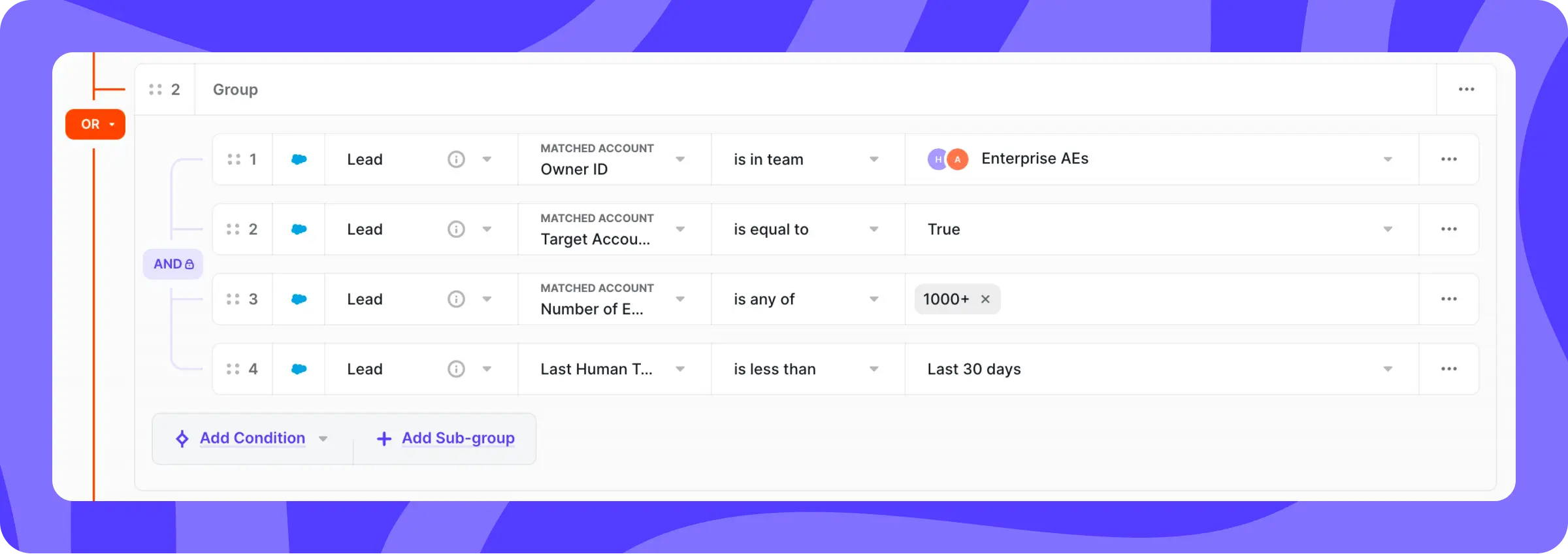
Group 2: An existing Lead in an existing Target Account
Using our Lead to Account Matching, we’ll automatically match existing leads with the correct account.
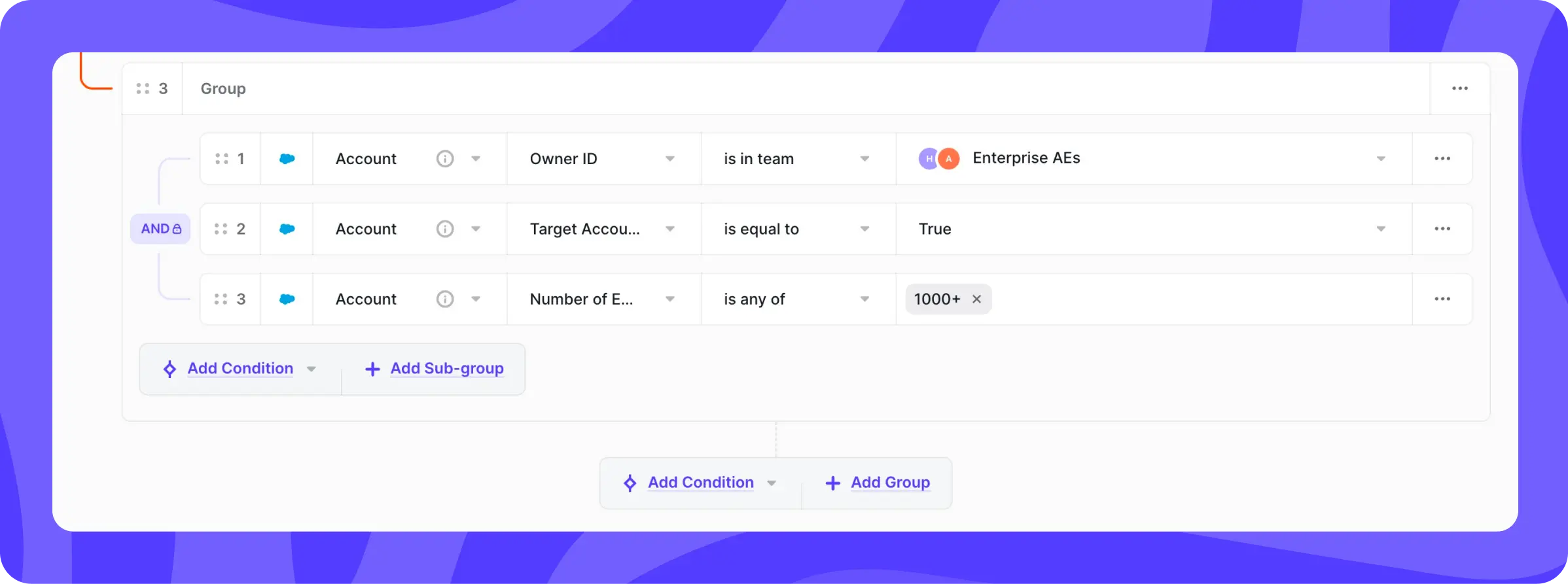
Group 3: A new Record in an existing Target Account
In the case of a prospect that doesn’t exist in your CRM, we’ll route based on the Account object to make sure they’re assigned to the right owner.
For the first two groups, we’re simply making sure that existing contacts and leads are assigned to the correct rep. But this third group is catching those other members of the buying committee that often get missed.
Roll out the red carpet scheduling experience
Next, we’ll configure our scheduler settings. This is where you define what calendar to display and the specific meeting details.
Ask yourself: How do I make this the best possible scheduling experience for every prospect in this account?
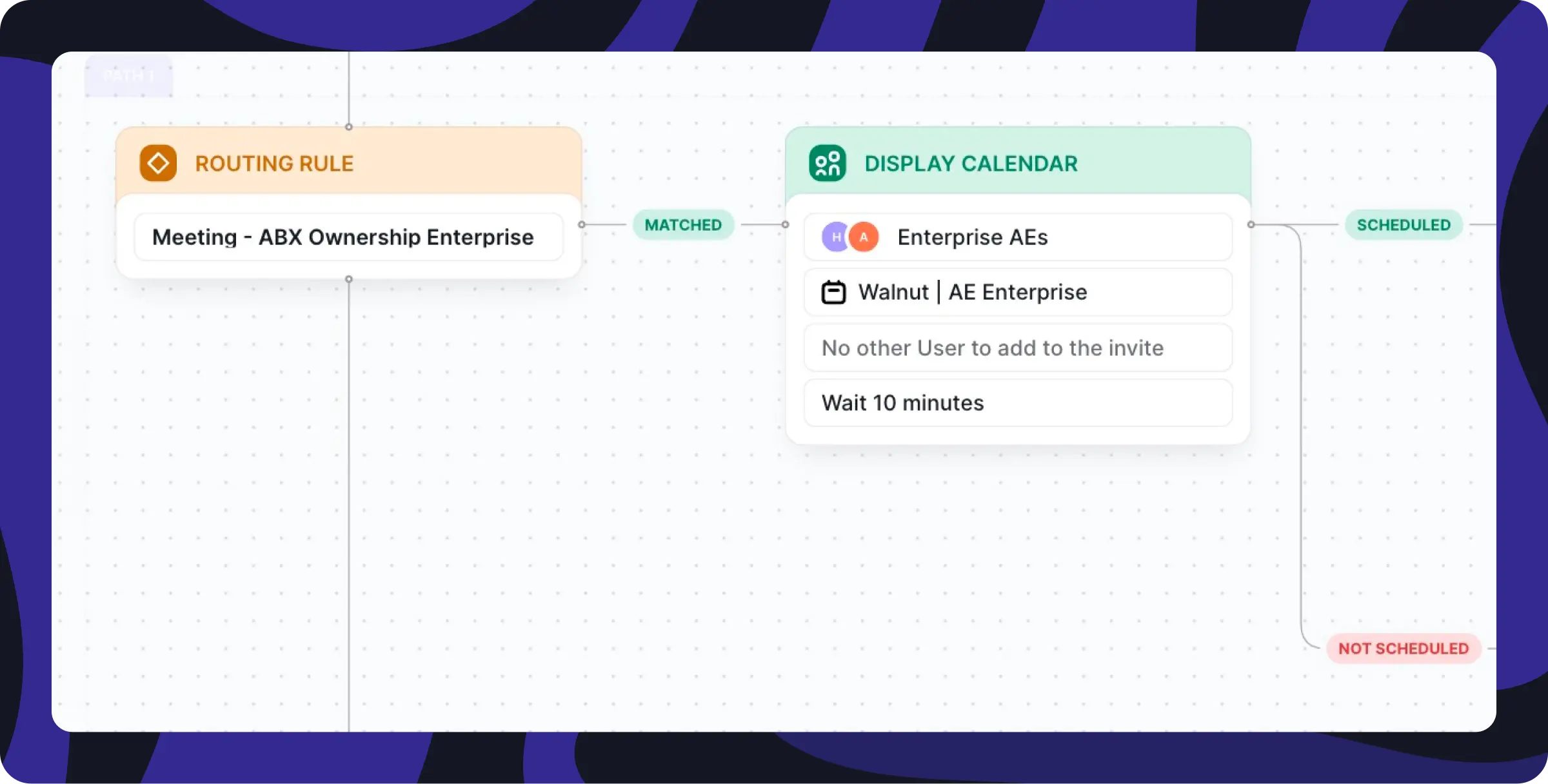
Since this Routing Rule is based on account ownership, your Enterprise AE team is already selected based on your rule settings above.
This means that we’ll automatically select the owner from your AE team and present their availability in the scheduler. Like magic, prospects can schedule with the same AE that’s been meeting with the rest of their buying committee.
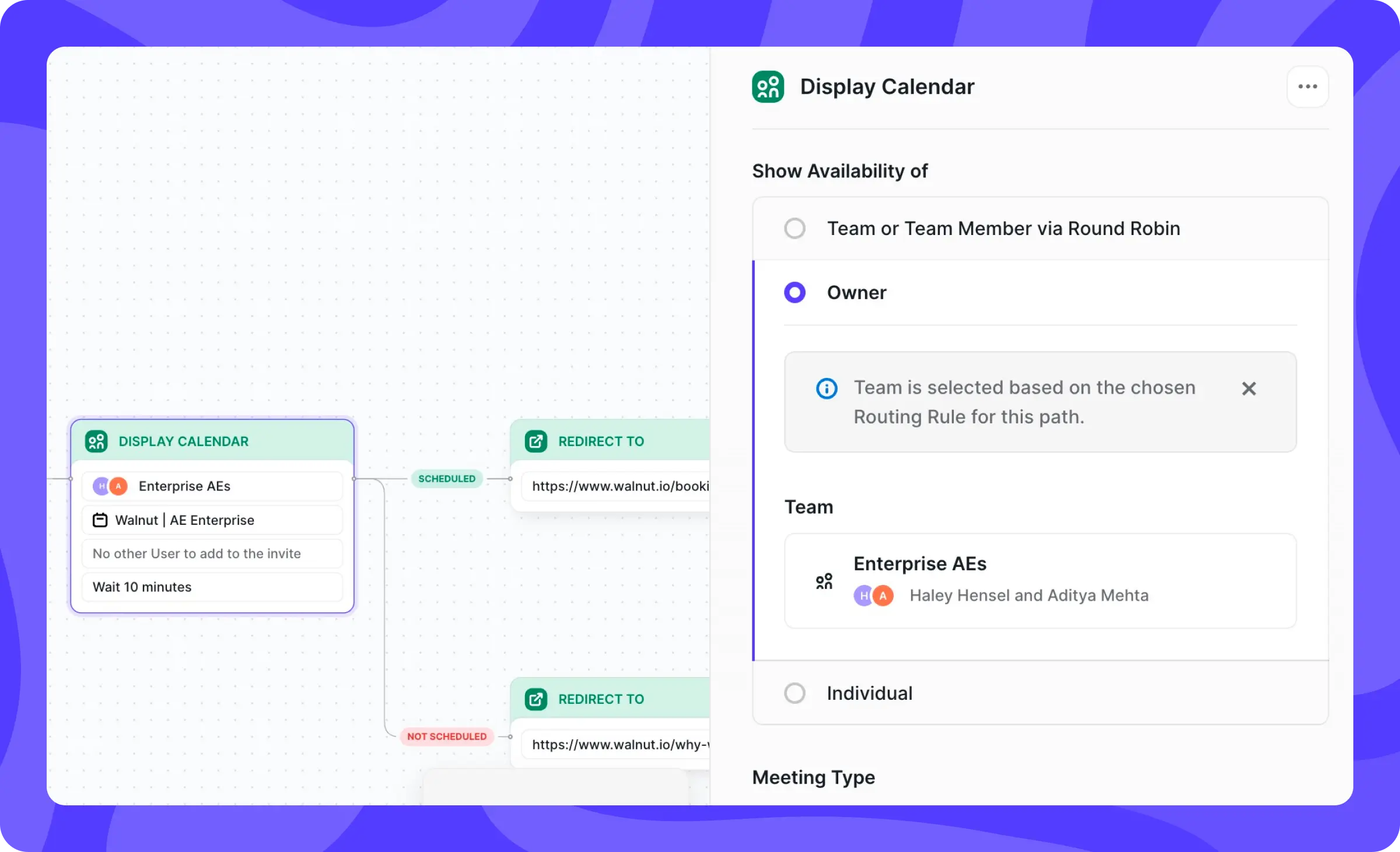
ABM is all about personalization and tailoring the buyer experience to each specific account. We help you do that right down to the meeting level.
You can create a custom Meeting Type for this router. Set a specific meeting length, personalize your calendar invite using Dynamic Tags, and create custom reminders that keep your meeting top of mind.
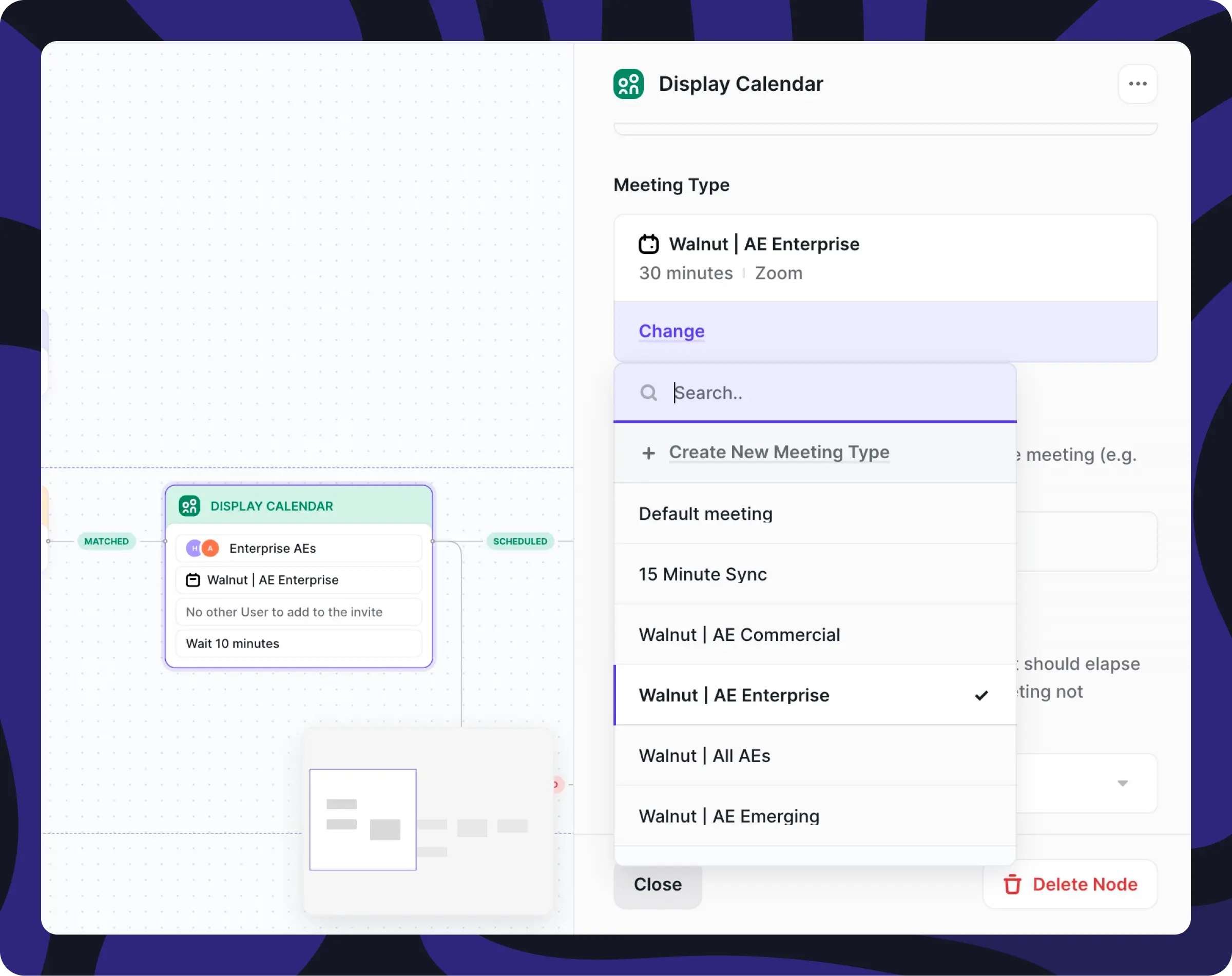
Automate everything else
Once a prospect schedules (or doesn’t schedule) a meeting, you can trigger other automated workflows like redirects, event creation, or ownership updates in your CRM.
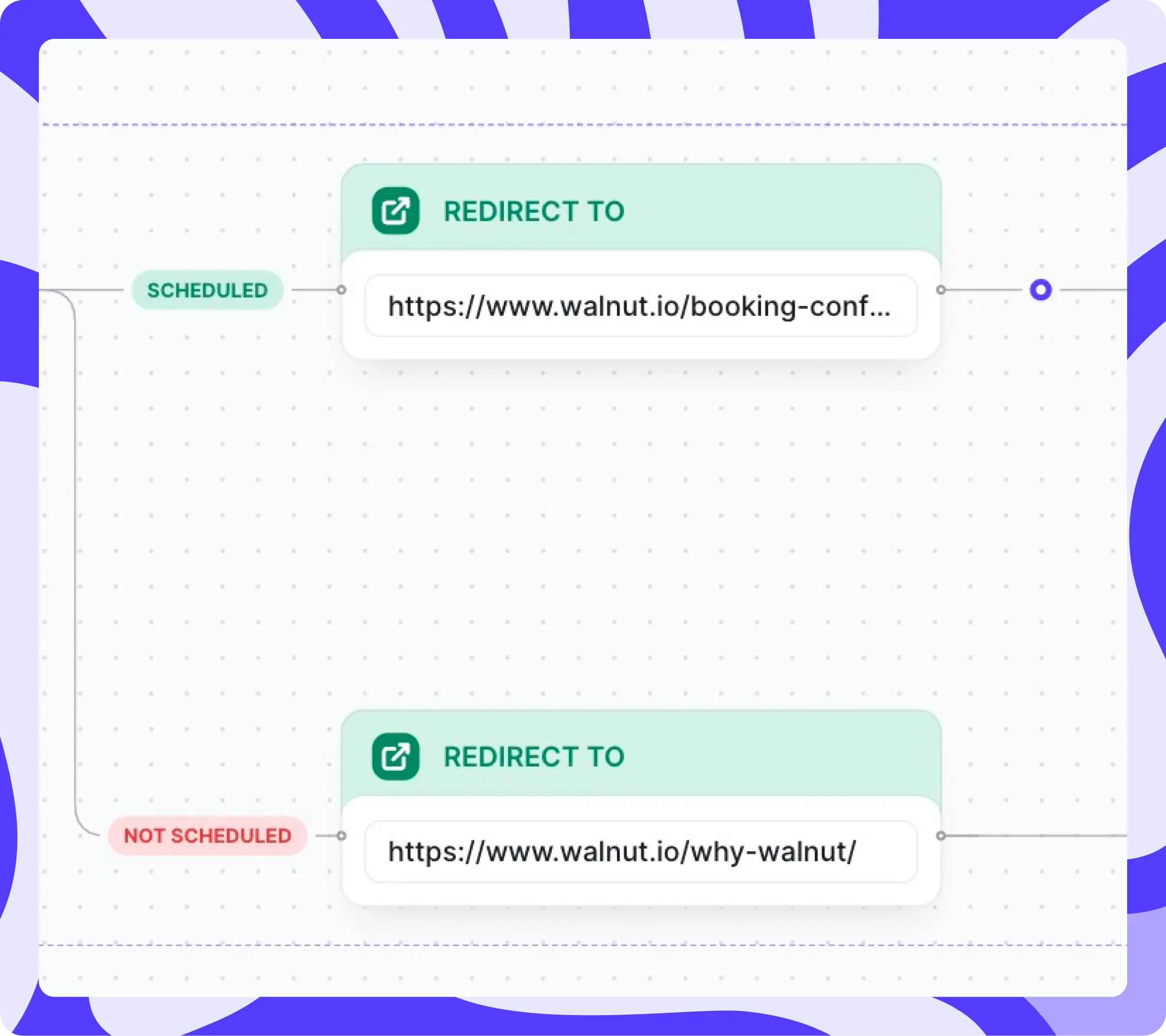
Personalize the next step with Redirects
Once a prospect books, you can route them to a dedicated success landing page or educational content. For example, you could route them to a page with other enterprise case studies in industries similar to theirs.
If they abandon the booking process, try routing them to a secondary offer or educational content. One trick we’ve seen work well is using Chat on that page to try and re-engage the prospect and offer the meeting there.
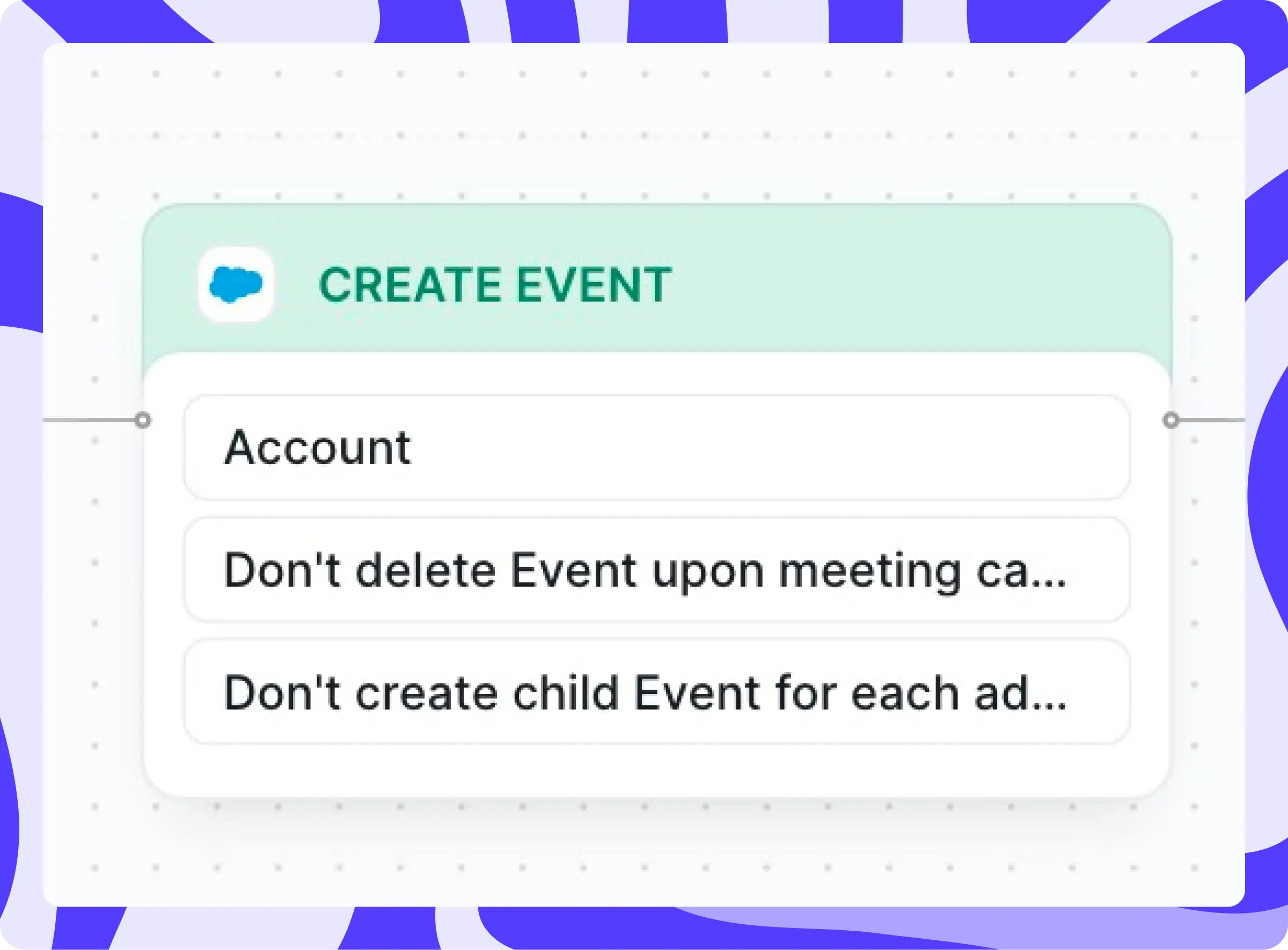
Never miss creating an Event
Save time and ensure accurate reporting by automatically creating events and connecting them to your Target Account.
Assign every lead and contact an Owner
For new leads and contacts, automatically update their ownership to match the account.
Extreme lead-to-account matching
Make sure leads are matched to the right account, every time.
Chili Piper uses a combination of domain matching and Salesforce Duplicate Rules.
You can set up your Duplicate Rules to reference any fields you’d like — we often see customers use email address, phone number, zip code, etc. But you can make your Duplicate Rules your own.
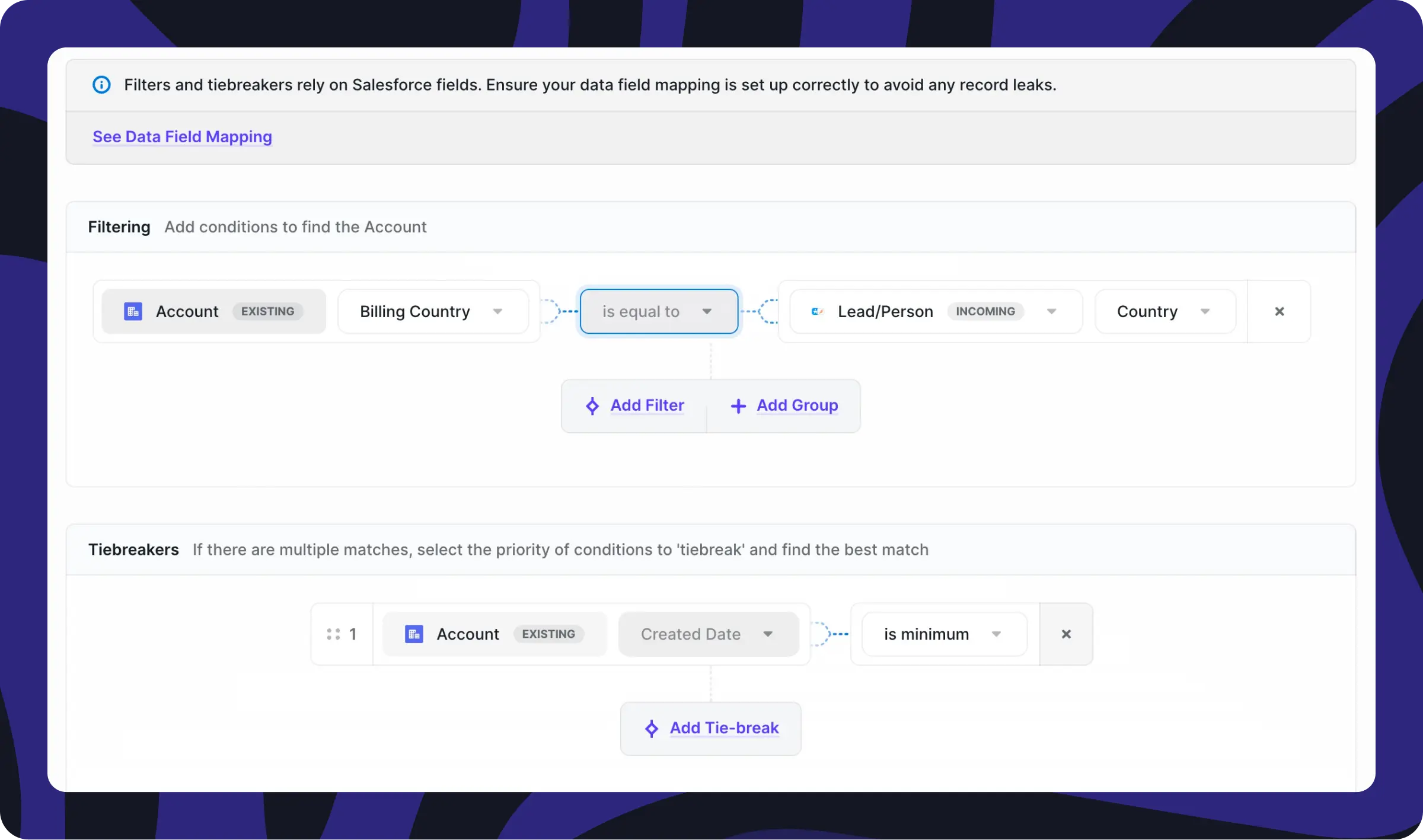
You can also set up filtering and tiebreakers in case more than one record matches your Duplication rules.
In the below example, Distro will match the Lead to the Account based on country — matching the Lead whose Country is equal to the Account’s billing country.
If there are still multiple matches after that, you can set up Tiebreakers. In this example, Distro will match the Lead to the Account that was created most recently.
What’s next?
If you want to try this spicy use case yourself, learn more about Distro here.
Also if you’re not doing so already, be sure to follow Jonathan on LinkedIn — he shares spicy Chili Piper tips and tricks regularly.
In the meantime, stay spicy 🌶️