Automatically Qualify and Assign PQLs With Chili Piper Distro
What's NOT a PQL
Before searching for PQLs, understand what they are not:
- They are not marketing qualified leads
- They are not someone who signs up for a free trial or freemium plan
- They are not people who upgrade their free plan
The critical distinction is that PQLs must be tied to a customer's success in your product. Your definition needs to be anchored in activity demonstrating genuine product value realization.
What Does a PQL Look Like?
A strong PQL definition doesn't require complexity. Slack's approach is instructive: "an account that has sent 2000 messages." This threshold typically takes about one week for a ten-person team, by which point users have experienced core features and show a 93% conversion probability.
To create your definition, develop a strong understanding of your product's key value metrics. Consider whether value ties to usage (user additions, content volume) or business outcomes (revenue generated, conversions achieved).
New to PQLs? Start simply and recognize this involves continuous testing, validation, and optimization.
Capturing The Right Data in Your CRM
Once you have your PQL definition, ensure you can track relevant metrics in your CRM. This typically requires engineering team collaboration to pass product data or BI tool information to Lead, Contact, or Account record objects.
How to Qualify and Route PQLs in Your CRM
With trackable product metrics in place, identify when leads reach PQL status and route them appropriately. Two approaches exist:
Option 1: Qualify PQLs in Your CRM and Route With Chili Piper
Track freemium or trial customer metrics in separate objects (sign-up date, activity count, user volume). Use CRM rules to trigger a PQL field or status when customers reach the proper threshold—similar to lead scoring but based primarily on product usage.
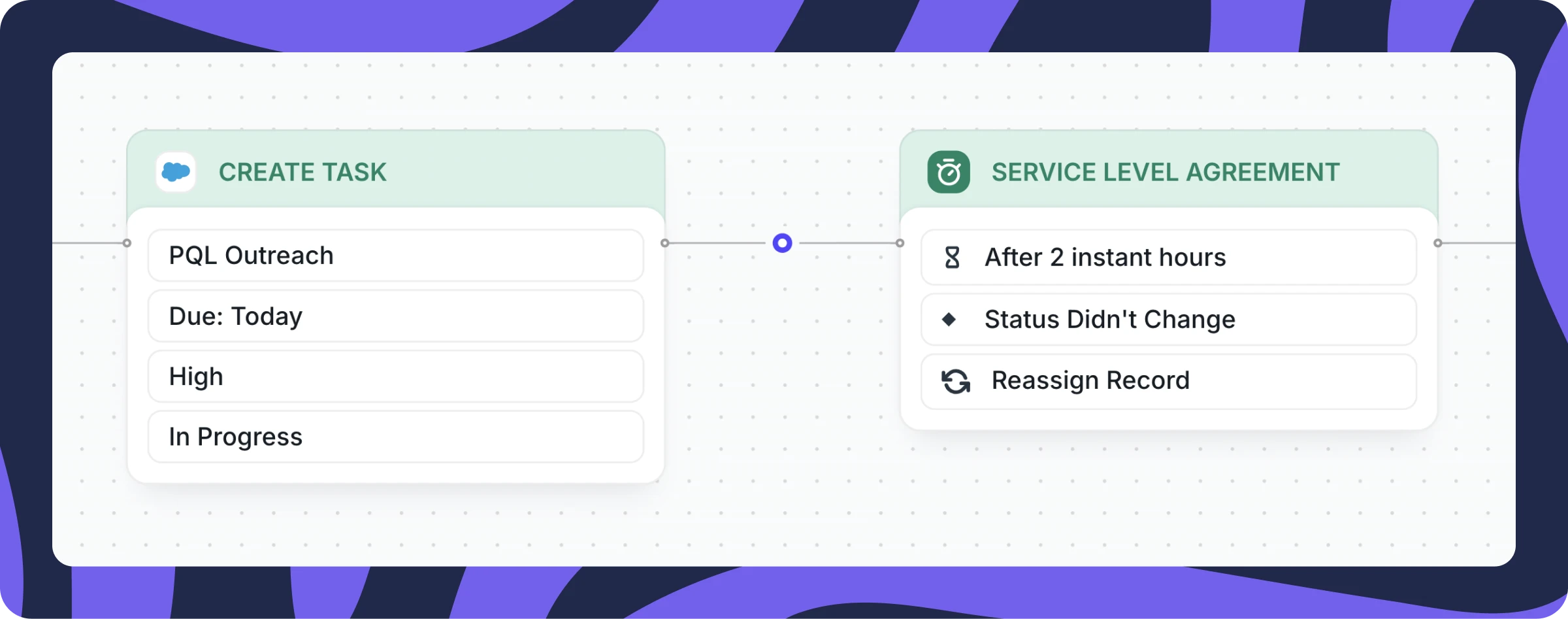
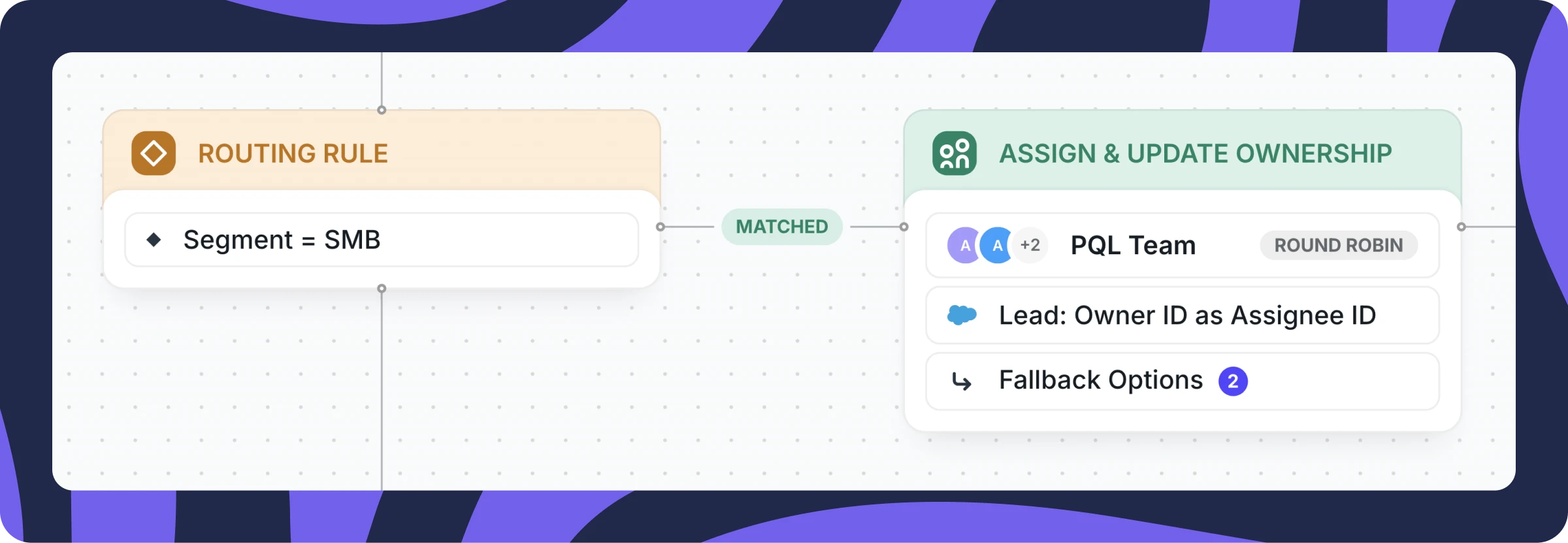
Create a Router in Chili Piper Distro triggered by your PQL custom object. Once customers qualify, route them to the SDR team managing PQLs using round-robin assignment.
Automate notifications via email or Slack and enforce SLAs ensuring quick prospect follow-up.
Option 2: Qualify and Route PQLs With Chili Piper
If you haven't implemented PQL scoring in your CRM, track key metrics there while using Chili Piper Distro to establish rules identifying PQL status.
Example: Trigger a Distro Router when freemium users book 20 meetings using ChiliCal—indicating they've discovered product value and readiness to convert.
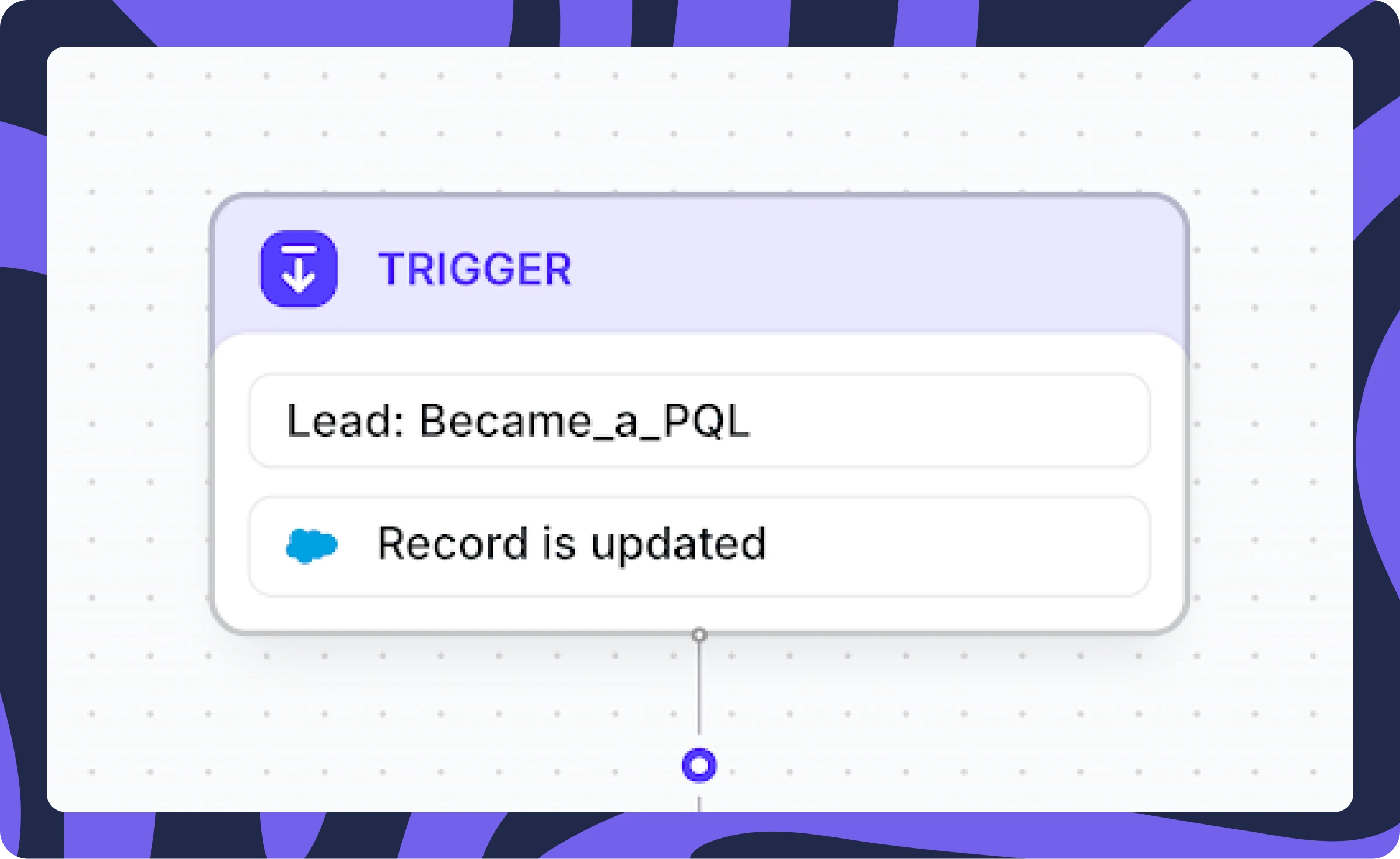
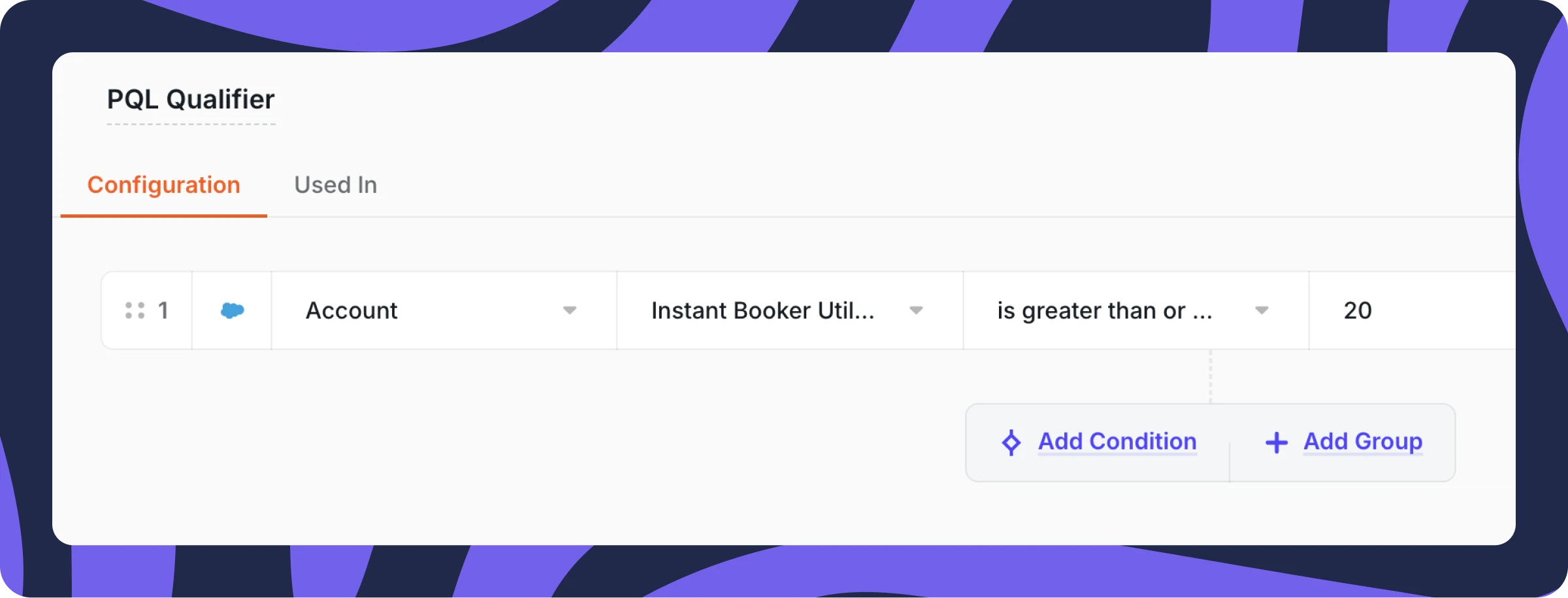
Set up triggers when specific CRM fields update AND PQL qualifier rules are met (freemium customers scheduling 20+ meetings).
Configure entry rules checking if the "Instant Booker Utilization" field exceeds 20, meeting PQL criteria.
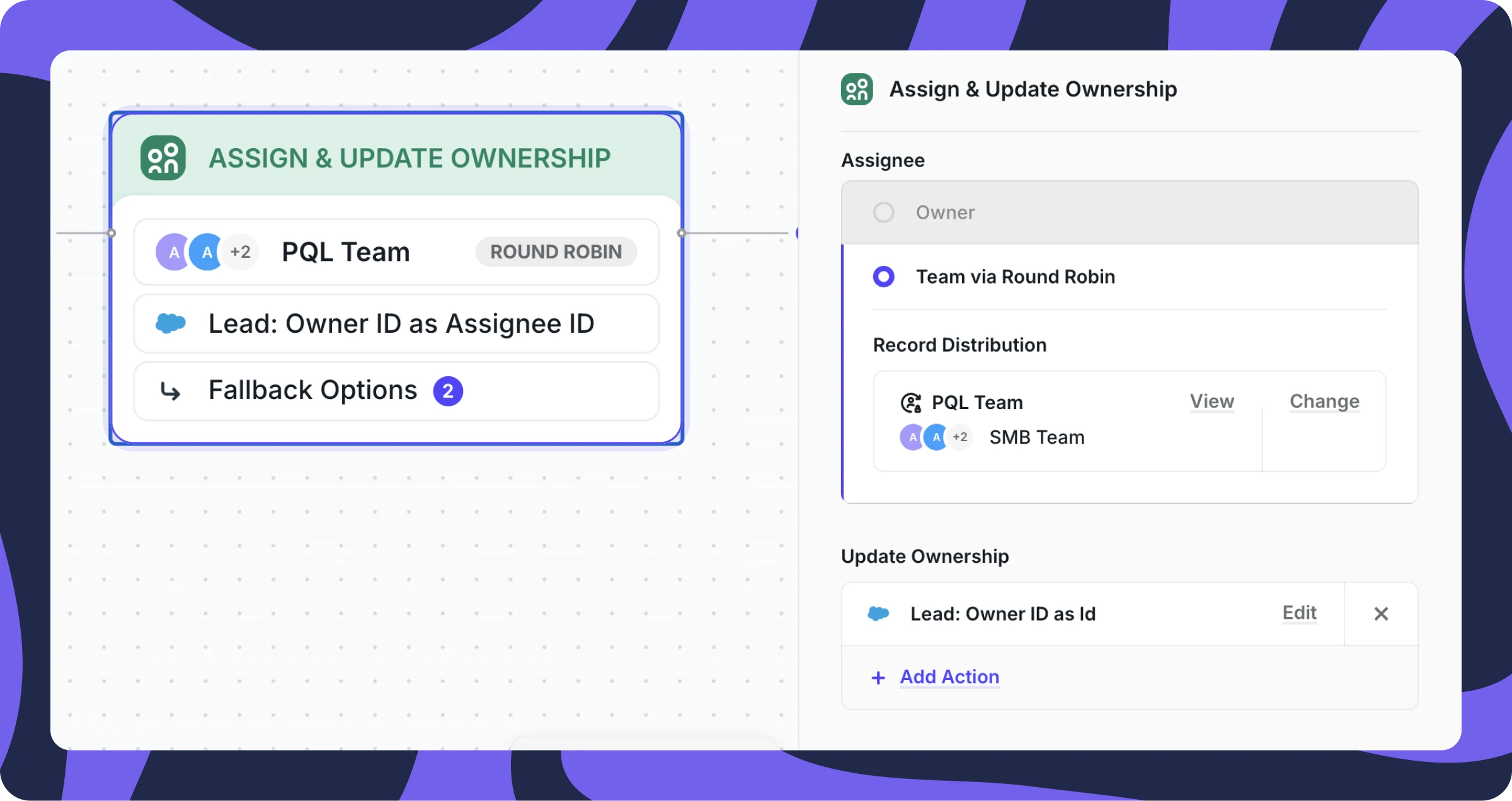
Route qualifying leads to your SDR team managing PQLs via round-robin assignment.
Automate notifications and enforce SLAs for timely follow-up.
Strike While The Iron is Hot
Upon PQL qualification, SDRs should act immediately to capitalize on high intent.
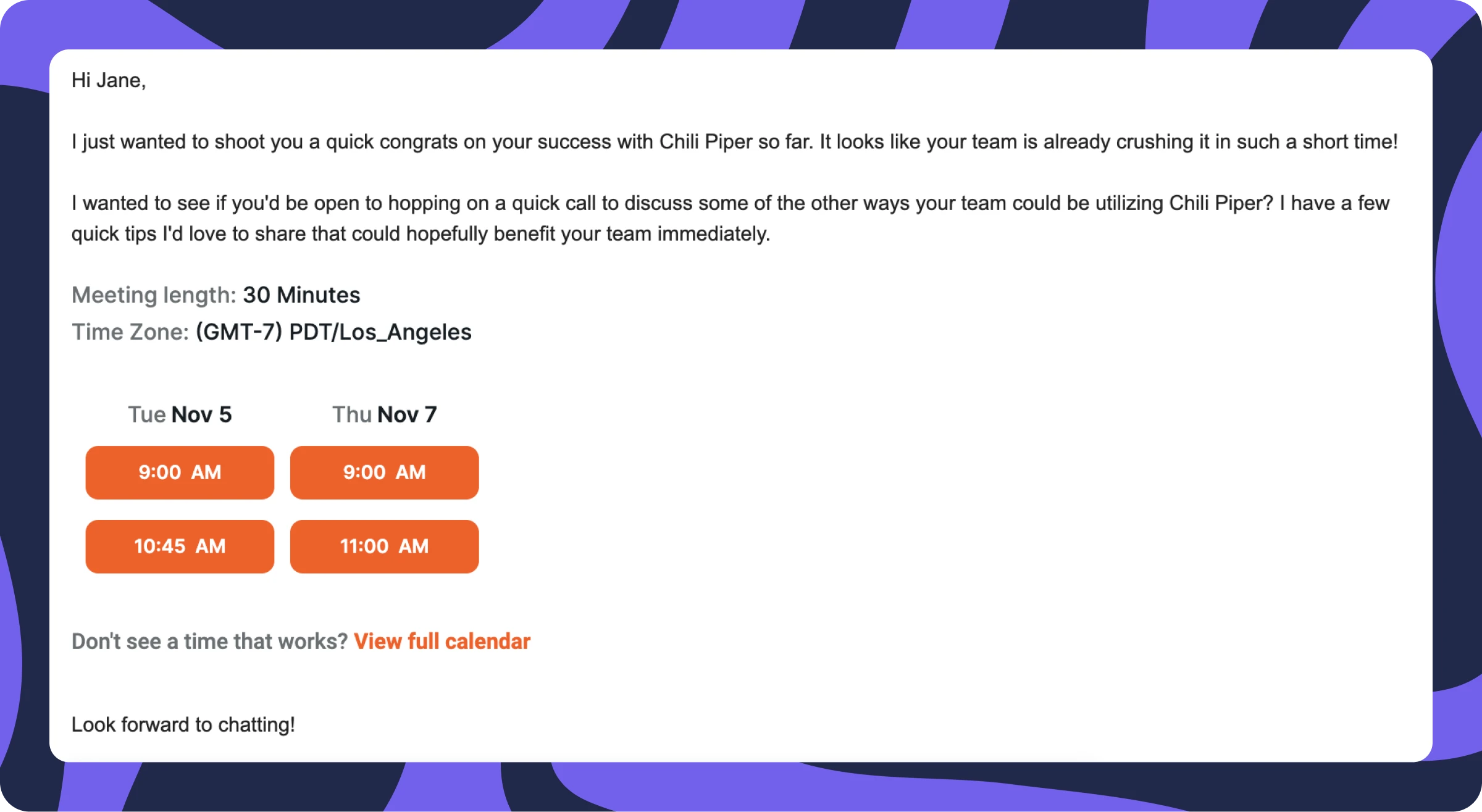
Best practice: SDRs send personalized follow-up emails including scheduling links or embedded suggested meeting times. This streamlines scheduling and removes friction from the booking process.
By eliminating unnecessary back-and-forth communication, SDRs maintain momentum and convert while interest peaks.
Marketing Qualified Leads (MQLs) have a bad reputation among B2B revenue teams, and rightfully so. They’re usually based on a handful of vanity metrics — like email opens, content downloads, and web page visits — that have little to do with your product.
In contrast, Product Qualified Leads (PQLs) are prospects who have experienced meaningful value using your product, either through a free trial or freemium offer.
When you reach out to a PQL, they should already see the value in your product, so their purchasing intent is way higher.
But like any other high-intent signal, your speed to lead is crucial. Taking days or weeks to identify, assign, and contact these leads can mean the difference between conversion and losing them altogether.
In this article, I’m going to show you how to create and automate your own PQL process using Chili Piper.
What’s NOT a PQL
Before you go looking for PQLs, let’s take a second to cover what PQLs are NOT:
-
They are not marketing qualified leads
-
They are not someone who signs up for a free trial or freemium plan
-
They are not people who upgrade their free plan
The critical piece missing from all the definitions above is that they’re not tied to a customer’s success in your product.
Your PQL definition needs to be tied to activity that signals a customer is getting value from your product.
What Does a PQL Look Like?
A strong PQL definition doesn’t need to be complicated. Some of the greatest examples are quite simple.
For example, Slack considers a PQL to be an account that has sent 2000 messages. That takes an average of one week for a team of 10 people. By that time, they have experienced the product's core features and have a 93% chance of converting.
To create your PQL definition, you need to have a strong understanding of your product’s key value metric(s).
Is it tied to usage, like the number of users you add or the volume of content you create? Or is it tied to value, like the amount of revenue generated or the number of conversions?
If your company is new to PQLs, that’s okay. Start with something simple and know that it’s a process of trial and error. You’ll need to constantly test, validate, and optimize your PQL definition over time.
Capturing The Right Data in Your CRM
Once you have your definition of a PQL, you now need to make sure you can track and measure the right metrics in your CRM.
This typically requires some work with your engineering team to pass data from your product or BI tool to objects in your Lead, Contact, or Account records.
How to Qualify and Route PQLs in Your CRM
With the right product metrics now trackable in your CRM, you now need to figure out how to automatically identify when a lead reaches PQL status and route them to the correct rep for follow. That’s where Chili Piper Distro comes in.
I’ve seen companies set this up in a couple of ways:
Option 1: Qualify PQLs in Your CRM and Route With Chili Piper
You start by tracking key metrics about your freemium or free trial customers in separate objects. Consider things like sign up date, number of activities, number of users, etc.
Then use rules in your CRM to trigger a PQL field or status once a customer reaches the right threshold. This would be similar to how you set up traditional lead scoring, but now you’re doing it primarily based on product usage.
You can now create a Router in Chili Piper Distro that Triggers based off your PQL custom object.
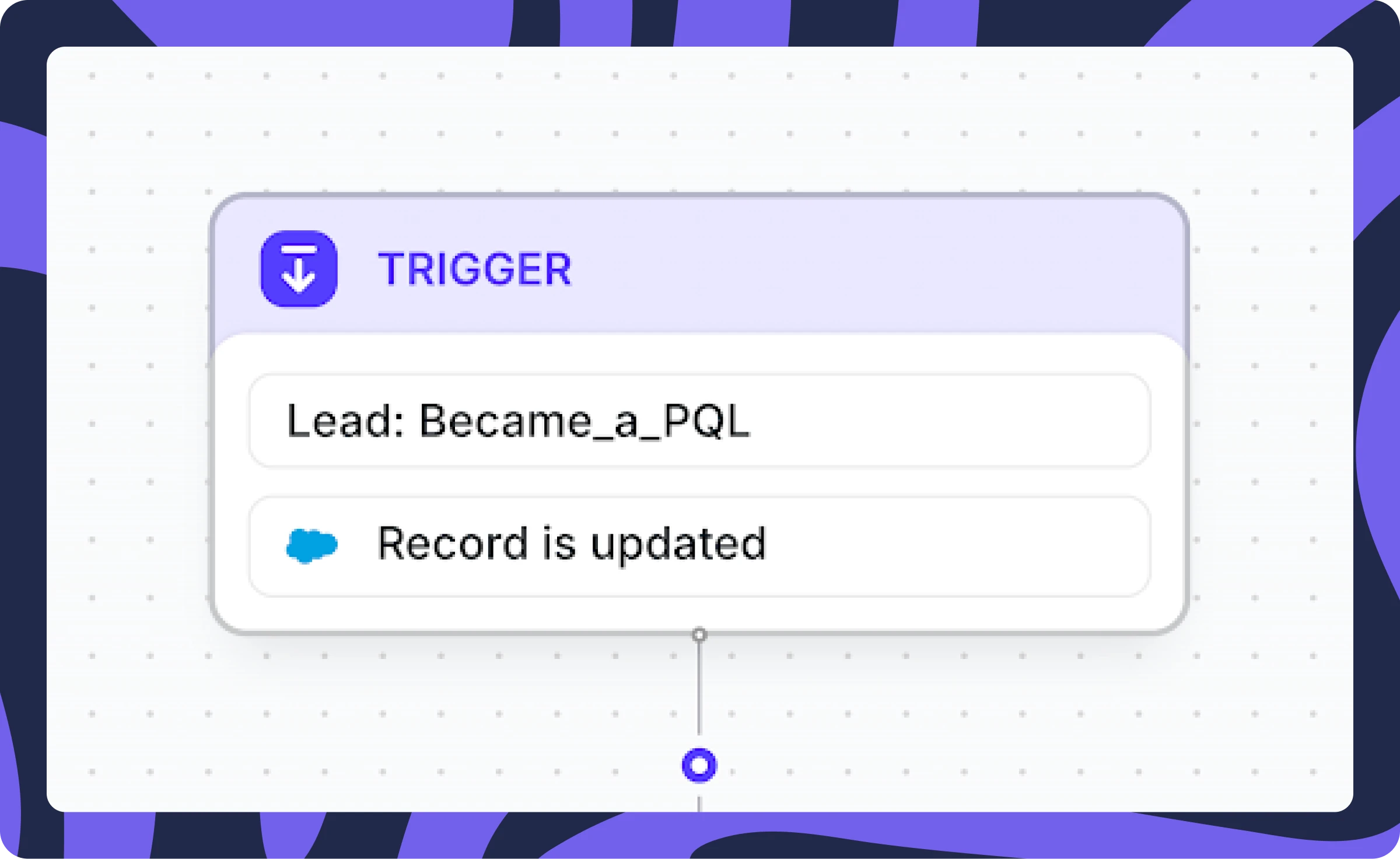
Once a free trial or freemium customer becomes a PQL, you can route them to the SDR team that manages PQLs and assign them using a round robin.
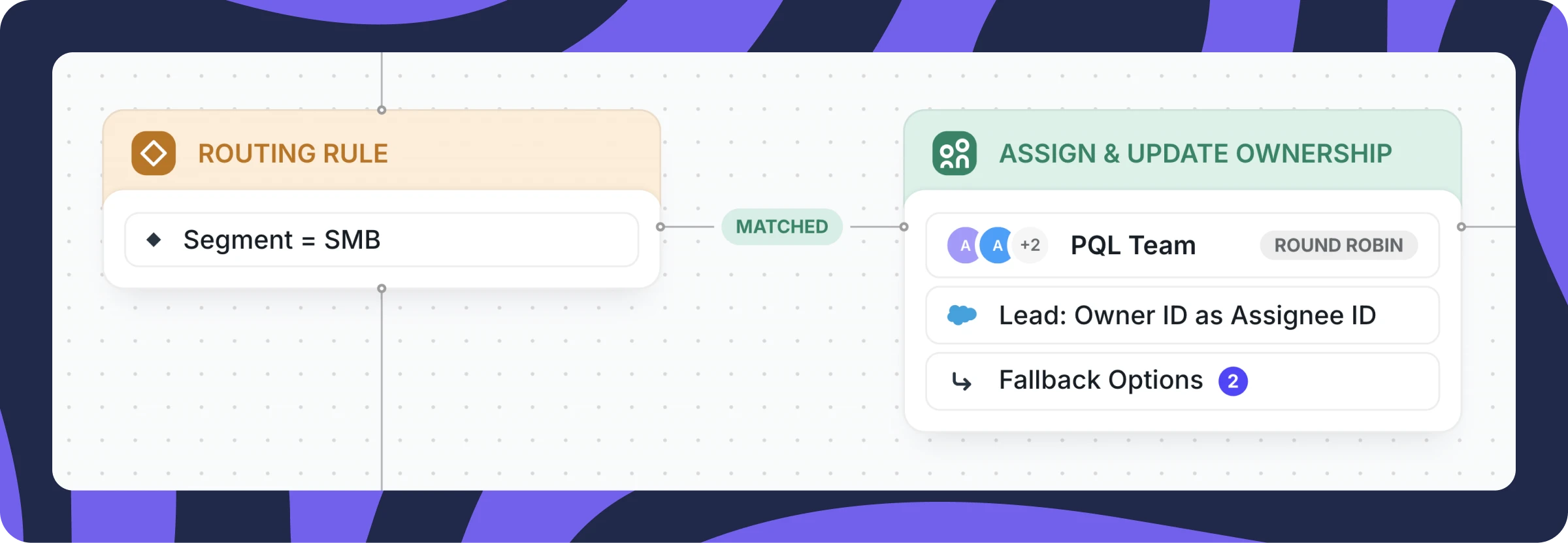
You can also automate notifications in email or Slack, and enforce SLAs that ensure your reps follow up with the prospect quickly.
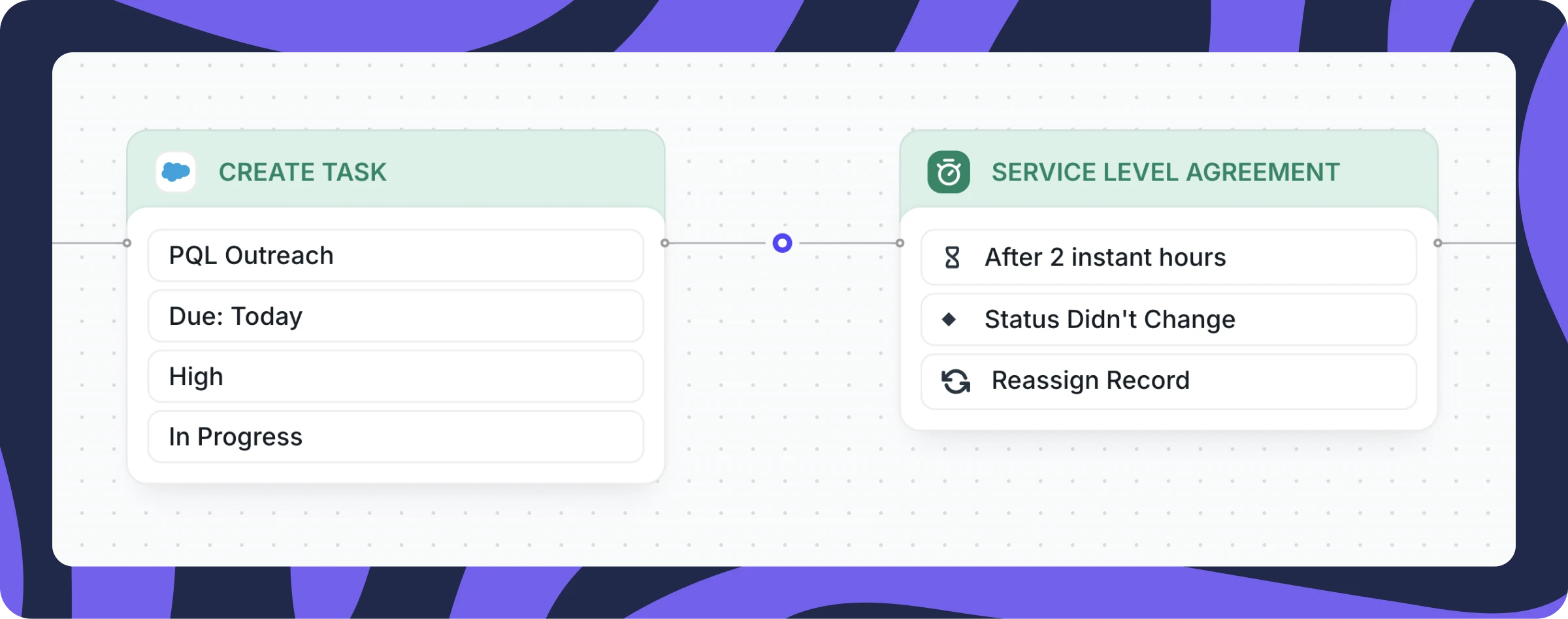
Option 2: Qualify and Route PQLs With Chili Piper
Now, let’s assume you haven’t set up PQL scoring in your CRM, so you don’t have a dedicated PQL field to work with.
With this option, you are still tracking key metrics in your CRM, but now you’re using Chili Piper Distro to create rules for identifying when a lead reaches PQL status.
Here’s an example of how Chili Piper might set up a PQL-based router for people using ChiliCal (our email scheduling solution).
In our example, we will be triggering a Distro Router whenever a freemium user books 20 meetings using ChiliCal — once they’ve booked 20 meetings, we know they’ve started to see value in the product and might be ready to convert to our paid offering.
First, we set up a trigger and an entry rule. In this case, Distro will fire when:
- The “Concierge_Demo_c” Field on the Lead record is updated
AND
- Our PQL Qualifier rules are met (in this case, a freemium customer that schedules 20 meetings)
Here’s what the trigger looks like:
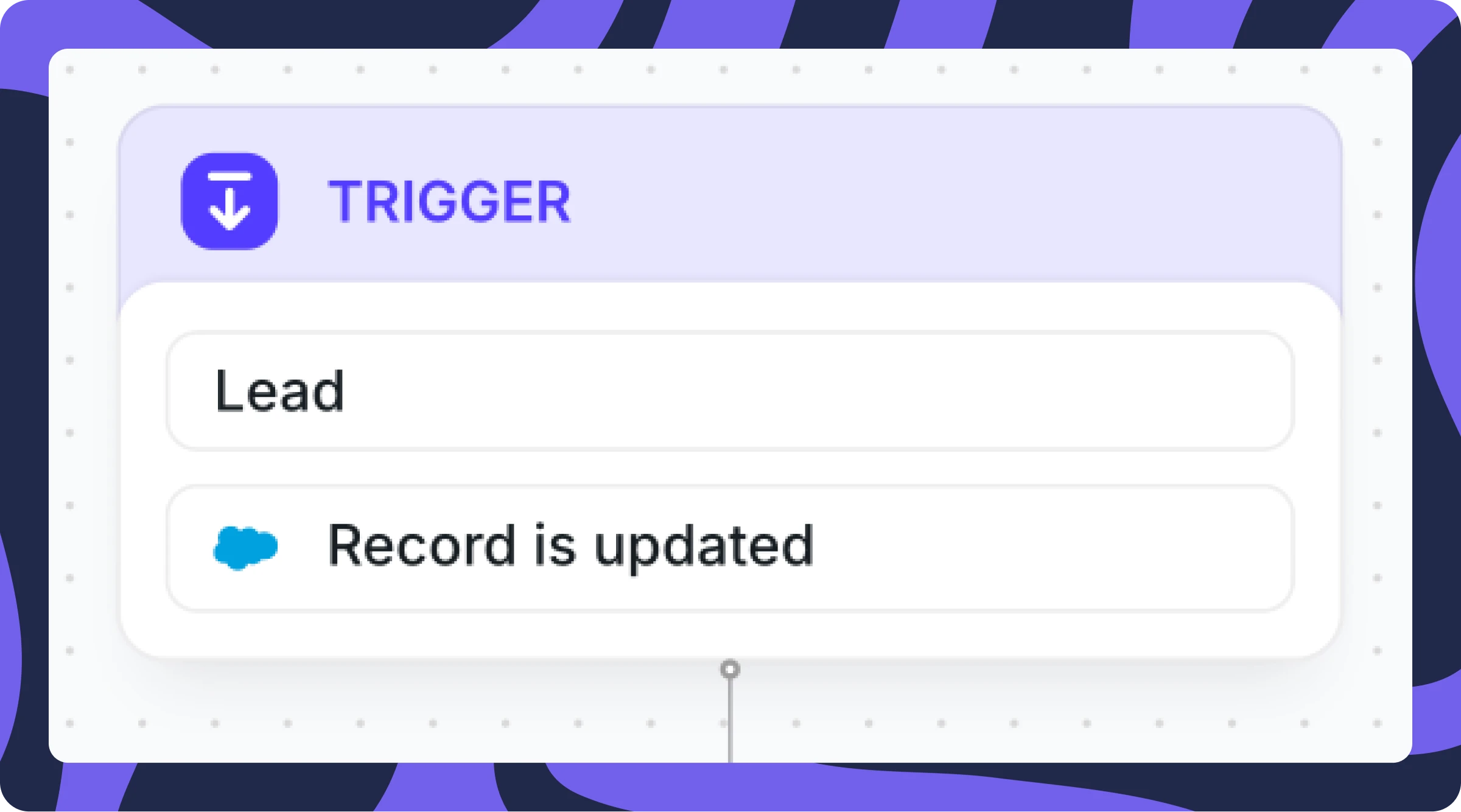
And here’s what that Entry Rule looks like:
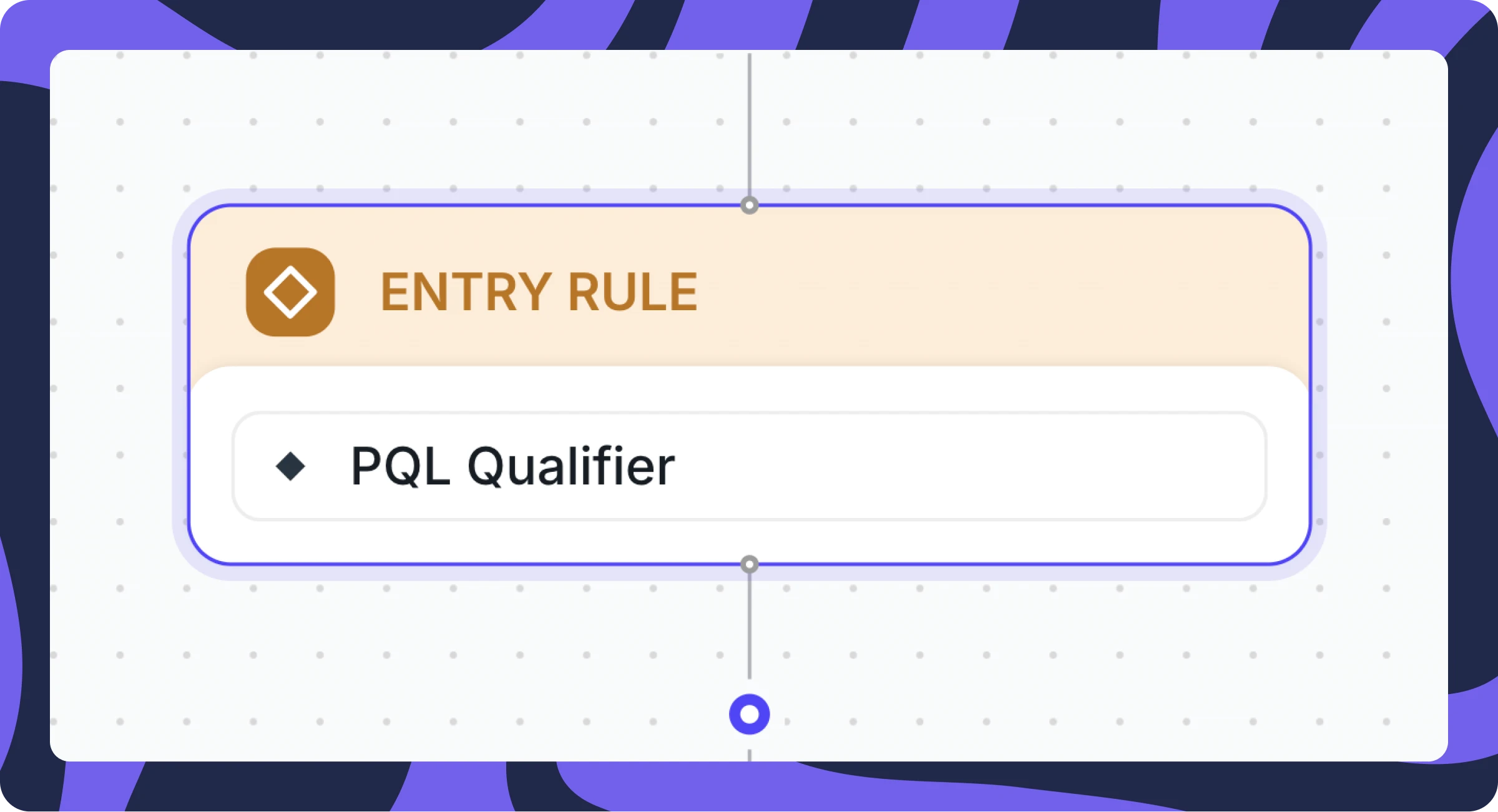
And how to set up that Entry Rule. In this case, we’ve set it so that if the “Instant Booker Utilization” field is greater than or equal to 20, it will meet the criteria of our PQL Qualifier rule.
You can then route leads that meet your PQL criteria to the SDR team that manages PQLs and assign them using a round-robin.
And just like the example above, you can automate notifications in email or Slack, and enforce SLAs that ensure your reps follow up with the prospect quickly.
Strike While The Iron is Hot 🔥
Once a lead reaches PQL status, SDRs should act swiftly to capitalize on the prospect’s high intent.
A best practice is for SDRs to send a personalized follow-up email that includes either a scheduling link or embedded suggested times for a meeting. This approach streamlines the scheduling process and makes it effortless for the lead to book a call.
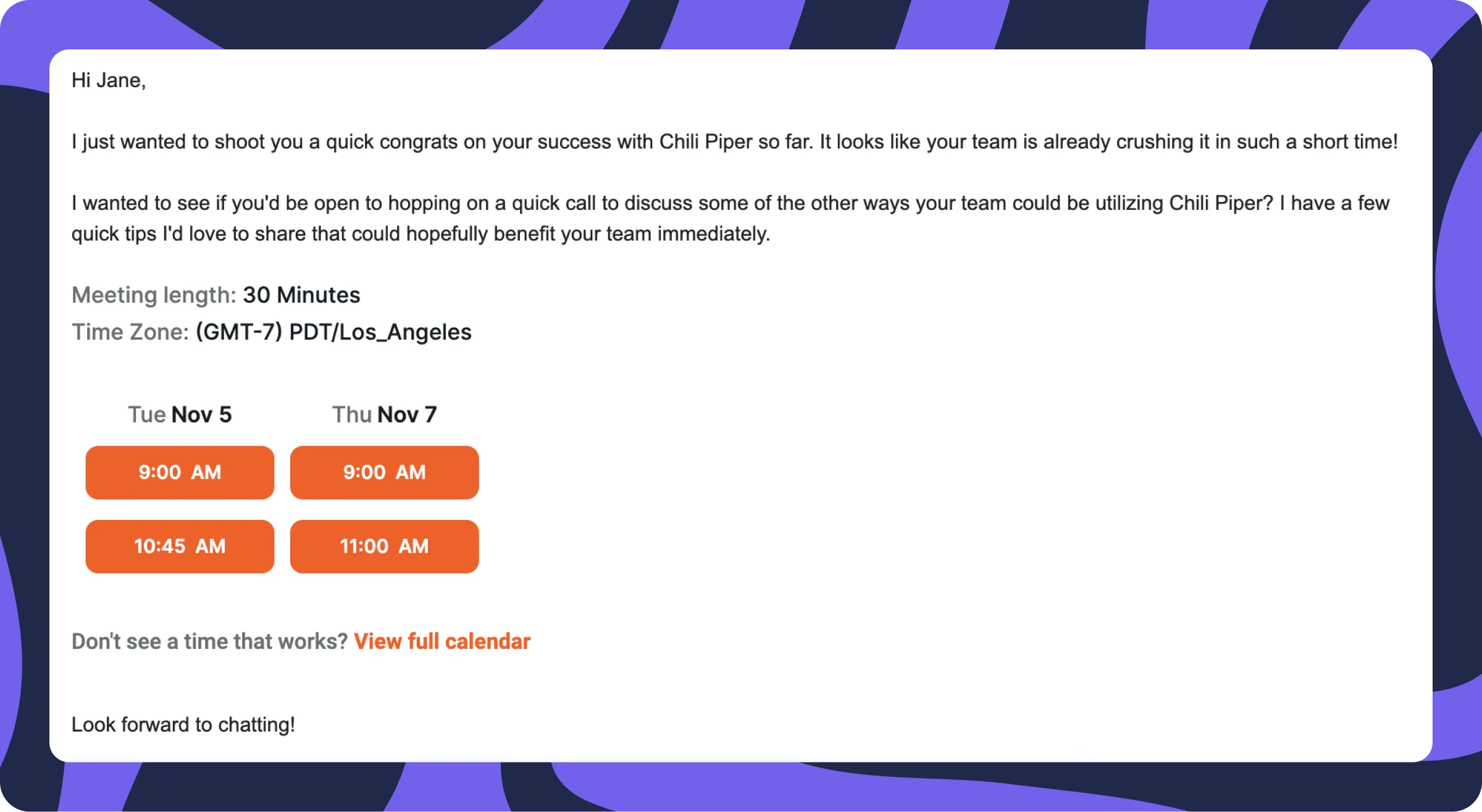
By eliminating unnecessary back-and-forth, your SDRs can ensure they strike while the iron is hot and keep the momentum going.
What’s next?
If you want to try this spicy use case yourself, learn more about Chili Piper Distro here.
Also if you’re not doing so already, be sure to follow Jonathan on LinkedIn — he shares spicy Chili Piper tips and tricks regularly.
In the meantime, stay spicy 🌶️