How to Auto-convert Leads to Contacts
Introduction
In modern sales operations with defined target accounts managed by Account Executives, a critical challenge emerges: when new leads from target accounts come inbound through events or web interactions, how do you ensure they reach the right person and connect with active conversations?
The solution involves matching leads to active accounts and opportunities, then automatically converting them to contacts tied to those records—benefiting reps with new contact information, routing buyers to knowledgeable team members, and keeping CRM data clean.
Get Leads to the Right Rep at the Right Time
RevOps teams must ensure leads progress to the correct person and team rapidly. A common issue: hot leads arrive but get assigned to wrong people or teams, wasting valuable internal time on reassignment.
By matching leads to active accounts and opportunities, you can automatically convert them to contacts tied to those objects. This approach eliminates manual sorting, allowing sales teams to skip lead list reviews and passing, with the process completing within seconds.
How to make the process fit your org's requirements
Organizations have different sales motions requiring nuanced solutions. For example, you might not want a Buick employee with a generalmotors.com email routed to the Chevrolet rep.
Chili Piper offers custom matching rules where you define what constitutes a match, adjust matching sensitivity, and establish tiebreakers. While it cannot address every nuance, customization options prove helpful for most scenarios.

Example of how to set up auto lead conversion
Consider a company managing defined target accounts. Jerry, an account executive, owns all automotive brands and currently works an active Chevrolet opportunity in Demo stage.
When "Ernie from Chevy" downloads website content, without proper systems:
- SDRs reach out unaware of active conversations
- SDRs waste research time before discovering active opportunities
- Account executives must manage leads and manual conversions
- Leads sit unaddressed in queues
This creates losses for everyone: SDRs waste time on owned accounts, AEs miss immediate visibility of new prospects, ops handles constant reassignments, and customers experience longer delays reaching the right person.

The Best Case Scenario
Instead, the lead goes directly to Jerry and auto-converts to the account or opportunity based on your criteria. This saves time across teams and routes prospects to the right person fastest.
How to set up Auto Lead Conversion in Distro
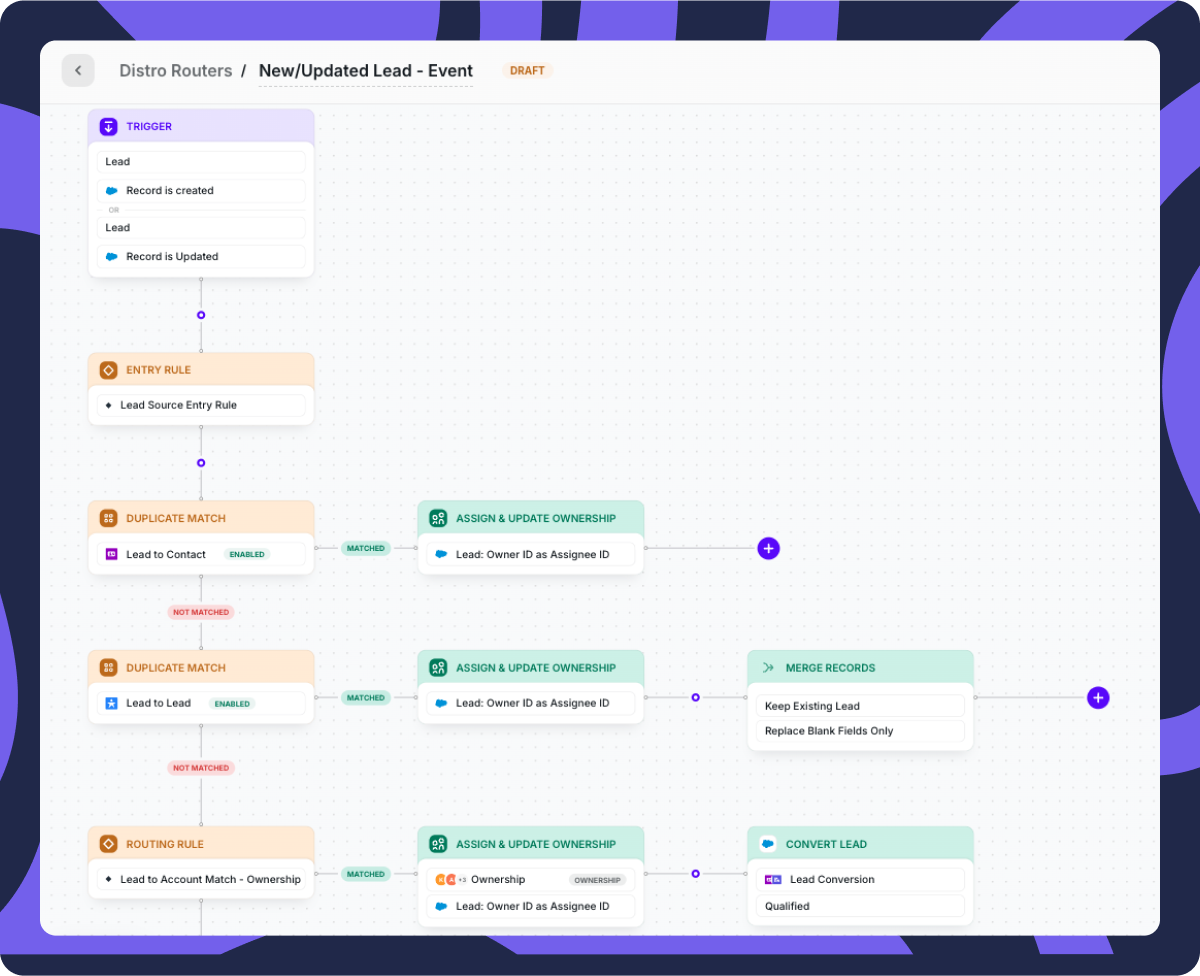
Step 1: Build a flow in Distro for leads requiring these rules (flows can be copied into other rules).
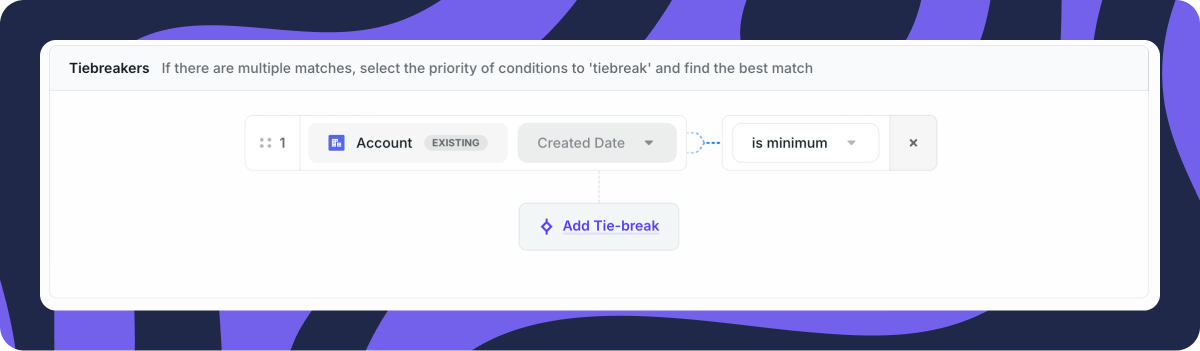
Step 2: Establish account matching and opportunity matching rules with customization options and tiebreakers for questionable matches.
Step 3: Add flow steps searching for account or opportunity matches.
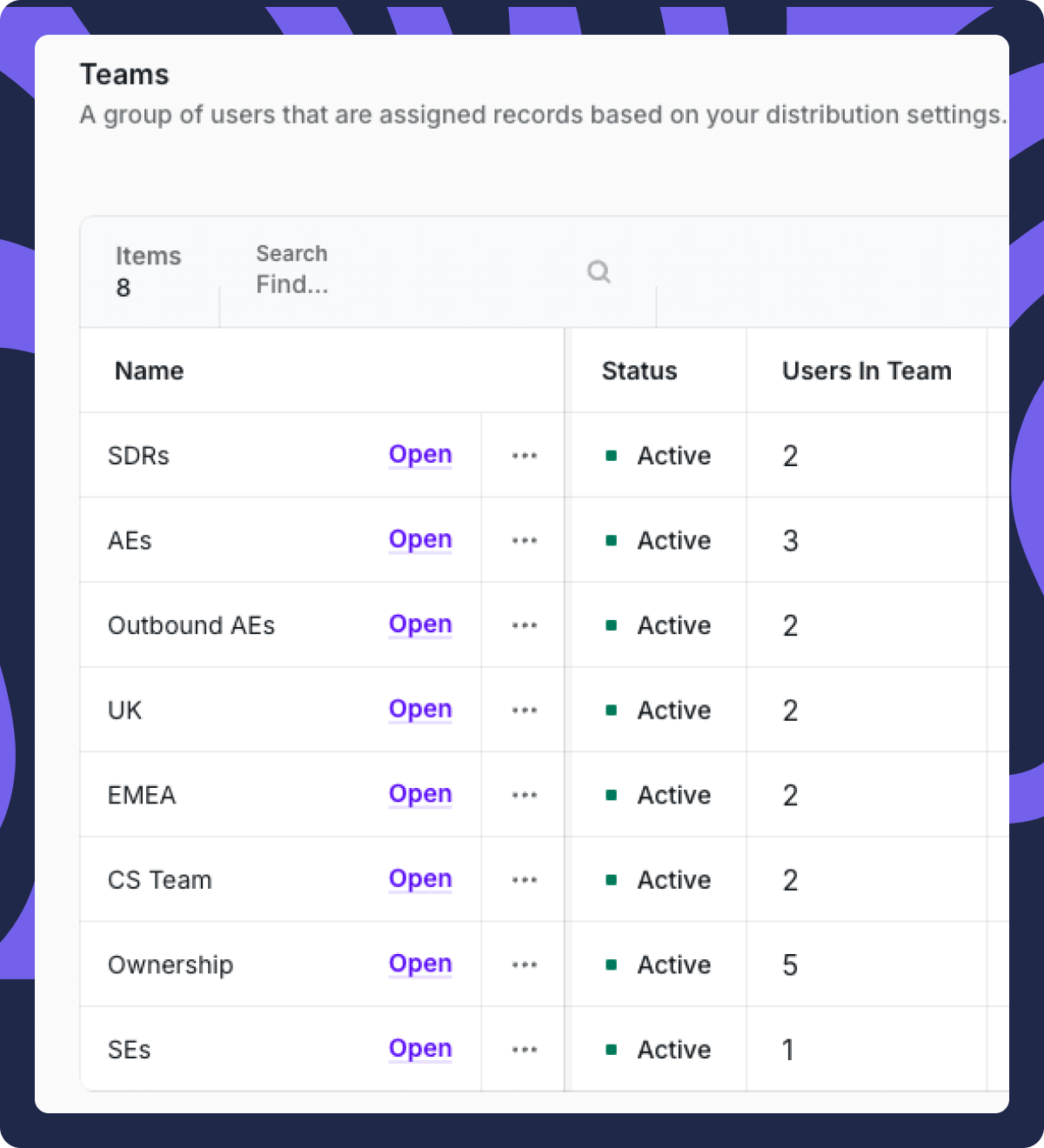
Step 4: When matches are found, assign to either the account owner or SDR team (manageable in one location for copy/paste efficiency).
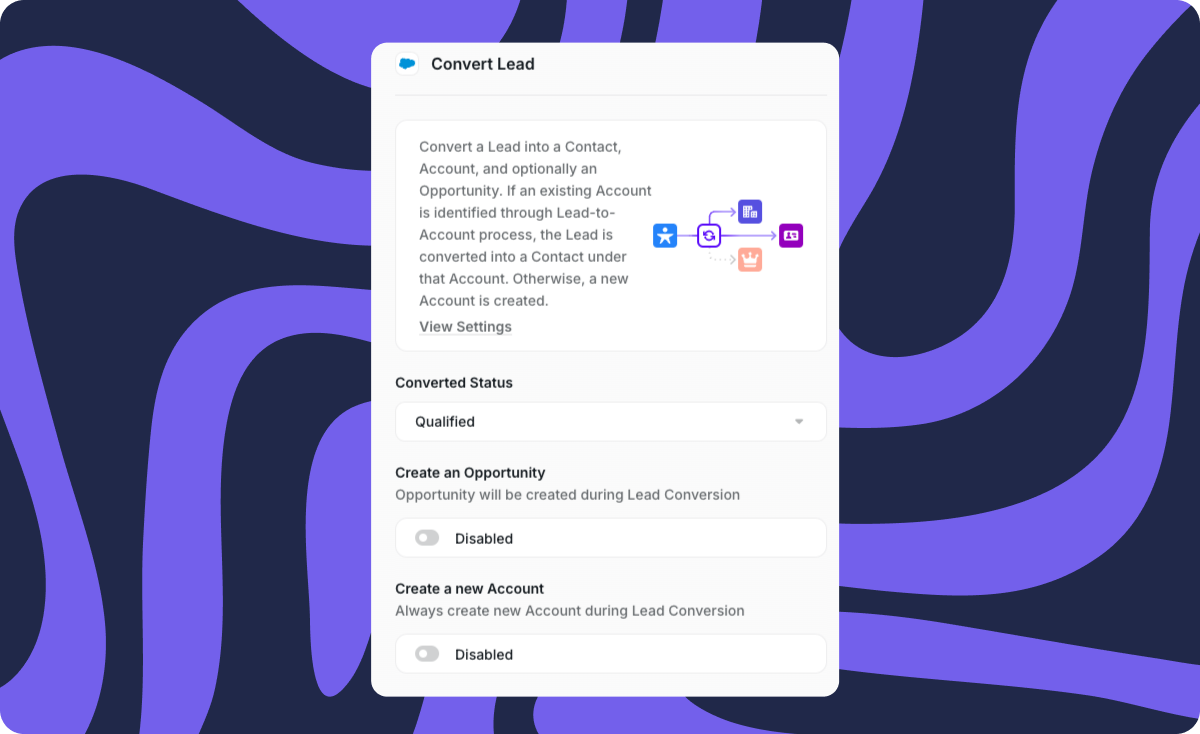
Step 5: Auto-convert the lead to a contact using statuses appropriate for your organization.
This setup requires minimal configuration for standard CRM instances.
Lead conversion is just the beginning
Distro enables routing of any CRM record type, deduplication flows, and additional functionality beyond lead conversion.
In the day and age of ‘ICP’ ‘ABM’ ‘TAM’ (the list of acronyms goes on), it is very common to have defined target accounts in your CRM owned by Account Executives (or whatever you call your sales reps).
Your team is constantly working these accounts, and you may even have active opportunities with your target account list.
But what happens if a net-new Lead at one of your targets comes inbound, attends an event, etc?
How do you make sure that it gets assigned to the right person, or team of people, and is tied to the active conversations?
That’s exactly what I’m here to talk about today. Let’s get into it.
Get Leads to the Right Rep at the Right Time
In RevOps, it is part of our job to make sure a Lead progresses to the right person and the right team as fast as possible.
The problem that I’ve seen happen a lot is hot leads come inbound, but end up assigned to the wrong person, team, or role entirely. Valuable time is wasted internally sorting out who to reassign the prospect to.
To avoid this problem, you can match Leads to active Accounts and Opportunities, and AUTOMATICALLY convert them to Contacts tied to those matched objects.
Everyone wins in this scenario.
The reps get a new data point and person to follow up with.
The buyer is routed to someone who can answer their questions.
And ops doesn’t have to deal with messy CRM data. 🤩
Sales teams do not need to comb through Lead lists or pass off new Leads to existing account teams. It can all happen right in the platform in literally seconds.
How to make the process fit your org’s requirements
There is obviously some nuance to this, since every team and organization has different sales motions.
For example, you might not want someone at Buick with a “generalmotors.com” email going to the rep who is working Chevrolet.
The good news for you is that Chili Piper also offers custom matching rules, where you can determine what defines a match, how fuzzy you want that to be, what should be tiebreakers, etc.

It might not be able to solve for every nuance, but it’s certainly helpful to have the option to customize this as much as possible.
Example of how to set up auto lead conversion
Let’s take a look at what the flow might look like for a company with defined target accounts.
Using the General Motors example again, let’s say Jerry, one of your reps, owns all automotive brands.
He is currently working an Opportunity with Chevy that is active and in Stage = Demo.
A new lead “Ernie from Chevy” downloads content on your website. Without a solution in place, the likely scenarios are:
-
An SDR reaches out and tries to get them to schedule a meeting, without realizing there are active conversations with Chevy ongoing
-
An SDR spends time researching the new prospect, only to realize there is an active Opp, and has to spend time re-assigning and syncing with the AE
-
Your AE has to also manage Leads and make sure the new prospect gets converted onto the right Accounts / Opportunities
-
The lead sits in the queue or lead list without follow-up at all (barf)
The list goes on and on!
This process is terrible for everyone involved.
It’s bad for the SDR, because they’re wasting their time on an owned Account.
It’s bad for the AE because they don’t get to see the new prospect on their account right away (or ever).
It’s bad for ops because there will be constant list management and reassignment requests.
It’s bad for the customer because it takes them longer to have a valuable conversation while you figure things out internally.
Everyone loses.
The Best Case Scenario
Wouldn’t it be better if the lead went directly to Jerry? Then, auto-converted on to the Account or Opportunity based on the criteria you’ve set up?
It saves you time, it saves your SDRs time, it saves your AEs time, and it gets the prospect to speak to the right person in the fastest way possible.
Let me show you how to set this up:
How to set up Auto Lead Conversion in Distro
First, build a Flow in Distro for any leads you want these rules to apply to (these can be copied and pasted into any other rules as well)
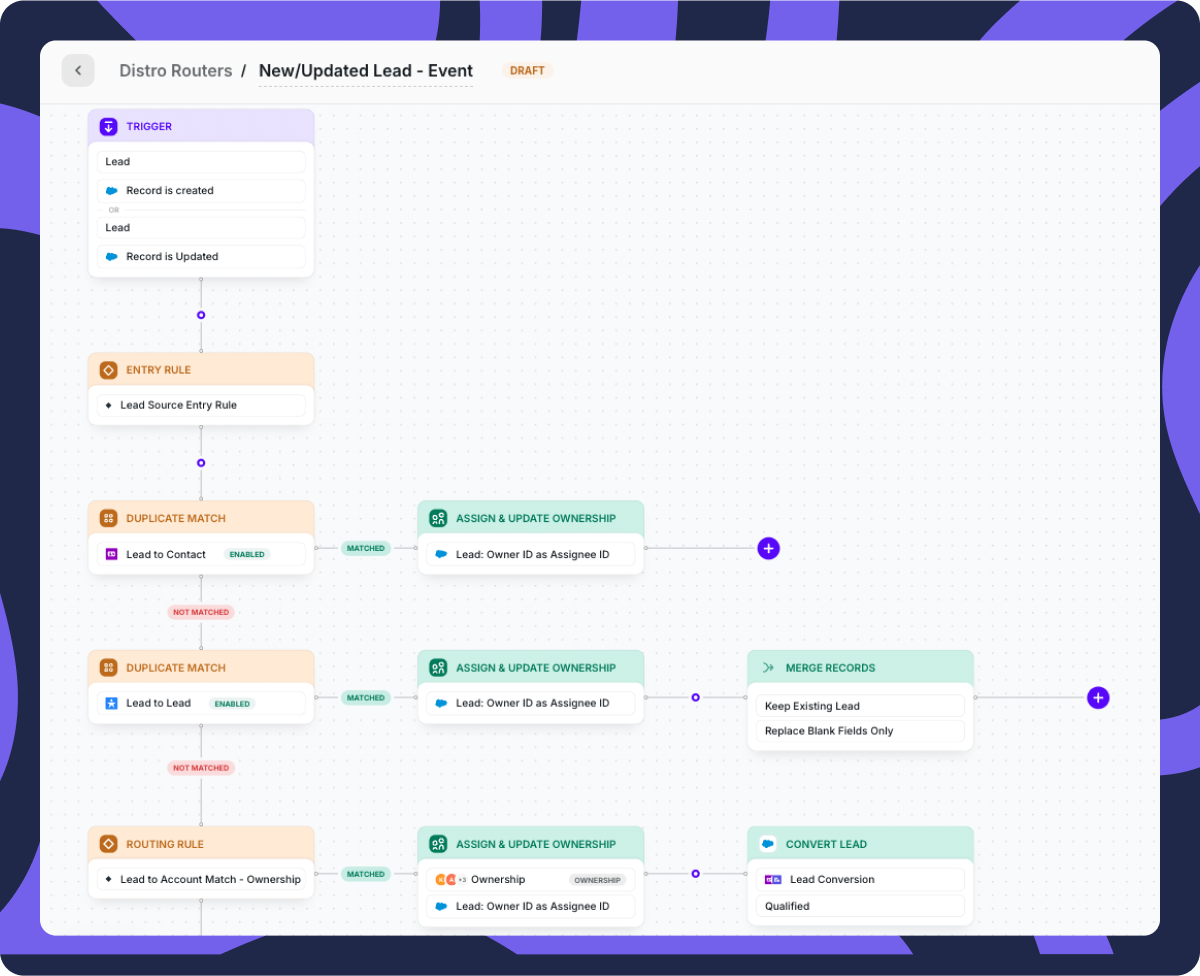
Next, build out your Account matching and Opportunity matching rules. Note the option to customize these as you wish, and add tiebreakers for any that are questionable.
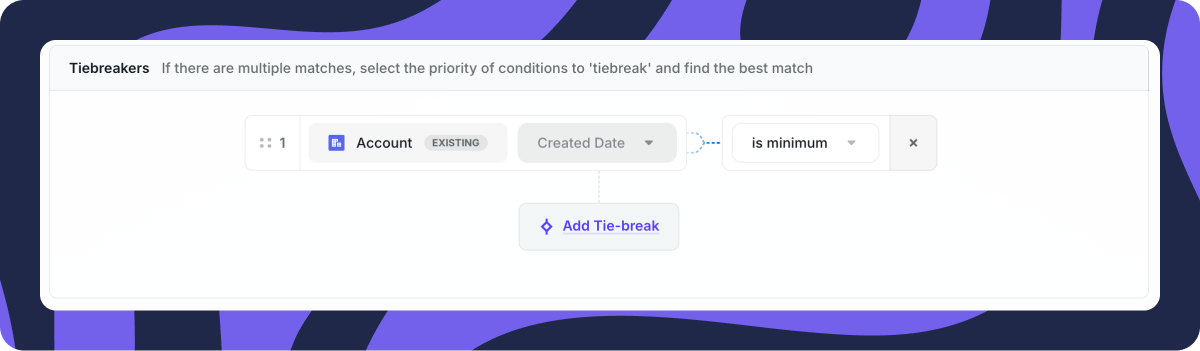
Next, add steps to your Flow that look for Account or Opportunity

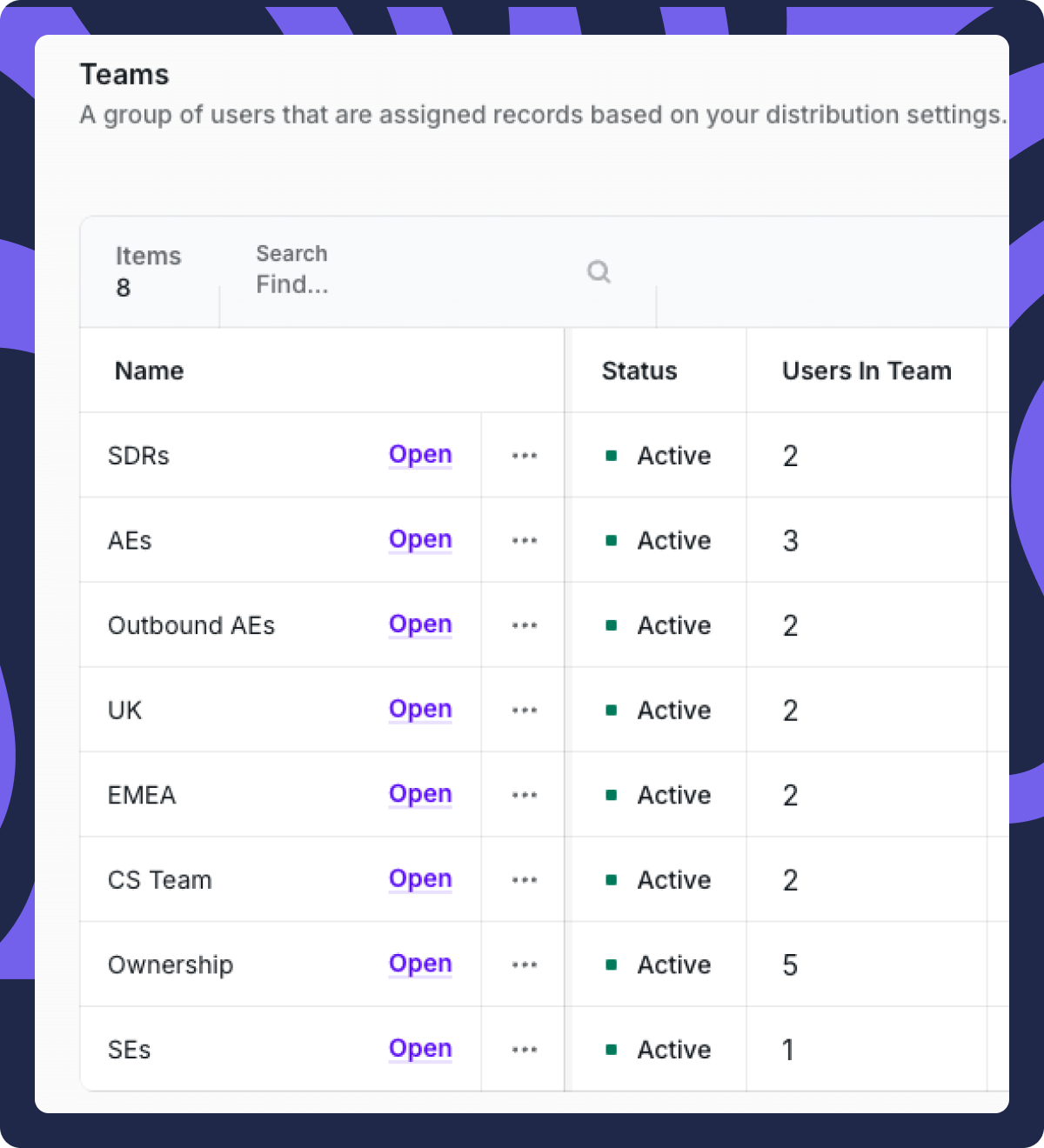
When a match is found, you can either a) assign to the owner or b) assign to an SDR team (these teams can also be copy / pasted into other rules, so you only will need to manage them in one place).
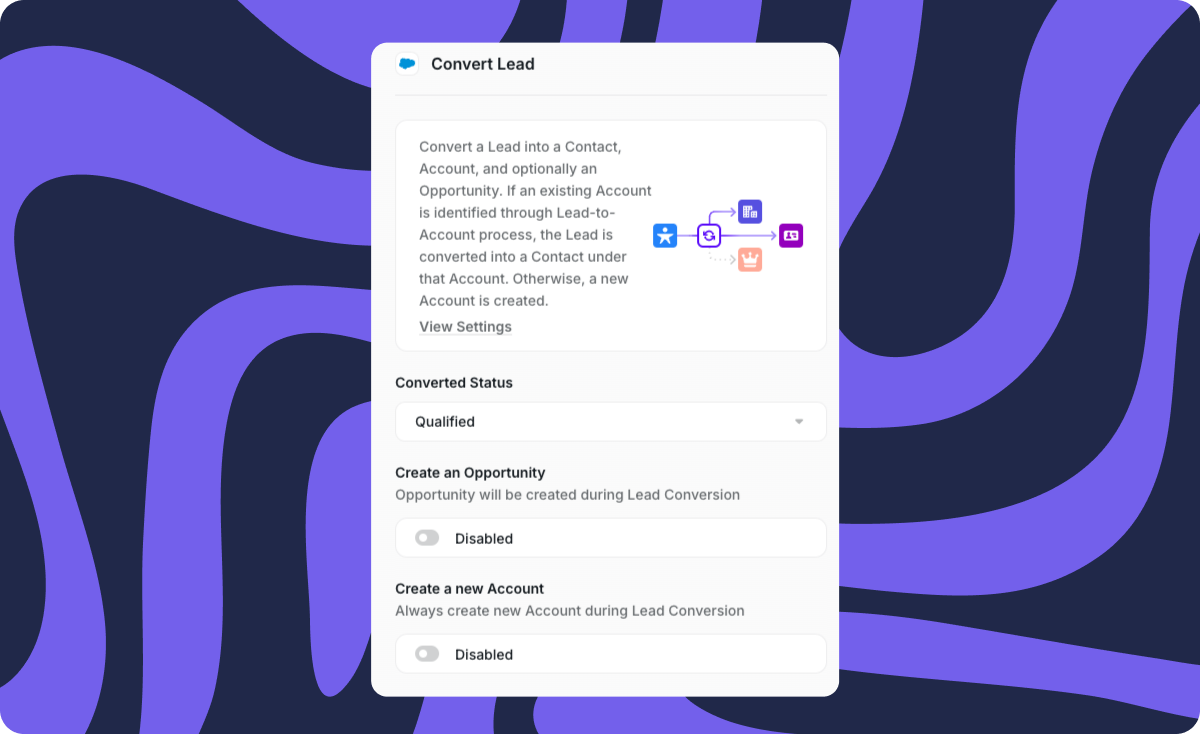
Auto-convert the Lead to a Contact in whatever status makes sense for your org.
Boom! It’s really as easy as that to set up.
There is so much more you can do with these functions.
It may not be so simple in some more complex architectures, but for most standard CRM instances, this should be a no-brainer for your lead flow.
Lead conversion is just the beginning
I know that sounds like the worst kind of marketing headline — but it’s true. With Distro you can route ANY type of CRM record, set up deduping flows, and so much more.
Check out our Distro page to see what else we can do — or, better yet, schedule a demo.